
ANDTE ZJ-DE260
ANDTE 250 Pints Commercial Dehumidifier User Manual
Model: ZJ-DE260
1. Introduction
Thank you for choosing the ANDTE 250 Pints Commercial Dehumidifier. This powerful and efficient unit is designed to effectively remove excess moisture from large areas up to 8,000 square feet, making it ideal for industrial warehouses, basements, gyms, garages, and spaces requiring precise humidity control. This manual provides essential information for safe operation, installation, maintenance, and troubleshooting.

Figure 1: Front view of the ANDTE 250 Pints Commercial Dehumidifier.
2. Product Features
- High Capacity: Capable of extracting 250 pints (110 PPD AHAM) of moisture per day, covering up to 8,000 Sq.Ft.
- Fast Drying: Operates at a high airflow speed (370 CFM) for rapid moisture removal, suitable for emergency water damage repair.
- 24-Hour Dehumidifying Function: Allows continuous operation with automatic humidistat, auto-restart after power failure, auto-defrost, and a 1-24 hour on/off timer.
- Automatic Defrost: Ensures efficient operation in low-temperature environments by automatically defrosting coils.
- Durable Construction: Features a robust metal shell, resistant to collision and corrosion, designed for harsh environments.
- Easy Mobility: Equipped with large semi-pneumatic wheels and a sturdy strip handle for convenient transport.
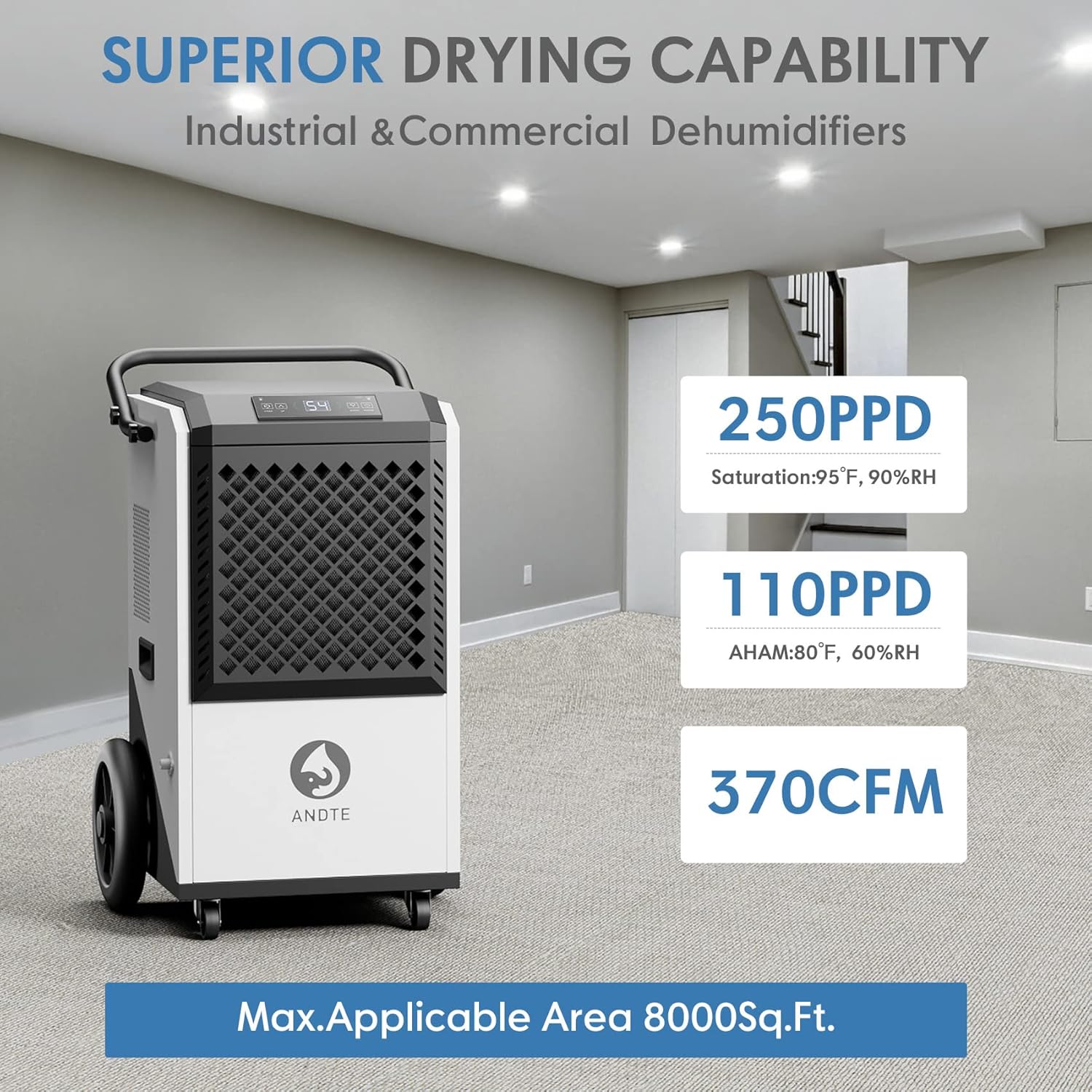
Figure 2: Illustration of the dehumidifier's superior drying capabilities and coverage area.
3. Setup and Installation
Before operating the dehumidifier, ensure it is placed on a level, stable surface. Allow the unit to stand upright for at least 24 hours before plugging it in if it has been transported horizontally.
3.1 Placement
- Position the dehumidifier in the center of the area requiring dehumidification for optimal performance.
- Ensure there is at least 12 inches (30 cm) of space around all sides of the unit for proper airflow.
- Avoid placing the unit near heat sources or in direct sunlight.
3.2 Power Connection
Connect the power cord to a grounded electrical outlet with the correct voltage (120V~60Hz). Do not use extension cords or adapter plugs.

Figure 3: The dehumidifier's robust handle and large wheels facilitate easy movement.
4. Operating Instructions
4.1 Control Panel Overview
The dehumidifier features an intuitive digital control panel for easy operation.

Figure 4: Detailed view of the control panel with Timer, Up, Down, and Power buttons.
- POWER Button: Turns the unit ON/OFF.
- UP/DOWN Buttons: Adjust the desired humidity level (10%-98% RH) or timer settings.
- TIMER Button: Sets the auto ON/OFF timer (1-24 hours).
- Display: Shows current humidity, set humidity, or timer countdown.
4.2 Setting Desired Humidity
- Press the POWER button to turn on the unit.
- Use the UP or DOWN buttons to set your desired humidity level. The unit will automatically operate to maintain this level.
4.3 Timer Function
- Press the TIMER button.
- Use the UP or DOWN buttons to set the desired operating time (1-24 hours) before the unit automatically turns off or on.
4.4 Continuous Drainage
The dehumidifier supports continuous drainage, eliminating the need to manually empty a water tank.
- Locate the drain outlet on the unit.
- Connect the included 6.56 ft drain hose to the outlet.
- Ensure the hose is sloped downwards to allow gravity drainage into a suitable drain or container.

Figure 5: Setup for automatic and continuous drainage using the provided hose.
5. Maintenance
Regular maintenance ensures optimal performance and extends the lifespan of your dehumidifier.
5.1 Filter Cleaning
The detachable and washable filter should be cleaned regularly (e.g., every two weeks or as needed, depending on usage and air quality).
- Turn off the dehumidifier and unplug it from the power outlet.
- Locate and remove the air filter from the unit.
- Wash the filter with warm, soapy water. Rinse thoroughly.
- Allow the filter to air dry completely before reinserting it into the unit. Do not use a dryer or direct heat.

Figure 6: The dehumidifier features a cleanable filter screen for easy maintenance.
5.2 Storage
If the unit will not be used for an extended period:
- Unplug the unit and drain any remaining water.
- Clean the air filter.
- Store the unit in a cool, dry place, away from direct sunlight and extreme temperatures.
6. Troubleshooting
Refer to the table below for common issues and their solutions.
| Problem | Possible Cause | Solution |
|---|---|---|
| Unit does not turn on | No power supply; Power cord not securely plugged in; Power outage. | Check power outlet; Ensure power cord is firmly plugged in; Check circuit breaker. |
| Dehumidifier not collecting water | Humidity setting too high; Air filter clogged; Room temperature too low; Unit in defrost mode. | Lower the humidity setting; Clean the air filter; Ensure room temperature is within operating range (39-113°F); Wait for defrost cycle to complete. |
| Unit is noisy | Unit not on a level surface; Air filter clogged; Obstruction in fan. | Place unit on a flat, stable surface; Clean the air filter; Check for and remove any obstructions. |
| Error code displayed | Internal malfunction. | Unplug the unit for 10 minutes and plug it back in. If the error persists, contact customer support. |
7. Technical Specifications
| Specification | Value |
|---|---|
| Brand | ANDTE |
| Model Name | ZJ-DE260 |
| Capacity | 250 Pints (110 PPD AHAM) |
| Floor Area Coverage | Up to 8000 Square Feet |
| Air Flow Capacity | 370 Cubic Feet Per Minute (CFM) |
| Power Source | 120V~60Hz |
| Rated Power | 1300 Watts |
| Humidity Setting Range | 10%-98% RH |
| Operating Temperature | 39°F - 113°F |
| Product Dimensions | 18"D x 20.8"W x 31.8"H |
| Item Weight | 95 Pounds |
| Material | Alloy Steel |
| Special Features | Automatic Defrost, Continuous Dehumidification, Memory Restart, Timer |
8. Warranty and Support
ANDTE is committed to providing reliable quality products and services. Your dehumidifier comes with a comprehensive warranty.

Figure 7: Overview of ANDTE's warranty policy and coverage.
8.1 Warranty Coverage
- Refrigeration System: 5 Years (Compressor, Condenser, Evaporator only, excluding labor and refrigerant).
- Electronic Components: 3 Years (Display screen, Mainboard, Signal cable, etc., excluding labor).
- Consumable Accessories: 1 Year (Drain hose, Filter, Handle, Screws, etc., excluding labor).
- Overall Units: 1 Year (Functional failure, defect, or inferior workmanship as specified in national laws, excluding labor).
- Overall Units: 30 Days (Non-functional problem, not artificial damage or loss of products/components).
Coverage begins from the next day of delivery. For any issues, please contact customer support.
8.2 Customer Support
If you have any questions, concerns, or require assistance with your ANDTE dehumidifier, please do not hesitate to contact our customer support team. We aim to reply to all inquiries within 12 hours and resolve problems promptly.
Please refer to your product packaging or the official ANDTE website for the most current contact information.
Related documentsZJ-DE260


Ask a question about this manual
Ask about setup, troubleshooting, compatibility, parts, safety, or missing instructions. Manuals+ will review the question and use this page’s manual context to help answer it.