
Introduction
This manual provides detailed instructions for the installation, operation, and maintenance of your BLNAN 18W LED Ceiling Light with Motion Sensor. Please read this manual thoroughly before installation and use to ensure proper function and safety.
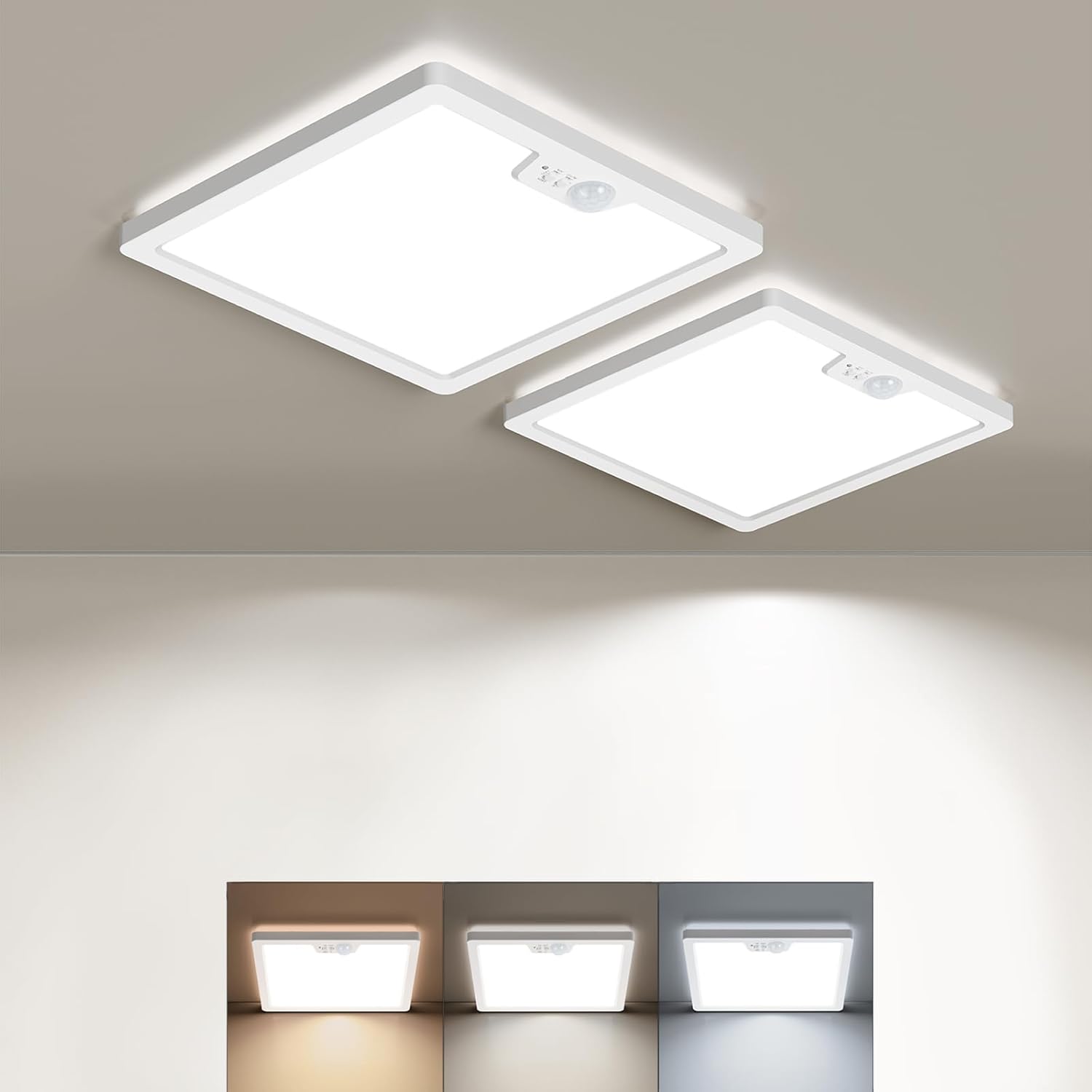
Image: Two BLNAN 18W LED Ceiling Lights with motion sensors installed.
Safety Information
Always follow basic safety precautions when installing and operating electrical products to reduce the risk of fire, electric shock, and personal injury.
- Ensure the power supply is disconnected at the circuit breaker before installation or maintenance.
- Installation should be performed by a qualified electrician if you are unsure.
- Do not install in locations with high humidity or extreme temperatures.
- Do not attempt to modify the product.
- Keep out of reach of children.
Package Contents
Verify that all components are present before beginning installation:
- BLNAN 18W LED Ceiling Light (2 units)
- Mounting accessories (screws, wall anchors, wire connector)
- User Manual
Product Features
The BLNAN 18W LED Ceiling Light offers advanced features for convenient and efficient lighting:
- Integrated Motion Sensor: Automatically detects movement within a 3.5m range and 120° sensing angle, activating the light.
- Adjustable Hold Time: Selectable light duration of 30s, 120s, or 180s after motion detection.
- Three Lighting Modes: ON (always on), AUTO (motion + light sensor), and G (motion sensor only).
- Adjustable Color Temperature: Choose between 3000K (Warm White), 4000K (Natural White), and 5000K (Cool White).
- Energy Efficient: 18W power consumption with 1800LM output, suitable for 5-10m² areas. Standby power is only 0.25W.
- Ultra-Thin Design: Modern 2.5 cm ultra-thin profile with backlight for uniform, soft illumination.
- High Quality Construction: Uses high-quality SMD2835 lamp beads and V2 flame-retardant polycarbonate material for durability and safety.
- Easy Installation: Lightweight polycarbonate material and metal safety cable simplify mounting without needing a ground wire.

Image: Detailed view of the motion sensor and adjustment switches.
Installation Instructions
Follow these steps to install your BLNAN LED Ceiling Light:
- Prepare for Installation: Disconnect the main power supply at the circuit breaker before starting. Ensure the mounting surface is clean and dry.
- Select Color Temperature: Before mounting, use the slide switch on the back of the light panel to select your desired color temperature (3000K, 4000K, or 5000K). This setting cannot be changed easily after installation.
- Mount the Base Plate: Position the light base on the ceiling or wall. Mark the drilling points. Drill holes and insert wall anchors if necessary. Secure the base plate using the provided screws.
- Connect Wiring: Hang the light fixture using the metal safety cable to prevent it from falling during wiring. Connect the live and neutral wires from your ceiling to the corresponding terminals on the light fixture using the provided wire connector. This light does not require a ground wire due to its insulated polycarbonate material.
- Attach the Light Fixture: Align the light fixture with the mounted base plate. Push and rotate the light to securely attach it to the base.
- Restore Power: Once the light is securely installed, restore power at the circuit breaker.

Image: Adjusting color temperature before installation.

Image: Step-by-step installation guide.
Recommended Installation Height and Detection Range:
- Ceiling Mount: Recommended height 2.4 - 3.5 meters, with a maximum detection range of 6 meters.
- Wall Mount: Recommended height 1.8 - 2.4 meters.

Image: Motion sensor detection range and sensing angle.

Image: Recommended installation heights for wall and ceiling mounting.
Operating Instructions
Your BLNAN LED Ceiling Light features adjustable settings for motion detection and light duration.
1. Adjusting Detection Modes and Hold Time
Use the slide switch located on the surface of the light, next to the motion sensor, to select the desired mode and hold time:
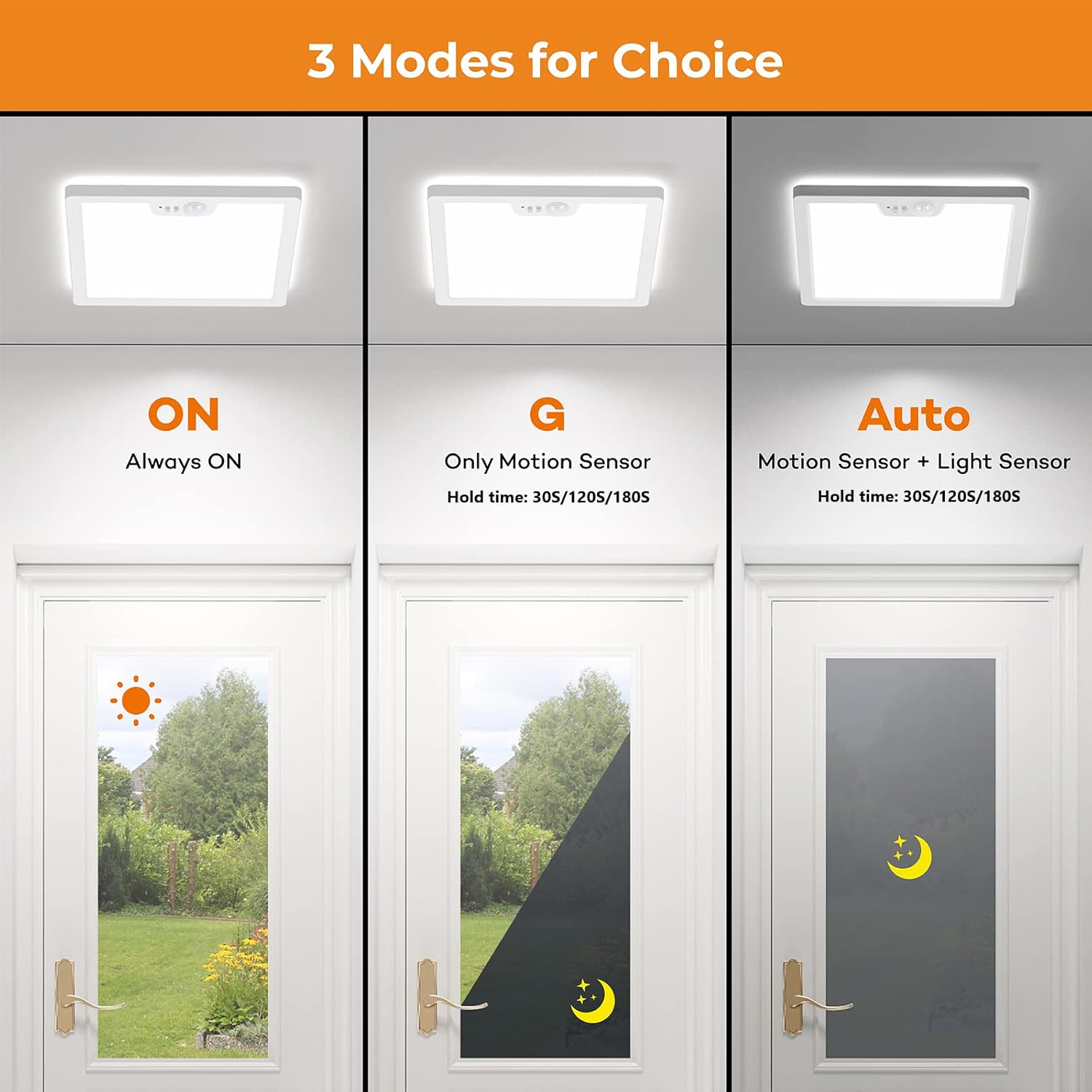
Image: Overview of the three detection modes.
- ON Mode: The light will remain continuously on, functioning as a standard ceiling light. Motion detection is disabled.
- AUTO Mode: (Motion Sensor + Light Sensor) The light will only activate at night or in low-light conditions when motion is detected. During the day, it remains off.
- G Mode: (Motion Sensor Only) The light will activate whenever motion is detected, regardless of ambient light conditions (day or night).
For AUTO and G modes, use the adjacent slide switch to set the light duration (hold time) after motion detection:
- 30s: Light stays on for 30 seconds.
- 120s: Light stays on for 120 seconds.
- 180s: Light stays on for 180 seconds.
2. Adjusting Color Temperature
The color temperature is set using a slide switch on the back of the light panel. This should be adjusted before final installation.
- 3000K: Warm White light, suitable for cozy environments.
- 4000K: Natural White light, ideal for general illumination.
- 5000K: Cool White light, suitable for task-oriented areas.
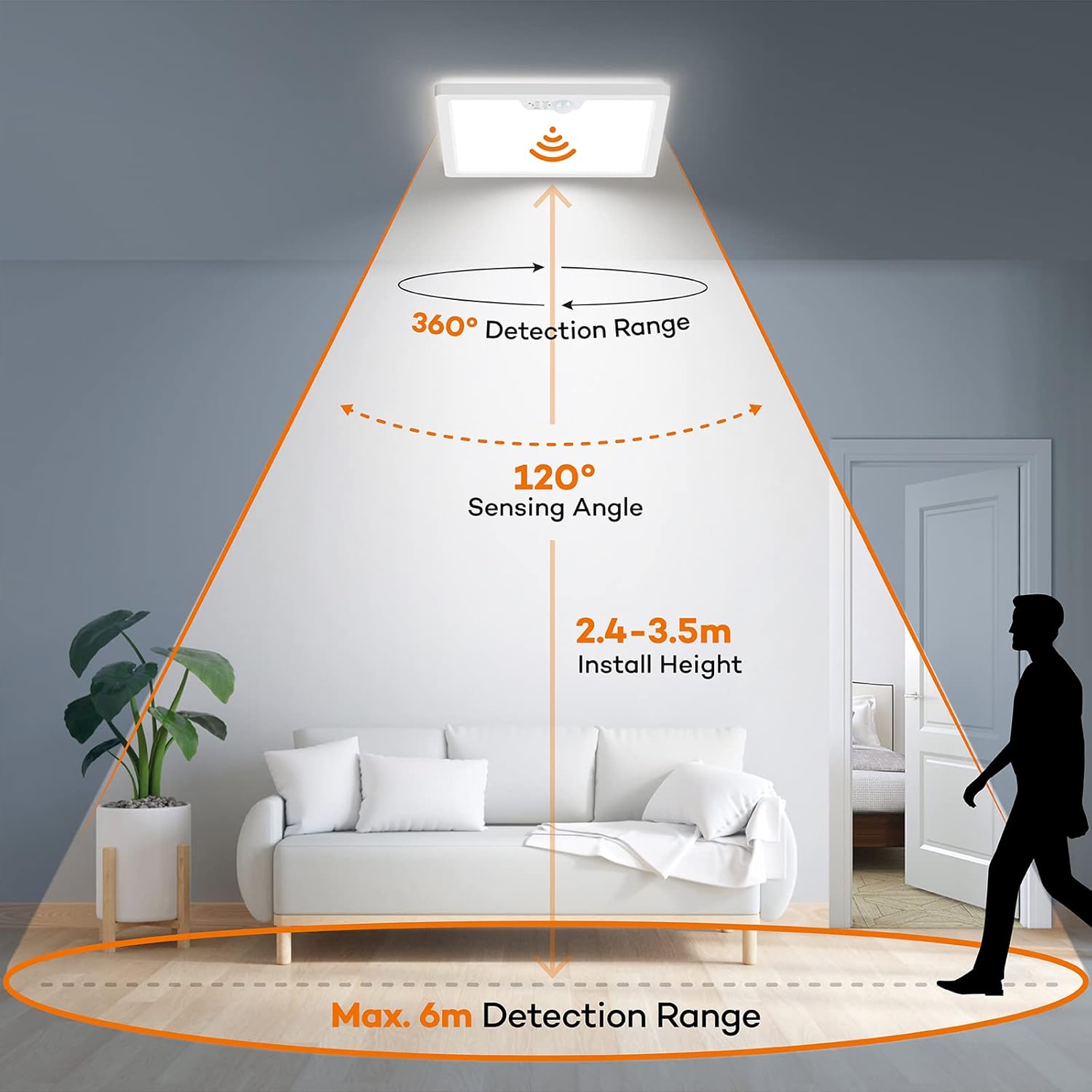
Image: Visual representation of different color temperatures.
Maintenance
To ensure optimal performance and longevity of your BLNAN LED Ceiling Light:
- Cleaning: Disconnect power before cleaning. Wipe the surface with a soft, dry cloth. Do not use abrasive cleaners or solvents.
- Inspection: Periodically check for any loose connections or damage. If any issues are found, disconnect power and consult a qualified technician.
- The LED light source is designed for long-term use (30,000 hours) and does not require bulb replacement.
Troubleshooting
If you encounter issues with your BLNAN LED Ceiling Light, refer to the following common problems and solutions:
| Problem | Possible Cause | Solution |
|---|---|---|
| Light does not turn on. | No power supply; Incorrect wiring; Sensor not detecting motion. | Check circuit breaker and wall switch. Verify wiring connections. Ensure sensor is not obstructed and is set to an appropriate mode (AUTO or G). |
| Light stays on continuously. | Mode set to "ON"; Constant motion in detection area. | Switch mode to "AUTO" or "G". Ensure there is no continuous movement within the sensor's range. |
| Light turns on randomly. | Sensor sensitivity too high; Environmental factors (e.g., drafts, small animals, insects). | Ensure the sensor area is clear of obstructions or sources of false triggers. Consider adjusting the sensor's position if possible, or ensure it's not in a high-traffic area if random activation is problematic. |
| Light does not turn off. | Hold time set too long; Continuous motion. | Check the hold time setting (30s, 120s, 180s). Ensure no continuous motion is detected. |
| Light only works at night. | Mode set to "AUTO". | If you want it to work during the day, switch the mode to "G". |
Specifications
Detailed technical specifications for the BLNAN 18W LED Ceiling Light:
| Feature | Specification |
|---|---|
| Brand | BLNAN |
| Model Number | LS-CL-I18W-M-C |
| Dimensions (L x W x H) | 22 x 22 x 2.5 cm |
| Weight | 1.05 Kilograms |
| Material | Polycarbonate (PC) |
| Power | 18 Watts |
| Luminous Flux | 1800 Lumens |
| Voltage | AC180-240V (230 Volts) |
| Color Temperature | 3000K / 4000K / 5000K (Adjustable) |
| Color Rendering Index (CRI) | >80 |
| Motion Sensor Detection Angle | 120° |
| Motion Sensor Detection Range | Up to 3.5 meters |
| Hold Time Settings | 30s / 120s / 180s |
| LED Lifespan | 30,000 hours |
| Energy Efficiency Rating | F (as per EU standards) (EPREL Link) |
| Installation Type | Ceiling Mount |
| Indoor/Outdoor Use | Indoor |

Image: Energy Efficiency Label.
Warranty and Support
For any questions, concerns, or technical support regarding your BLNAN LED Ceiling Light, please contact the seller or manufacturer directly through your purchase platform. Keep your purchase receipt for warranty claims.


