
Lefant F1
Lefant F1 Robot Vacuum Cleaner User Manual
Model: F1
1. Introduction
Thank you for choosing the Lefant F1 Robot Vacuum Cleaner. This manual provides essential information for the safe operation, maintenance, and troubleshooting of your device. Please read it thoroughly before use and keep it for future reference.

Image: The Lefant F1 Robot Vacuum Cleaner, a compact, dark-colored circular device, shown next to a smartphone displaying its cleaning map and control interface.
2. Safety Instructions
To ensure safe operation, please adhere to the following guidelines:
- Read all instructions before operating the robot vacuum.
- Do not allow children or pets to play with the robot vacuum.
- Ensure the charging base is placed against a wall on a level surface, free from obstacles.
- Remove power cords, small objects, and fragile items from the cleaning path before operation.
- Do not use the robot vacuum on wet surfaces or to clean up liquids.
- Do not use the robot vacuum near open flames or flammable materials.
- Only use the original power adapter and charging base provided with the device.
- Perform regular maintenance as described in this manual to ensure optimal performance and safety.
3. Package Contents
Upon opening the package, please verify that all items listed below are present and in good condition:
- Lefant F1 Robot Vacuum Cleaner
- Charging Station (1)
- Power Adapter (1)
- Dust Bin (1) - 600ml visual dust bin
- Side Brushes (4)
- HEPA Filters (2)
- User Manual (1)
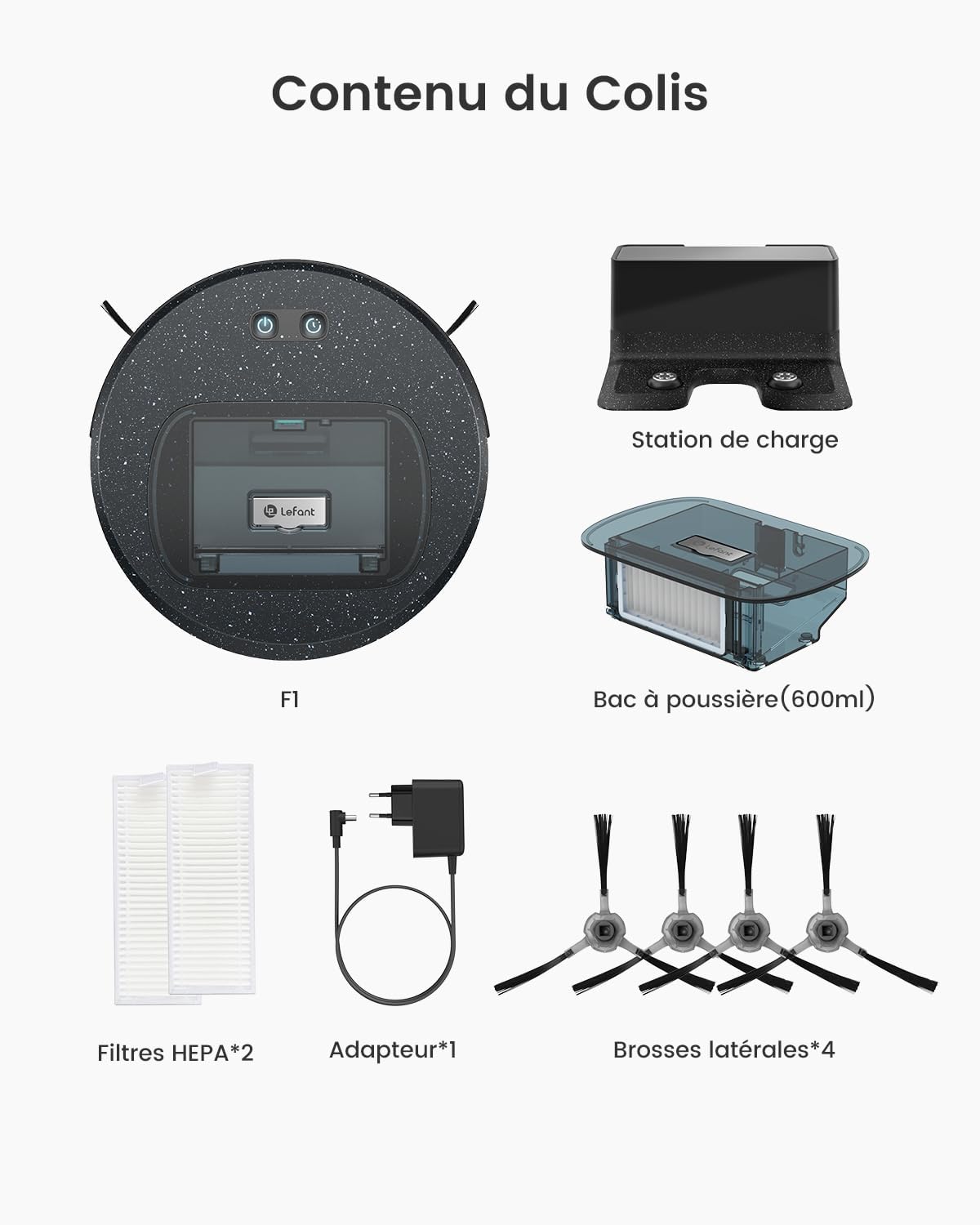
Image: An organized display of all items included in the Lefant F1 package, including the robot, charging station, adapter, dust bin, side brushes, and HEPA filters.
4. Product Overview
The Lefant F1 is designed for efficient and quiet cleaning, featuring a compact body and powerful suction. Its unique non-rolling brush suction port is ideal for pet hair, preventing tangles.
Compact Design
With a slim body of 28 cm diameter and 6.9 cm height, the F1 can easily navigate under furniture and in tight spaces, improving cleaning coverage. It is equipped with FreeMove 3.0 360° detection technology to prevent getting stuck.

Image: The compact Lefant F1 robot vacuum cleaning effectively under a sofa and navigating around chair legs, highlighting its small dimensions.
5. Setup
5.1 Charging Station Placement
Place the charging station on a hard, level surface against a wall. Ensure there are no obstacles within 1 meter (3 feet) to the front and 0.5 meters (1.5 feet) to the sides of the charging station to allow the robot to dock easily.
5.2 Initial Charging
Connect the power adapter to the charging station and plug it into a wall outlet. Place the robot vacuum on the charging station, ensuring the charging contacts align. The indicator lights on the robot will show charging status. Fully charge the robot before its first use (approximately 4-5 hours).

Image: The robot vacuum automatically navigating back to its charging base, indicating its auto-recharge capability.
5.3 App Connection
To unlock smart features, download the Lefant app and connect your robot:
- Download the "Lefant" app from the App Store or Google Play.
- Open the app and click on "Add a device".
- Select F1 from the device list.
- Enter your 2.4GHz Wi-Fi network name and password. (Note: The robot only supports 2.4GHz Wi-Fi).
- Press and hold the power button on the robot for 3 seconds until it enters pairing mode.
- Alternatively, press and hold both the power and timer buttons simultaneously for 3 seconds.
- Wait for the robot to successfully connect to the app.

Image: A visual guide showing the steps to connect the Lefant robot vacuum to the mobile application, from downloading the app to successful connection.
5.4 Voice Assistant Connection (Alexa/Google Assistant)
To control your robot with voice commands:
- Open the "Lefant" app, navigate to "Mine" then "Third-party voice access service".
- Register your voice account and password.
- Open the "Alexa" app (or Google Home app), navigate to "More" then "Skills & Games".
- Search for "Smart Life".
- Click on "ENABLE TO USE".
- Select your region and enter the voice account password from step 2.
- Wait for Alexa (or Google Assistant) to successfully connect.

Image: A visual guide detailing the process of connecting the Lefant robot vacuum to Amazon Alexa for voice control.
6. Operating Instructions
6.1 Starting and Stopping Cleaning
- To Start: Press the power button on the robot or use the "Start Cleaning" option in the Lefant app.
- To Pause: Press the power button once during cleaning.
- To Stop: Press and hold the power button for 3 seconds, or use the "Stop Cleaning" option in the app. The robot will return to its charging station.
6.2 Cleaning Modes
The F1 offers multiple cleaning modes to suit your needs:
- Silent Mode: For quiet cleaning, ideal for light dust.
- Standard Mode: General daily cleaning.
- Powerful Mode: Increased suction for tougher dirt.
- Super Powerful Mode: Maximum suction (5000 Pa) for deep cleaning, easily picking up hair, beans, and small iron pieces.
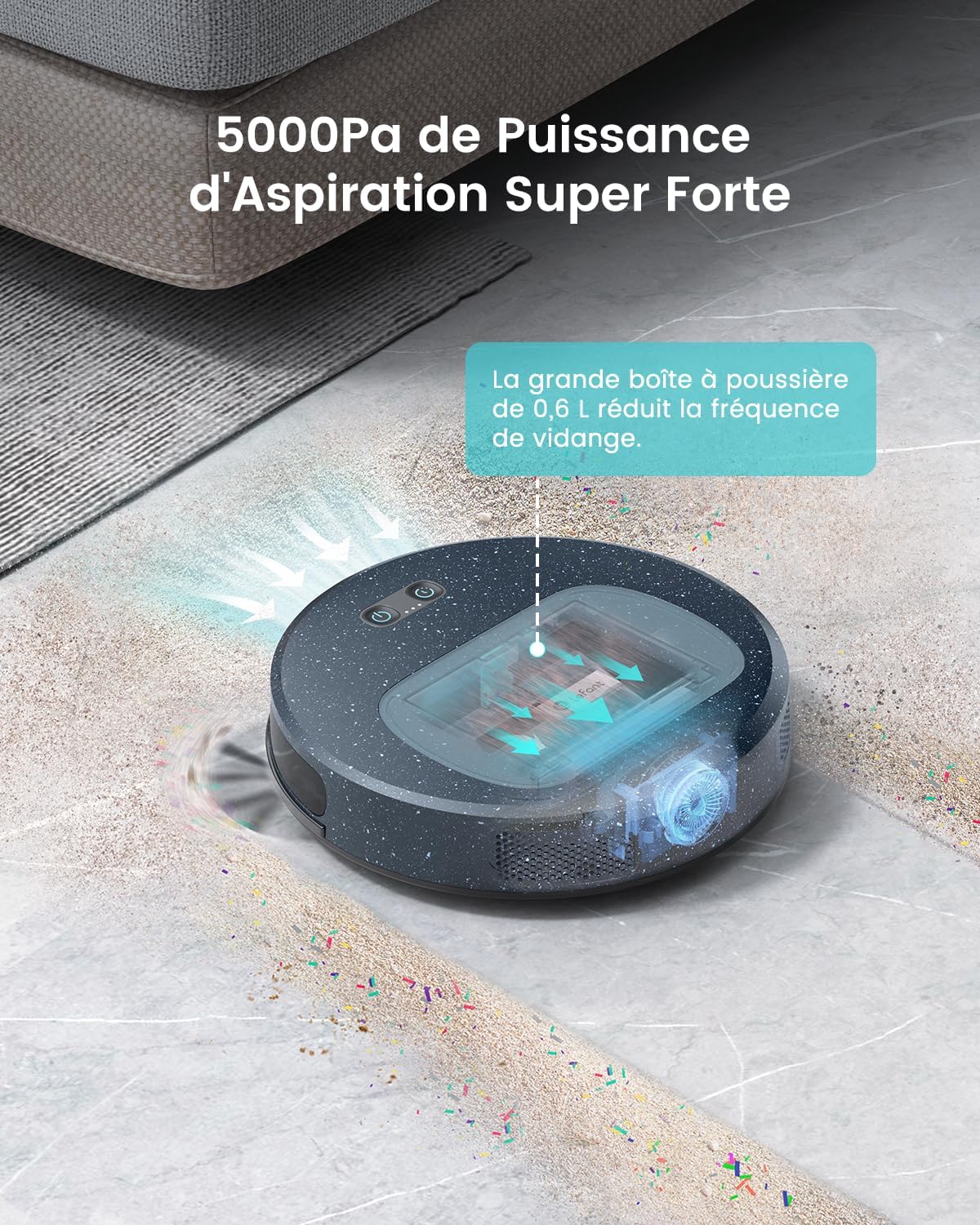
Image: The Lefant F1 robot vacuum actively cleaning, with visual effects illustrating its powerful 5000 Pa suction picking up various debris from the floor.
6.3 Scheduling Cleaning
You can schedule cleaning times using the Lefant app. It is recommended to schedule cleaning 1-2 times per day for optimal results.
6.4 FreeMove 3.0 Technology
The F1 is equipped with FreeMove 3.0, an integrated whole-body inspection technology. Its built-in anti-collision infrared sensors detect obstacles and allow the robot to navigate freely without getting stuck, even between dining tables and chairs.

Image: The robot vacuum detecting and avoiding obstacles like slippers and toys, demonstrating its anti-collision and navigation capabilities.
7. Maintenance
Regular maintenance ensures your Lefant F1 operates efficiently and extends its lifespan.
7.1 Dust Bin Cleaning
The 600ml visual dust bin should be emptied and cleaned regularly, ideally after each use or at least once a week, depending on usage and debris accumulation. The visual design allows you to see the debris being collected.

Image: The dust bin of the Lefant F1 robot vacuum being easily removed and emptied into a trash can, illustrating the convenience of its design.
7.2 Filter Cleaning/Replacement
The HEPA filters should be cleaned regularly by tapping them to remove dust. Replace filters every 3-6 months, or more frequently if you have pets or high usage.
7.3 Side Brush Cleaning/Replacement
Check the side brushes for tangled hair or debris. Clean them as needed. Replace worn or damaged side brushes to maintain effective cleaning.
7.4 Non-Rolling Brush Design
The F1 utilizes a non-rolling brush suction port, which directly vacuums hair into the dust bin. This design eliminates the hassle of cleaning tangled hair from a rolling brush, making maintenance easier, especially for pet owners.

Image: A split image comparing the Lefant F1's direct suction port, free of tangled hair, with a traditional robot vacuum's rolling brush heavily entangled with pet hair, highlighting the F1's pet-friendly design.
8. Troubleshooting
If you encounter issues with your Lefant F1, please refer to the following common problems and solutions:
| Problem | Possible Cause | Solution |
|---|---|---|
| Robot does not turn on | Low battery; Power button not pressed long enough | Charge the robot; Press and hold the power button for 3 seconds |
| Robot cannot find charging station | Charging station obstructed or unplugged; Robot too far from station | Ensure clear path and power to station; Manually place robot near station |
| Poor suction performance | Full dust bin; Clogged filter; Side brushes worn | Empty dust bin; Clean/replace filter; Clean/replace side brushes |
| Robot gets stuck frequently | Too many obstacles; Robot on high pile carpet | Clear cleaning area; Avoid using on very thick carpets |
| App connection issues | Incorrect Wi-Fi password; Not 2.4GHz Wi-Fi; Robot not in pairing mode | Verify password; Connect to 2.4GHz network; Re-enter pairing mode |
9. Specifications
Key technical specifications for the Lefant F1 Robot Vacuum Cleaner:
| Feature | Detail |
|---|---|
| Model Number | F1 |
| Dimensions (L x W x H) | 27.94 x 27.94 x 7.59 cm (11 x 11 x 2.99 inches) |
| Weight | 2 kg (4.4 pounds) |
| Suction Power | 5000 Pa |
| Dust Bin Capacity | 600 ml |
| Battery Type | Lithium Iron Phosphate (LiFePO4) |
| Battery Life (Max) | Up to 250 minutes (Silent Mode) |
| Charging Cycles | Up to 2000 cycles without attenuation |
| Cleaning Area (Max) | Up to 200 square meters |
| Filter Type | HEPA |
| Connectivity | Wi-Fi 2.4GHz, Compatible with Alexa and Google Assistant |
| Special Features | FreeMove 3.0 360° detection, Non-rolling brush suction port |

Image: An illustration showing the Lefant F1 robot vacuum's long battery life, capable of cleaning up to 250 minutes and covering an area of 200 square meters, with different runtime durations for various power modes.
10. Warranty and Support
The Lefant F1 Robot Vacuum Cleaner comes with a 12-month quality assurance period from the date of purchase. This warranty covers manufacturing defects and malfunctions under normal use.
For technical support, troubleshooting assistance, or warranty claims, please contact Lefant customer service through the official website or the contact information provided in your purchase documentation. Please have your model number (F1) and proof of purchase ready when contacting support.
Related documentsF1


Ask a question about this manual
Ask about setup, troubleshooting, compatibility, parts, safety, or missing instructions. Manuals+ will review the question and use this page’s manual context to help answer it.