
Longer RAY5 20W-3
LONGER RAY5 20W Laser Engraver and Cutter User Manual
Model: RAY5 20W-3
Brand: Longer
1. Introduction
The LONGER RAY5 20W Laser Engraver and Cutter is a high-accuracy machine designed for both cutting and engraving tasks. With its powerful 22-24W output, it can efficiently cut through materials like wood and acrylic, and engrave hundreds of colors on metal. This manual provides essential information for setting up, operating, and maintaining your device to ensure optimal performance and safety.
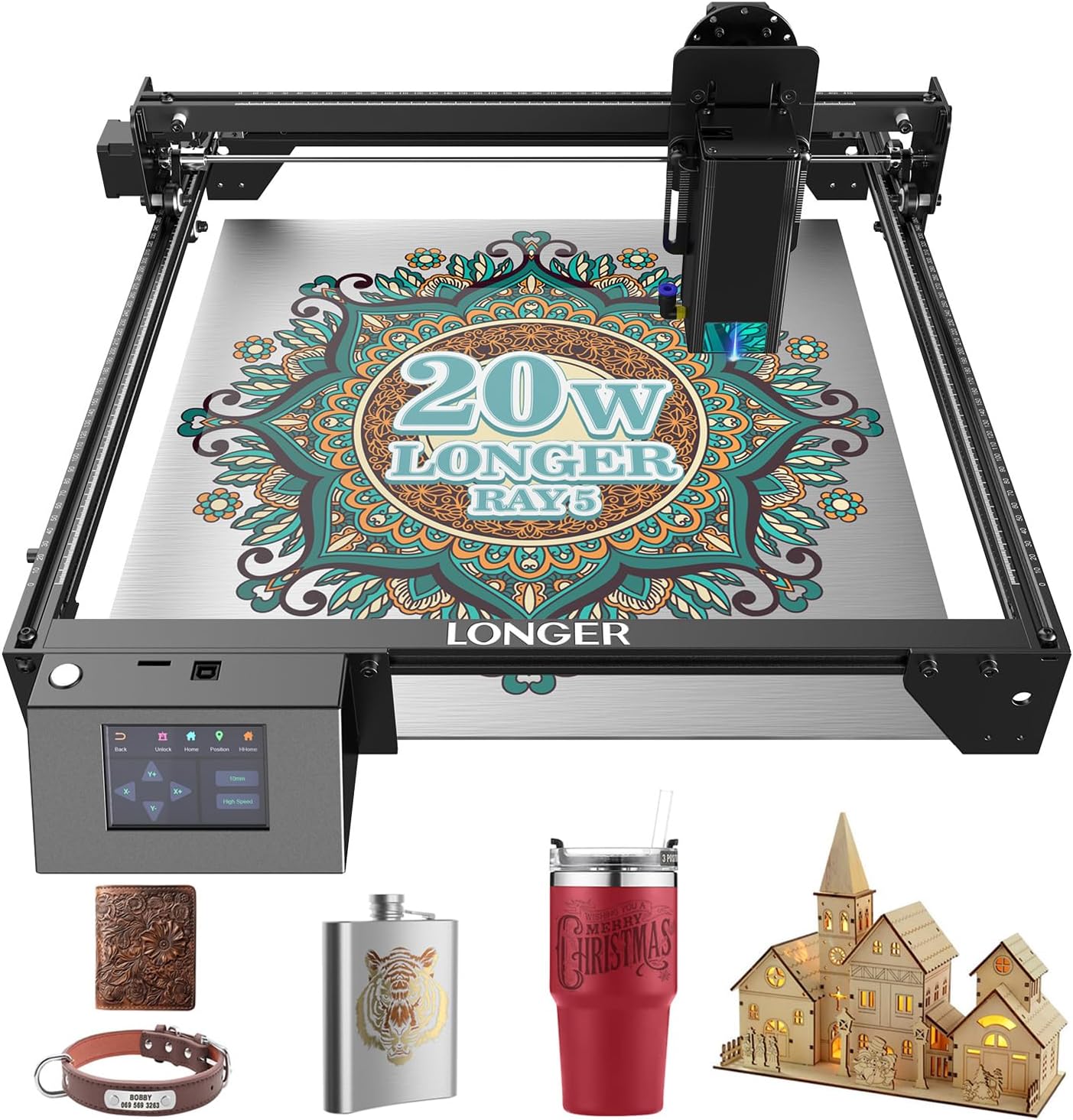
Figure 1.1: The LONGER RAY5 20W Laser Engraver and examples of its engraving capabilities on various materials.
2. Safety Information
Your safety is paramount. The RAY5 laser engraver incorporates several advanced safety mechanisms. Always adhere to the following guidelines:
- Limit Switches: Equipped with X & Y-axis limit switches to prevent collisions and ensure the laser head operates within safe boundaries.
- Flame Stop & Alarm: An integrated flame detection system activates an alarm and halts operations immediately upon detecting fire.
- Tilt Detector: Automatically stops the machine if it tilts more than 20 degrees, preventing accidental laser exposure or damage.
- Jam Detector: Alerts and stops the laser if it remains idle for over 5 seconds during operation, indicating a potential jam or malfunction.
- Eye Protection: Features an acrylic protective cover and includes safety goggles. Always wear the provided safety goggles when the laser is in operation.
- Emergency Stop Button: A prominent emergency stop button allows for immediate shutdown of the device in case of any unforeseen circumstances.
The laser class is CLASS II. Product power output level is 20000mW. Never look directly into the laser beam.

Figure 2.1: Overview of the 5+1 safety features integrated into the RAY5 laser engraver for user protection.
3. Setup
3.1. Initial Assembly and Connections
Before operating, ensure all components are correctly assembled and connected. Refer to the detailed assembly video for visual guidance.
Video 3.1: This video demonstrates the assembly process for the LONGER RAY5 laser engraver, including connecting the silicone tube to the nozzle and securing the laser head.
3.2. Software Setup and Connectivity
The Ray5 laser engraver is compatible with popular engraving software such as LaserGRBL and LightBurn. It supports various connectivity options for flexible operation:
- Wi-Fi: Allows a single computer to control multiple devices simultaneously, enhancing work efficiency.
- USB: Direct connection to your computer.
- SD Card: For offline operation, load designs directly from an SD card.
- Direct Computer Connection: Standard wired connection.
Ensure your software settings are configured correctly for optimal performance. The device features a 3.5-inch HD color touchscreen for user-friendly operation.
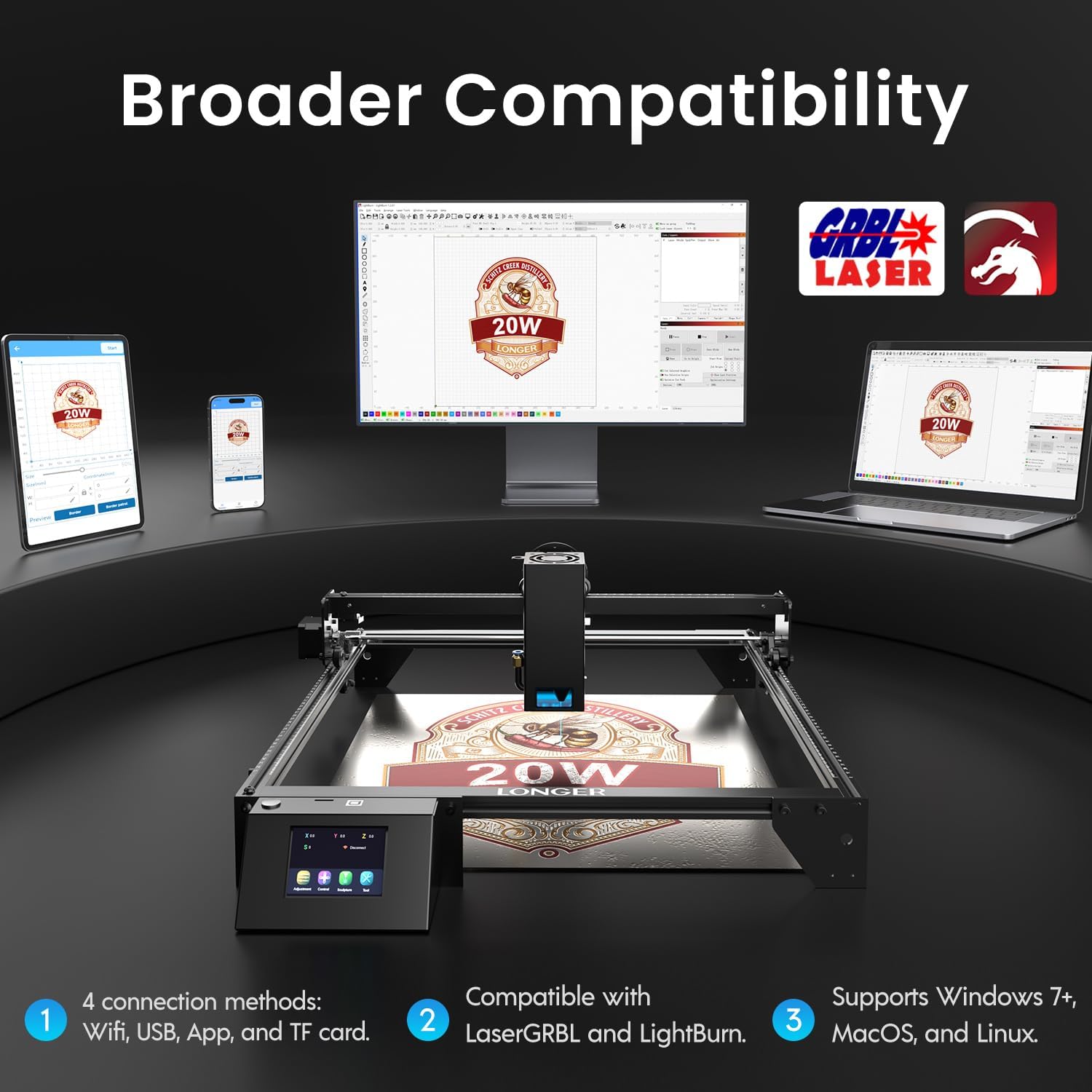
Figure 3.1: Connectivity options and software compatibility for the LONGER RAY5 laser engraver.
4. Operating Instructions
4.1. Basic Engraving Process
The RAY5 20W laser engraver is designed for fast and precise engraving, reaching speeds up to 10,000 mm/min. Its 0.08x0.1 mm compressed beam ensures high detail accuracy.
Video 4.1: A beginner's guide to laser engraving with the RAY5 20W, demonstrating software setup and the engraving process.
4.2. Cutting Capabilities
With 22-24W of high output power, the laser engraver offers outstanding cutting capabilities. It can effortlessly cut through up to 25mm of wood and 35mm of acrylic.
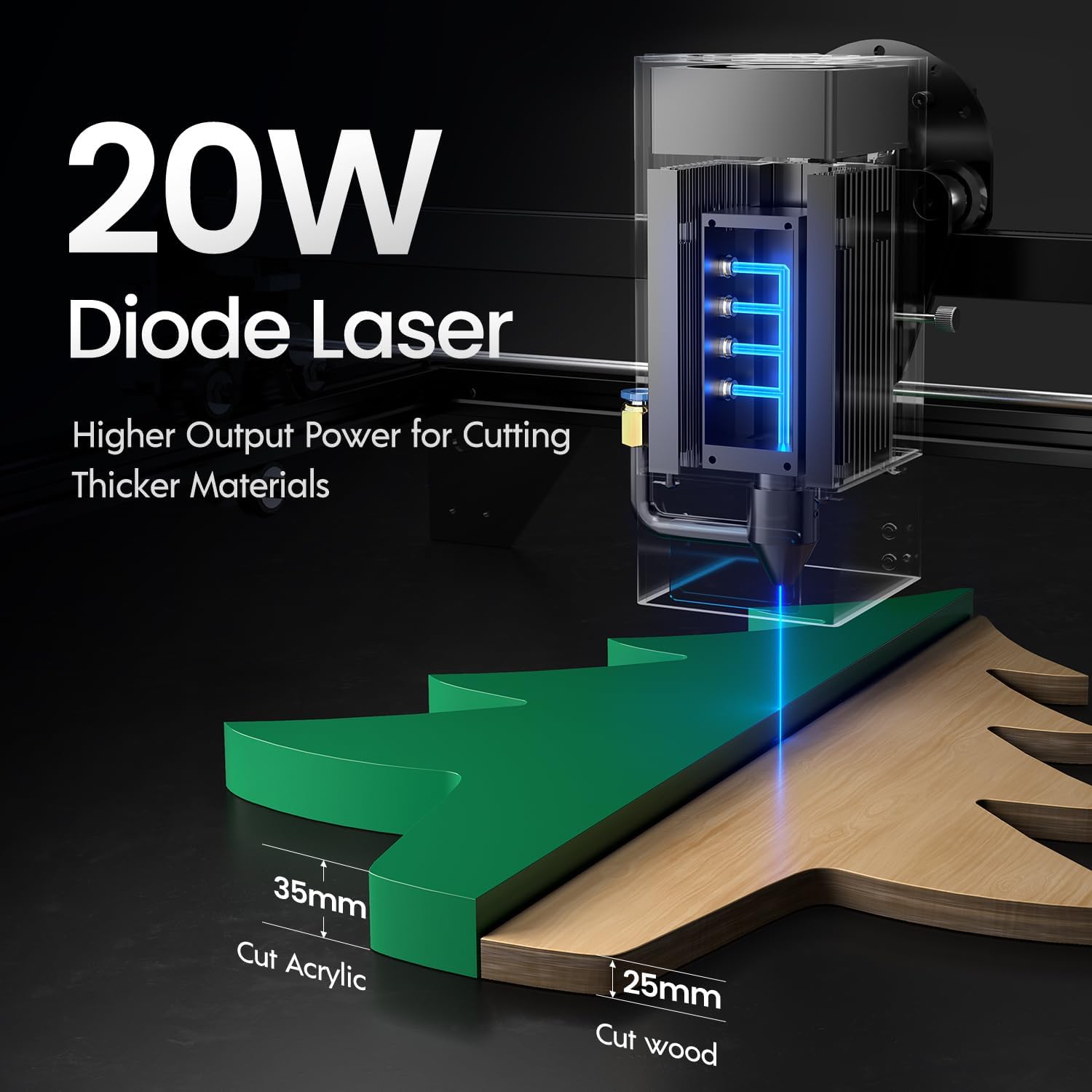
Figure 4.1: Cutting depth capabilities of the 20W Diode Laser on acrylic and wood.
4.3. Continuous Operation
The RAY5 is designed for powerful continuous working capacity, allowing for 24/7 continuous engraving. Multiple machines can be controlled by a single computer for large-scale production.

Figure 4.2: The RAY5's capability for continuous operation and multi-machine control.
5. Key Features & Applications
5.1. Rich Color Engraving
The Ray5 20W laser engraver utilizes unique technology to achieve over 380 color engravings on metal, significantly enhancing the visual appeal of your DIY art and making each piece distinct.

Figure 5.1: Examples of multi-color engraving on metal surfaces.
5.2. Versatile Material Selection
This machine accurately handles a wide range of materials including acrylic, metal, wood, and stainless steel, making it ideal for diverse creative projects and precision manufacturing.

Figure 5.2: Examples of various materials that can be processed by the RAY5 laser engraver.
5.3. Enhanced Efficiency
The RAY5 20W is designed to improve work efficiency and achieve high productivity, being up to 2x faster than comparable models.

Figure 5.3: Speed comparison highlighting the RAY5's efficiency.
6. Maintenance
Regular maintenance ensures the longevity and optimal performance of your LONGER RAY5 laser engraver. Always disconnect power before performing any maintenance.
- Cleaning the Lens: Periodically clean the laser lens with a soft, lint-free cloth and lens cleaning solution to maintain engraving precision.
- Rail Lubrication: Apply a small amount of lubricant to the guide rails to ensure smooth movement of the laser head.
- Debris Removal: Regularly clear any debris or residue from the working area and the machine's components to prevent interference with operation.
- Firmware Updates: Check the official Longer website for any available firmware updates to ensure your machine has the latest features and bug fixes.
6.1. Air Assist Kit Installation (Optional)
For enhanced cutting performance and to reduce burn marks, consider installing an air assist kit. This accessory helps clear smoke and debris from the cutting path.
Video 6.1: Installation guide for the Longer Cutting Engraving Machine Air Assist Kit.
7. Troubleshooting
This section addresses common issues you might encounter. For more complex problems, please contact customer support.
| Problem | Possible Cause | Solution |
|---|---|---|
| Laser not firing or weak output | Loose cable connection, dirty lens, incorrect power settings, laser module issue. | Check all cable connections. Clean the laser lens. Verify power settings in software. Contact support if issue persists. |
| Machine not connecting to computer | Incorrect COM port selected, driver not installed, faulty USB cable, Wi-Fi connectivity issue. | Ensure correct COM port is selected in software. Install necessary drivers. Try a different USB cable. Check Wi-Fi connection and network settings. |
| Engraving/cutting is inaccurate or distorted | Loose belts, incorrect focus, unstable work surface, material slippage. | Check and tighten timing belts. Adjust laser focus. Ensure the work surface is stable. Secure material firmly before starting. |
| Machine stops unexpectedly | Safety feature triggered (flame, tilt, jam), power interruption, software error. | Check for flame, tilt, or jam alerts. Ensure stable power supply. Restart software and machine. |
8. Product Specifications
- Model Number: Ray5 20W US-
- Manufacturer: LONGER
- Laser Output Power: 20000mW (20W)
- Laser Class: CLASS II
- Engraving Speed: Up to 10,000 mm/min
- Compressed Beam Size: 0.08x0.1 mm
- Cutting Depth (Wood): Up to 25mm
- Cutting Depth (Acrylic): Up to 35mm
- Display: 3.5-inch HD Color Touchscreen
- Connectivity: Wi-Fi, USB, SD Card, Direct Computer Connection
- Compatible Software: LaserGRBL, LightBurn
- Supported Operating Systems: Windows 7+, MacOS, Linux
- Package Dimensions: 24.2 x 14 x 5.5 inches
- Item Weight: 12.52 pounds
- Date First Available: December 12, 2022
9. Warranty & Support
LONGER provides a standard warranty for the RAY5 20W Laser Engraver and Cutter. Please refer to the warranty card included in your product packaging for specific terms and conditions. For technical support, troubleshooting assistance, or warranty claims, please contact Longer3d Official Store customer service through their official channels or visit their website.
Contact Information:
- Seller: Longer3d Official Store
- Online Store: Longer Official Store on Amazon
Related documentsRAY5 20W-3


Ask a question about this manual
Ask about setup, troubleshooting, compatibility, parts, safety, or missing instructions. Manuals+ will review the question and use this page’s manual context to help answer it.