
1. Introduction
This user manual provides essential information for the safe and effective use of the Generic KRC4 00-181-563 / 00-168-334 X19 Teaching Cable. This high-quality pendant teaching cable is designed for connecting to smart pads, facilitating programming and control operations. Please read this manual thoroughly before installation and operation, and retain it for future reference.
2. Safety Information
Always observe the following safety precautions to prevent injury or damage to the product and connected equipment:
- Ensure all connections are secure before powering on any equipment.
- Do not expose the cable to extreme temperatures, moisture, or corrosive substances.
- Avoid bending or kinking the cable sharply, as this can damage internal wires.
- If the cable appears damaged, discontinue use immediately and replace it.
- Only use the cable for its intended purpose with compatible smart pad systems.
3. Product Components
The Generic KRC4 Teaching Cable is a robust, 10-meter (32.8 ft) cable designed for reliable data transmission and control. It features a durable outer jacket and precisely engineered connectors.
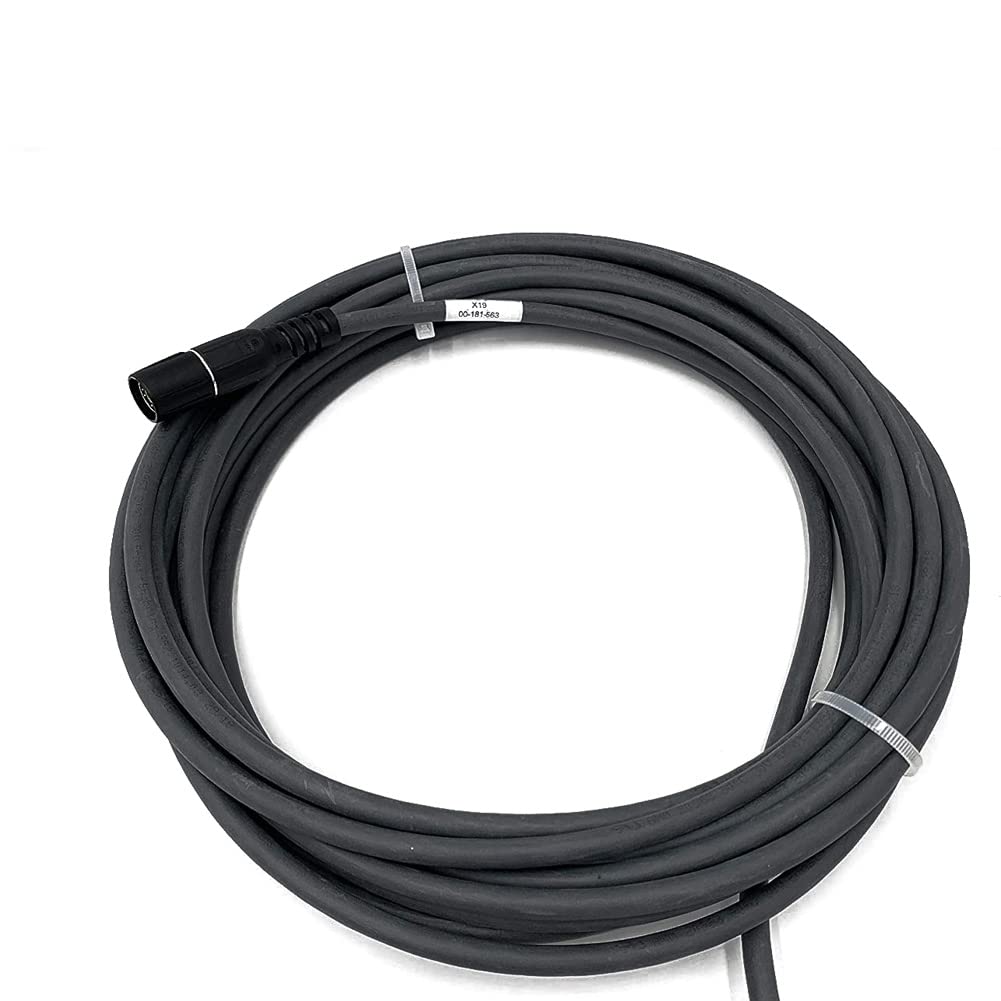
Figure 3.1: Main connector end of the KRC4 Teaching Cable.

Figure 3.2: Internal wiring detail of a connector, highlighting the robust construction.

Figure 3.3: Cable section with identification label showing model numbers.
4. Setup
Follow these steps to properly connect your KRC4 Teaching Cable:
- Inspect the Cable: Before connecting, visually inspect the entire length of the cable and both connectors for any signs of damage.
- Identify Ports: Locate the appropriate connection ports on your KRC4 controller and the smart pad. Refer to the respective device manuals for port identification.
- Connect to KRC4 Controller: Carefully align the cable's connector with the KRC4 controller port and push firmly until it clicks into place or is securely fastened.
- Connect to Smart Pad: Connect the other end of the cable to the designated port on your smart pad, ensuring a secure connection.
- Secure Cable Path: Route the cable in a way that avoids tripping hazards, sharp edges, or areas where it could be pinched or damaged.
5. Operating Instructions
Once the KRC4 Teaching Cable is securely connected, you can begin operating your smart pad for programming and control tasks.
- Power On: Power on the KRC4 controller and the smart pad according to their respective operating procedures.
- System Recognition: The smart pad should automatically recognize the connection to the KRC4 controller via the teaching cable.
- Functionality Check: Perform a basic functionality check, such as navigating menus or initiating a simple command, to ensure proper communication.
- Programming: Use the smart pad interface to execute programming, diagnostic, and control functions as required by your application.
- Disconnecting: To disconnect, power down both the KRC4 controller and the smart pad, then carefully unlatch and pull the connectors straight out.
6. Maintenance
Proper maintenance ensures the longevity and reliable performance of your teaching cable.
- Cleaning: Gently wipe the cable and connectors with a soft, dry, lint-free cloth. Do not use harsh chemicals or abrasive cleaners.
- Storage: When not in use, coil the cable loosely and store it in a clean, dry environment away from direct sunlight and extreme temperatures. Avoid tight coiling or kinking.
- Regular Inspection: Periodically inspect the cable for any signs of wear, cuts, fraying, or connector damage. Replace the cable if any damage is observed.
- Connector Care: Keep the connector pins clean and free of dust or debris. Avoid touching the pins directly.
7. Troubleshooting
If you encounter issues with your KRC4 Teaching Cable, refer to the table below for common problems and solutions.
| Problem | Possible Cause | Solution |
|---|---|---|
| Smart pad not recognized | Loose connection, incompatible port, damaged cable. | Ensure cable is securely connected. Verify correct ports. Inspect cable for damage and replace if necessary. |
| Intermittent connection | Cable damage, faulty connector, interference. | Check cable for physical damage. Ensure connectors are clean and secure. Reroute cable away from potential interference sources. |
| No power to smart pad (if cable provides power) | Cable fault, power source issue. | Verify KRC4 controller is powered on. Test with another known-good cable if available. |
8. Specifications
| Feature | Detail |
|---|---|
| Product Type | Pendant Teaching Cable |
| Model Numbers | KRC4 00-181-563, 00-168-334 X19 |
| Length | 10 meters (32.8 feet) |
| Brand | Generic |
| ASIN | B0BPP99BVD |
9. Warranty and Support
This Generic KRC4 Teaching Cable comes with a 6-month warranty from the date of purchase, covering manufacturing defects. This warranty does not cover damage caused by misuse, accidents, unauthorized modifications, or improper installation.
For technical support or warranty claims, please contact your retailer or the manufacturer with your purchase details and the product's model numbers.