
Introduction
Thank you for choosing the DEALGADGETS Under Cabinet Lights. This 3-pack of 8.07-inch LED lights features cold white illumination, motion sensing capabilities, and a rechargeable design, making them ideal for various indoor applications such as kitchens, closets, stairs, and more. This manual provides detailed instructions for setup, operation, maintenance, and troubleshooting to ensure optimal performance and longevity of your lights.

Image: The three under cabinet lights and their charging accessories.
Package Contents
Please verify that all items are present in your package:
- 3 x DEALGADGETS Under Cabinet Lights (8.07 Inch, Silver - Cold White Light)
- 3 x USB-C Charging Cables
- 6 x Iron Sheets with Adhesive Tape
- 1 x User Instructions Manual

Image: Contents of the product package.
Product Features
- Side Illumination: 32 LED beads provide bright, soft, and glare-free cold white light (6000K) for eye protection.
- Sensitive Motion Sensor: Automatically detects human motion within 10ft/100° in dark environments, turning off after 20 seconds of no movement.
- Dimmable Brightness: Offers 3-level brightness adjustment and 10%-100% stepless dimming to suit various lighting needs.
- USB-C Rechargeable: Built-in 1000mAh battery, easily charged via USB-C. Provides 5-80 hours in Always-on Mode or 7-25 days in Motion Sensor Mode per charge.
- Ultra-thin Design: Only 9mm thick, compact and versatile for tight spaces.
- Easy Installation: Features built-in magnets for direct attachment to iron surfaces, or use included adhesive iron sheets for non-iron surfaces.
- Durable Construction: Made from aluminum alloy for sturdiness.

Image: Key features including side illumination, sensitive sensor, and dimmable brightness.
Applications
The versatile design and functionality of the DEALGADGETS Under Cabinet Lights make them suitable for a wide range of indoor applications:
- Kitchen: Under cabinets, pantries, and drawers for task lighting.
- Closets & Wardrobes: Illuminating dark storage spaces.
- Stairs & Hallways: Providing safety lighting in low-light areas.
- Bedrooms: As subtle night lights or accent lighting.
- Workshops & Basements: Adding light where needed.
- Car Trunks: Portable lighting for vehicle interiors.

Image: Examples of various applications for the under cabinet lights.
Setup and Installation
Mounting Options
Your DEALGADGETS Under Cabinet Lights offer flexible installation:
- Magnetic Attachment: The lights have built-in magnets and can be directly adsorbed onto any iron surface.
- Adhesive Mounting: For non-iron surfaces, use the provided iron sheets with adhesive tape.
Installation Steps (for non-iron surfaces)
- Prepare Surface: Clean and dry the desired installation area to ensure optimal adhesion.
- Attach Iron Sheet: Peel off the protective film from one side of the adhesive tape on an iron sheet and firmly stick it to the desired location. Repeat for additional lights.
- Mount Light: Align the light with the installed iron sheet. The built-in magnets will securely hold the light in place.
The magnetic attachment allows for easy removal of the light for charging or repositioning.

Image: Step-by-step installation guide.
Operating Instructions
Control Buttons
Each light features two control buttons: a brightness adjustment button (sun icon) and a power/mode button (power icon).

Image: Simple button design for control.
Power On/Off and Mode Selection
- Click Once (Power Button): Turns the light ON to Always-on Mode.
- Click Twice (Power Button): Switches to Motion Sensor Mode.
- Click Three Times (Power Button): Turns the light OFF.
Motion Sensor Operation
In Motion Sensor Mode, the light will automatically sense human motion within a 10ft/100° range. It will only activate in dim light or dark environments. After 20 seconds of no detected movement, the light will automatically turn off.

Image: Motion sensor auto-induction conditions.
Brightness Adjustment
- Short Press (Brightness Button): Cycles through 3 preset brightness levels (e.g., 30%, 60%, 100%).
- Long Press (Brightness Button): Activates stepless dimming, allowing you to adjust brightness from 10% to 100% smoothly. Release the button when the desired brightness is reached.
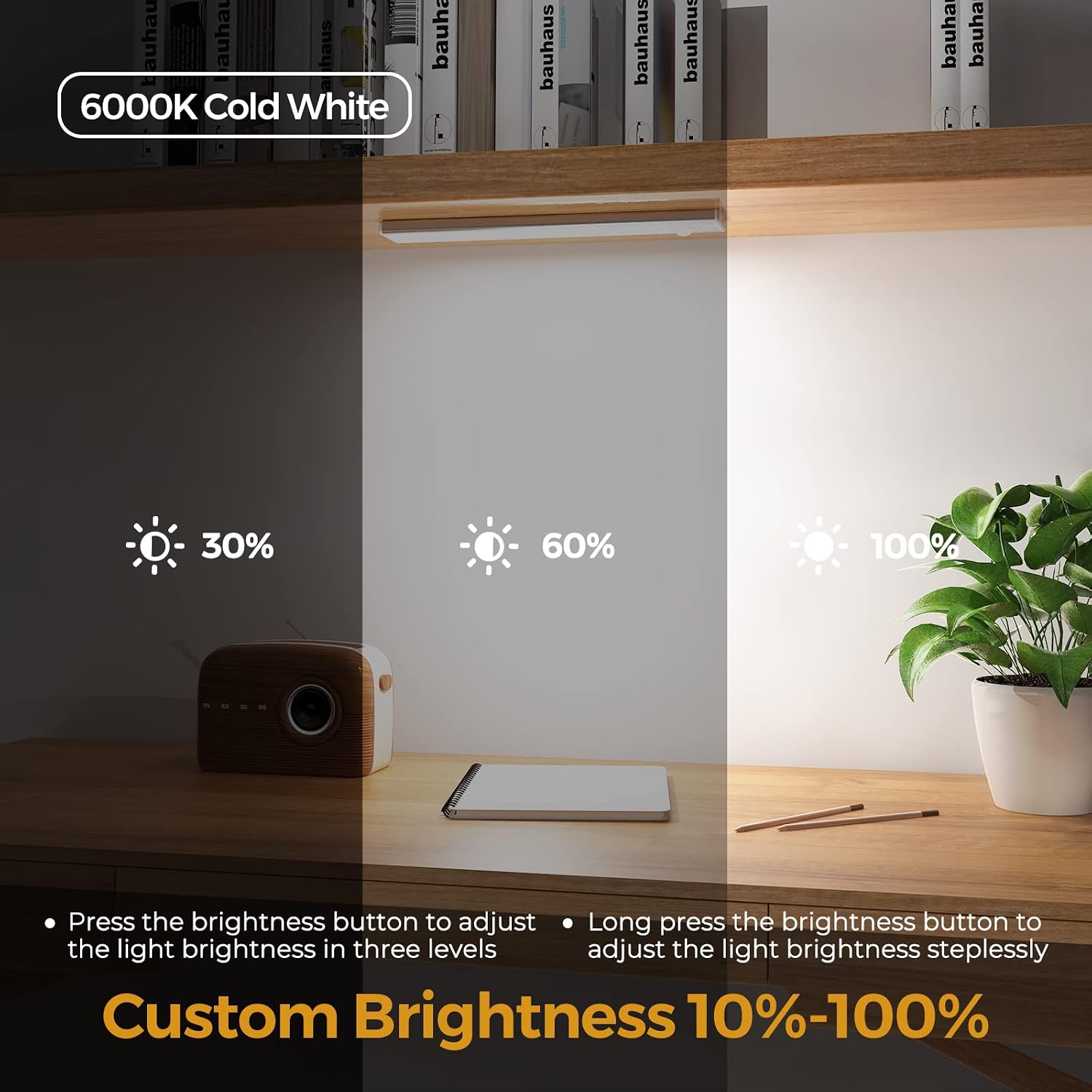
Image: Custom brightness adjustment from 10% to 100%.
Charging Instructions
The DEALGADGETS Under Cabinet Lights are equipped with a built-in 1000mAh rechargeable battery and a USB-C charging port.
- Connect: Use the provided USB-C cable to connect the light to a USB power source (e.g., computer, power bank, USB wall adapter).
- Charging Indicator: A red light indicates the unit is charging. A green light indicates the battery is fully charged.
- Charging Time: A full charge typically takes 3-4 hours.
- Battery Life: Expect 5-80 hours of use in Always-on Mode (depending on brightness) or 7-25 days in Motion Sensor Mode (depending on frequency of use) per full charge.

Image: Charging the light via USB-C.

Image: USB-C fast charging details and battery life.
Maintenance
- Cleaning: Wipe the light's surface with a soft, dry cloth. Do not use abrasive cleaners or solvents.
- Water Exposure: These lights are not waterproof. Avoid exposure to water or high humidity.
- Battery Care: For optimal battery life, avoid fully discharging the battery frequently. Recharge when the light output diminishes.
Troubleshooting
| Problem | Possible Cause | Solution |
|---|---|---|
| Light does not turn on. | Battery is depleted. | Recharge the light using the provided USB-C cable. |
| Motion sensor not working. | Light is in Always-on Mode. | Press the power button twice to switch to Motion Sensor Mode. |
| Motion sensor not activating in bright conditions. | Sensor is designed to work only in dim or dark environments. | This is normal operation. For continuous light in bright areas, use Always-on Mode. |
| Light output is dim. | Low battery or brightness setting is too low. | Recharge the light. Adjust brightness using the brightness button. |
| Light falls off mounting surface. | Adhesive tape not properly applied or surface not clean. | Ensure surface is clean and dry before applying adhesive iron sheets. Press firmly for 30 seconds. Replace adhesive if necessary. |
Specifications
| Feature | Specification |
|---|---|
| Model Number | GLS-C018 |
| Dimensions | 8.07"W x 1.57"D x 0.35"H (205mm x 40mm x 9mm) |
| Light Source | LED (32 beads) |
| Light Color | Cold White Light (6000K) |
| Brightness | Dimmable (10%-100%, 3 levels) |
| Power Source | Battery Powered (1000mAh Lithium Metal) |
| Charging Port | USB-C |
| Charging Time | 3-4 hours |
| Battery Life (Always-on) | 5-80 hours (depending on brightness) |
| Battery Life (Motion Sensor) | 7-25 days (depending on frequency of use) |
| Motion Sensor Range | 10ft / 100° |
| Material | Aluminum Alloy |
| Installation Type | Magnetic Mount, Stick-on |
| Water Resistance | Not Water Resistant |
| Certifications | CE, UKCA, FC, RoHS |
Safety Information
- Do not disassemble or modify the product.
- Keep away from water and high humidity environments. This product is for indoor use only.
- Do not expose to direct sunlight or high temperatures.
- Keep out of reach of children.
- Use only the provided USB-C cable or a certified equivalent for charging.
- Avoid looking directly into the LED light for extended periods.
Warranty and Support
DEALGADGETS is committed to providing high-quality products and excellent customer service. Your purchase includes a lifetime free replacement policy and access to 24-hour friendly service.
If you encounter any issues or have questions regarding your product, please do not hesitate to contact us through the retailer's platform or via the contact information provided with your purchase. We are here to assist you.