
Introduction
Thank you for choosing the tectake Industrial Design Desk Jenkins 140. This manual provides essential information for the safe assembly, proper use, and effective maintenance of your new desk. Please read these instructions carefully before beginning assembly and retain them for future reference.
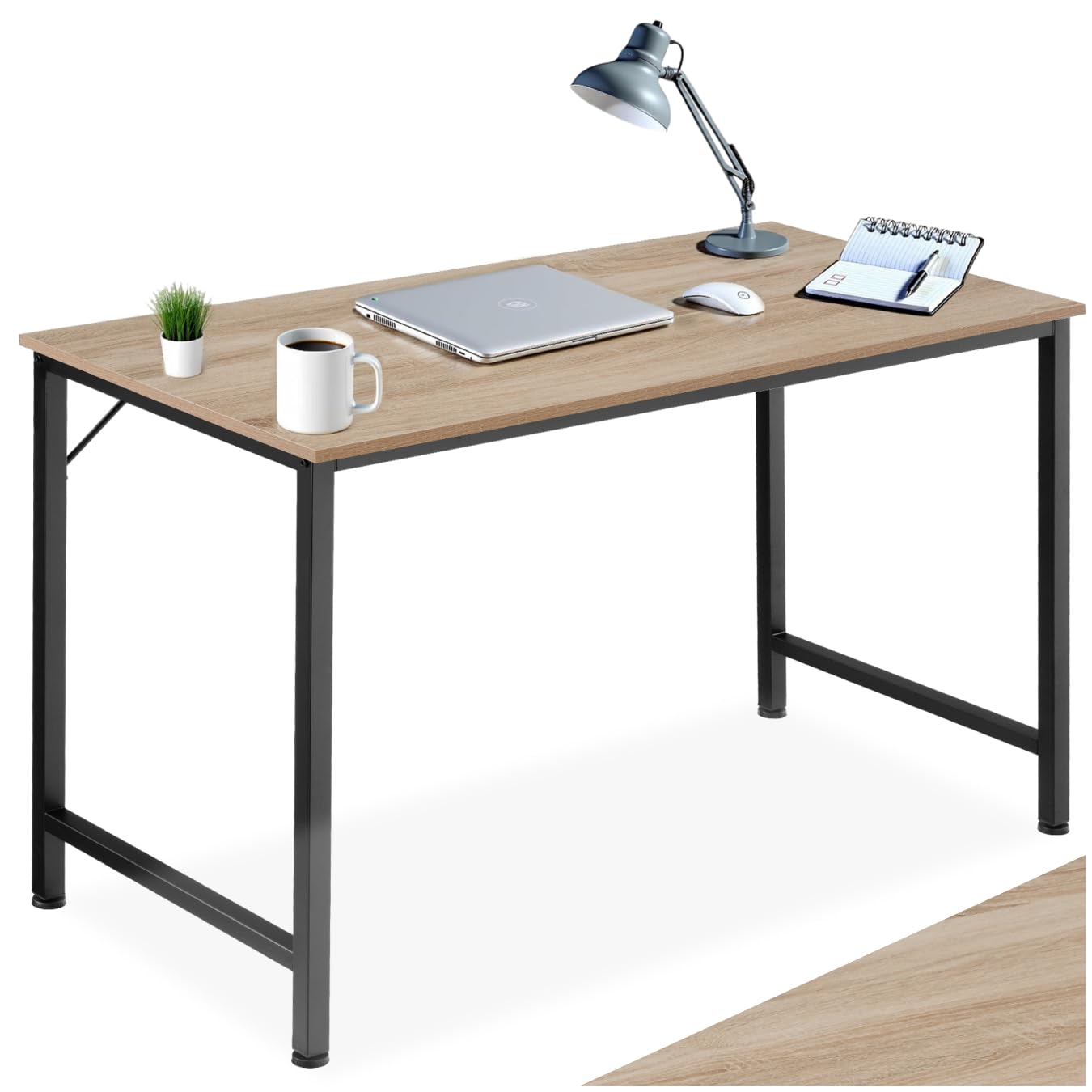
Image: The tectake Industrial Design Desk Jenkins 140, showcasing its light wood tabletop and black steel frame.
Safety Information
- Maximum Load Capacity: Do not exceed the maximum load capacity of 75 kg (165 lbs) on the desk surface. Overloading can cause damage or instability.
- Stability: Ensure all adjustable feet are properly adjusted and the desk is stable on a level surface before use. An unstable desk can pose a tipping hazard.
- Assembly: Assemble the desk according to the provided instructions. Ensure all screws and fasteners are tightened securely. Periodically check and re-tighten fasteners as needed.
- Placement: Place the desk on a flat, stable floor. Avoid placing it near heat sources, direct sunlight, or in damp environments to prevent material damage.
- Children: Keep small parts and packaging materials away from children during assembly to prevent choking hazards.
Package Contents
Before assembly, verify that all components listed below are present and undamaged:
- Desk tabletop (1 unit)
- Steel frame components (legs, crossbars)
- Assembly hardware (screws, bolts, adjustable feet)
- Assembly instructions (this manual)
- Required assembly tools (usually an Allen key or wrench)

Image: Diagram illustrating the total dimensions of the desk (140 x 60 x 75.5 cm), approximate weight (13.5 kg), load capacity (100 kg), materials (melamine particle board, steel), and included components (desk, assembly hardware, instructions).
Assembly Instructions
Assembly is designed to be quick and straightforward. It is recommended to have a second person assist with certain steps for ease and safety.
- Prepare the Area: Clear a spacious, clean, and level area for assembly. Lay down the packaging material or a blanket to protect the desk components and your floor.
- Identify Components: Unpack all parts and compare them with the package contents list and diagrams in the manual to ensure everything is present.
- Assemble the Frame: Connect the steel frame components (legs and crossbars) using the provided screws and tools. Do not fully tighten screws until all frame parts are loosely assembled.
- Attach Adjustable Feet: Screw the adjustable plastic feet into the bottom of the desk legs. These feet help stabilize the desk on uneven surfaces.
- Secure the Tabletop: Carefully place the tabletop onto the assembled frame. Align the pre-drilled holes in the tabletop with the frame. Secure the tabletop to the frame using the designated screws.
- Final Tightening: Once all components are in place, gradually tighten all screws and fasteners. Ensure the desk is sturdy and all connections are firm.
- Adjust for Stability: Place the desk in its desired location. Adjust the plastic feet by turning them until the desk is level and does not wobble.

Image: Detail of the solid steel frame and the adjustable screw-in feet for enhanced stability.

Image: The versatile desk structure, highlighting the solid steel frame with oblique braces for added rigidity and stable feet.
Operating Instructions (Usage)
The tectake Industrial Design Desk Jenkins 140 is designed for various uses, including office work, computer use, and home office setups. Its minimalist design integrates well into different environments.
- Surface Use: The melamine-coated surface is scratch-resistant and suitable for placing laptops, monitors, keyboards, and other office essentials.
- Adjustable Feet: If the desk feels unstable, adjust the plastic feet at the bottom of the legs to compensate for uneven flooring. Turn them clockwise to raise and counter-clockwise to lower.
- Weight Distribution: Distribute weight evenly across the desk surface to maintain stability and prevent stress on any single point.
Maintenance and Care
Proper care will ensure the longevity and appearance of your desk.
- Cleaning: The melamine surface is easy to clean. Use a soft, damp cloth to wipe down the surface. For stubborn marks, a mild soap solution can be used, followed by drying with a clean cloth. Avoid abrasive cleaners or harsh chemicals.
- Spills: Wipe up spills immediately to prevent liquid from penetrating the material, especially around edges.
- Protection: Use coasters for drinks and protective pads under hot items or sharp objects to prevent damage to the surface.
- Fasteners: Periodically check all screws and fasteners to ensure they remain tight. Re-tighten if necessary to maintain desk stability.
Troubleshooting
| Problem | Possible Cause | Solution |
|---|---|---|
| Desk wobbles or is unstable | Uneven floor; loose fasteners; adjustable feet not properly set. | Adjust the plastic feet until the desk is level. Check and tighten all assembly screws. Ensure the desk is on a flat surface. |
| Parts do not fit during assembly | Incorrect orientation of parts; wrong hardware used. | Refer to the assembly diagrams and ensure parts are oriented correctly. Verify you are using the correct screws for each step. Do not force parts. |
| Surface scratches or marks easily | Sharp objects or abrasive materials used on surface. | Use protective pads under items that may scratch the surface. Avoid dragging objects across the desk. Clean with soft cloths only. |
Specifications
| Brand | tectake |
| Model Name | Jenkins |
| Model Number | 404464-2 |
| Dimensions (L x W x H) | 140 cm x 60 cm x 75.5 cm |
| Tabletop Thickness | 25 mm |
| Weight | 13.3 kg |
| Maximum Load Capacity | 75 kg |
| Materials | MDF (melamine-coated particle board), Steel (epoxy lacquered) |
| Color | Light Wood (Sonoma Oak), Industrial Black Steel |
| Special Features | Adjustable plastic feet, scratch-resistant surface, easy assembly |
Warranty and Support
This tectake product comes with a limited warranty. For specific details regarding warranty coverage, duration, and terms, please refer to the warranty information provided at the time of purchase or contact tectake customer service.
If you encounter any issues during assembly or use, or if you have questions about your product, please contact tectake customer support through their official website or the retailer where the product was purchased. Please have your model number (404464-2) and purchase information ready when contacting support.