
Introduction
The ANCEL X7-HD is a comprehensive heavy-duty diesel truck OBD2 scanner and diagnostic tool designed for professional use. It offers full system diagnosis, DPF regeneration, ECU coding, bidirectional control, and various reset functions for a wide range of heavy-duty vehicles, including Cummins, Detroit, Caterpillar, and Paccar engines.
Package Contents
Upon opening the package, verify that all components are present and in good condition. The standard package for the ANCEL X7-HD includes:
- 10-inch IPS Tablet (Main Unit)
- BT VCI (Bluetooth Vehicle Communication Interface)
- USB Cable
- US Power Plug
- User Manual
- OBD Extension Cable
- Cigarette Lighter Cable
- Printer Lead USB A-USB B
- Battery Tester Clamps
- Various ECU OBD Jumper Cables (ISUZU-3, VOLVO-8, DENSO-12, ISUZU-20, MAN-37, DIESEL-9, CAT-9, BENZ-14, OBD-R16, CUMMINS-6)
- ECU Jumper Leads

Setup and Initial Use
1. Charging and Powering On
Before first use, ensure the ANCEL X7-HD tablet is fully charged using the provided power adapter. Press and hold the power button to turn on the device.
2. Connecting the VCI Module
The Vehicle Communication Interface (VCI) module connects the diagnostic tool to the vehicle's OBD port. Connect the appropriate diagnostic cable to the VCI module, ensuring a secure fit. The VCI module communicates wirelessly with the main tablet via Bluetooth.

For a visual guide on connecting the VCI module and establishing a Bluetooth connection, please refer to the video below:
3. Initial Software Setup
Upon first boot, you may be prompted to configure basic settings such as Wi-Fi connection and language. Ensure a stable Wi-Fi connection for software updates.
- Language Setting: The device supports 14 languages. Navigate to 'Settings' > 'Languages' to select your preferred language.
- Software Update: Regularly check for software updates to ensure optimal performance and access to the latest vehicle coverage and functions. Go to 'Settings' > 'Version Update' and select 'Check Update'.

Operating Instructions
1. Main Menu Navigation
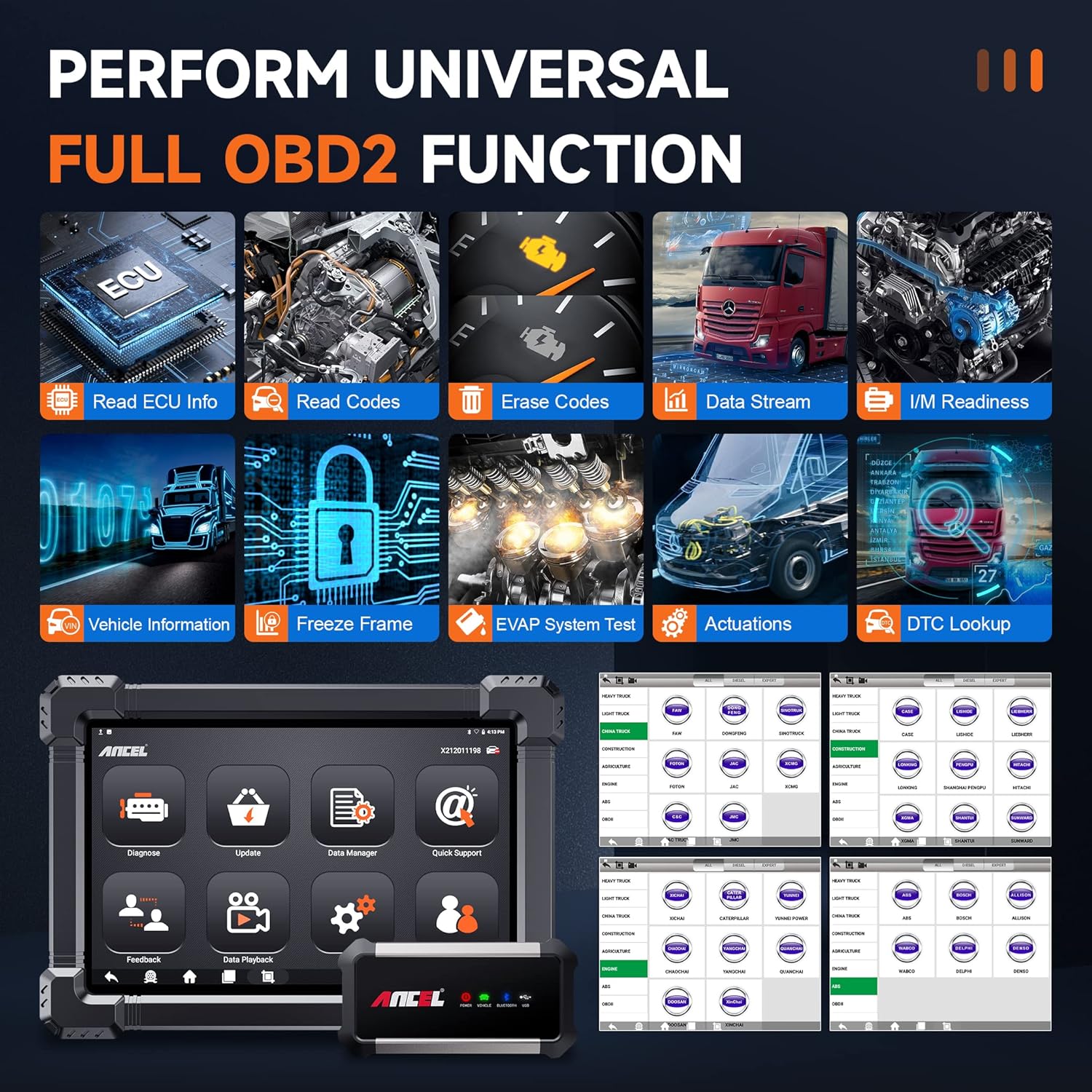
The main interface provides access to various diagnostic and service functions. Key options include Diagnose, Special Function, Update, Data Manager, Quick Support, Feedback, Data Playback, and User Manual.
2. OBDII Service
The OBDII Service function allows for standard OBD2 diagnostics, including reading and clearing fault codes, viewing live data streams, I/M readiness status, and vehicle information. This is essential for basic engine and emission-related diagnostics.
3. All Systems Diagnostic Scan
Perform a comprehensive scan of all available electronic control units (ECUs) within the vehicle. This includes systems such as Engine, Brake, Retarder, TECU Transmission, Tachograph, ABS, SRS, TPMS, EPB, SAS, ESP, and more. This function provides a holistic view of the vehicle's health.

4. Special Functions and Resets
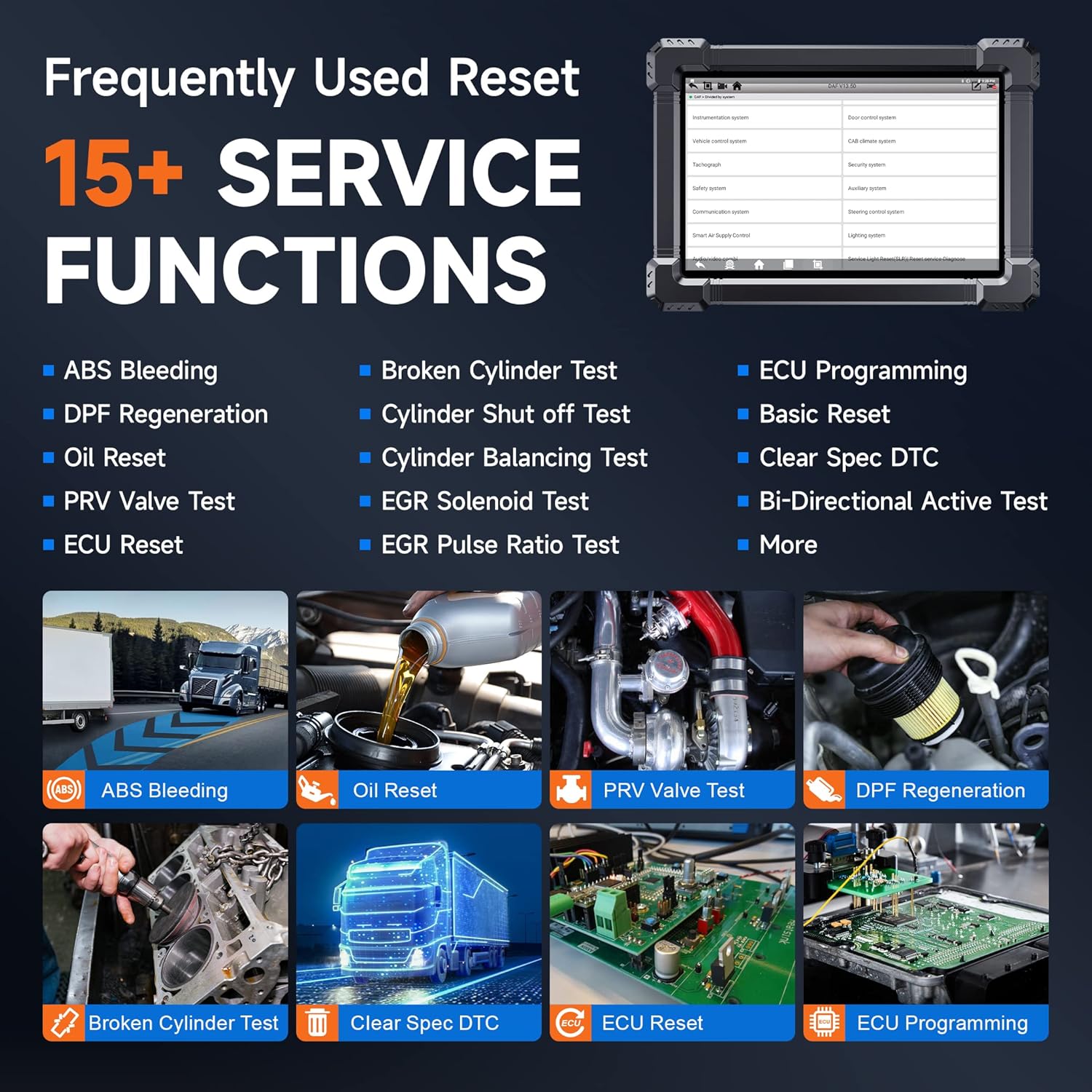
The ANCEL X7-HD offers over 15 special reset functions for common maintenance tasks and system adaptations. These include:
- ABS Bleeding
- DPF Regeneration & Reset
- Oil Reset
- PRV Valve Test
- ECU Reset
- Injector Coding
- Broken Cylinder Test
- Cylinder Shut off Test
- Cylinder Balancing Test
- EGR Solenoid Test
- EGR Pulse Ratio Test
- ECU Programming
- Basic Reset
- Clear Spec DTC
- Bi-Directional Active Test
5. Bi-directional Control / Active Test
This advanced function allows the diagnostic tool to send commands to vehicle systems and components to perform specific tests, such as activating pumps, fans, or solenoids. This helps in pinpointing faulty components and verifying repairs.

6. DPF Regeneration and ABS Bleeding
The tool supports DPF regeneration, DPF reset, and related information resets, crucial for maintaining diesel particulate filters and ensuring emission compliance. It also facilitates ABS bleeding by activating the motor to exhaust air from the ABS system automatically.

7. ECU Coding & Programming
The ANCEL X7-HD is equipped with advanced ECU coding capabilities, allowing for level calibration, idle speed learning and adjustment, camshaft timing control learning, control unit adaptations, injector codes, and reading/writing VINs. This function enables customization and adaptation of vehicle modules.
Vehicle Coverage
The ANCEL X7-HD provides wide diagnostic coverage for various heavy-duty vehicles and machinery. Compatibility may vary by specific model and year.

Maintenance
- Cleaning: Use a soft, dry cloth to clean the tablet and VCI module. Avoid abrasive cleaners or solvents.
- Software Updates: Regularly update the software to ensure compatibility with new vehicle models and to receive performance enhancements. Connect to Wi-Fi and navigate to the 'Update' section on the main menu.
- Storage: Store the device and its accessories in the provided protective case in a cool, dry place when not in use.
Troubleshooting
If you encounter issues with your ANCEL X7-HD, consider the following common troubleshooting steps:
- Device Not Powering On: Ensure the battery is charged. Connect the power adapter and try again.
- VCI Not Connecting: Verify Bluetooth is enabled on the tablet. Ensure the VCI module is properly connected to the vehicle's OBD port and receiving power. Restart both the tablet and the VCI.
- Communication Errors: Check all cable connections. Ensure the vehicle's ignition is on. Verify that the vehicle model and year are correctly selected in the software.
- Software Freezing/Crashing: Restart the application or the tablet. Ensure the software is up to date.
For persistent issues, refer to the 'Quick Support' or 'Feedback' sections within the device's main menu, or contact ANCEL customer support.
Specifications
| Feature | Detail |
|---|---|
| Brand | ANCEL |
| Model | X7 HD |
| Operating System | Android 8.1 |
| RAM | 2G |
| ROM | 32G |
| Screen Size | 10.1 inch |
| Battery | 6000 mAh Lithium Polymer |
| Connectivity | Bluetooth 5.0, Wi-Fi, USB |
| Item Weight | 9.44 pounds |
| Package Dimensions | 16.06 x 13.7 x 5.08 inches |
| Manufacturer Part Number | AL-X7-HD |
Warranty and Support
The ANCEL X7-HD typically comes with a manufacturer's warranty. Please refer to the warranty card included in your package or visit the official ANCEL website for detailed warranty terms and conditions.
For technical support, product inquiries, or service requests, please contact ANCEL customer support through their official channels. You can often find contact information on the manufacturer's website or within the 'Quick Support' section of the device's software.
The product includes 2 years of free software updates, ensuring your tool remains current with the latest vehicle data and diagnostic capabilities.


