
Introduction
This manual provides essential information for the safe and efficient operation of your Pinned 2.0 Dart Magnetic Speaker. Please read these instructions carefully before using the device to ensure optimal performance and longevity.
What's in the Box
- Pinned 2.0 Dart Magnetic Speaker
- USB-C Charging Cable
- Carabiner Clip
- Instruction Manual
Features
- Sound Quality: Enhanced audio output for clear sound.
- Battery Life: Over 10 hours of continuous playback on a single charge.
- Waterproof Rating: IPX7 certified, protecting against water immersion up to 1 meter for 30 minutes.
- Attachment Options: Features strong integrated magnets for secure mounting and a carabiner clip for portability.
- Bluetooth Connectivity: Bluetooth 5.0 for stable wireless connection with a range of up to 125 feet.
- Charging: USB-C rechargeable for convenient and fast charging.
- Dual Pairing: Ability to connect two speakers for stereo sound or party mode.

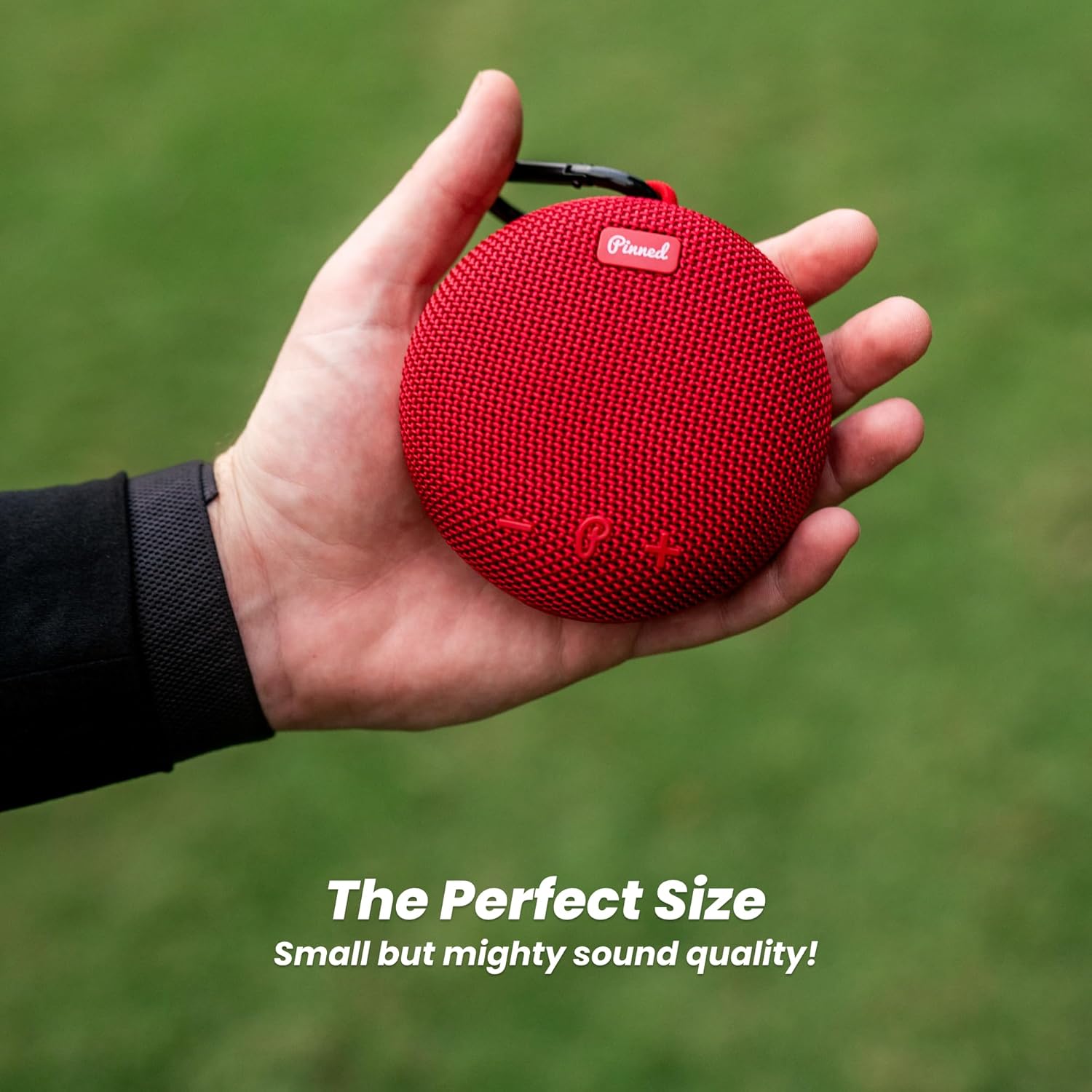
The Pinned 2.0 Dart Magnetic Speaker is designed to be compact and portable, fitting comfortably in hand.
Setup
1. Powering On/Off
To power on the speaker, press and hold the power button (marked with 'P') located on the control panel until you hear an audible prompt. To power off, press and hold the power button again until the speaker shuts down.
2. Bluetooth Pairing
- Ensure the speaker is powered on and in pairing mode (indicated by a flashing LED light).
- On your device (smartphone, tablet, etc.), enable Bluetooth and search for available devices.
- Select "Pinned Dart 2.0" from the list of devices.
- Once connected, the speaker will provide an audible confirmation, and the LED light will become solid.
3. Charging the Speaker
Connect the provided USB-C charging cable to the charging port located under the protective flap on the back of the speaker. Plug the other end into a compatible USB power source. The LED indicator will show charging status and turn off when fully charged. A full charge provides over 10 hours of playback.
Operating the Speaker
1. Basic Controls
- Power Button (P): Press and hold to power on/off.
- Volume Up (+): Press to increase volume.
- Volume Down (-): Press to decrease volume.
- Play/Pause (Triangle): Press to play or pause audio.
The speaker features a strong magnet for secure attachment to metal surfaces, such as a golf cart frame.
2. Dual Speaker Pairing (TWS Mode)
For an enhanced audio experience, you can pair two Pinned 2.0 Dart speakers together for True Wireless Stereo (TWS) sound. Follow these steps:
- Ensure both speakers are powered off and not connected to any device.
- Power on both speakers. They will automatically enter pairing mode.
- On one of the speakers (this will be your primary speaker), double-press the power button. The speakers will attempt to connect to each other.
- Once successfully paired, you will hear an audible confirmation. The LED on the primary speaker will flash, and the secondary speaker's LED will be solid.
- Now, connect your device to the primary speaker via Bluetooth as described in the "Bluetooth Pairing" section.

Two Pinned 2.0 Dart speakers can be paired together for an immersive audio experience.
Maintenance
- Cleaning: Use a soft, damp cloth to clean the speaker. Avoid using harsh chemicals or abrasive materials.
- Water Exposure: While IPX7 waterproof, ensure the charging port flap is securely closed before exposing the speaker to water. After exposure to saltwater, rinse with fresh water and dry thoroughly.
- Storage: Store the speaker in a cool, dry place when not in use.
Troubleshooting
| Problem | Solution |
|---|---|
| Speaker does not power on. | Ensure the battery is charged. Connect to a USB-C charger and allow it to charge for at least 30 minutes before attempting to power on again. |
| Cannot pair via Bluetooth. | Ensure the speaker is in pairing mode (flashing LED). Check that Bluetooth is enabled on your device and that the speaker is within range (125 ft). Try restarting both the speaker and your device. |
| Poor sound quality or no sound. | Check the volume levels on both the speaker and your connected device. Ensure there are no obstructions between the speaker and your device. If using TWS mode, ensure both speakers are properly paired. |
| Speaker not charging. | Verify the USB-C cable is securely connected to both the speaker and the power source. Try a different USB-C cable or power adapter. Ensure the charging port is clean and free of debris. |
Specifications
- Model Name: Pinned Golf The Dart Portable Magnetic Golf Cart Bluetooth Speaker
- Connectivity Technology: Bluetooth 5.0
- Wireless Range: Up to 125 Feet
- Water Resistance: IPX7 (Waterproof)
- Power Source: Battery Powered (USB-C Rechargeable)
- Battery Life: 10+ Hours
- Speaker Maximum Output Power: 250 Watts
- Audio Output Mode: Mono (supports TWS for stereo)
- Item Weight: 12.3 ounces (0.35 Kilograms)
- Product Dimensions: 5.7"D x 5.1"W x 2.2"H
- Special Features: Waterproof, USB-C Rechargeable, Dual Attachment (Magnet & Carabiner)
Warranty and Support
The Pinned 2.0 Dart Magnetic Speaker comes with a Limited Warranty. For detailed warranty information and support, please refer to the official Pinned Golf website or contact customer service.
Customer Support: For any questions, technical assistance, or warranty claims, please visit www.pinnedgolf.com or contact their support team directly.

