
1. Safety Information
The Longer RAY5 20W Laser Engraver is a Class 4 laser product. Always exercise extreme caution during operation to prevent injury. Failure to follow safety guidelines can result in serious harm.
1.1 General Safety Precautions
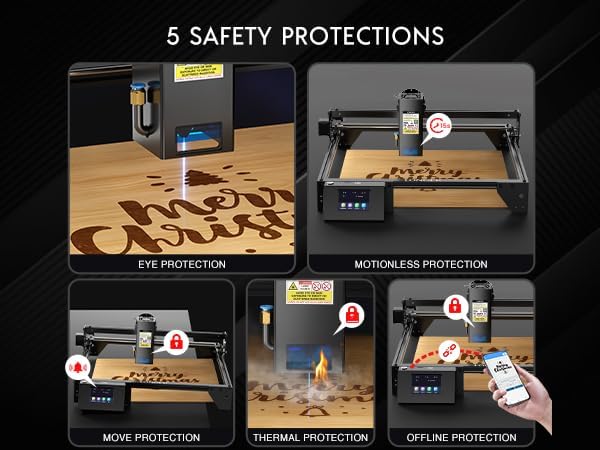
- Eye Protection: Always wear the provided laser safety glasses when the laser is active. Direct exposure to the laser beam can cause permanent eye damage.
- Skin Protection: Avoid direct exposure of skin to the laser beam.
- Ventilation: Operate the machine in a well-ventilated area to dissipate fumes and smoke produced during engraving and cutting.
- Fire Hazard: Be aware that certain materials can ignite when exposed to the laser. Always supervise the machine during operation and have a fire extinguisher nearby.
- Children and Pets: Keep children and pets away from the operating area.
1.2 Integrated Safety Features
The RAY5 incorporates several features designed to enhance user safety:
- Motion Detection: The machine will automatically stop if it detects unexpected movement during operation.
- Thermal Protection: Built-in sensors monitor the machine's temperature to prevent overheating.
- Offline Operation: Allows for engraving without a constant computer connection, reducing potential interference.
2. Product Overview
The Longer RAY5 20W is a high-precision laser engraving and cutting machine designed for versatility and ease of use. It features a powerful 20W laser module, a 3.5-inch touch screen for offline control, and broad compatibility with various materials and operating systems.

2.1 Key Features
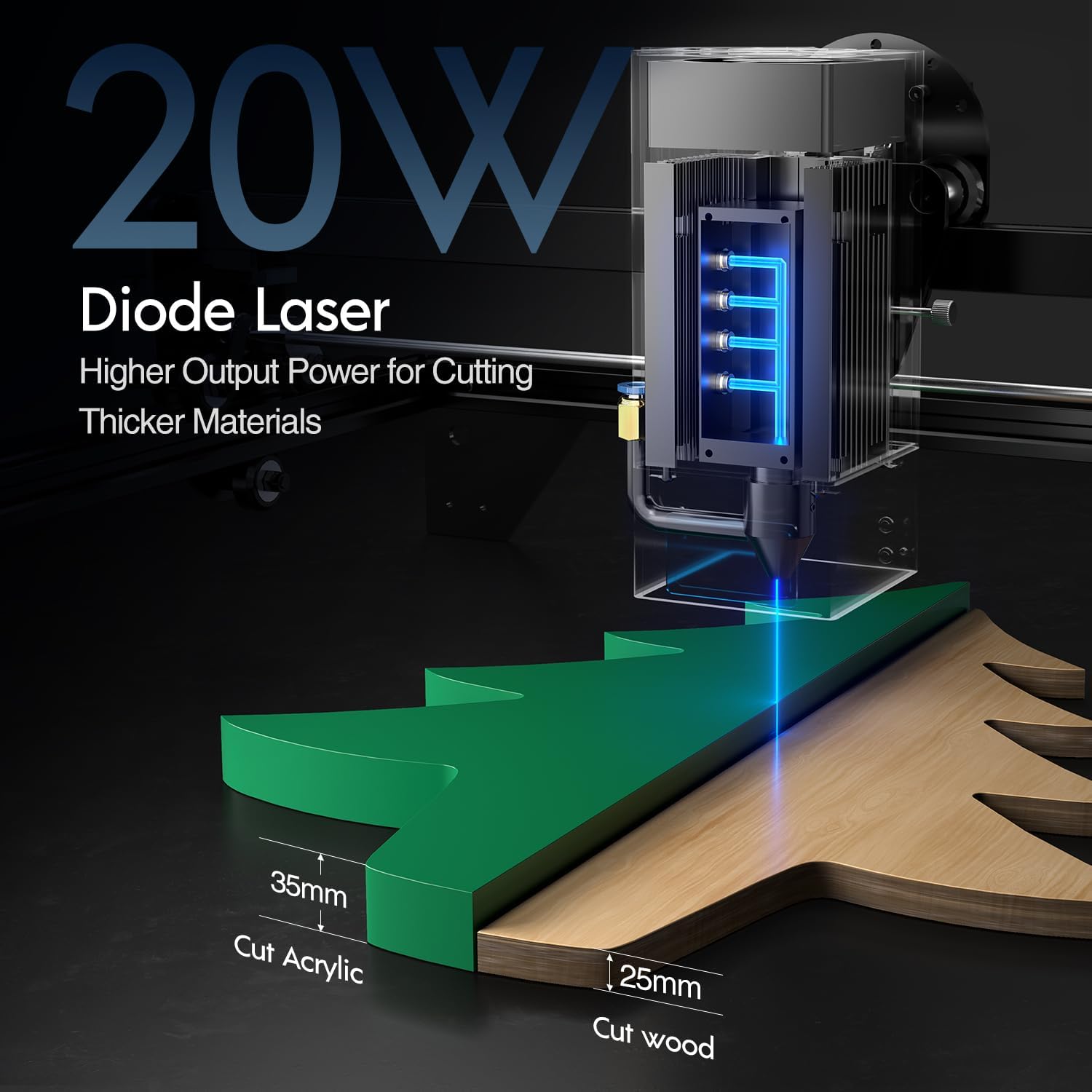
- Superior Cutting Power: The 20W laser can cut through materials such as 35mm acrylic and 25mm wood.
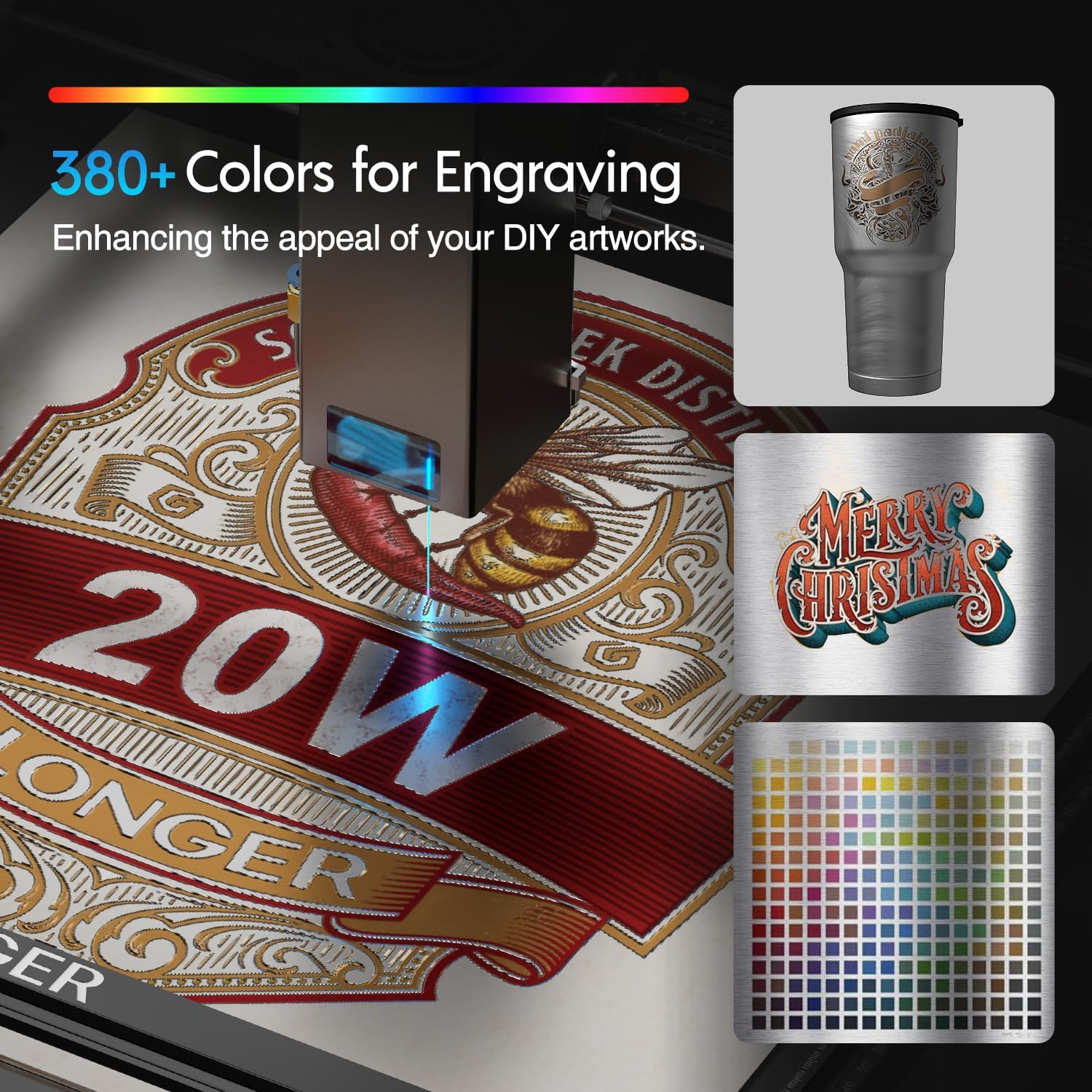
- Dynamic Color Engraving: Capable of engraving in over 380 colors, adding depth to designs.
- Material Versatility: Engraves and cuts wood, acrylic, fabric, leather, metal, glass, and more.
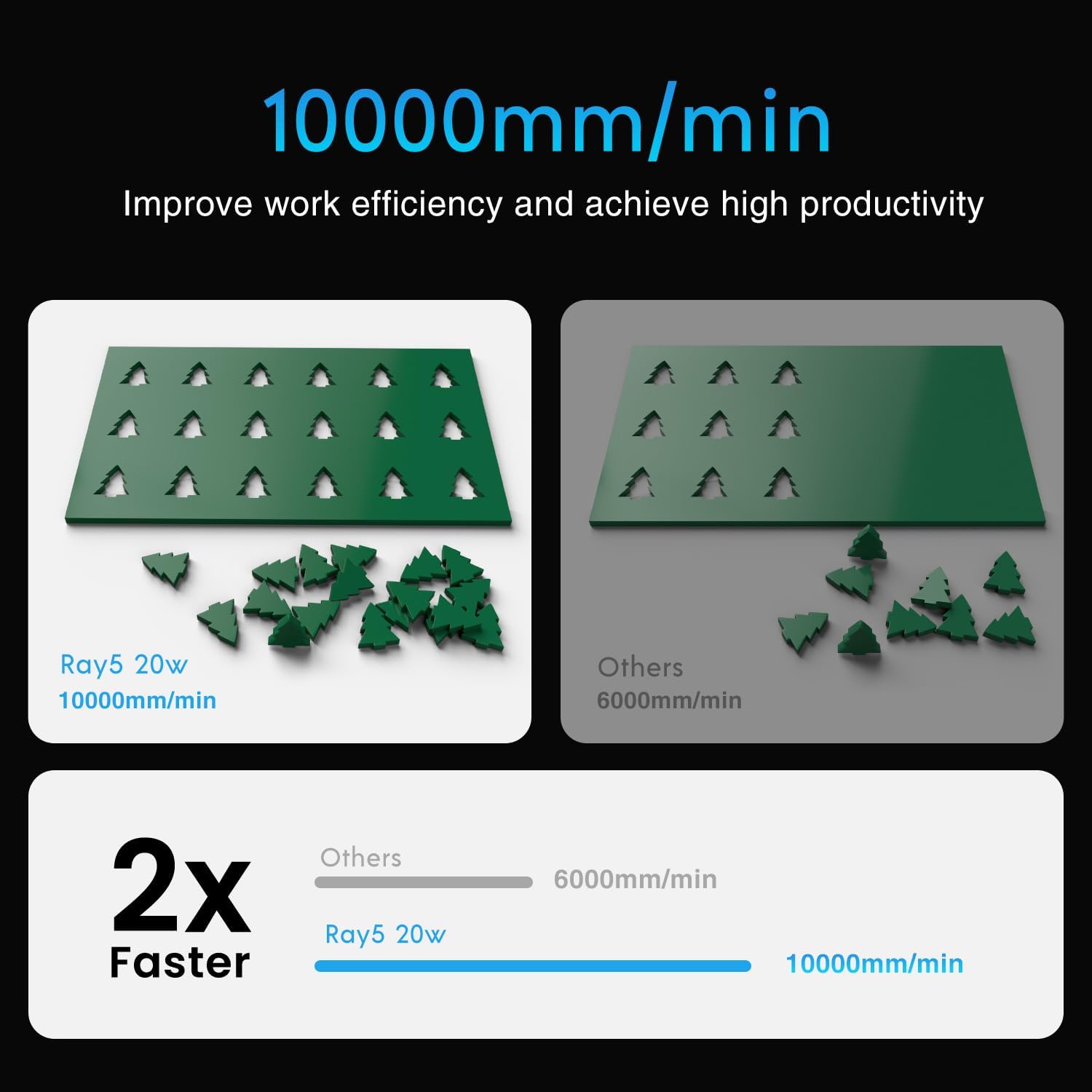
- High Speed: Achieves engraving speeds of up to 10000mm/min.
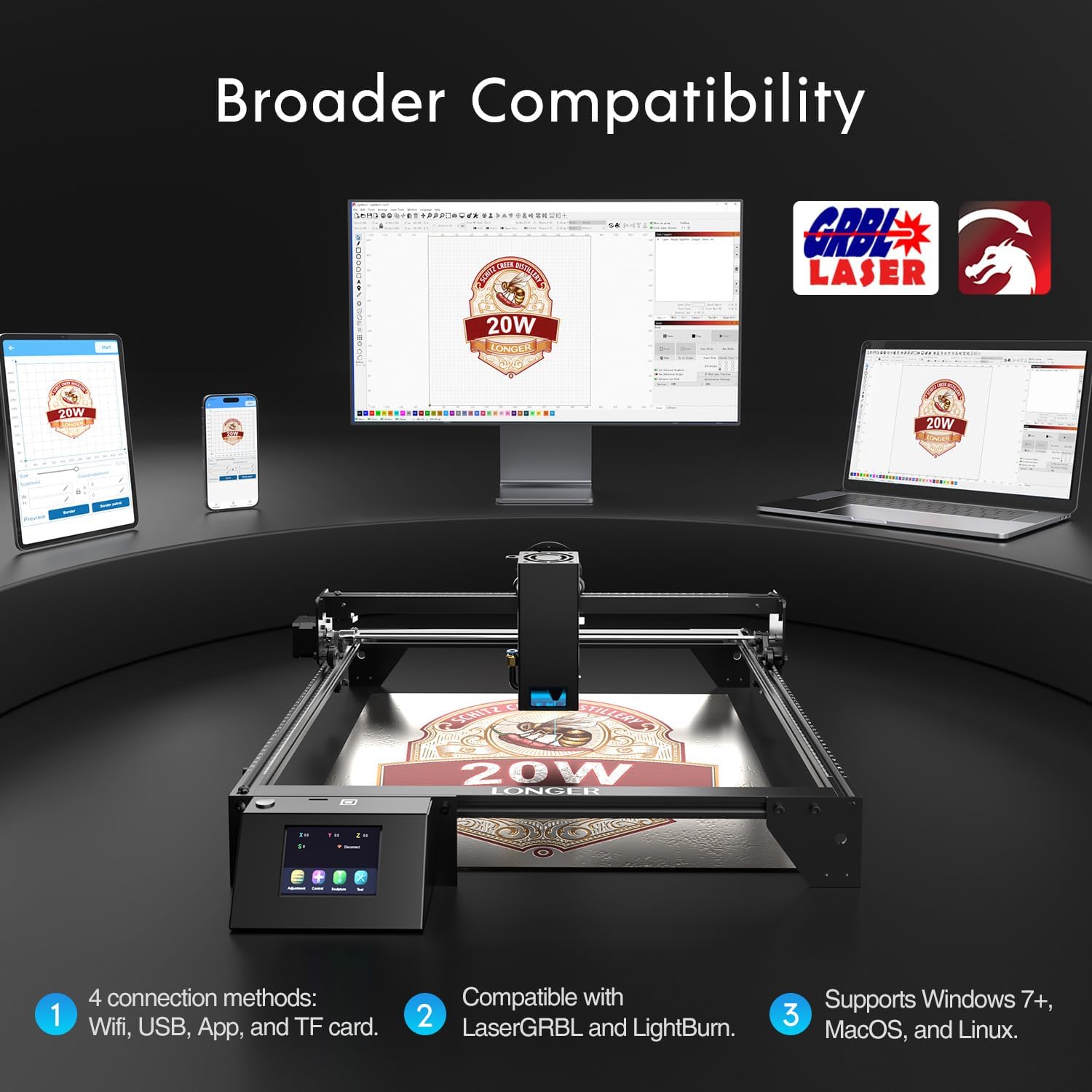
- Broad Compatibility: Supports Windows 7+, MacOS, and Linux. Connects via Wi-Fi, USB, App, or TF card. Compatible with LaserGRBL and LightBurn software.

3. Setup and Assembly
The Longer RAY5 20W comes partially assembled and requires some final steps to get it ready for use. Follow the instructions below and refer to the provided videos for visual guidance.
3.1 Unboxing and Parts Inspection
Carefully unpack all components from the box. Verify that all parts listed in the packing list are present and undamaged.

3.2 Frame Assembly
Assemble the main frame of the engraver using the provided screws and tools. Ensure all connections are secure.

3.3 Laser Module Installation
Attach the laser module to the X-axis. Ensure it is securely fastened but allows for smooth movement along the axis.
3.4 Cable Connections
Connect all necessary cables, including power, USB, and motor cables, to their respective ports. Organize cables using cable ties to prevent interference with moving parts.
3.5 Focal Length Calibration
Calibrate the laser's focal length using the provided focal length tool to ensure optimal engraving and cutting results.
4. Operating Instructions
The Longer RAY5 20W offers multiple ways to operate your laser engraver, including a touch screen, mobile app, and computer software.
4.1 Touch Screen Operation
The integrated 3.5-inch touch screen allows for direct control of the engraver without needing a computer. You can load designs from a TF card, set parameters, and start engraving directly from the screen.
4.2 Mobile App Control
Connect your smartphone or tablet to the RAY5 via Wi-Fi and use the dedicated app for convenient control. The app allows you to import designs, adjust settings, and monitor the engraving process remotely.
4.3 Software Control (LightBurn/LaserGRBL)
For advanced control and design capabilities, connect the RAY5 to your computer via USB and use compatible software like LightBurn or LaserGRBL. These programs offer extensive features for design, parameter adjustment, and job management.
5. Maintenance
Regular maintenance ensures the longevity and optimal performance of your Longer RAY5 20W Laser Engraver.
5.1 Cleaning
- Laser Lens: Gently clean the laser lens with a lint-free cloth and lens cleaning solution regularly to maintain beam quality.
- Work Area: Keep the work area clean from debris and dust, which can interfere with laser operation or pose a fire risk.
- Rails and Belts: Periodically inspect and clean the guide rails and belts to ensure smooth movement of the laser module.
5.2 Component Inspection
- Cables: Check all cables for wear or damage. Replace any compromised cables immediately.
- Fasteners: Ensure all screws and fasteners are tight. Re-tighten as necessary.
6. Troubleshooting
This section addresses common issues you might encounter with your Longer RAY5 20W Laser Engraver.
6.1 Common Issues and Solutions
- No Power: Ensure the power adapter is securely connected to both the machine and a working power outlet. Check the power switch.
- Laser Not Firing: Verify the laser module is correctly installed and connected. Check focal length calibration. Ensure safety features are not triggered.
- Poor Engraving Quality: Adjust laser power and speed settings in your software. Ensure the material is flat and the focal length is correctly set. Clean the laser lens.
- Connection Issues: For Wi-Fi, ensure the machine is within range of your router and the correct password is entered. For USB, try a different port or cable.
- Machine Stops Unexpectedly: Check for motion detection triggers (e.g., accidental bumps). Ensure the work area is clear and stable.
If you encounter persistent issues not covered here, please refer to the support section for assistance.
7. Specifications
| Feature | Specification |
|---|---|
| Model Number | RAY5 |
| Laser Output Power | 20000mW (20W) |
| Working Area | 15.7"x15.7" (400mm x 400mm) |
| Touch Screen Size | 3.5 inches |
| Connectivity | Wi-Fi, USB, App, TF card |
| Operating Systems | Windows 7+, MacOS, Linux |
| Supported Software | LaserGRBL, LightBurn |
| Max Cutting Thickness (Acrylic) | 35mm |
| Max Cutting Thickness (Wood) | 25mm (approx. 0.98") |
| Engraving Speed | Up to 10000mm/min |
| Item Weight | 11.88 pounds |
| Package Dimensions | 24 x 13.75 x 5.5 inches |
| Manufacturer | LONGER |
| Laser Class | Class 4 |
8. Warranty and Support
Longer is committed to providing excellent customer service and support for your RAY5 20W Laser Engraver.
8.1 Customer Support
Our customer support team is available 24/7 to provide professional assistance and lifetime technical support. Detailed product installation and user guides are also included with your purchase.


