
Introduction
This manual provides instructions for the Beyution RM-STHC60J replacement remote control. This remote is designed to function as a direct replacement for the original JVC RM-STHC60J remote, offering full functionality for compatible JVC DVD Digital Cinema Systems without requiring any programming or setup.
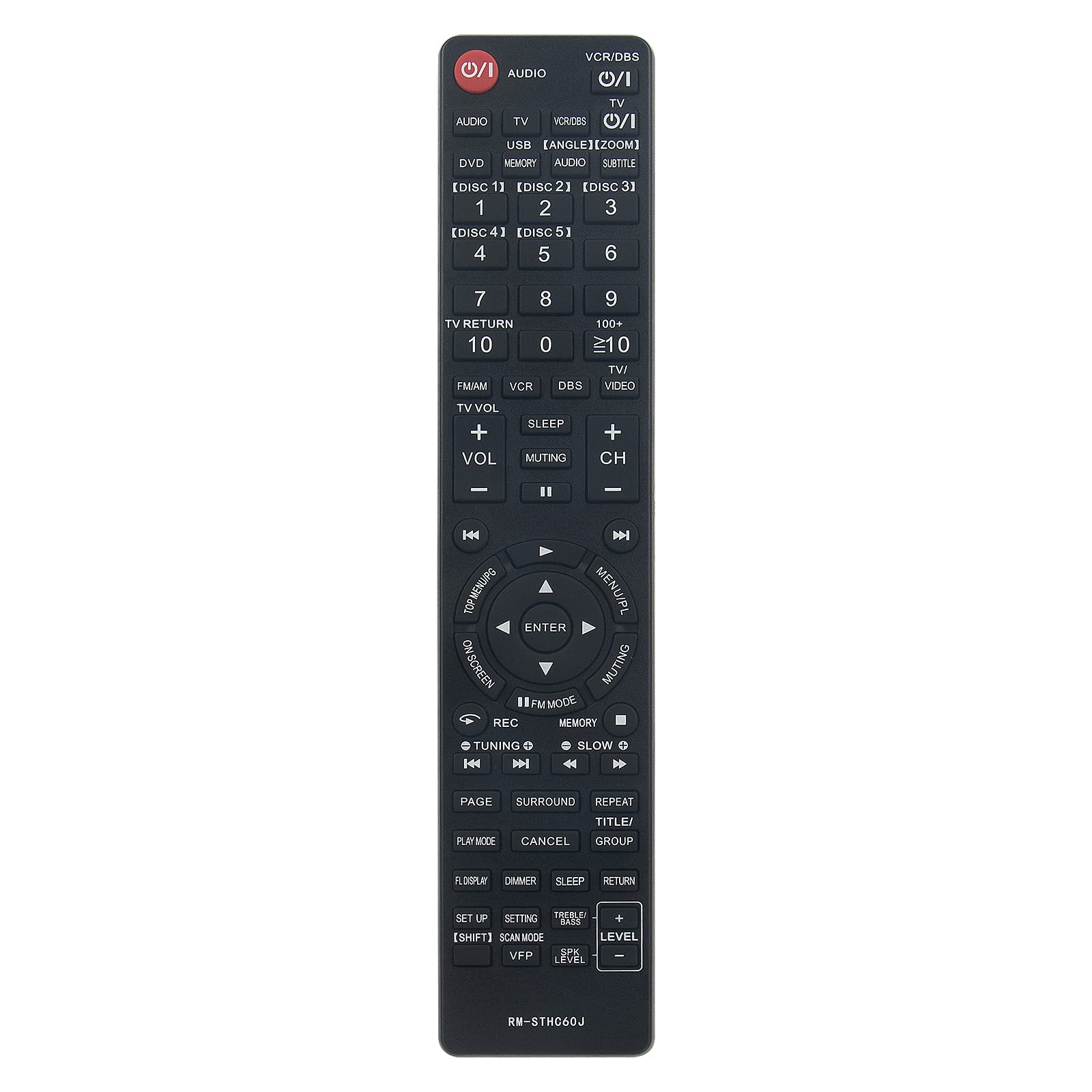
Image: Comparison showing the original JVC remote control on the right and the Beyution RM-STHC60J replacement remote control on the left, with a red arrow indicating replacement.
Setup
1. Battery Installation
The Beyution RM-STHC60J remote control requires two (2) AAA batteries (not included) for operation. Follow these steps to install the batteries:
- Locate the battery compartment on the back of the remote control.
- Press down on the tab and slide the battery cover downwards to open it.
- Insert two AAA batteries, ensuring the positive (+) and negative (-) terminals align correctly with the markings inside the compartment.
- Slide the battery cover back into place until it clicks securely.
No programming or pairing is required. The remote is ready for use once batteries are installed.
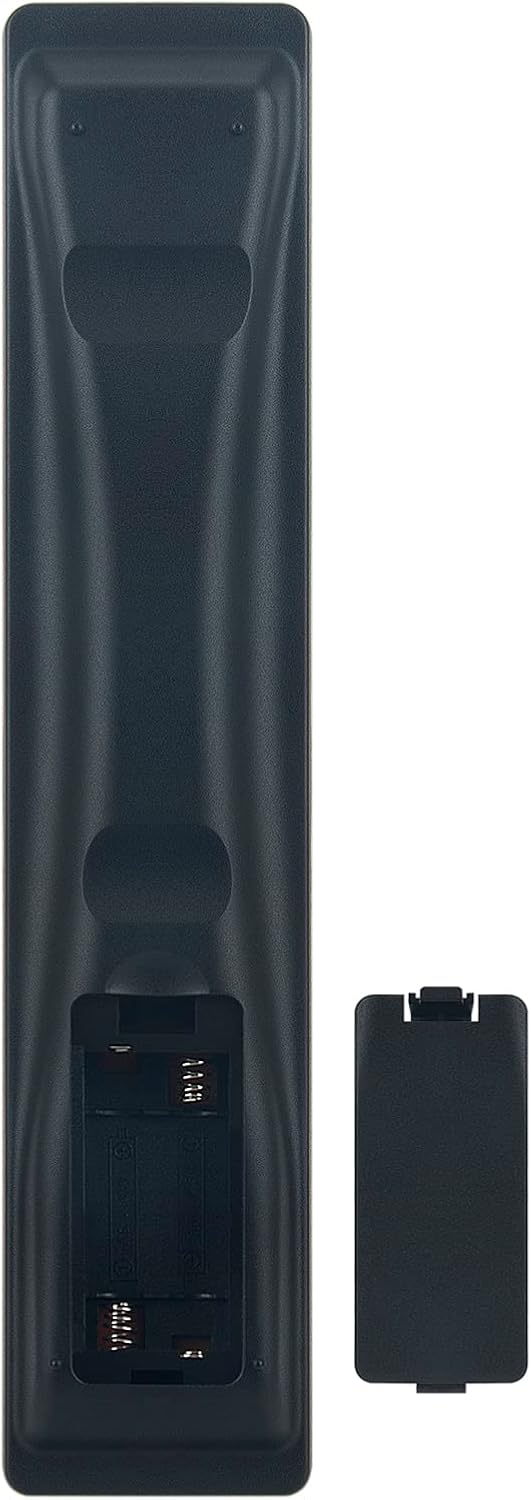
Image: The back of the Beyution RM-STHC60J remote control with the battery compartment open, showing the slots for two AAA batteries.
Operating Instructions
This remote control provides full functionality for your compatible JVC DVD Digital Cinema System. Point the remote directly at the system's infrared receiver for optimal performance.

Image: A clear front view of the Beyution RM-STHC60J replacement remote control, displaying all buttons and their labels.
Key Functions:
- Power (①/I): Turns the system on or off.
- AUDIO: Selects audio input.
- VCR/DBS, TV, DVD, USB: Selects input sources.
- Number Buttons (0-9, 10+, ≥10): For direct track/chapter selection or channel input.
- DISC [1]-[5]: Selects specific discs in a multi-disc changer.
- VOL +/-, CH +/-, Muting: Adjusts volume, changes channels, or mutes sound.
- Navigation Pad (Up, Down, Left, Right, ENTER): Navigates menus and confirms selections.
- MENU/PL, TOP MENU/PG: Accesses system menus.
- Play, Pause, Stop, Fast Forward, Rewind, Skip: Controls media playback.
- REC: Initiates recording (if supported by the system).
- SETUP: Accesses setup menu.
- SUBTITLE, ANGLE, ZOOM: Controls specific DVD playback features.
Compatibility:
This remote control is compatible with the following JVC DVD Digital Cinema System models:
- TH-C60, TH-C20, TH-C43C, TH-C40, TH-C50, TH-C30, TH-C30U
- THC30, XVTHC20, THC50, XVTHC50, XVTHC40, THC30J, THC20
- THC40, THC60, XVTHC60, SPTHC60F
Maintenance
Cleaning:
To clean the remote control, use a soft, dry cloth. For stubborn dirt, lightly dampen the cloth with water or a mild, non-abrasive cleaner. Avoid using harsh chemicals or solvents, as these can damage the remote's finish or internal components.
Battery Care:
- Replace batteries when the remote's performance degrades or it stops responding.
- Always replace both batteries at the same time with new ones of the same type (AAA).
- Do not mix old and new batteries, or different types of batteries.
- Remove batteries if the remote control will not be used for an extended period to prevent leakage and damage.
Troubleshooting
Remote Not Responding:
- Check Batteries: Ensure batteries are inserted correctly with the correct polarity (+/-) and are not depleted. Replace with fresh AAA batteries if necessary.
- Line of Sight: Make sure there are no obstructions between the remote control and the infrared sensor on your JVC DVD Digital Cinema System. The remote requires a clear line of sight to operate.
- Distance: The maximum effective range is approximately 10 meters (33 feet). Ensure you are within this range.
- Infrared Interference: Bright sunlight or other strong infrared sources can interfere with the remote's signal. Try operating the remote in a different lighting condition.
Incorrect Functionality:
- Verify that your JVC DVD Digital Cinema System model is listed in the compatibility section. This remote is a direct replacement for specific models.
- If your model is not listed, or if the remote still does not function correctly after troubleshooting, please contact customer support.
Specifications
| Feature | Detail |
|---|---|
| Model | RM-STHC60J |
| Material | ABS Plastic |
| Connectivity Technology | Infrared |
| Maximum Distance | 10 Meters (approx. 33 feet) |
| Dimensions (L x W x H) | 6.3 x 1.57 x 0.39 inches |
| Item Weight | 2.47 ounces |
| Batteries Required | 2 x AAA (not included) |
| Color | Black |
| Special Feature | Ergonomic design |
Warranty Information
This Beyution RM-STHC60J replacement remote control comes with a 6-month warranty period from the date of purchase. This warranty covers manufacturing defects and ensures the remote functions as intended under normal use.
Please retain your proof of purchase for warranty claims. The warranty does not cover damage caused by misuse, accidents, unauthorized modifications, or normal wear and tear.
Customer Support
If you encounter any issues with your Beyution RM-STHC60J remote control that cannot be resolved using the troubleshooting guide, or if you have questions regarding compatibility or warranty, please contact our customer service team.
For assistance, please reach out via email. Our customer service staff will provide a satisfactory solution within 24 hours.
Note: If you find that your device model is not included in our compatibility list, please contact us to verify compatibility before purchasing.