
1. Introduction
This manual provides essential information for the safe and effective operation, setup, and maintenance of your HZXVOGEN HVT250P AC/DC TIG/MMA Welder. Please read this manual thoroughly before operating the machine to ensure proper usage and to prevent injury or damage.
2. Safety Information
Welding operations involve significant risks. Always adhere to the following safety precautions to prevent electric shock, fire, burns, and other hazards.
- Electric Shock: Can kill. Ensure proper grounding. Do not touch live electrical parts. Wear dry welding gloves and protective clothing.
- Fumes and Gases: Can be hazardous to your health. Work in a well-ventilated area. Use fume extractors if necessary.
- Arc Rays: Can burn eyes and skin. Wear a welding helmet with appropriate shade filter. Protect others with welding screens.
- Fire and Explosion: Welding sparks and hot metal can cause fires. Keep flammable materials away from the welding area. Have a fire extinguisher readily available.
- Hot Parts: Can cause severe burns. Allow equipment to cool before handling.
- Noise: Excessive noise can damage hearing. Wear ear protection.
- Moving Parts: Keep hands, hair, and loose clothing away from moving parts like fans.
Always consult local safety regulations and standards before beginning any welding work.
3. Package Contents
Upon unpacking, verify that all items listed below are present and undamaged. Contact your supplier immediately if any items are missing or damaged.
- HZXVOGEN HVT250P AC/DC TIG/MMA Welder Unit
- TIG Torch
- Ground Clamp with Cable
- Electrode Holder with Cable (for MMA/Stick welding)
- Gas Hose
- User Manual

Figure 3.1: HZXVOGEN HVT250P Welder unit with TIG torch, ground clamp, and electrode holder.
4. Product Features
The HZXVOGEN HVT250P is a versatile welding machine designed for various applications. Key features include:
- Multi-Process Capability: Supports AC TIG, DC TIG, Pulse TIG, and MMA (Stick) welding.
- AC TIG for Aluminum: Specifically designed for welding aluminum and its alloys.
- DC TIG for Steel: Suitable for welding stainless steel, carbon steel, and copper.
- Pulse TIG Function: Offers enhanced control over heat input, ideal for thin materials and specialized applications, with adjustable pulse frequency (20-200Hz) and duty cycle (10-90%).
- IGBT Inverter Technology: Provides stable arc, high efficiency, and compact design.
- Dual Voltage Input: Operates on both 110V and 220V power supplies, offering flexibility for different work environments.
- Digital Display: For precise current and parameter settings.
5. Setup
Before operating the welder, ensure all connections are secure and correct.
5.1 Machine Overview

Figure 5.1: Front and rear panel layout with key components.
- Power ON/OFF Switch: Located on the rear panel.
- Fan: Cooling fan located on the rear panel. Ensure it is not obstructed.
- Gas In: Gas inlet connection on the rear panel for inert gas supply (e.g., Argon for TIG).
- Current Adjust Knob: Main control for welding current.
- Pulse ON/OFF Shift Switch: Activates or deactivates the pulse welding function.
- Ground Clamp Connection: Connect the ground clamp cable to the appropriate terminal for your welding process.
- Welding Torch/Electrode Holder Connection: Connect the TIG torch or MMA electrode holder to the corresponding terminal for your welding process.
5.2 Power Connection
- Ensure the welder's power switch is in the OFF position.
- Connect the power cord to a suitable 110V or 220V AC power outlet. The machine automatically detects the input voltage. Ensure the outlet is properly grounded and can supply the required amperage.
5.3 Gas Connection (for TIG Welding)
- Connect one end of the gas hose to the "Gas In" port on the rear of the welder.
- Connect the other end of the gas hose to your inert gas cylinder (e.g., Argon) via a pressure regulator.
- Ensure all connections are tight to prevent gas leaks.
5.4 Welding Cable Connections
- Ground Clamp: Connect the ground clamp cable to the negative (-) terminal for DC TIG/MMA or to the appropriate terminal as indicated for AC TIG. Secure the ground clamp to the workpiece or welding table, ensuring good electrical contact.
- TIG Torch: For TIG welding, connect the TIG torch cable to the positive (+) terminal for DC TIG or to the appropriate terminal for AC TIG. Connect the gas line from the torch to the welder's gas output.
- Electrode Holder: For MMA (Stick) welding, connect the electrode holder cable to the positive (+) terminal.
6. Operating Instructions
6.1 General Operation
- After completing all connections, turn on the power switch on the rear panel.
- Select the desired welding process (TIG or MMA) and current type (AC or DC) using the front panel controls.
- Adjust the welding current using the "Current Adjust Knob" according to the material thickness and electrode/filler rod size.
- For TIG welding, set the gas flow rate on your regulator.
6.2 TIG Welding (AC/DC)
The HVT250P supports both AC TIG for aluminum and DC TIG for other metals.
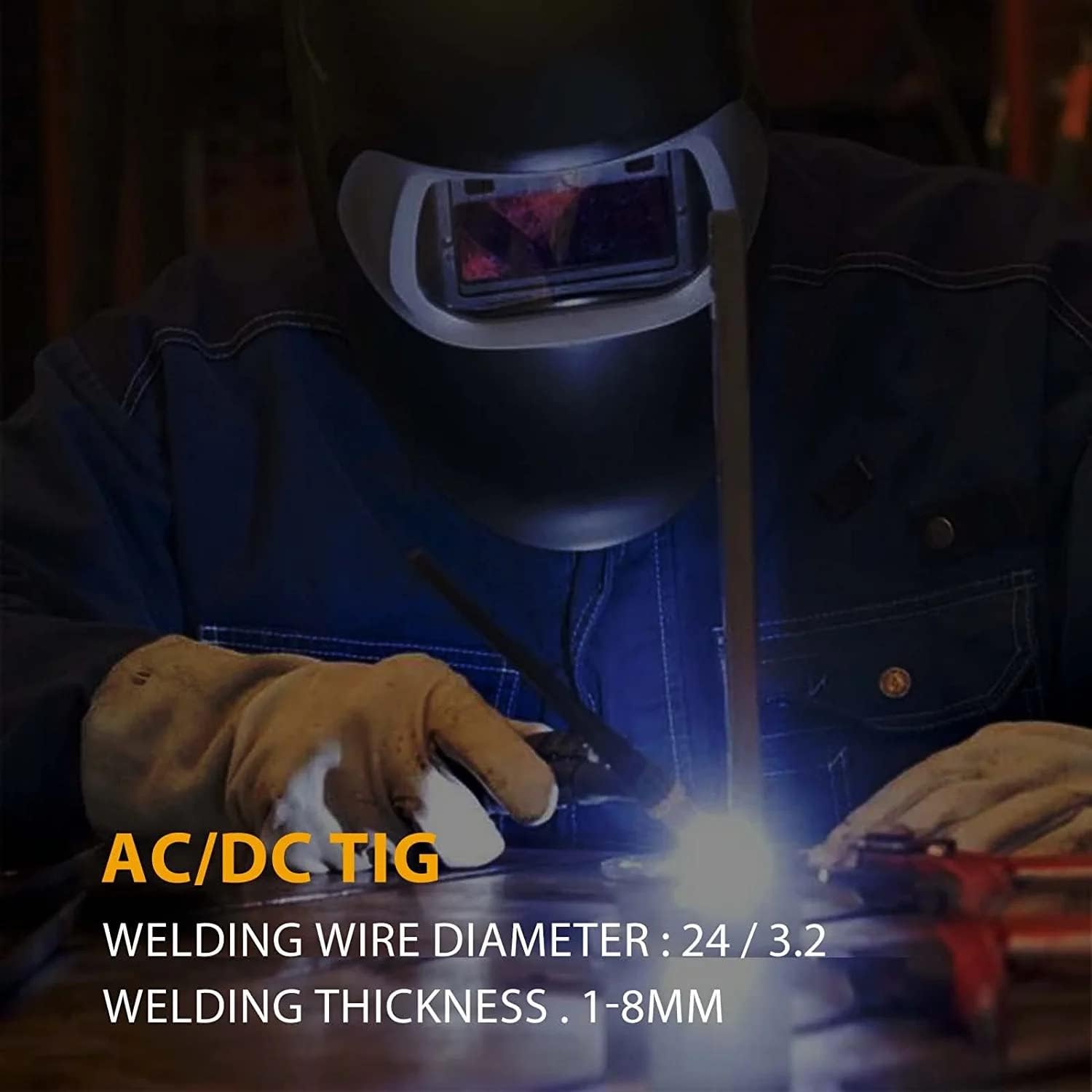
Figure 6.1: Demonstrating AC/DC TIG welding. Welding wire diameter: 2.4/3.2mm, Welding thickness: 1-8mm.
- AC TIG: Select AC mode for welding aluminum and magnesium alloys. This mode provides a cleaning action that breaks up oxides on the material surface.
- DC TIG: Select DC mode for welding stainless steel, carbon steel, copper, and other non-ferrous metals (except aluminum).
- Pulse TIG: Engage the "Pulse ON/OFF Shift Switch" to activate pulse mode. Adjust pulse frequency (20-200Hz) and duty cycle (10-90%) as needed for better heat control and reduced distortion, especially on thin materials.
- Ensure a tungsten electrode of appropriate size and type is installed in the TIG torch.
- Maintain proper arc length and torch angle for optimal weld quality.

Figure 6.2: A welder performing TIG welding with the HVT250P.
6.3 MMA (Stick) Welding
The HVT250P also functions as an MMA (Manual Metal Arc) or Stick welder.

Figure 6.3: A welder performing MMA welding. MMA welding wire diameter: 2.5/3.2mm, Welding thickness: 2-12mm.
- Connect the electrode holder to the positive (+) terminal and the ground clamp to the negative (-) terminal.
- Insert the appropriate coated electrode into the electrode holder.
- Select MMA mode on the control panel.
- Adjust the welding current based on the electrode type and diameter, and the material thickness.
- Strike the arc by lightly touching the electrode to the workpiece and quickly lifting it slightly to establish the arc.
7. Maintenance
Regular maintenance ensures the longevity and safe operation of your welding machine. Always disconnect power before performing any maintenance.
- Cleaning: Periodically clean the interior of the machine using dry compressed air to remove dust and metal particles. Ensure the cooling fan and vents are free from obstructions.
- Cable Inspection: Regularly inspect welding cables, ground clamp, and torch for damage, cuts, or loose connections. Replace damaged components immediately.
- Tungsten Electrodes (TIG): Sharpen or replace tungsten electrodes as needed to maintain arc stability and weld quality.
- Gas System: Check gas hoses and connections for leaks.
8. Troubleshooting
Refer to the table below for common issues and their potential solutions. If the problem persists, contact customer support.
| Problem | Possible Cause | Solution |
|---|---|---|
| Welder does not power on. | No power supply; Power switch off; Faulty power cord. | Check power outlet and circuit breaker; Ensure power switch is ON; Inspect and replace power cord if damaged. |
| No welding arc. | Poor ground connection; Incorrect welding mode; Insufficient current setting; Faulty torch/electrode holder. | Ensure ground clamp has good contact; Select correct mode (TIG/MMA); Increase current; Inspect and replace cables/torch. |
| Unstable arc or poor weld quality. | Incorrect current/voltage settings; Contaminated workpiece; Improper gas flow (TIG); Worn tungsten electrode (TIG); Incorrect electrode type (MMA). | Adjust settings; Clean workpiece; Check gas supply and flow rate; Sharpen/replace tungsten; Use correct electrode. |
| Overheating protection activated. | Exceeded duty cycle; Obstructed cooling vents; High ambient temperature. | Allow machine to cool down; Clear obstructions from vents; Operate in a cooler environment. |
9. Specifications
Technical specifications for the HZXVOGEN HVT250P AC/DC TIG/MMA Welder.

Figure 9.1: Dimensions and technical data for the HVT250P.
| Parameter | Value |
|---|---|
| Model | HVT250P AC/DC |
| Input Voltage | 110/220V Dual Voltage |
| Welding Current Range | 200A (Max) |
| Pulse Frequency | 20-200Hz |
| Duty Cycle | 10-90% |
| Technology | IGBT Square Wave Inverter |
| Item Weight | 44.3 pounds (approx. 20.1 kg) |
| Package Dimensions | 21.12 x 18.7 x 13.15 inches (approx. 53.6 x 47.5 x 33.4 cm) |
| Insulation Class | F |
| Enclosure Class | IP21S |
10. Warranty and Support
For warranty information and technical support, please refer to the documentation provided with your purchase or contact HZXVOGEN customer service directly. Keep your purchase receipt as proof of purchase.


