1. Product Overview and Features
The Temtop M10 is an intelligent 4-in-1 air quality monitor designed for comprehensive assessment of indoor air quality. It accurately measures four crucial indexes: PM2.5, AQI (Air Quality Index), HCHO (Formaldehyde), and TVOC (Total Volatile Organic Compounds).
- 4-in-1 Multifunctional Monitor: Offers accurate monitoring of PM2.5, AQI, HCHO, and TVOC for a comprehensive assessment of indoor air quality.
- Advanced Components: Features Temtop's technology with a sensitive PM2.5 laser sensor and a British Dart formaldehyde sensor for accurate and dependable detection.
- User-Friendly Operation: Simple single-button control for power on/off and interface switching. Includes a built-in 3-color LED light to conveniently indicate air quality levels (healthy to unhealthy).
- Reliable Brand: Temtop has over 10 years of R&D experience in PM2.5 sensors and collaborates with renowned sensor suppliers.
- Optimal Performance: Recommended to be utilized while plugged in for maximized functionality due to its sensor-rich design.
2. Package Contents
Upon unboxing your Temtop M10 Air Quality Monitor, please ensure all the following items are present:
- Temtop M10 Air Quality Monitor Unit
- Charging Cable (Micro USB)
- Reset Pin
- User Manual (this document)

Figure 2.1: Temtop M10 Air Quality Monitor with its included accessories.
3. Product Tour
Familiarize yourself with the components of your Temtop M10 Air Quality Monitor:

Figure 3.1: Key components of the Temtop M10 Air Quality Monitor.
- Indicator Light: Located on the top, this LED changes color (green, yellow, red) to provide a quick visual indication of the current air quality level.
- Micro USB Charging Port: Located on the side, used for charging the device and for continuous power supply.
- Digital Readings Display: The main screen shows the numerical values for the selected air quality parameter.
- Sensors: Located on the side with vents, these advanced sensors detect PM2.5, HCHO, and TVOC.
- Pollutant Selection Button: The single button on the top is used to power the device on/off and cycle through the different air quality parameters displayed.
4. Setup
- Initial Charge: Before first use, fully charge the device using the provided Micro USB cable and a compatible 5V/1A USB power adapter (not included). The battery icon on the display will indicate charging status.
- Placement: Place the monitor in the area where you wish to measure air quality. Ensure the side vents are not obstructed to allow for accurate air sampling. For optimal performance, keep the device plugged in.
- Power On: Press and hold the single button on the top of the device for approximately 3 seconds to power it on. The display will light up and begin showing readings.
5. Operating Instructions
- Switching Display Modes:
Once powered on, short press the button on the top to cycle through the different air quality parameters: PM2.5, AQI, HCHO, and TVOC. Each press will switch to the next parameter.

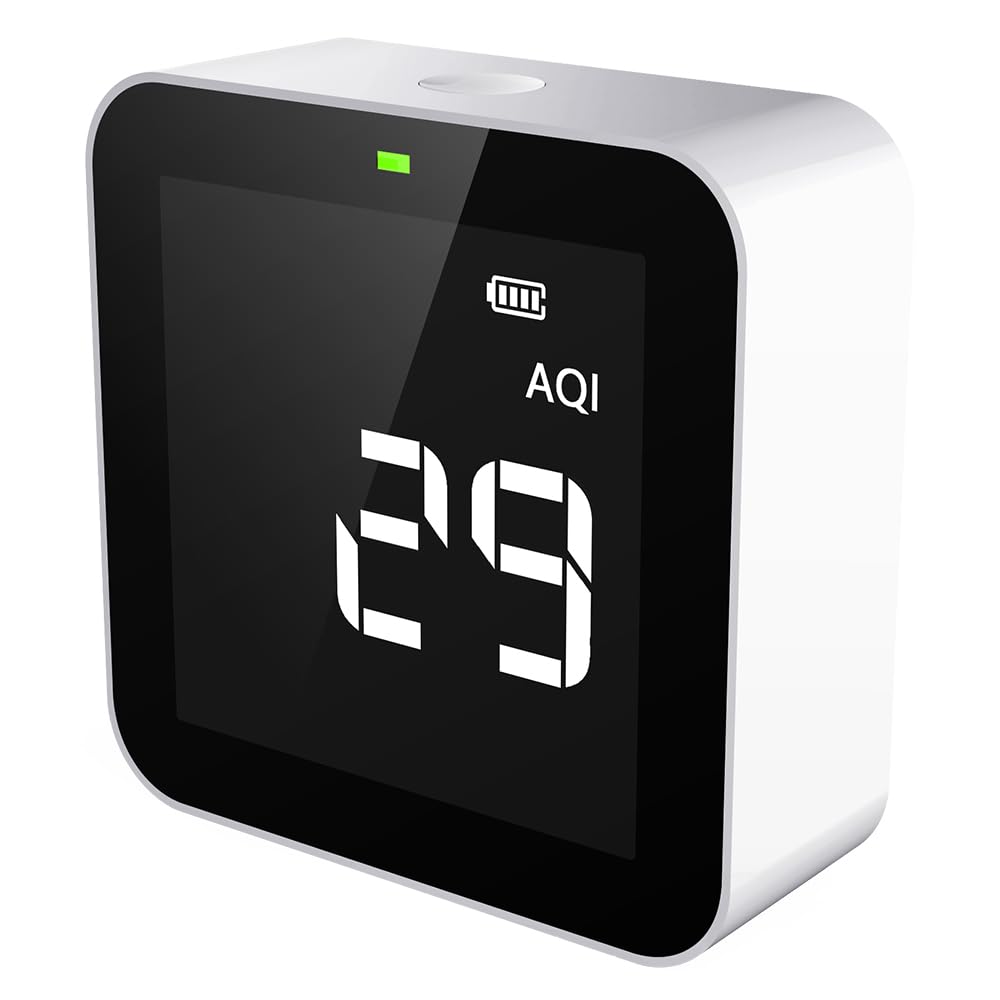
Figure 5.1: Examples of PM2.5 and AQI readings on the display.
- Understanding the 3-Color LED Indicator:
The LED light on the top provides a quick visual summary of the overall air quality:
- Green Light: Indicates good air quality.
- Yellow Light: Indicates moderate air quality, suggesting potential issues.
- Red Light: Indicates unhealthy air quality, requiring immediate attention.
- Power Off: Press and hold the button on the top for approximately 3 seconds to power off the device.
6. Official Product Videos
Explore these official videos from the seller for more insights into the Temtop M10 Air Quality Monitor and its applications:
Temtop Air Quality Monitor R&D
This video provides an overview of the research and development process behind Temtop air quality monitors, highlighting the commitment to innovation and precision.
M10 Series: 3 Models, Different Features
A comparative video showcasing the different models within the M10 series, detailing their unique features and capabilities to help users understand the range of options.
Temtop Air Quality Monitor Application
This video demonstrates various real-world applications of the Temtop air quality monitor, illustrating how it can be used in different environments to assess air quality.
Temtop 4 in 1 Air Quality Monitor
A detailed video highlighting the four primary functions of the Temtop M10 monitor, explaining how each parameter contributes to a complete understanding of indoor air quality.
7. Maintenance
- Cleaning: Gently wipe the device with a soft, dry cloth. Do not use abrasive cleaners or solvents.
- Ventilation: Ensure the air intake and exhaust vents on the device are kept clear of dust and debris to maintain accurate readings.
- Storage: When not in use for extended periods, store the device in a cool, dry place away from direct sunlight and extreme temperatures.
8. Troubleshooting
| Problem | Possible Cause | Solution |
|---|---|---|
| Device does not power on | Low battery; Power cable not connected properly. | Charge the device fully; Ensure the charging cable is securely connected. |
| Inaccurate readings | Obstructed vents; Device not calibrated; Interference from strong odors. | Clear any obstructions from vents; Refer to the user manual for calibration instructions (if applicable); Move the device away from sources of strong odors. |
| Display is blank or frozen | System error. | Use the reset pin to press the reset button (usually a small hole on the device) to restart the monitor. |
9. Specifications
| Feature | Detail |
|---|---|
| Model Number | M10 |
| Detected Parameters | PM2.5, AQI, TVOC, HCHO |
| Sensor Type | Electrochemical (for HCHO), Laser (for PM2.5) |
| Power Source | Battery Powered (1 Lithium Metal battery included) |
| Product Dimensions | 5.12 x 2.76 x 5.12 inches; 7.05 ounces (approx. 0.2 Kilograms) |
| Color | White |
| First Available Date | October 23, 2020 |
10. Warranty and Support
Your Temtop M10 Air Quality Monitor comes with a comprehensive 12-month warranty.
For any questions, technical assistance, or warranty claims, Temtop provides 24/7 customer support via email and phone.
For a downloadable PDF version of this user manual, please refer to the official product page or visit the Temtop support website. A direct link to the PDF user manual is also available: User Manual (PDF)


