1. Introduction
Thank you for choosing the Godyse G11 Pro Wireless Earbuds. These earbuds are designed to provide a superior audio experience with features such as AI Call Noise Cancelling, extended playtime, and IPX6 waterproof protection. This manual will guide you through the setup, operation, and maintenance of your new earbuds.
Key features include:
- AI Call Noise Cancelling: Four microphones with AI technology reduce environmental noise for clear calls.
- Extended Playtime: Up to 6 hours on a single charge, with an additional 25 hours provided by the charging case.
- IPX6 Waterproof: Protection against strong water jets, suitable for workouts and light rain.
- High-Definition Sound: 13mm dynamic drivers deliver rich, detailed stereo audio with enhanced bass.
- Smart Touch Controls: Intuitive touch sensors for easy management of music and calls.
2. Package Contents
Please check the package for the following items:
- Godyse G11 Pro Wireless Earbuds (Left and Right)
- Charging Case
- USB Type-C Charging Cable
- Ear Cushions (various sizes)
- User Manual
3. Product Overview
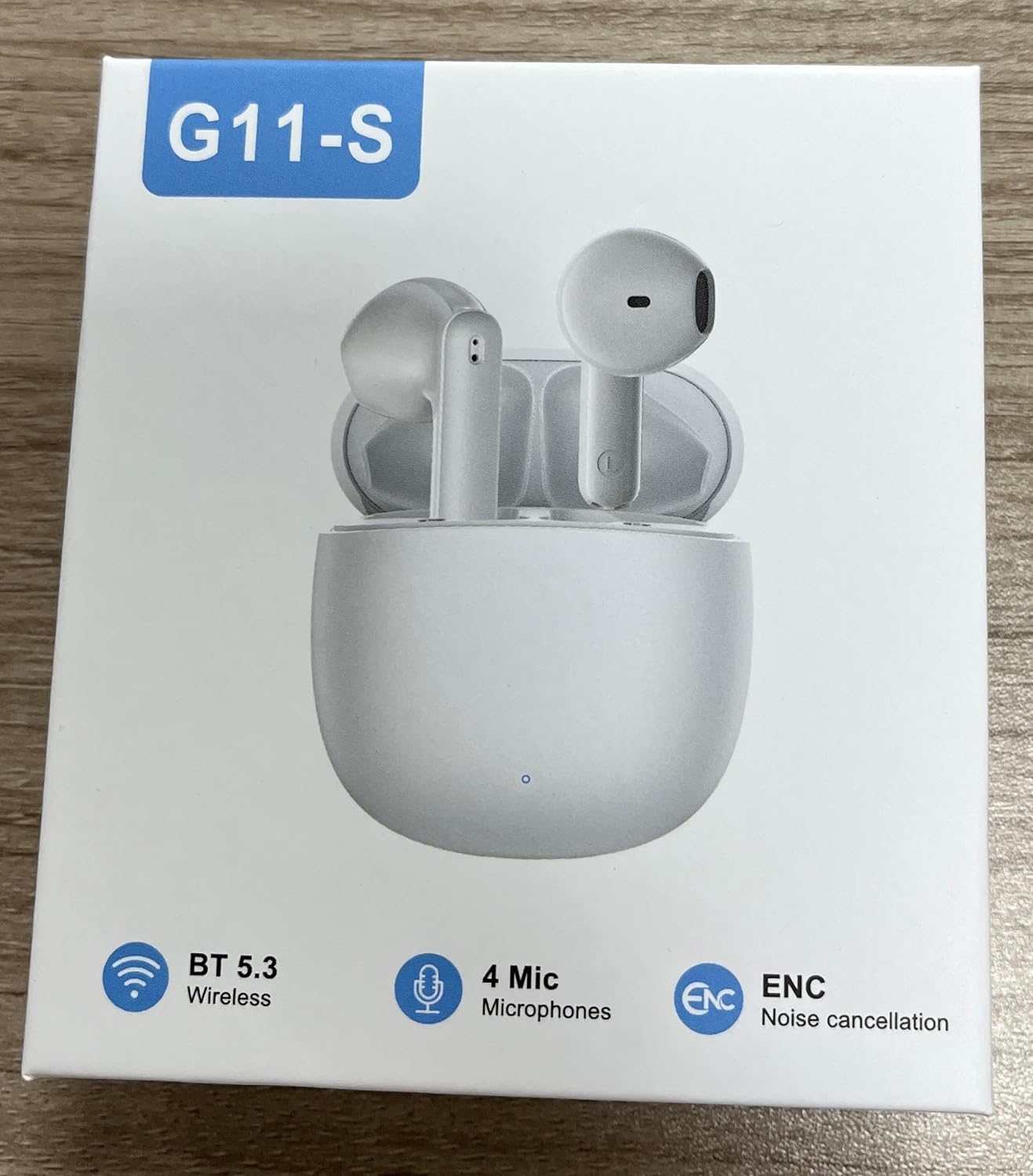
Figure 3.1: Godyse G11 Pro Wireless Earbuds and Charging Case. This image shows the white earbuds placed inside their matching white charging case, with the lid open, illustrating their compact design.
3.1 Earbuds
Each earbud features a touch-sensitive area for controls, a microphone for calls, and an ergonomic design for a secure fit. They are lightweight, weighing approximately 2g each.
3.2 Charging Case
The charging case protects your earbuds and recharges them on the go. It has a Type-C charging port and an LED indicator to show charging status and battery level.

Figure 3.2: Godyse G11 Pro Charging Case and Earbuds. This image displays the white charging case with the earbuds partially visible, highlighting the Type-C charging port area.
4. Setup
4.1 Charging the Earbuds and Case
- Initial Charge: Before first use, fully charge the earbuds and charging case.
- Charging the Case: Connect the provided USB Type-C cable to the charging port on the case and to a USB power source. The LED indicator will show charging status. A full charge takes approximately 1.5 hours.
- Charging the Earbuds: Place the earbuds into the charging case. Ensure they are correctly seated. The earbuds will automatically begin charging. A full charge for the earbuds takes approximately 1 hour.
Note: The earbuds provide approximately 6 hours of music playback on a single charge. The charging case can provide multiple recharges, extending the total playtime to about 31 hours.
4.2 Pairing with Your Device
The G11 Pro earbuds use Bluetooth 5.3 for a stable and efficient connection.
- Activate Earbuds: Open the charging case and remove both earbuds. They will automatically power on and enter pairing mode (indicated by flashing LED lights).
- Enable Bluetooth: On your mobile phone, laptop, or other Bluetooth-enabled device, go to the Bluetooth settings and enable Bluetooth.
- Select Device: In the list of available devices, select "G11 Pro" (or similar name).
- Confirm Connection: Once connected, the earbud LED lights will stop flashing, and you may hear an audible confirmation.
The earbuds will automatically reconnect to the last paired device when removed from the case, if Bluetooth is enabled on the device.
5. Operating Instructions
5.1 Wearing the Earbuds
For optimal sound quality and comfort, ensure the earbuds are properly seated in your ears. Choose the ear cushions that provide the best seal.

Figure 5.1: Godyse G11 Pro Earbud being worn. This image illustrates a white earbud comfortably seated in a person's ear, demonstrating the ergonomic fit.
The ergonomic design ensures a comfortable and secure fit, making them suitable for extended wear and physical activities without falling out.
5.2 Touch Controls
The G11 Pro earbuds feature smart touch controls on each earbud. The specific functions may vary slightly depending on your device and application, but common controls include:
- Play/Pause: Single tap on either earbud.
- Next Track: Double tap on the right earbud.
- Previous Track: Double tap on the left earbud.
- Answer/End Call: Single tap on either earbud during an incoming call.
- Reject Call: Press and hold either earbud for 2 seconds during an incoming call.
- Activate Voice Assistant: Triple tap on either earbud.
- Volume Control: (If supported) Press and hold the right earbud to increase volume, press and hold the left earbud to decrease volume.
6. Maintenance
- Cleaning: Regularly clean the earbuds and charging case with a soft, dry, lint-free cloth. Do not use harsh chemicals or abrasive materials.
- Ear Cushions: Remove and clean the ear cushions periodically to prevent wax buildup, which can affect sound quality.
- Water Resistance: The earbuds are IPX6 waterproof, meaning they are protected against strong jets of water. Do not submerge them in water or expose them to saltwater, chlorinated water, or other liquids. Ensure the charging port is dry before charging.
- Storage: When not in use, store the earbuds in their charging case to protect them from dust and damage. Store in a cool, dry place away from extreme temperatures.
7. Troubleshooting
If you encounter any issues with your Godyse G11 Pro earbuds, please refer to the following common solutions:
- Earbuds not pairing:
- Ensure both earbuds are charged.
- Turn off and on your device's Bluetooth.
- Forget "G11 Pro" from your device's Bluetooth list and try pairing again.
- Place earbuds back in the case, close the lid, wait a few seconds, then open and try again.
- No sound from one earbud:
- Ensure both earbuds are charged and connected.
- Try placing both earbuds back in the charging case, closing the lid, and then taking them out again.
- Clean the charging contacts on both the earbuds and the case.
- Charging issues:
- Ensure the charging cable is securely connected to both the case and the power source.
- Try a different USB Type-C cable and power adapter.
- Ensure the charging contacts on the earbuds and inside the case are clean and free of debris.
- Poor call quality:
- Ensure the microphones are not obstructed.
- Check your device's network signal strength.
- Ensure the earbuds are fully charged.
8. Specifications
| Feature | Specification |
|---|---|
| Model Name | G11 Pro (FR-G11-SS) |
| Connectivity Technology | Wireless (Bluetooth 5.3) |
| Bluetooth Profiles | HFP/HSP/A2DP/AVRCP |
| Transmission Distance | Up to 10 meters (no obstacle) |
| Frequency Response | 20-20kHz |
| Earbud Charging Time | Approx. 1 hour |
| Case Charging Time | Approx. 1.5 hours (Type-C) |
| Music Playtime (Earbuds) | Approx. 6 hours |
| Total Playtime (with Case) | Approx. 31 hours |
| Earbud Battery Capacity | 30mAh (Built-in Li-ion) |
| Charging Case Battery Capacity | 300mAh (Built-in Li-ion) |
| Microphones | 4 Mic AI Call Noise Cancelling |
| Driver Size | 13mm Dynamic Driver |
| Water Resistance | IPX6 |
| Earbud Weight | Approx. 2g (each) |
| Total Item Weight | 100g (including packaging) |
| Control Method | Touch |
| Compatible Devices | Mobile Phones, Laptops |
9. Warranty and Support
For warranty information, please refer to the terms and conditions provided at the point of purchase or contact your retailer. Keep your proof of purchase for any warranty claims.
If you require further assistance or have questions not covered in this manual, please contact Godyse customer support through the official website or your retailer's support channels.


