
Insta360 CINSAAVA
Insta360 GPS Action Remote User Manual
Brand: Insta360 | Model: CINSAAVA
1. Introduction
Product Overview
The Insta360 GPS Action Remote provides precise control and accurate GPS data for your Insta360 camera. It features a fast and stable Bluetooth 5.0 connection for maximum reliability. Real-time GPS data, including GPS, BD, Galileo, and GLONASS, work in tandem to provide an accurate and super low-latency feed. The remote supports remote wake functionality, allowing you to wake your camera with ease even when it's off. It is waterproof up to 5 meters (16 feet) deep and offers flexible attachment options to suit various shooting scenarios.
What's Included
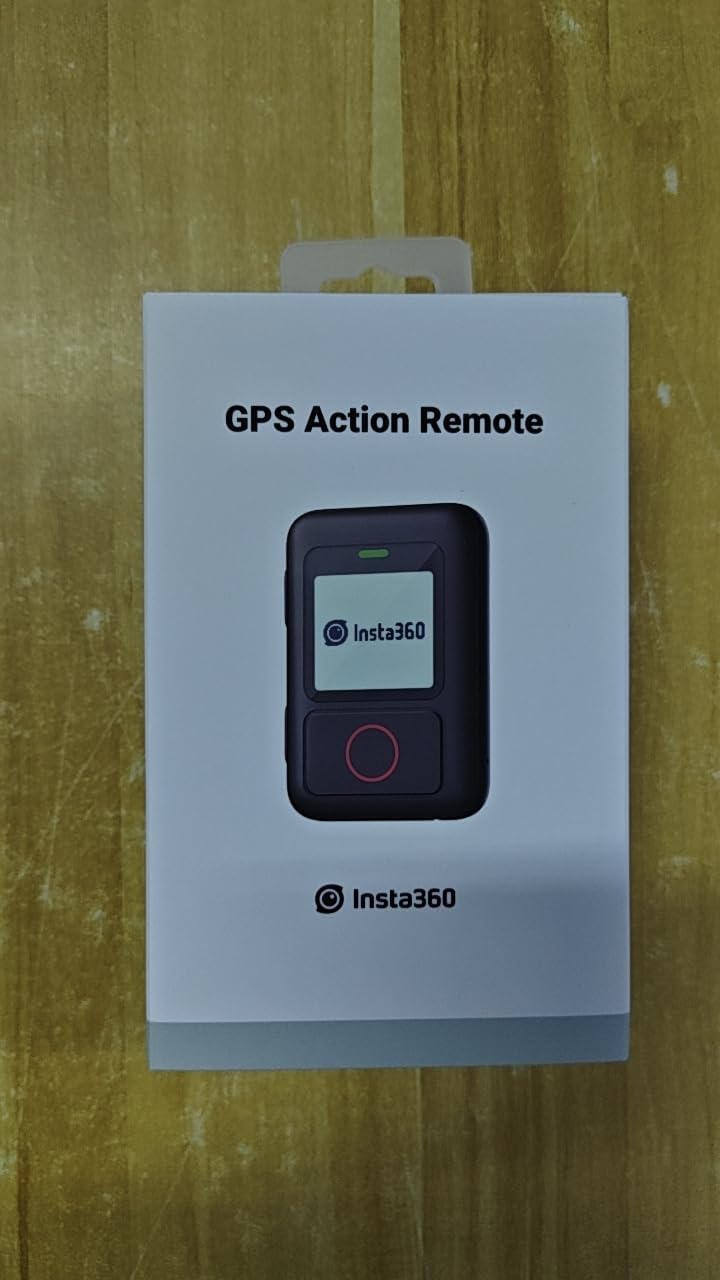
- Insta360 GPS Action Remote

Front view of the Insta360 GPS Action Remote, showing the display and red shutter button.
- Wrist Strap
The remote attached to a wrist strap, ready for wearable use.
- Selfie Stick Strap

The remote with the strap designed for attachment to a selfie stick or similar accessory.
- USB Type-C Charging Cable
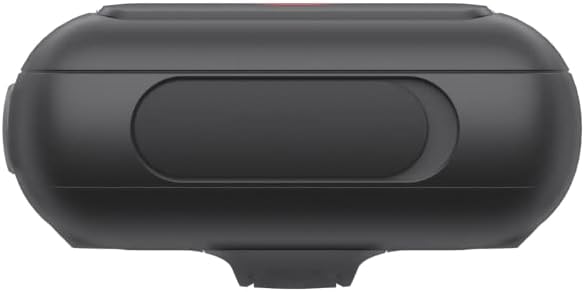
Top view of the remote, highlighting the USB-C charging port.
2. Setup
Charging the Remote
Before first use, fully charge the GPS Action Remote using the provided USB Type-C cable. Connect the cable to the remote's USB-C port and a compatible power source.
Attaching Straps
The remote comes with two types of straps for versatile mounting:
- Wrist Strap: Ideal for wearing the remote on your wrist for quick access. Thread the wrist strap through the slot on the back of the remote until it is securely in place.
- Selfie Stick/Handlebar Strap: Use this strap to attach the remote to a selfie stick, bicycle handlebars, or other cylindrical objects. Securely fasten the strap around the object and the remote.

Illustration showing the flexible attachment options for the remote, including wrist and handlebar mounting.
Pairing with Camera
To pair the GPS Action Remote with your Insta360 camera, follow these steps:
- Turn on your Insta360 camera.
- Turn on the GPS Action Remote by pressing the power button on its side.
- On your camera, swipe down from the top to access the shortcut menu.
- Select the Bluetooth remote icon. The camera will start searching for available remotes.
- On the GPS Action Remote, navigate to the pairing menu and select 'Pair New'.
- On the camera's screen, select 'Insta360 GPS Remote' from the list of found devices.
- Confirm the connection. Once the camera screen displays 'Connected', pairing is successful.
For a visual guide on pairing, please refer to the official quick guide video below:
Official Insta360 GPS Remote Quick Guide video, demonstrating pairing and basic usage.
3. Operating Instructions
Basic Controls
- Power Button: Located on the side, press and hold to turn the remote on/off.
- Mode Button: Located on the side, press to cycle through different shooting modes (e.g., Photo, Video, TimeShift, Loop Record).
- Shutter Button: The large red button on the front. Press to capture photos or start/stop video recording.
Switching Modes
Use the Mode button to select your desired shooting mode on the remote. The selected mode will be displayed on the remote's screen and synchronized with your connected Insta360 camera.
Real-time GPS Data
The remote utilizes GPS, BD, Galileo, and GLONASS for accurate and low-latency real-time GPS data. This data can be used for location overlays in your videos during post-production.
Illustration depicting the remote's ability to provide real-time GPS data for accurate tracking.
Remote Wake Function
The remote can remotely wake up your camera even when it is powered off. Ensure the Bluetooth Wakeup function is enabled in your camera's settings for this feature to work.
Visual representation of the remote's ability to wake up the camera from a distance.
4. Maintenance
Waterproofing Guidelines
The Insta360 GPS Action Remote is waterproof up to 5 meters (16 feet). However, it should not be used underwater for extended periods or continuous submersion. Ensure the USB-C port cover is securely closed before exposing the remote to water.
Cleaning and Storage
- Clean the remote with a soft, dry cloth. If necessary, a slightly damp cloth can be used, but ensure no moisture enters the ports.
- Store the remote in a cool, dry place away from direct sunlight and extreme temperatures.
- When storing for long periods, ensure the remote is partially charged (around 50%) to preserve battery health.
5. Troubleshooting
Common Issues and Solutions
- Connection Breaks/Loss: If the remote frequently loses connection with the camera, ensure both devices have sufficient battery. Try re-pairing the remote with the camera. Ensure there are no significant obstructions or excessive distances between the remote and the camera.
- GPS Data Inaccuracy/Missing: For accurate GPS data, ensure the remote has a clear line of sight to the sky. Performance may be affected in areas with tall buildings, dense foliage, or indoors. Update the remote's firmware to the latest version via the Insta360 app.
- Remote Not Waking Camera: Verify that the 'Bluetooth Wakeup' function is enabled in your camera's settings. Ensure both devices are within range and have adequate battery.
- Battery Drains Quickly: The Bluetooth Wakeup function, while convenient, can increase battery consumption. If not needed, disable it in the camera settings. Ensure the remote is fully charged before use.
6. Technical Specifications
| Feature | Specification |
|---|---|
| Product Dimensions | 19.69 x 19.69 x 11.02 inches |
| Item Weight | 2.65 ounces |
| ASIN | B0BP75DD63 |
| Item model number | CINSAAVA |
| Batteries | 1 Lithium Ion batteries required. (included) |
| Date First Available | December 6, 2022 |
| Manufacturer | Arashi Vision Inc. |
| Brand | Insta360 |
| Special Feature | Waterproof |
| Connectivity Technology | Bluetooth |
| Mounting Type | Wall Mount |
| Memory Storage Capacity | 500 GB |
| Human Interface Input | Buttons |
| Compatible Devices | Insta360 G0 3 X3 ONE X2 ONE RS |
| Control Method | Remote |
| Are Batteries Included | Yes |
7. Warranty and Support
Warranty Information
Specific warranty details for the Insta360 GPS Action Remote are typically provided with the product packaging or available on the official Insta360 website. Please refer to these sources for the most accurate and up-to-date warranty terms and conditions.
Customer Support
For further assistance, technical support, or service inquiries, please visit the official Insta360 support page or contact their customer service directly. Contact information and support resources can usually be found on the manufacturer's website.
Related documentsCINSAAVA


Ask a question about this manual
Ask about setup, troubleshooting, compatibility, parts, safety, or missing instructions. Manuals+ will review the question and use this page’s manual context to help answer it.