
Live Fine LVFNEPDC
Live Fine 28-Day Automatic Pill Dispenser Instruction Manual
Model: LVFNEPDC
Introduction
This manual provides detailed instructions for the setup, operation, and maintenance of your Live Fine 28-Day Automatic Pill Dispenser. This device is designed to help organize and dispense medications, vitamins, and supplements with programmable audio and visual alerts.
Important Safety Information
WARNING: Cancer and Reproductive Harm - www.P65Warnings.ca.gov
Statements regarding dietary supplements have not been evaluated by the FDA and are not intended to diagnose, treat, cure, or prevent any disease or health condition.
Always consult with a healthcare professional before making any changes to your medication regimen.
Setup
1. Battery Installation
The dispenser requires 4 AA batteries (included). Locate the battery compartment on the underside of the device. Remove the battery door, insert the batteries according to the polarity indicators, and replace the door.

Image: Underside of the Live Fine pill dispenser with the battery compartment open, revealing four AA batteries.
2. Unlocking the Device
If the device is locked, use the provided manual key to unlock the cover. The keyhole is located on the bottom of the unit. Insert the key and twist clockwise to unlock.
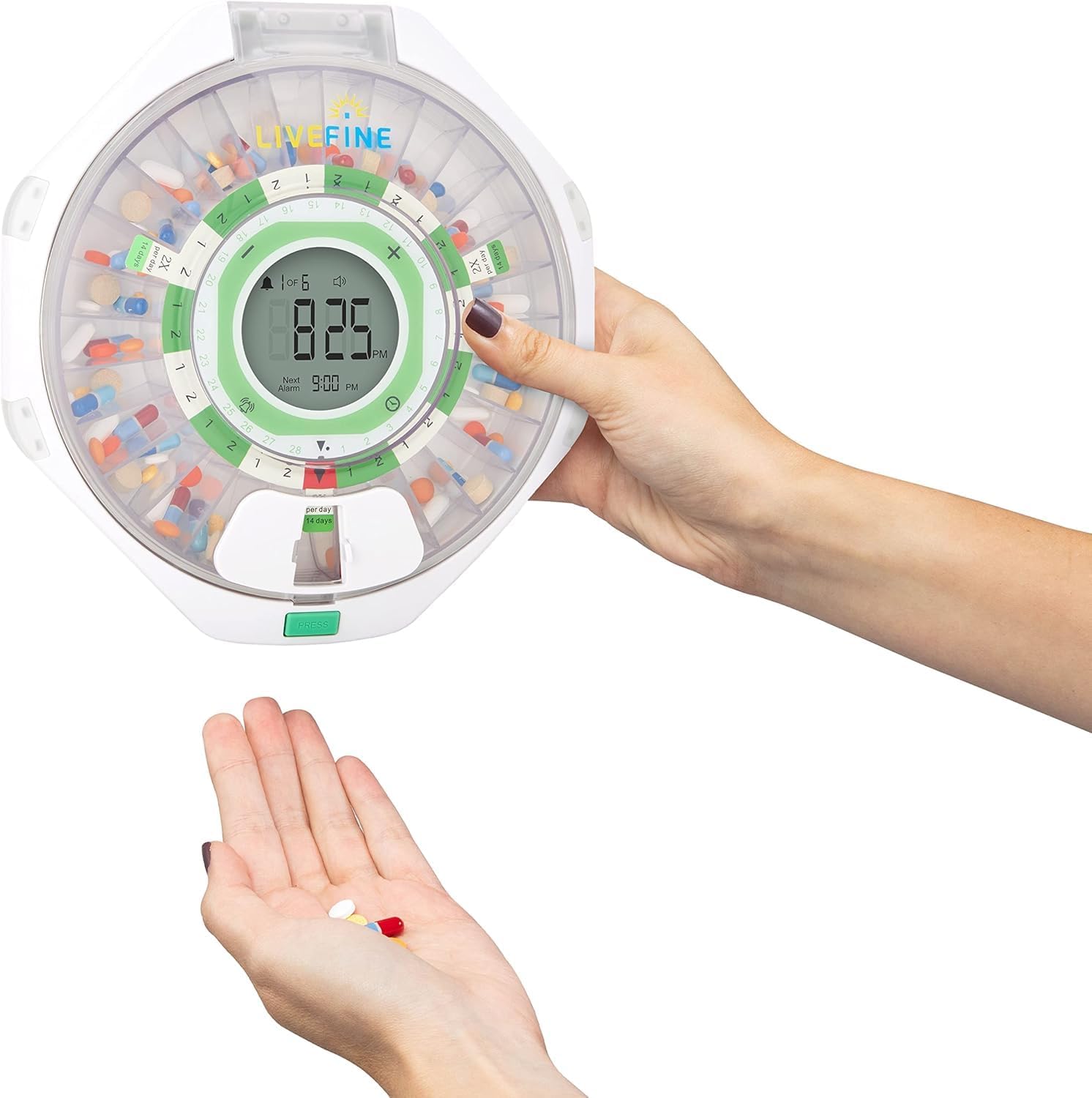
Image: Detail of the key lock on the Live Fine automatic pill dispenser.
Video: This video demonstrates how to unlock the Live Fine pill dispenser using the provided key and open the lid to access the pill tray.
3. Inserting Dosage Rings
The dispenser comes with 9 interchangeable dosage rings to accommodate various medication schedules (1 to 9 doses per day). Select the appropriate ring for your schedule and place it in the center of the pill tray, ensuring the tab is folded down to secure it.
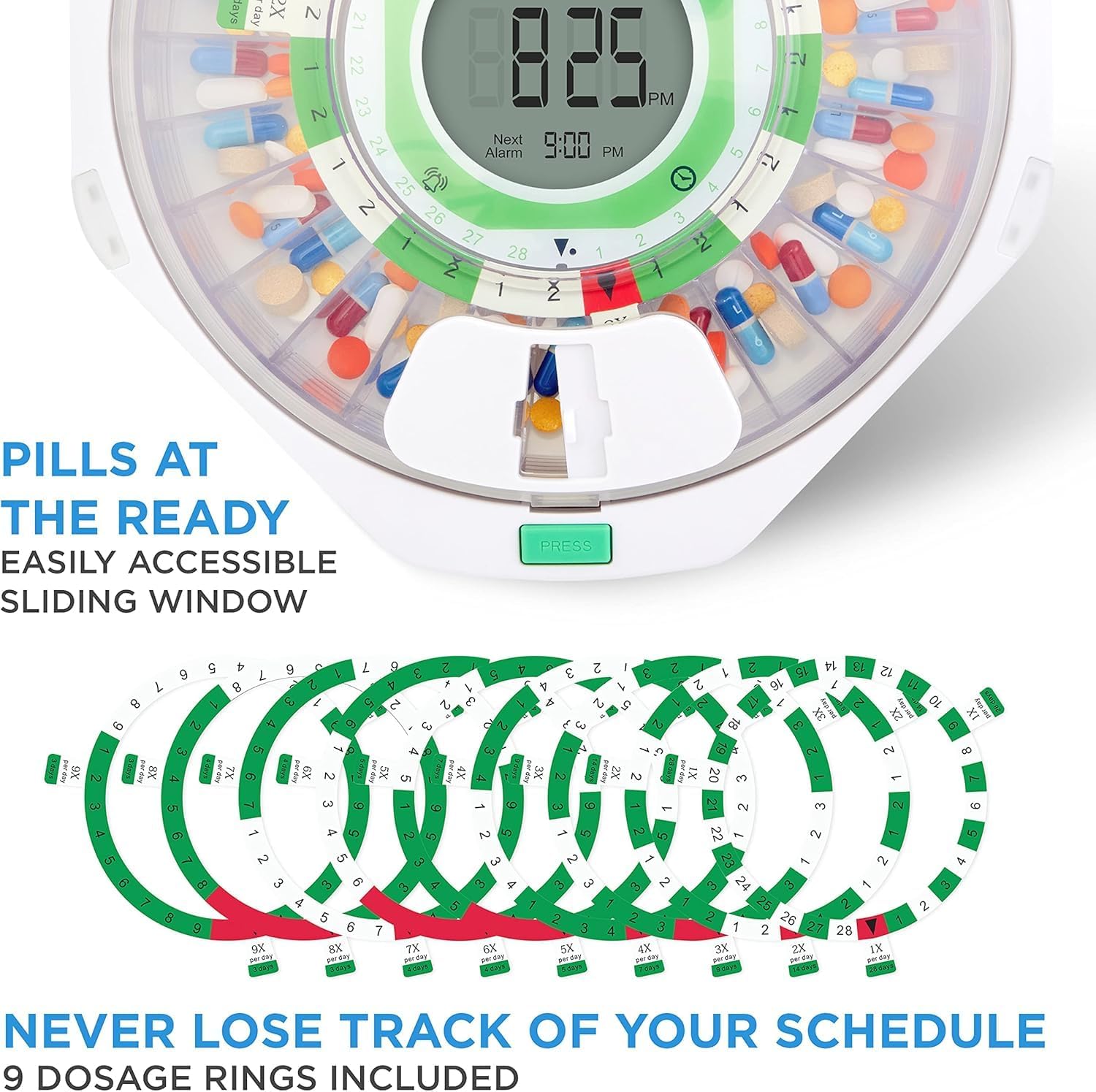
Image: A hand inserting one of the dosage rings into the pill dispenser, showing the numbered compartments.
Video: This video demonstrates how to select and insert the correct dosage ring into the Live Fine pill dispenser tray.
4. Loading Pills
Carefully place your medications into the designated compartments according to your dosage ring. Ensure no pills are placed in the red compartments, which are typically reserved for non-dispensing periods or to mark the start/end of a cycle.

Image: A top-down view of the Live Fine automatic pill dispenser filled with various medications in its compartments.
5. Locking the Device
Close the clear lid and insert the key into the cover lock on the bottom of the unit. Twist counter-clockwise to secure the lid, preventing unauthorized access and accidental spills.
Image: Detail of the key lock on the Live Fine automatic pill dispenser.
Operation
1. Setting the Time
Press the 'Clock' button once to enter time setting mode. Use the '+' or '-' buttons to adjust the hour, then press 'Clock' again to adjust the minutes. Press 'Clock' once more to save and exit.

Image: The LCD display of the pill dispenser showing current time, battery level, and alarm settings.
Video: This video demonstrates how to set the current time on the Live Fine pill dispenser's LCD display.
2. Setting Volume, Alarm Type, and Time Format
To switch between 12-hour and 24-hour time formats, press and hold the 'Clock' button. To select different alarm tones, press and hold the '+' button for 3 seconds. To adjust the volume levels (Low, High, Silent), press and hold the '-' button for 3 seconds.

Image: The pill dispenser's control panel highlighting options for setting timed reminders, selecting alarm tone, and controlling volume.
Video: This video demonstrates how to adjust the volume, alarm type, and switch between 12/24 hour time formats on the Live Fine pill dispenser.
3. Setting Medication Alarms
Press the 'Alarm' button to enter alarm setting mode. Use the '+' or '-' buttons to select the desired alarm number (up to 9 alarms). Press 'Alarm' to confirm. Adjust the hour using '+' or '-' and confirm with 'Alarm'. Repeat for minutes. To save settings, press 'Alarm' once or hold for 2 seconds.
Image: The LCD display of the pill dispenser showing current time, battery level, and alarm settings.
Video: This video demonstrates how to set medication alarms on the Live Fine pill dispenser, including selecting alarm numbers and adjusting times.
4. Dispensing Medication
When an alarm sounds, the dispenser will alert you with audio and flashing lights. To dispense, slide open the retrieval window by pushing the latch to the left, then turn the dispenser upside down to release the pills into your hand. The alarm will stop once medication is dispensed.

Image: A person dispensing pills from the Live Fine automatic pill dispenser into their hand.
Video: This video demonstrates the process of dispensing medication from the Live Fine pill dispenser when an alarm is active.
Maintenance
To ensure optimal performance and hygiene, regularly clean your pill dispenser. Wipe the exterior with a soft, damp cloth. The pill tray can be removed for thorough cleaning. Ensure all parts are completely dry before reassembling and loading medications.
Replace batteries promptly when the low battery indicator appears on the LCD display to avoid interruption of your medication schedule.
Troubleshooting
Alarm Not Sounding/Lights Not Flashing:
- Check battery level on the LCD display. Replace batteries if low.
- Ensure alarms are correctly set and enabled.
- Verify volume settings are not set to 'Silent'.
Pills Not Dispensing Correctly:
- Ensure the dosage ring is correctly installed and secured.
- Check that pills are not overfilling compartments or obstructing the rotation mechanism.
- Confirm the retrieval window is fully open when attempting to dispense.
Lid Not Locking:
- Ensure the lid is properly aligned and closed before attempting to lock with the key.
- Check for any obstructions preventing the lid from closing completely.
Specifications
- Product Dimensions: 9.25 x 7.87 x 2.15 inches
- Weight: 1 Pound
- Model Number: LVFNEPDC
- Batteries: 4 AA batteries required
- Manufacturer: Live Fine
- Material: Plastic
- Special Feature: Automatic, Portable
- Color: Clear Lid
Customer Support
For further assistance or any questions regarding your Live Fine Automatic Pill Dispenser, please contact customer support:
- Phone: 1-888-390-7622
- Email: SUPPORTLFC@CAMARKETING.COM
Related documentsLVFNEPDC


Ask a question about this manual
Ask about setup, troubleshooting, compatibility, parts, safety, or missing instructions. Manuals+ will review the question and use this page’s manual context to help answer it.