
1. Introduction
This manual provides essential information for setting up, operating, maintaining, and troubleshooting your HP ProDesk 600 G4 Mini PC. The HP ProDesk 600 G4 is a compact and powerful micro-form-factor computer designed for various applications, from business to home entertainment. It features an Intel i7 Hexa-Core processor, 32GB DDR4 RAM, and a 512GB NVMe M.2 SSD, running on Windows 11 Pro.

Image 1.1: Front view of the HP ProDesk 600 G4 Mini PC, showcasing its compact design.
2. Package Contents
Verify that all items are present in the package before proceeding with the setup.
- HP ProDesk 600 G4 Mini Computer Desktop PC
- Altec Wireless Keyboard Mouse Combo
- TJJ Large Mouse Pad (color may vary)
- Power Cord
- DP to HDMI Adapter
3. Product Features
The HP ProDesk 600 G4 Mini PC offers robust performance and connectivity in a small footprint.
- Processor: Intel i7-8700T (2.40-4.00 GHz, 6 Cores, 12 Threads, 12 MB Cache)
- Operating System: Windows 11 Pro
- Memory: 32GB DDR4 RAM
- Storage: 512GB NVMe M.2 Solid State Drive
- Graphics: Intel UHD Graphics 630 (supports 4K resolution)
- Wireless Connectivity: Built-in WiFi + Bluetooth 6E AX210 Combo
- Ports:
- 1x USB-C 3.1 Port
- 3x USB-A 3.1 Ports
- 3x USB-A 3.0 Ports
- 2x DisplayPort
- 1x Ethernet Port (RJ-45)
- 1x HDMI (via included DP to HDMI Adapter)
- Dimensions: 7.1 x 1.3 x 7 inches
- Weight: 4.1 pounds

Image 3.1: The HP ProDesk 600 G4 Mini PC is suitable for office, education, and home entertainment.
4. Setup Instructions
4.1 Connecting Peripherals
Before powering on your Mini PC, connect the necessary peripherals.
- Connect Display: Use a DisplayPort cable or the included DP to HDMI adapter to connect your monitor(s) to the DisplayPort(s) on the back of the Mini PC. The system supports up to two 4K displays.
- Connect Keyboard and Mouse: Plug the USB receiver for the Altec wireless keyboard and mouse combo into any available USB-A port.
- Connect Network (Optional): For a wired internet connection, connect an Ethernet cable to the RJ-45 port. For wireless, the device has built-in Wi-Fi.
4.2 Powering On
- Connect Power: Plug the power cord into the power connector on the back of the Mini PC, then plug the other end into a power outlet.
- Power On: Press the power button located on the front of the Mini PC. The system will boot up, and the Windows 11 Pro operating system will load.
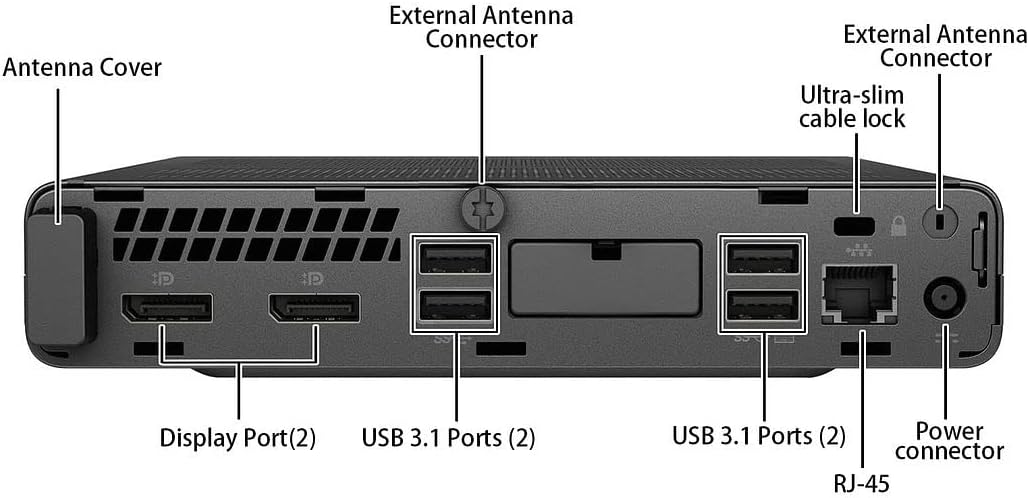
Image 4.1: Detailed view of the rear ports, including DisplayPort, USB 3.1, Ethernet, and power connector.
5. Operating Instructions
5.1 Initial Windows 11 Setup
Upon first boot, you may be guided through the Windows 11 initial setup process, which includes setting up your region, keyboard layout, network connection, and user account.
5.2 Connecting to Wi-Fi
If you did not connect an Ethernet cable during setup, you can connect to a wireless network:
- Click the Network icon (Wi-Fi or Ethernet) in the taskbar.
- Select your desired Wi-Fi network from the list.
- Enter the network security key (password) if prompted, then click Connect.
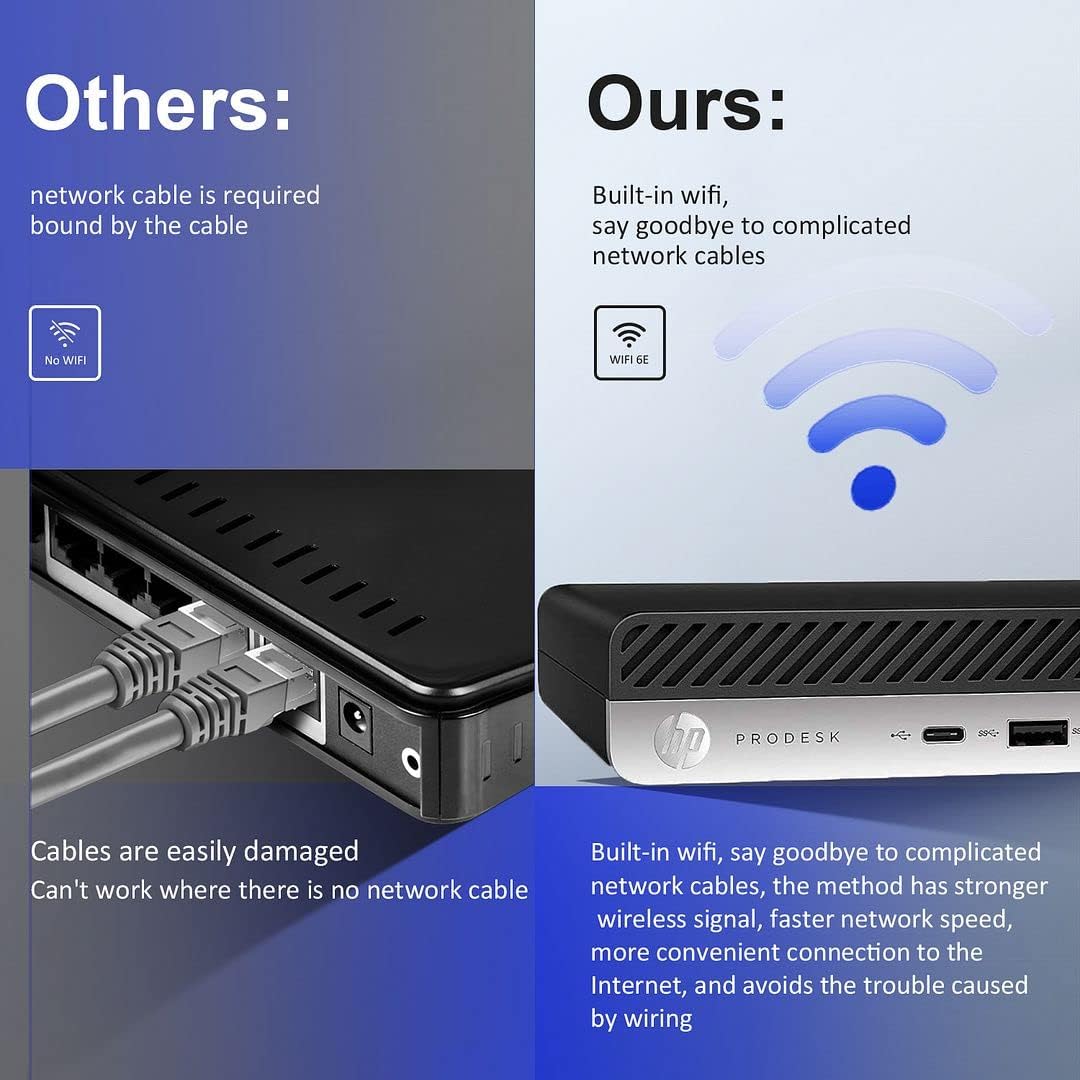
Image 5.1: The HP ProDesk 600 G4 features built-in Wi-Fi 6E for convenient wireless connectivity.
5.3 Using Multiple Displays
The HP ProDesk 600 G4 supports up to two 4K displays simultaneously via its DisplayPort outputs. To configure multiple displays in Windows 11:
- Right-click on an empty area of the desktop and select Display settings.
- Under the Multiple displays section, you can detect, identify, and arrange your displays.
- Choose how you want your desktop to appear: Duplicate these displays, Extend these displays, or Show only on 1/2.

Image 5.2: The Mini PC supports high-definition dual-screen display setups for enhanced productivity.
5.4 Windows 11 Features
Familiarize yourself with the new features of Windows 11 Pro, including the redesigned Start menu, Snap Layouts for multitasking, and improved widgets.
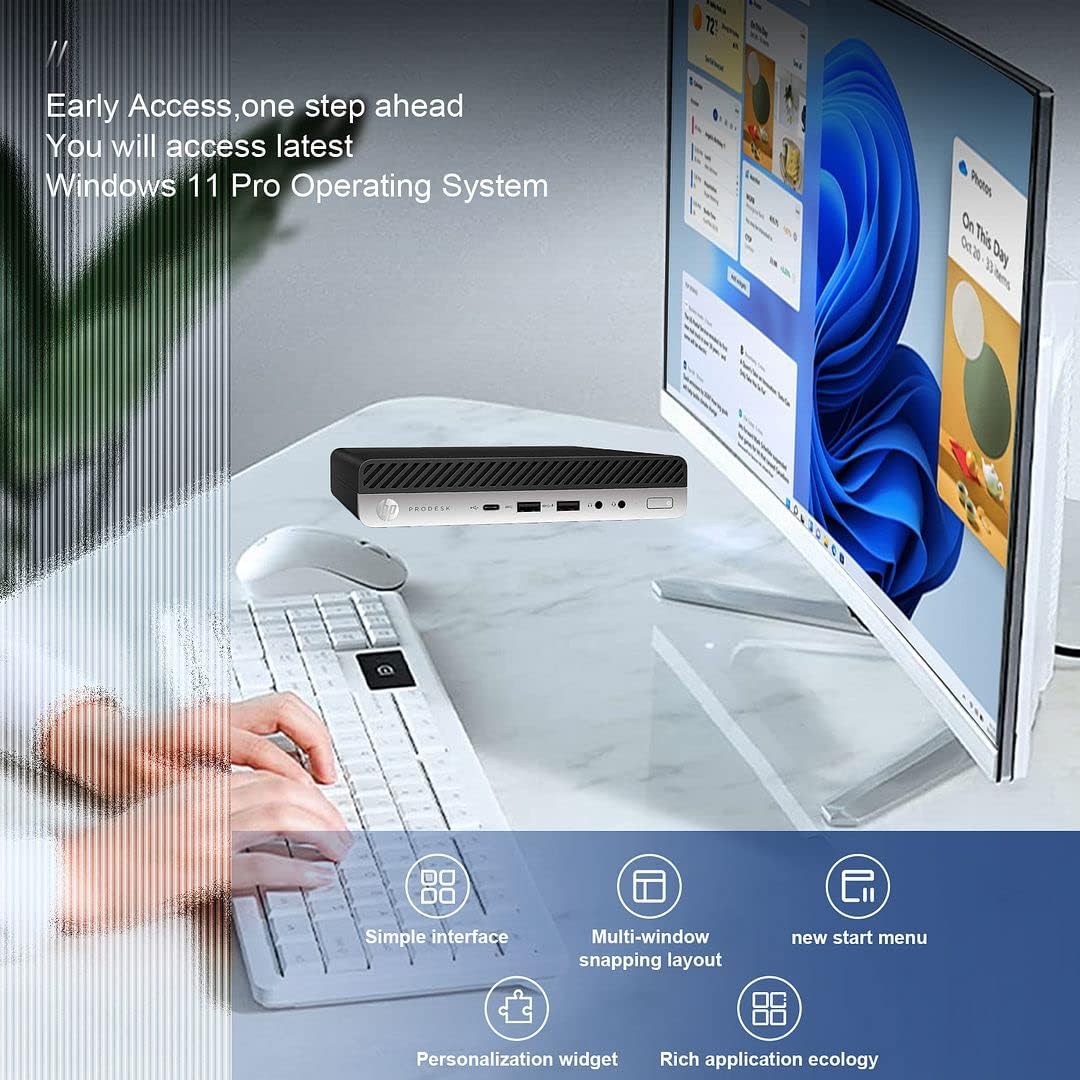
Image 5.3: The HP ProDesk 600 G4 comes pre-installed with Windows 11 Pro, offering a modern and efficient user experience.
6. Maintenance
Proper maintenance ensures the longevity and optimal performance of your HP ProDesk 600 G4 Mini PC.
- Cleaning: Regularly clean the exterior of the PC with a soft, dry cloth. Use compressed air to clear dust from vents to ensure proper airflow and prevent overheating. Do not use liquid cleaners directly on the device.
- Software Updates: Keep your Windows 11 operating system and drivers updated. Go to Settings > Windows Update to check for and install updates.
- Storage Management: Periodically review and delete unnecessary files to free up storage space. Windows 11 includes a Storage Sense feature (Settings > System > Storage) that can automate this process.
- Backup Data: Regularly back up important data to an external drive or cloud storage to prevent data loss.
7. Troubleshooting
This section addresses common issues you might encounter.
7.1 No Power
- Ensure the power cord is securely connected to both the Mini PC and the power outlet.
- Verify the power outlet is functional by plugging in another device.
- Check the power adapter for any damage.
7.2 No Display
- Confirm that the monitor is powered on and the display cable (DisplayPort or HDMI) is securely connected to both the Mini PC and the monitor.
- Ensure the correct input source is selected on your monitor.
- Try connecting to a different display or using a different cable/adapter if available.
7.3 Wi-Fi Connectivity Issues
- Check if Wi-Fi is enabled in Windows settings (Settings > Network & internet > Wi-Fi).
- Restart your router and modem.
- Ensure you are entering the correct Wi-Fi password.
- Update your Wi-Fi drivers through Windows Update or HP's support website.
7.4 Keyboard or Mouse Not Responding
- Ensure the USB receiver is properly plugged into a USB port.
- Check the batteries in the wireless keyboard and mouse and replace them if necessary.
- Try plugging the USB receiver into a different USB port.
8. Specifications
| Feature | Specification |
|---|---|
| Processor | Intel Core i7-8700T (2.4 GHz, 6 Cores) |
| Operating System | Windows 11 Pro |
| RAM | 32 GB DDR4 SDRAM |
| Hard Drive | 512 GB NVMe M.2 SSD |
| Graphics Coprocessor | Intel UHD Graphics 630 |
| Max Screen Resolution | 3840 x 2160 pixels (4K) |
| Wireless Type | 802.11ac (Wi-Fi 6E AX210 Combo) |
| Bluetooth | Yes (BT 6E AX210 Combo) |
| USB-C Ports | 1 (USB-C 3.1) |
| USB-A Ports | 3 (USB-A 3.1) + 3 (USB-A 3.0) |
| Display Ports | 2 |
| Ethernet Port | 1 (RJ-45) |
| HDMI | 1 (via DP to HDMI Adapter) |
| Item Dimensions LxWxH | 7.1 x 1.3 x 7 inches |
| Item Weight | 4.1 pounds |
| Color | Black |
9. Warranty and Technical Support
Your HP ProDesk 600 G4 Mini PC comes with a 90-day warranty. This warranty covers defects in materials and workmanship under normal use.
For technical assistance or warranty claims, please contact the seller directly. They are committed to providing support and will respond to inquiries within 24 hours to ensure customer satisfaction.


