
1. Introduction
This manual provides essential information regarding the Firstech Compustar CM900-AS Replacement Brain. This unit serves as a core component for compatible Compustar remote start and security systems. It is designed as a replacement part for existing installations.
Important Note: Professional installation is highly recommended for this product. This manual does not include detailed wiring diagrams or step-by-step installation instructions, as these are specific to the vehicle and the overall system configuration, and should be handled by a certified installer.
2. Product Overview
The Compustar CM900-AS is a replacement control module, often referred to as the "brain," for specific Compustar remote start and security systems. It is designed to integrate seamlessly into an existing FT900 Compustar System.
- Replacement Brain Only: This package includes only the control module; no wiring harnesses or remote controls are included.
- Compatibility: Specifically designed to be compatible with the FT900 Compustar System.
- Functionality: Acts as the central processing unit for remote start and security functions within the compatible system.

Figure 2.1: Top view of the Compustar CM900-AS Replacement Brain, showing the product label with model number and serial number.
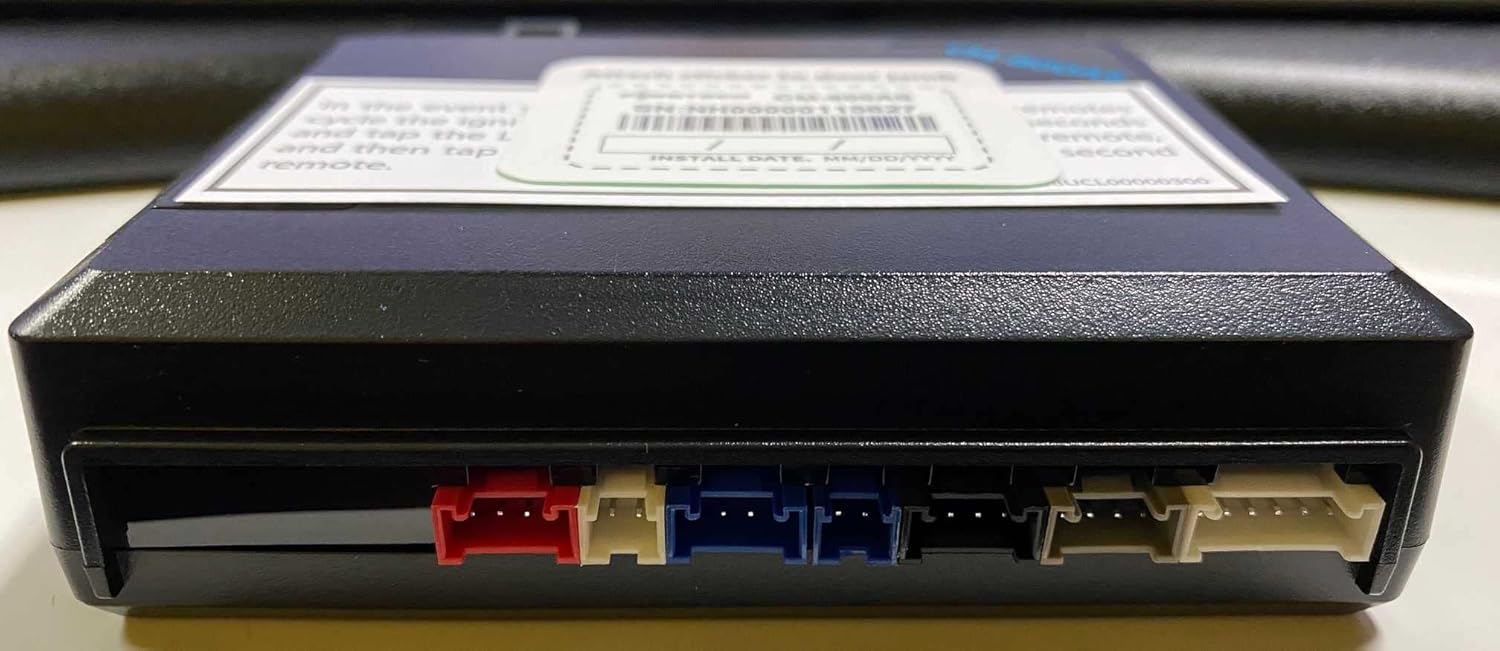
Figure 2.2: Front view of the CM900-AS module, displaying various multi-colored connector ports for system integration.

Figure 2.3: Side view of the CM900-AS module, highlighting a large multi-pin connector port.

Figure 2.4: Bottom view of the CM900-AS module, showing a detailed wiring diagram and product information printed on the casing.
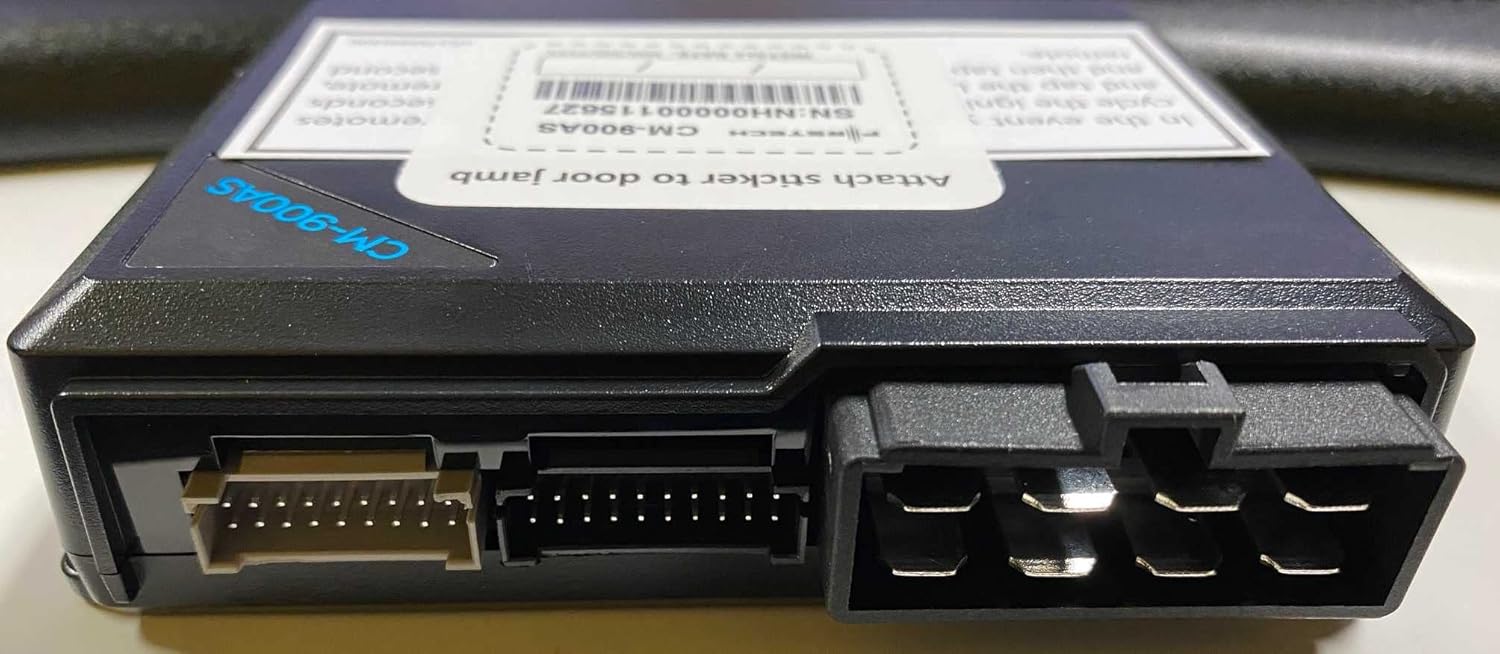
Figure 2.5: Another side view of the CM900-AS module, showing additional connector ports for system expansion.
3. Compatibility
The Compustar CM900-AS Replacement Brain is specifically designed for use with the following system:
- FT900 Compustar System
Ensure your existing remote start or security system is an FT900 Compustar System before purchasing or attempting installation of this replacement brain.
4. Installation
Warning: Installation of the CM900-AS Replacement Brain requires specialized knowledge of automotive electrical systems and Compustar product integration. Attempting installation without proper expertise may result in damage to the product, vehicle, or personal injury.
It is strongly advised that this product be installed by a certified Compustar dealer or a professional automotive electronics installer. This manual does not provide detailed wiring diagrams or step-by-step installation instructions, as these vary significantly based on vehicle make, model, and the specific configuration of your existing Compustar system.
A professional installer will:
- Properly identify and connect the necessary wiring harnesses.
- Configure the module for your specific vehicle and system requirements.
- Test the system thoroughly to ensure correct operation and safety.
For assistance locating a certified installer, please refer to the Compustar official website or contact their customer support.
5. Operation
The Compustar CM900-AS Replacement Brain is a core component that enables the functionality of your remote start and security system. It does not have direct user-operable controls.
Once properly installed and configured by a professional, the operation of your remote start and security system will be controlled via your existing Compustar remote controls or compatible smartphone applications, as per the instructions provided with your complete system.
Refer to the user manual for your specific Compustar remote control or system for instructions on how to use features such as remote start, lock/unlock, and security arm/disarm.
6. Maintenance
The Compustar CM900-AS Replacement Brain is a sealed electronic unit and requires minimal user maintenance. To ensure optimal performance and longevity:
- Keep the unit dry and away from excessive moisture or liquids.
- Avoid exposing the unit to extreme temperatures or direct sunlight for prolonged periods.
- Do not attempt to open the casing or perform any internal repairs. There are no user-serviceable parts inside.
- Ensure all connected wiring harnesses are securely fastened and free from damage.
For any concerns regarding the physical integrity or performance of the unit, consult your professional installer.
7. Troubleshooting
As the CM900-AS is a component of a larger system, troubleshooting should primarily involve verifying its proper connection and integration within the FT900 Compustar System. If you experience issues with your remote start or security system after replacing the brain, consider the following:
- System Not Responding: Ensure all connections to the CM900-AS are secure. Verify that the vehicle's battery is charged and providing adequate power.
- Partial Functionality: If some features work but others do not, this may indicate an incorrect configuration or a specific wiring issue.
- Error Codes/Lights: If your system or vehicle displays any error codes or warning lights, consult your professional installer or the diagnostic information for your complete Compustar system.
For complex issues, it is highly recommended to contact the professional installer who performed the installation or a certified Compustar technician. Self-diagnosis and repair of complex automotive electronics can lead to further damage.
8. Specifications
| Feature | Detail |
|---|---|
| Model Number | CM900-AS |
| Brand | Compustar |
| Compatible Devices | FT900 Compustar System |
| Connectivity Technology | Infrared (for certain internal communications) |
| Max Number of Supported Devices | 1 (as a central brain) |
| Package Dimensions | 9 x 5 x 3 inches |
| Date First Available | December 2, 2022 |
9. Warranty and Support
For information regarding the warranty of your Compustar CM900-AS Replacement Brain, please refer to the warranty documentation provided with your original Compustar system or contact Compustar directly. Warranty terms typically cover manufacturing defects.
Customer Support:
For technical support, installation inquiries, or warranty claims, please contact your authorized Compustar dealer or visit the official Compustar website for their customer support contact information. They can provide the most accurate and up-to-date assistance for your product.
It is important to retain your proof of purchase for any warranty claims.


