
1. Introduction
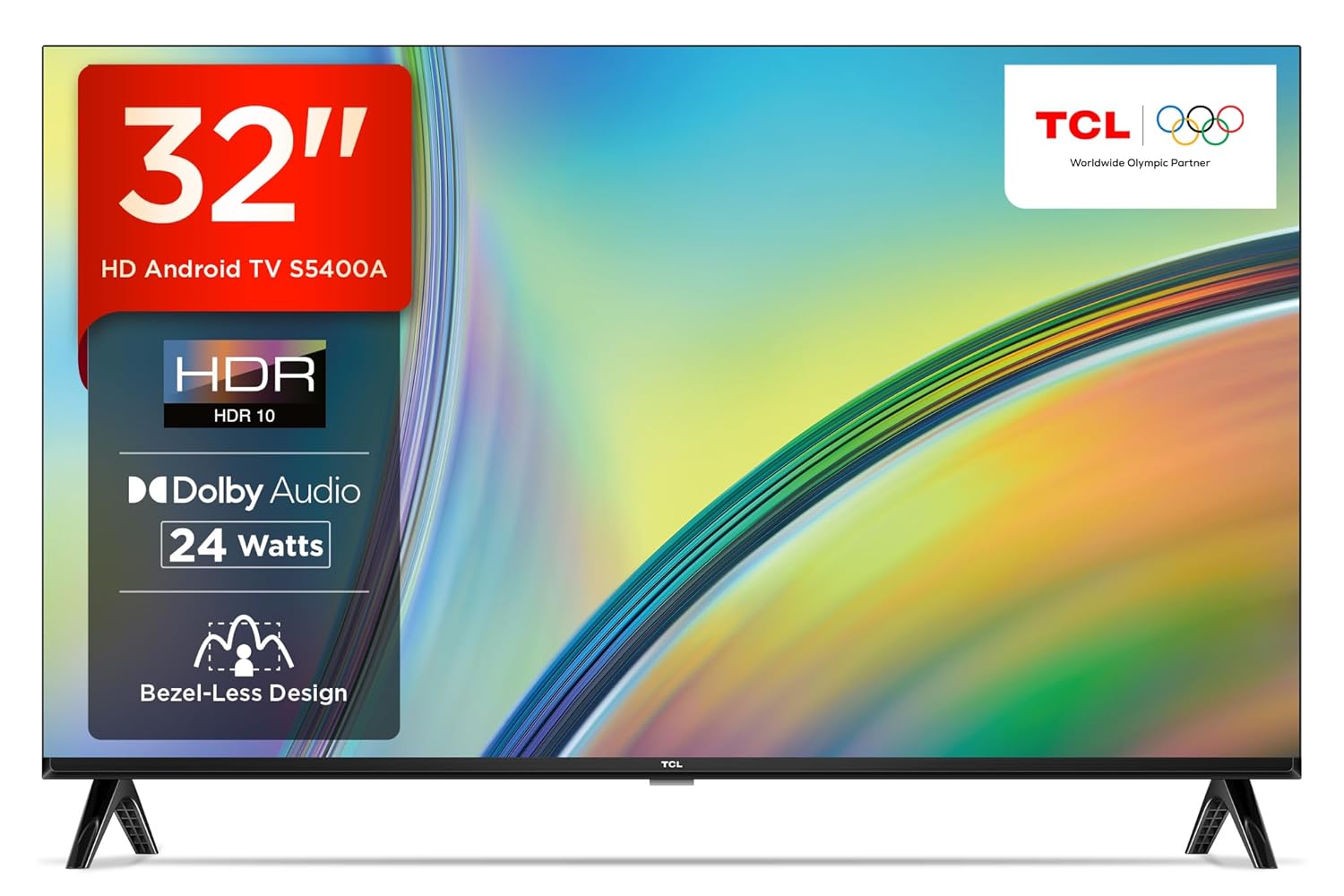
This user manual provides comprehensive instructions for the setup, operation, maintenance, and troubleshooting of your TCL 32S5400A Smart Android LED TV. Please read this manual thoroughly before using your television to ensure proper and safe operation.

2. Setup and Installation
2.1 Unpacking
Carefully remove all components from the packaging. Ensure all items listed below are present:
- 1 LED TV
- 1 Table Top Stand
- 1 User Manual
- 1 Warranty Card
- 1 Remote Control
- 2 AAA Batteries
2.2 Stand Installation or Wall Mounting
Your TCL TV supports both table-top stand installation and wall mounting. Choose the method that best suits your needs.
- Table Top Stand: Attach the provided stand to the bottom of the TV using the screws as indicated in the quick start guide. Ensure it is securely fastened.
- Wall Mount: For wall mounting, use a compatible VESA mount (not included) and follow the instructions provided with the wall mount kit. Professional installation is recommended for wall mounting.


2.3 Connecting Peripherals
Connect your external devices such as set-top boxes, gaming consoles, Blu-ray players, and sound systems to the TV's ports.
- HDMI Ports: Use the 2 HDMI ports for high-definition video and audio connections. HDMI 2 supports ARC (Audio Return Channel) for simplified audio setup with compatible soundbars or receivers.
- USB Port: Connect USB storage devices for media playback.
- Headphone Output: Connect headphones for private listening.
- LAN Port: For wired internet connection.
- Antenna/Cable In: For connecting an antenna or cable TV signal.
- Digital Audio Out (Optical): For connecting to external audio systems with optical input.
- AV In Adapter: For connecting older devices using composite video and stereo audio.

3. Operating Your TV
3.1 Powering On/Off
To power on the TV, press the power button on the remote control or on the TV itself. To power off, press the power button again.
3.2 Remote Control Functions
The smart remote control provides easy access to all TV functions and smart features. It uses both IR and Bluetooth technology.

- Power Button: Turns the TV on or off.
- Navigation Pad: Use the directional buttons and OK button to navigate menus and select options.
- Volume +/-: Adjusts the volume level.
- Channel +/-: Changes TV channels.
- Dedicated Hotkeys: Quick access buttons for popular streaming services like Netflix, Prime Video, YouTube, and TCL Channel.
- Google Assistant Button: Activates voice control for searching content, controlling smart home devices, and getting information.
3.3 Smart TV Features (Android TV)
Your TCL TV runs on the Android operating system, offering a wide range of smart features:
- In-Built Wi-Fi: Connects to your home network for internet access.
- Screen Sharing (T-cast / Chromecast built-in): Mirror content from your smartphone or tablet directly to the TV screen.
- In-Built Apps: Access pre-installed apps like Netflix, Prime Video, and Disney+Hotstar. Thousands more apps are available through the Google Play Store.
- Google Assistant: Use voice commands to search for movies, check the weather, control smart home devices, and more.
- 64-bit Quad Core Processor with 1 GB RAM and 8 GB ROM: Ensures smooth performance and ample storage for apps.
3.4 Picture and Sound Settings
Optimize your viewing and listening experience with the following features:
- HD Ready (1366 x 768) Resolution: Provides clear and vibrant images.
- HDR 10: Enhances contrast and color accuracy for a more dynamic picture.
- Micro Dimming: Analyzes TV content in hundreds of separate zones to adjust brightness and darkness independently, improving contrast and picture quality.

- Dolby Audio MS 12 Y (24 Watts Output): Delivers rich, clear, and powerful sound.

- Bezel-Less Design: Maximizes screen space for an immersive viewing experience.

4. Maintenance
Proper care and maintenance will extend the life of your television.
- Cleaning the Screen: Gently wipe the screen with a soft, lint-free cloth. For stubborn marks, dampen the cloth slightly with water or a specialized screen cleaner. Avoid using harsh chemicals or abrasive materials.
- Cleaning the Cabinet: Wipe the TV cabinet with a soft, dry cloth.
- Ventilation: Ensure adequate ventilation around the TV. Do not block the ventilation openings.
- Power Cord: Regularly check the power cord for any damage. If damaged, contact qualified service personnel for replacement.
- Unplugging: Unplug the TV from the power outlet during lightning storms or when it will be left unattended for long periods.
5. Troubleshooting
This section addresses common issues you might encounter. If the problem persists, please contact customer support.
| Problem | Possible Cause | Solution |
|---|---|---|
| No power | Power cord not connected; Power outlet not working | Ensure power cord is securely plugged in; Test the outlet with another device |
| No picture, but sound is present | Incorrect input source selected; Loose video cable connection | Press the 'Source' button on the remote to select the correct input; Check and secure all video cable connections |
| No sound, but picture is present | Volume is muted or too low; Audio cable loose | Unmute volume or increase level; Check audio cable connections |
| Remote control not working | Batteries are dead or incorrectly inserted; Obstruction between remote and TV | Replace batteries and ensure correct polarity; Remove any obstructions and point remote directly at the TV's IR sensor |
| Smart TV features not working (e.g., Wi-Fi) | Network connection issue; Software glitch | Check Wi-Fi settings and router connection; Restart the TV and router; Perform a factory reset if necessary (data will be lost) |
6. Specifications
Detailed technical specifications for the TCL 32S5400A Smart Android LED TV.
| Feature | Detail |
|---|---|
| Brand | TCL |
| Model | 32S5400A |
| Screen Size | 32 Inches (80.04 cm) |
| Display Technology | LED |
| Resolution | HD Ready (1366 x 768) |
| Refresh Rate | 60 Hz |
| Operating System | Android |
| RAM Memory | 1 GB |
| Storage Capacity (ROM) | 8 GB |
| Processor | 64-bit Quad Core Processor (Graphics Coprocessor: G31MP2 @550MHz) |
| Audio Output | 24 Watts (Dolby Audio MS 12 Y) |
| HDMI Ports | 2 (HDMI 2 with ARC) |
| USB Ports | 1 |
| Connectivity | Wi-Fi, Ethernet, Bluetooth |
| Viewing Angle | 178 Degrees |
| Special Features | Google Assistant, HDR 10, Screen Sharing (T-cast), Micro Dimming, Bezel-Less Design, AI Picture Engine 2.0 |
| Product Dimensions (LxWxH) | 71.5 x 8 x 46.8 cm |
| Item Weight | 3.55 kg |
| Power Consumption (On-mode) | 50 Watts |
7. Warranty and Support
7.1 Warranty Information
Your TCL 32S5400A Smart Android LED TV comes with a 2-year warranty provided by the manufacturer from the date of purchase. This warranty covers manufacturing defects and ensures peace of mind regarding your product's quality.
7.2 Customer Support
For any technical assistance, service requests, or inquiries not covered in this manual, please contact TCL customer support. Refer to the warranty card or the official TCL website for the most up-to-date contact information and support resources.


