
Introduction
This manual provides comprehensive instructions for the safe and effective use of your FLYCOLOR Python-ESC 20A Waterproof Brushless Electronic Speed Controller. This high-performance ESC is designed for RC boats and model ships, offering advanced features and robust protection.
Key Features:
- Advanced MOSFET technology for low heat generation and high current endurance.
- High-performance 32-bit microprocessor for superior computing ability and speed.
- Waterproof and glued design with flat water-cooling for efficient heat dissipation.
- Smooth start-up and precise throttle linearity.
- Two operational modes: "Forward Only" and "Forward and Backward".
- Adjustable SBEC 5V/6V output (4A) for powerful servo supply.
- Multiple protection features: start-up, over-heat, low-voltage cutoff, signal loss, and phase loss.
- Compatibility with high RPM motors.
- Programmable via Phone App or LCD program card for convenient adjustments.
Important Safety Information
- Always disconnect the battery from the ESC when not in use to prevent accidental operation.
- Ensure all connections are secure and properly insulated to avoid short circuits.
- Operate your RC model in open areas, away from people, animals, and obstacles.
- Never touch rotating parts of the motor or propeller when the ESC is powered.
- Keep the ESC and battery away from heat sources and direct sunlight.
- Do not attempt to modify the ESC. Unauthorized modifications can lead to malfunction and void the warranty.
- Always use batteries that are compatible with the ESC's voltage range (2-4S LiPo).
- In case of malfunction, immediately disconnect power and consult the troubleshooting section or contact support.
Product Overview
The FLYCOLOR Python-ESC 20A is a compact and powerful electronic speed controller. Below are images illustrating its design and key features.
Components:
- Motor Wires: Three black wires for connecting to the brushless motor.
- Battery Wires: Red and black wires with an XT60 connector for battery connection.
- Receiver Cable: Three-wire cable (red, orange, brown/yellow) for connecting to the receiver's throttle channel.
- Water Cooling Ports: Integrated flat water-cooling design for heat management.

Figure 1: Top view of the FLYCOLOR Python-ESC 20A, showing the main body, wires, and connectors.

Figure 2: Angled perspective of the ESC, highlighting the XT60 battery connector and motor phase wires.

Figure 3: Full view of the ESC, displaying all input and output connections.

Figure 4: Illustration emphasizing the bilateral waterproof design of the ESC, suitable for marine applications.

Figure 5: The ESC's parameters can be adjusted using a remote control or a dedicated programming card, offering user-friendly configuration.
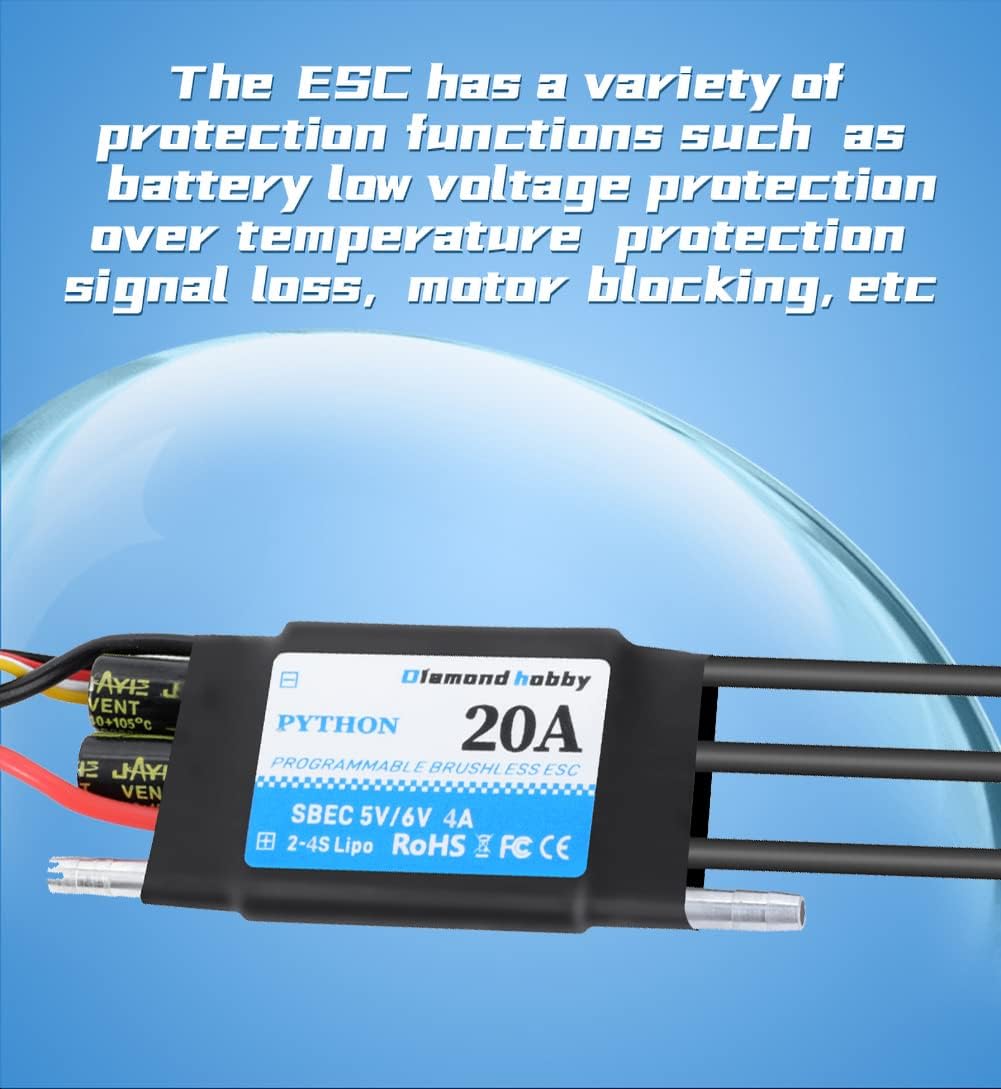
Figure 6: Visual representation of the ESC's integrated protection functions, including battery low voltage, over-temperature, and signal loss safeguards.
Setup and Installation
1. Connecting the Motor
Connect the three black wires from the ESC to the three phase wires of your brushless motor. The order of connection may affect motor rotation direction. If the motor spins in the wrong direction, swap any two of the three wires.
2. Connecting to the Receiver
Plug the three-wire receiver cable (red, orange, brown/yellow) from the ESC into the throttle channel (usually channel 2) of your RC receiver. Ensure the polarity is correct (signal wire typically orange/yellow, positive red, negative brown/black).
3. Connecting the Battery
Connect your LiPo battery (2-4S) to the XT60 connector on the ESC. Ensure the battery is fully charged and compatible with the ESC's specifications. Always connect the battery last during setup and disconnect it first after use.
4. Water Cooling System (Optional but Recommended for Boats)
For optimal performance and longevity, especially in RC boat applications, ensure the water-cooling system is properly connected. Connect the water inlet and outlet tubes to the designated ports on the ESC and route them to your boat's water pickup and discharge points.
5. Initial Calibration
Before first use, it is recommended to calibrate the ESC with your transmitter's throttle range. Refer to your transmitter's manual for specific calibration procedures. Generally, this involves:
- Turn on your transmitter and set the throttle stick to maximum.
- Connect the battery to the ESC.
- Listen for a series of beeps.
- Move the throttle stick to the minimum position.
- Listen for another series of beeps, indicating successful calibration.
Operating Modes
The FLYCOLOR Python-ESC offers two primary operating modes:
- Forward Only: In this mode, the ESC will only allow forward throttle input. This is typically used for racing or applications where reverse is not desired or necessary.
- Forward and Backward: This mode allows both forward and reverse throttle control. A neutral brake point is usually present, requiring the throttle stick to pass through neutral to engage reverse.
The selection and configuration of these modes can be done via a programming card or a compatible phone application. Please refer to the programming instructions for detailed steps.
Protection Functions
The ESC is equipped with multiple protection features to ensure safe operation and extend its lifespan:
- Start-up Protection: Prevents the motor from starting abruptly or under abnormal conditions.
- Over-Heat Protection: Automatically reduces power or shuts down the ESC if its internal temperature exceeds a safe limit.
- Low-Voltage Cutoff Protection: Monitors battery voltage and reduces or cuts off power to prevent over-discharge of the battery, which can damage LiPo cells.
- Signal Loss Protection: If the ESC loses the throttle signal from the receiver for a set period, it will automatically cut off power to the motor to prevent runaway.
- Phase Loss Protection: Detects issues with motor phase connections and protects the ESC and motor from damage.
Specifications
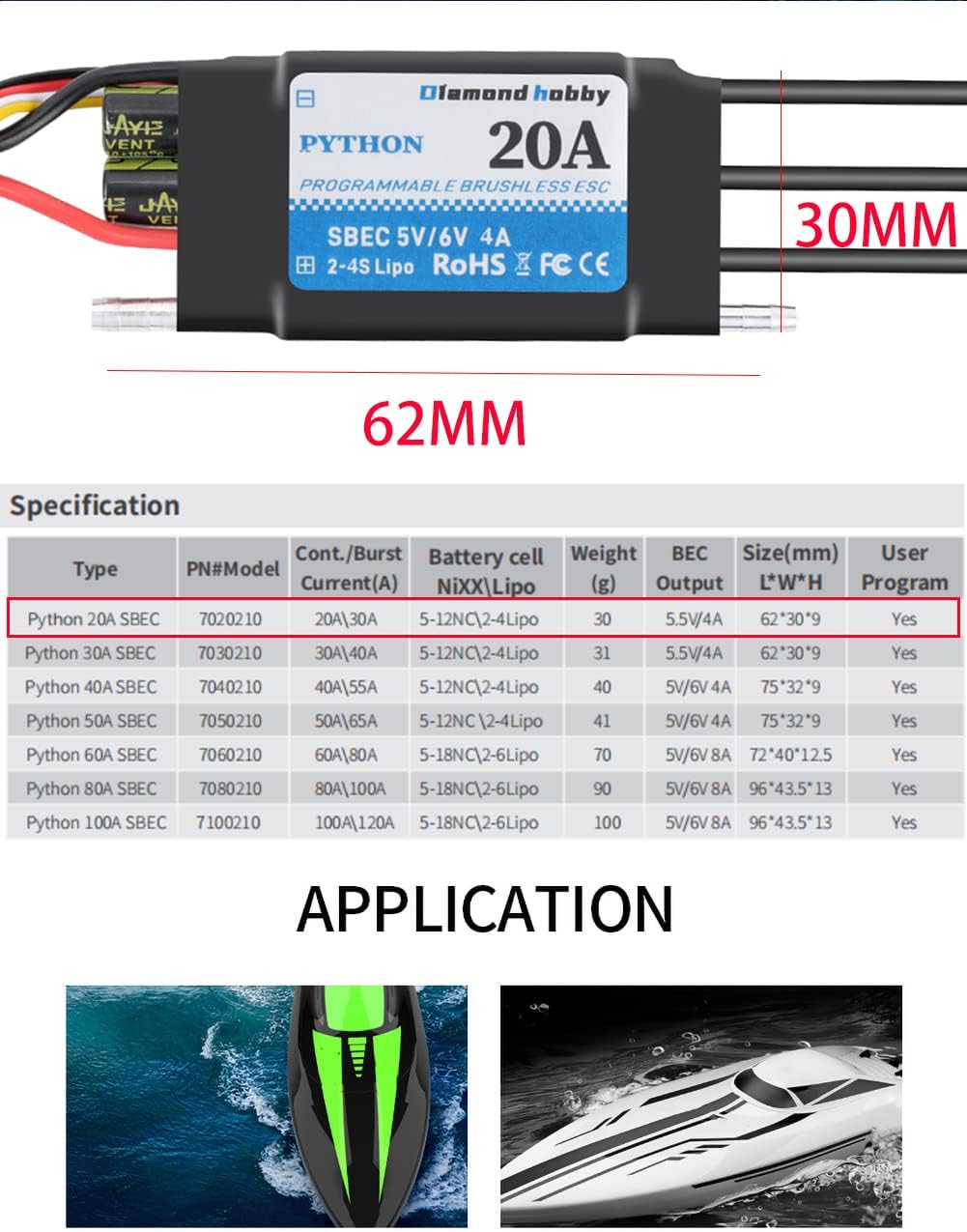
Below are the technical specifications for the FLYCOLOR Python-ESC 20A model:
| Feature | Specification |
|---|---|
| Model | Python-ESC 20A |
| Continuous Current | 20A |
| Burst Current | 30A |
| Battery Cells (LiPo) | 2-4S |
| BEC Output | 5.5V/4A (Adjustable 5V/6V) |
| Dimensions (L*W*H) | 62mm * 30mm * 9mm (approx. 2.4 x 1 x 0.3 inches) |
| Weight | 30g (approx. 1.06 ounces) |
| Waterproof | Yes |
| Programmable | Yes (via Phone App or LCD Program Card) |
Figure 7: Detailed specifications table for various Python-ESC models, including the 20A version.
Maintenance
- Cleaning: After use, especially in saltwater environments, rinse the ESC with fresh water to remove any salt or debris. Ensure it is completely dry before storage.
- Inspection: Regularly inspect all wires, connectors, and the ESC casing for any signs of damage, corrosion, or wear.
- Storage: Store the ESC in a cool, dry place, away from direct sunlight and extreme temperatures.
- Firmware Updates: Check the manufacturer's website periodically for any available firmware updates that may improve performance or add features.
Troubleshooting
If you encounter issues with your ESC, refer to the following common problems and solutions:
- Motor Not Spinning / No Response:
- Check all connections: battery, motor, and receiver. Ensure they are secure and correctly polarized.
- Verify the battery is charged and healthy.
- Recalibrate the ESC with your transmitter's throttle range.
- Ensure the transmitter is on and properly bound to the receiver.
- Check for signal loss protection activation.
- Motor Stutters or Runs Irregularly:
- Check motor phase wire connections for looseness or damage.
- Ensure the motor is not obstructed.
- Verify the battery has sufficient discharge rate (C-rating) for your motor.
- Check for phase loss protection activation.
- ESC Overheating:
- Ensure the water-cooling system is functioning correctly and not blocked.
- Check if the motor or propeller is oversized or causing excessive load.
- Verify the battery voltage and current draw are within the ESC's limits.
- Ensure adequate airflow around the ESC if not fully submerged.
- Sudden Power Cutoff:
- This is often due to low-voltage cutoff protection. Recharge or replace the battery.
- Could also be over-heat protection. Allow the ESC to cool down and check cooling system.
- Signal loss from the receiver can also cause power cutoff.
If the problem persists after attempting these solutions, please contact FLYCOLOR customer support for further assistance.
Support and Contact Information
For further assistance, technical support, or warranty inquiries, please visit the official FLYCOLOR website or contact your retailer.
Manufacturer: FLYCOLOR
Product Model: Python-ESC 20A
Amazon Store: Visit the FLYCOLOR Store on Amazon