
Introduction
This manual provides detailed instructions for the setup, operation, and maintenance of your TOMLOV DM10 8.5'' Digital Microscope. Please read this manual thoroughly before using the device to ensure proper functionality and to maximize your viewing and recording experience.
The TOMLOV DM10 features an 8.5-inch adjustable LCD screen, a 12MP UHD camera sensor, and up to 1300X magnification, making it suitable for various applications including electronics repair, coin observation, and biological specimen viewing.
Package Contents
Verify that all items listed below are present in your package:
- TOMLOV DM10 Digital Microscope Unit (with 8.5'' LCD screen)
- Adjustable Stand with Metal Workbench
- UV Filter (pre-installed or separate)
- Extension Tube ET02
- Wired Remote Control
- Power Adapter
- Micro USB Cable
- 32GB Micro-SD Card
- User Manual (this document)
Setup
1. Assembly
- Place the metal workbench on a stable, flat surface.
- Attach the microscope stand to the workbench, ensuring it is securely fastened.
- Mount the digital microscope unit onto the stand.
- Adjust the screen angle to your preferred viewing position.

Image: Adjustable Screen Angle and Holder. This image illustrates the adjustable screen and holder mechanism, allowing users to tilt the display for optimal viewing comfort.

Image: Large Metal Workbench. This image displays the robust metal workbench, measuring 7 inches by 7.9 inches with a thickness of 0.2 inches, suitable for various tasks like PCB soldering, observing insects, plants, and error coins.
2. Inserting the Micro-SD Card
Locate the Memory Card Slot on the microscope unit. Gently insert the provided 32GB Micro-SD card into the slot until it clicks into place. Ensure the card is inserted in the correct orientation.

Image: Microscope Ports and Controls. This diagram highlights key components: (1) Memory Card Slot, (2) Power Indicator Lights, (3) Micro USB port, (4) Reset Hole, and (5) Wired Remote Interface with ON/OFF and Brightness controls.
3. Power Connection
Connect the Micro USB cable to the microscope's Micro USB port (3) and the other end to the power adapter. Plug the power adapter into a standard electrical outlet. The Power Indicator Lights (2) will illuminate.
4. UV Filter Installation
The UV filter is designed to protect the lens from smoke, heat, dust, and scratches while blocking ultraviolet light. It is typically screwed onto the bottom of the lens. Ensure it is securely attached. It can be removed if necessary.

Image: UV Filter Protection. This image demonstrates the function of the UV filter, showing how it protects the microscope lens from environmental factors like smoke, heat, and dust, and blocks ultraviolet light.
5. Extension Tube ET02 (Optional)
For increased working distance and a larger field of view, attach the ET02 Extension Tube between the microscope unit and the stand holder. This allows for more space under the lens, beneficial for tasks like soldering.

Image: ET02 Extension Tube. This image shows the ET02 Extension Tube, a cylindrical accessory designed to increase the working distance of the microscope.

Image: Longer Holder, Larger Work Space. This comparison image illustrates the increased working distance and larger workspace achieved by installing the extension tube, showing a "Before" view with less space and an "After" view with significantly more room for tasks like soldering.
Operating Instructions
1. Powering On/Off
Press the ON/OFF button on the wired remote control (5) to power on the microscope. Press and hold the same button to power it off.
2. Adjusting Brightness
Use the Brightness + and Brightness - buttons on the wired remote control (5) to adjust the intensity of the LED illumination.
3. Focusing and Magnification
Rotate the focus wheel on the microscope unit to bring your specimen into clear view. Adjust the distance between the lens and the specimen using the stand's adjustment knob to change magnification. The microscope offers up to 1300X magnification.

Image: Magnification Comparison. This image illustrates the difference between 50X and 1300X magnification, showing a broader view of a leaf at 50X and a highly detailed, cellular view at 1300X.
4. Capturing Photos and Videos
The microscope is equipped with a 12MP UHD camera sensor for capturing high-quality images and videos. Refer to the on-screen menu for specific photo and video capture options. Captured media is saved to the inserted Micro-SD card.
- Available Photo Resolutions: 12MP (4023*3024), 10MP (3648*2736), 8MP (3264*2448), 5MP (2592*1944), 3MP (2048*1536), 2MP (1920*1080).
- Available Video Resolutions: 1080FHD (1920*1080), 1080P (1440*1080), 720P (1280*720).
Note: Higher resolution images and videos consume more storage space on the Micro-SD card.
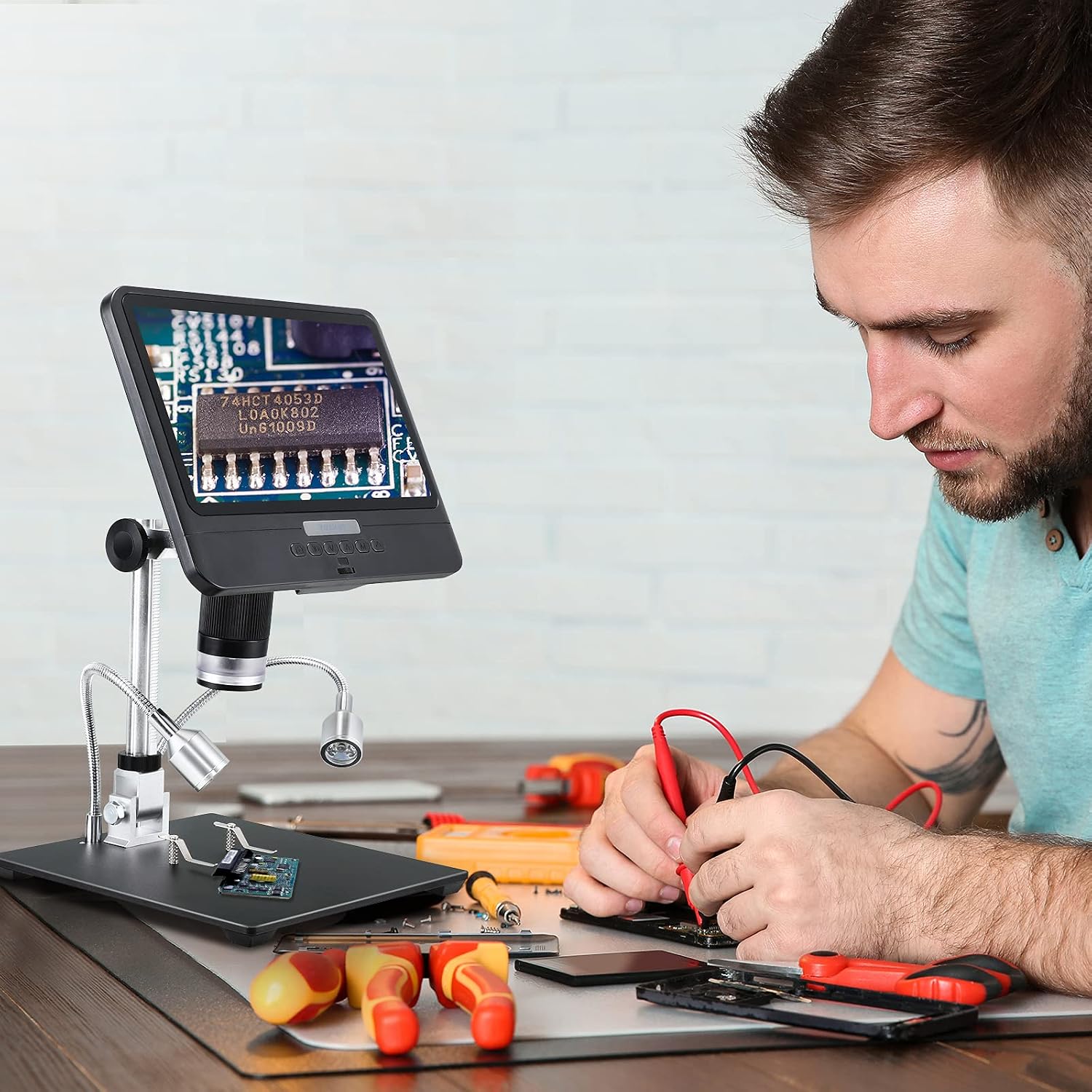
Image: User in Operation. This image shows a user engaged in electronics repair, utilizing the TOMLOV DM10 Digital Microscope to view a circuit board with enhanced clarity, demonstrating its practical application.
5. Connecting to an External Display (Television)
The TOMLOV DM10 is compatible with televisions. Use an appropriate cable (not included) to connect the microscope to your television's input port. This allows for a larger viewing experience, ideal for presentations or collaborative work.
Maintenance
- Cleaning the Lens and UV Filter: Use a soft, lint-free cloth specifically designed for optical lenses to clean the microscope lens and UV filter. Avoid abrasive materials or harsh chemicals.
- General Cleaning: Wipe the body of the microscope and stand with a dry or slightly damp soft cloth. Do not allow water or cleaning solutions to enter the device.
- Storage: When not in use, store the microscope in a clean, dry, and dust-free environment.
- Battery Care: If the microscope is battery-powered (as indicated in specifications), ensure it is charged regularly and avoid complete discharge for extended periods to prolong battery life.
Troubleshooting
| Problem | Possible Cause | Solution |
|---|---|---|
| No power | Power cable not connected; Power adapter faulty; Battery drained. | Ensure power cable is securely connected. Check power adapter. Charge the microscope if battery-powered. |
| Blurry image | Out of focus; Lens or UV filter dirty; Incorrect working distance. | Adjust the focus wheel. Clean the lens and UV filter. Adjust the height of the microscope on the stand. |
| Cannot save photos/videos | Micro-SD card not inserted; Micro-SD card full; Micro-SD card faulty. | Insert Micro-SD card correctly. Delete unnecessary files or replace with a new card. Format the card (backup data first). |
| Screen not displaying | Microscope not powered on; Screen cable loose (internal). | Ensure the microscope is powered on. If problem persists, contact customer support. |
If you encounter issues not listed here or if the suggested solutions do not resolve the problem, please contact TOMLOV customer support for assistance.
Specifications
- Model: DM10
- Display: 8.5'' Angle-Adjustable LCD Screen
- Magnification: Up to 1300X
- Camera Sensor: 12MP UHD CMOS
- Photo Resolution: 12MP (4023*3024), 10MP (3648*2736), 8MP (3264*2448), 5MP (2592*1944), 3MP (2048*1536), 2MP (1920*1080)
- Video Resolution: 1080FHD (1920*1080), 1080P (1440*1080), 720P (1280*720)
- Storage: Micro-SD Card (up to 32GB included)
- Power Source: Battery Powered (rechargeable via Micro USB)
- Objective Lens Description: Achromatic
- Compatible Devices: Television (via appropriate cable)
- Special Features: UV Filter, Extension Tube ET02 support, Wired Remote Control
Warranty and Support
For warranty information, technical support, or service inquiries, please refer to the warranty card included with your product or visit the official TOMLOV website. You may also contact TOMLOV customer service directly through the contact information provided on their website or through your purchase platform.
TOMLOV Official Website: TOMLOV Store on Amazon


