
TFCFL WKUJ08FT
TFCFL 6 Channel Mixing Console Audio Mixer User Manual
Model: WKUJ08FT
1. Introduction
Thank you for choosing the TFCFL 6 Channel Mixing Console Audio Mixer. This device is designed to provide high-quality audio mixing for various applications, including studio recording, live performances, webcasting, and parties. It features 6 input channels, Bluetooth connectivity, a USB audio interface, and 48V phantom power for condenser microphones. This manual will guide you through the setup, operation, and maintenance of your mixer to ensure optimal performance and longevity.
2. Safety Information
Please read and understand all safety instructions before operating the mixer. Retain this manual for future reference.
- Power Source: Use only the provided power adapter. Ensure the voltage matches your local power supply (110V).
- Water and Moisture: Do not expose the mixer to water, rain, or moisture. Avoid placing liquid containers near the unit.
- Ventilation: Ensure proper ventilation. Do not block ventilation openings.
- Heat: Keep the mixer away from heat sources such as radiators, heat registers, stoves, or other heat-producing appliances.
- Cleaning: Disconnect power before cleaning. Use a dry, soft cloth. Do not use liquid cleaners or aerosols.
- Servicing: Do not attempt to service this product yourself. Refer all servicing to qualified service personnel.
- Electric Shock Hazard: The rear panel of the mixer contains warnings regarding electric shock. Do not open the casing.

Image: Rear panel with power input and safety warnings.
3. Package Contents
Verify that all items are present in the package:
- 1 x TFCFL 6 Channel Audio Mixer
- 1 x Power Cord (US Standard)
- 1 x English User Manual

Image: Contents of the package including the mixer, power cord, and manual.
4. Product Overview
The TFCFL 6 Channel Mixing Console is a compact and versatile audio mixer. Below is an overview of its main components and controls.
4.1 Front Panel Controls

Image: Overall view of the mixer's front panel.
- GAIN Knobs: Adjust the input sensitivity for each channel.
- EQ Section (HF, MF, LF): 3-band equalizer for high, mid, and low frequencies on each mono channel.
- AUX Knobs: Control the send level to the auxiliary output.
- FX Knobs: Control the send level to the internal effects processor.
- PAN Knobs: Adjust the stereo position of the channel signal.
- Channel Faders: Control the volume level of individual channels.
- Main L/R Fader: Controls the overall output volume.
- USB/Bluetooth Module: For media playback and recording. Includes controls for menu, track selection, play/pause, and level.
- +48V Phantom Power Button: Activates phantom power for condenser microphones.
- Level Meters: LED indicators for main output level.
- Headphones Output: For monitoring the mix.

Image: Detailed view of individual channel controls.

Image: Detailed view of the master section and USB/Bluetooth module.
4.2 Rear Panel Connections
Image: Rear panel connections.
- POWER Switch: Turns the unit on/off.
- POWER Input: Connects to the provided power adapter.
- BALANCED MAIN OUTPUTS (XLR): Connect to your main speakers or amplifier.
- BALANCED MIC INPUTS (XLR): For connecting microphones.
- LINE Inputs (TRS): For connecting line-level instruments or devices.
5. Setup
Follow these steps to set up your TFCFL 6 Channel Mixing Console.
5.1 Power Connection
- Ensure the mixer's POWER switch is in the OFF position.
- Connect the provided power adapter to the POWER input on the rear panel of the mixer.
- Plug the power adapter into a suitable 110V AC power outlet.
5.2 Connecting Audio Devices
Before connecting any devices, ensure all volume faders and GAIN knobs on the mixer are set to their minimum positions.
- Microphones:
- Connect dynamic microphones to the XLR MIC inputs.
- For condenser microphones, connect them to the XLR MIC inputs and then press the +48V PHANTOM POWER button. The indicator light will illuminate. Ensure condenser microphones are connected before activating phantom power.
- Line-Level Devices:
- Connect instruments (keyboards, guitars with preamps) or other audio devices (CD players, media players) to the TRS LINE inputs.
- Main Output:
- Connect the BALANCED MAIN OUTPUTS (XLR) to your powered speakers or the input of an amplifier.
- Headphones:
- Connect headphones to the PHONES output for monitoring.
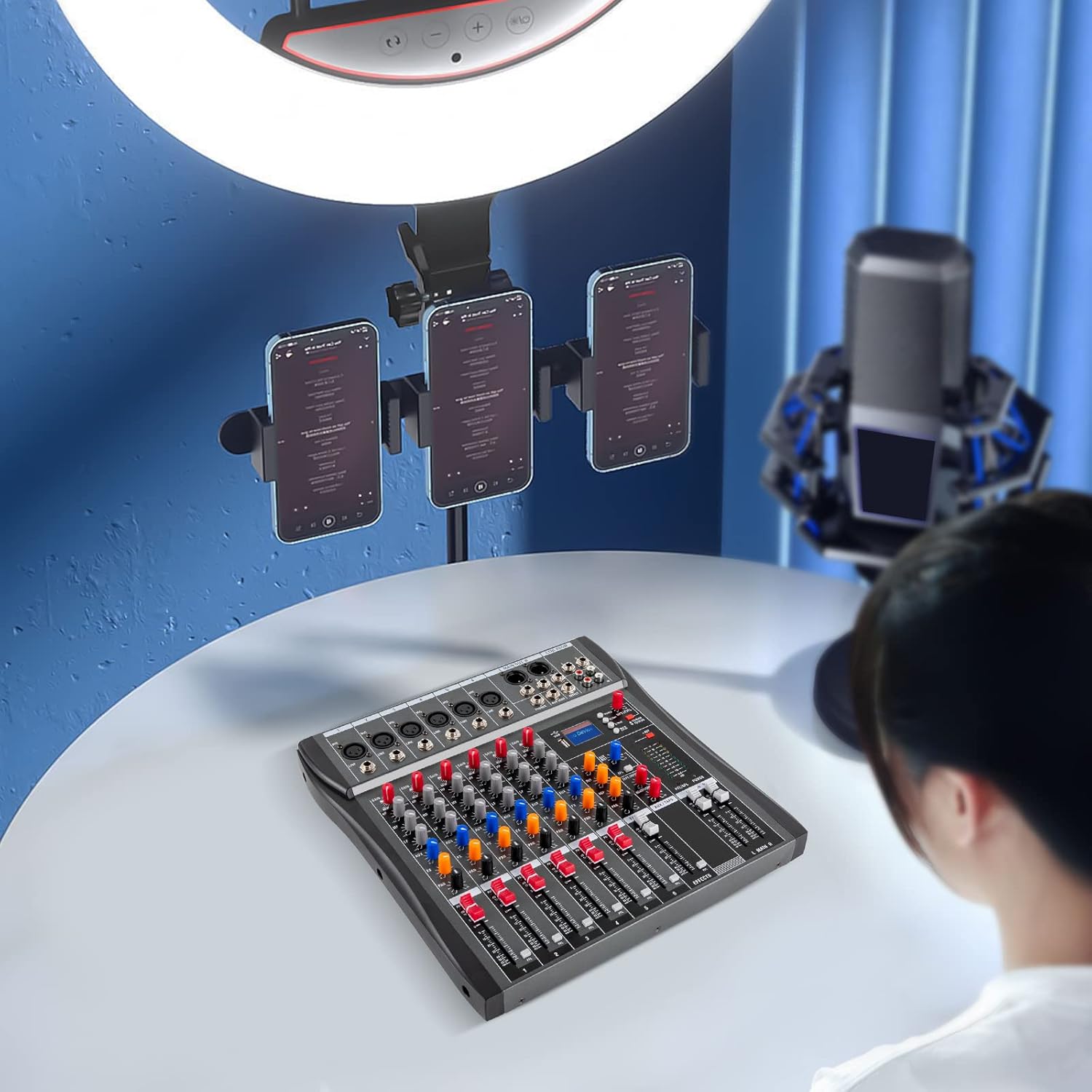
Image: Mixer in a typical setup with connected devices.
6. Operating Instructions
6.1 Basic Operation
- Power On: After connecting all devices, turn on the mixer's POWER switch.
- Set Gain: For each active channel, slowly increase the GAIN knob until the signal peaks occasionally on the channel's peak indicator (if available) or the main level meters, but does not clip (red light).
- Adjust Channel Volume: Slowly raise the channel fader for each active input to the desired level.
- Adjust Main Volume: Slowly raise the MAIN L/R fader to achieve the desired overall output volume. Monitor the main level meters to avoid clipping.
- Headphone Monitoring: Use the PHONES knob to adjust the headphone volume.
6.2 Equalization (EQ)
Each mono channel features a 3-band EQ:
- HF (High Frequency): Adjusts the treble (12KHz).
- MF (Mid Frequency): Adjusts the midrange (2.5KHz).
- LF (Low Frequency): Adjusts the bass (80KHz).
Turn the knobs clockwise to boost frequencies and counter-clockwise to cut them. The center position is flat (no adjustment).
6.3 AUX and FX Sends
- AUX: Use the AUX knob on each channel to send a portion of that channel's signal to the AUX output, typically for external effects processors or monitor mixes.
- FX: Use the FX knob on each channel to send a portion of that channel's signal to the mixer's internal effects processor. Adjust the master FX controls for overall effect level and type.
6.4 PAN Control
The PAN knob on each channel adjusts the stereo position of the signal, allowing you to place it anywhere between the left and right main outputs.
6.5 USB/Bluetooth Module

Image: Mixer connected to a smartphone via Bluetooth.
- Bluetooth Connection:
- Press the "MODE" button on the USB module until "Bluetooth" is displayed.
- On your mobile device, search for Bluetooth devices and select "BT-AUDIO" (or similar).
- Once paired, you can play audio from your device through the mixer. Adjust the USB/Bluetooth level knob on the mixer.
- USB Playback:
- Insert a USB flash drive containing audio files into the USB port.
- The mixer will automatically detect and begin playing audio. Use the module's controls for play/pause, track selection, and mode changes.
- USB Audio Interface:
- Connect the mixer to a computer via the USB port. The mixer can function as an audio interface for recording or playback.
- Select the mixer as your audio input/output device in your computer's sound settings or DAW software.
- Music Modes: The USB module offers 6 built-in music modes (nature, pop, rock, jazz, classical, country) to adjust the playback sound profile.
7. Maintenance
- Cleaning: Disconnect the power cord before cleaning. Use a soft, dry cloth to wipe the surface of the mixer. Do not use abrasive cleaners or solvents.
- Storage: When not in use for extended periods, store the mixer in a cool, dry place, away from direct sunlight and extreme temperatures.
- Cable Management: Ensure cables are not tangled or stressed to prevent damage to connectors and ports.
8. Troubleshooting
If you encounter issues with your mixer, refer to the following common problems and solutions:
| Problem | Possible Cause | Solution |
|---|---|---|
| No sound output |
|
|
| Distorted sound |
|
|
| Microphone not working (condenser mic) |
|
|
| Bluetooth connection issues |
|
|
9. Specifications
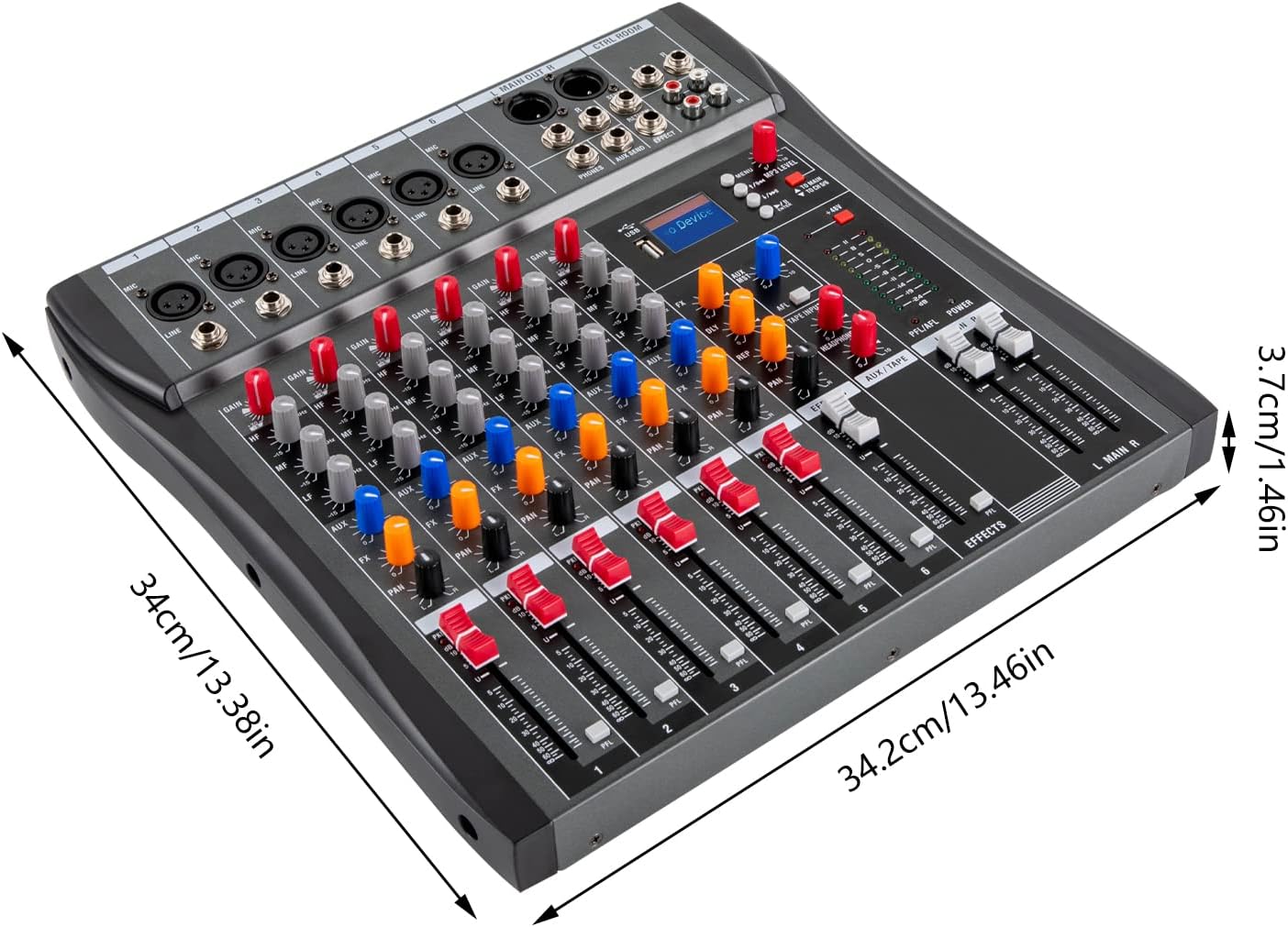
Image: Product dimensions.
| Feature | Detail |
|---|---|
| Color | Black |
| Plug Type | US Standard |
| Power Source | Corded Electric |
| Number of Channels | 6 |
| Material | Metal |
| Voltage | 110V |
| Microphone Max Input Level | +24dBu |
| Line Max Input Level | +24dBu |
| Max Output Level | XLR +26dBu |
| Frequency Response | 20Hz to 30kHz ±0.5dB |
| Maximum Power Input | 15W |
| Total Harmonic Distortion (THD+N) | <0.01% (Channel Input to Mix Output) |
| Equivalent Input Noise | -122dBu |
| Residual Output Noise | <-90dBu |
| Phantom Power | +48V |
| Product Dimensions (L*W*H) | 34.2 x 34 x 3.7 cm (13.46 x 13.38 x 1.46 inches) |
| Item Weight | 4 kg (8.82 lbs) |
| Connectivity Technology | Auxiliary, Bluetooth, USB |
10. Warranty and Support
For warranty information or technical support, please refer to the contact details provided by your retailer or visit the official TFCFL website. Keep your purchase receipt as proof of purchase.
Related documentsWKUJ08FT

Ask a question about this manual
Ask about setup, troubleshooting, compatibility, parts, safety, or missing instructions. Manuals+ will review the question and use this page’s manual context to help answer it.