
Deeyaple F-8816
Deeyaple LED Digital Alarm Clock User Manual
Model: F-8816
1. Introduction
Thank you for purchasing the Deeyaple LED Digital Alarm Clock. This manual provides detailed instructions for setting up, operating, and maintaining your new alarm clock. Please read this manual thoroughly before use to ensure proper functionality and to maximize your user experience. This clock features adjustable brightness, dual alarms, a snooze function, and a clear LED display showing both time and day.
2. Safety Information
- Do not expose the device to extreme temperatures, direct sunlight, or high humidity.
- Keep the device away from water and other liquids.
- Use only the provided USB cable for power. An AC adapter is not included.
- Do not attempt to disassemble or repair the device yourself. Contact customer support if issues arise.
- Keep out of reach of children.
3. Package Contents
- Deeyaple LED Digital Alarm Clock (Model: F-8816)
- USB Power Cable (Note: Power adapter not included)
- User Manual (This document)

Figure 3.1: Back panel and side view of the alarm clock, showing control buttons and USB port.
4. Product Overview
4.1 Front Display
The front of the clock features a large LED display that shows the time, day of the week, and indicators for Alarm 1 and Alarm 2. The display uses vibrant, multi-colored digits for enhanced readability.

Figure 4.1: Front view of the alarm clock with time and day displayed.
4.2 Top Buttons
- SNOOZE/LIGHT Button: Located on the top. Press to activate snooze during an alarm or to adjust display brightness.
4.3 Back Controls
- TIME SET Button: Used to enter time setting mode.
- ALARM SET Button: Used to enter alarm setting mode.
- UP (+) Button: Increases values during setting or toggles functions.
- DOWN (-) Button: Decreases values during setting or toggles functions.
- DC 5V Port: USB power input.
- RESET Button: Small button to reset the clock to factory settings.

Figure 4.2: Rear view of the alarm clock, highlighting the USB power input and control buttons.
5. Setup
5.1 Powering the Device
- Connect the provided USB power cable to the DC 5V port on the back of the alarm clock.
- Plug the other end of the USB cable into a standard USB power adapter (not included) or a powered USB port (e.g., computer, power bank).
- The display will light up, indicating the clock is powered on.

Figure 5.1: The alarm clock is powered via a USB cable, ensuring continuous display.
6. Operating Instructions
6.1 Setting the Time
- Press the TIME SET button on the back of the clock. The hour digits will start flashing.
- Use the UP (+) or DOWN (-) buttons to adjust the hour.
- Press TIME SET again to confirm the hour and move to minute setting. The minute digits will flash.
- Use the UP (+) or DOWN (-) buttons to adjust the minutes.
- Press TIME SET a third time to confirm the minutes and move to 12/24H format selection.
- Use the UP (+) or DOWN (-) buttons to select between 12-hour (with AM/PM indicator) or 24-hour format.
- Press TIME SET one last time to save the settings and exit time setting mode.
6.2 Setting Alarms (Dual Alarms)
The clock supports two independent alarms (Alarm 1 and Alarm 2).
- Press the ALARM SET button. The Alarm 1 hour digits will start flashing, and the Alarm 1 icon will appear.
- Use the UP (+) or DOWN (-) buttons to adjust the Alarm 1 hour.
- Press ALARM SET again to confirm the hour and move to Alarm 1 minute setting. The minute digits will flash.
- Use the UP (+) or DOWN (-) buttons to adjust the Alarm 1 minutes.
- Press ALARM SET a third time to confirm minutes and move to Alarm 1 day setting.
- Use the UP (+) or DOWN (-) buttons to select the alarm days:
- 1-1: Single day alarm
- 1-5: Monday to Friday
- 1-6: Monday to Saturday
- 1-7: Monday to Sunday (Every day)
- 6-7: Saturday to Sunday (Weekend)
- Press ALARM SET again to confirm Alarm 1 settings and proceed to Alarm 2 setting. Repeat steps 2-6 for Alarm 2.
- After setting Alarm 2, press ALARM SET one last time to save all alarm settings and exit.

Figure 6.1: Alarm days setting options for customized wake-up schedules.
6.3 Snooze Function
When an alarm sounds, press the large SNOOZE/LIGHT button on the top of the clock. The alarm will pause for 5 minutes and then sound again. You can repeat the snooze cycle multiple times.

Figure 6.2: Activating the snooze function by touching the top button for an additional 5 minutes of rest.
6.4 Adjusting Display Brightness
The clock has 3 levels of brightness (Bright, Medium, Low) and an option to turn off the display.
- Press the SNOOZE/LIGHT button on the top of the clock (when no alarm is sounding) to cycle through the brightness levels: Bright > Medium > Low > Off > Bright.
- Select the brightness level that best suits your environment and preference.
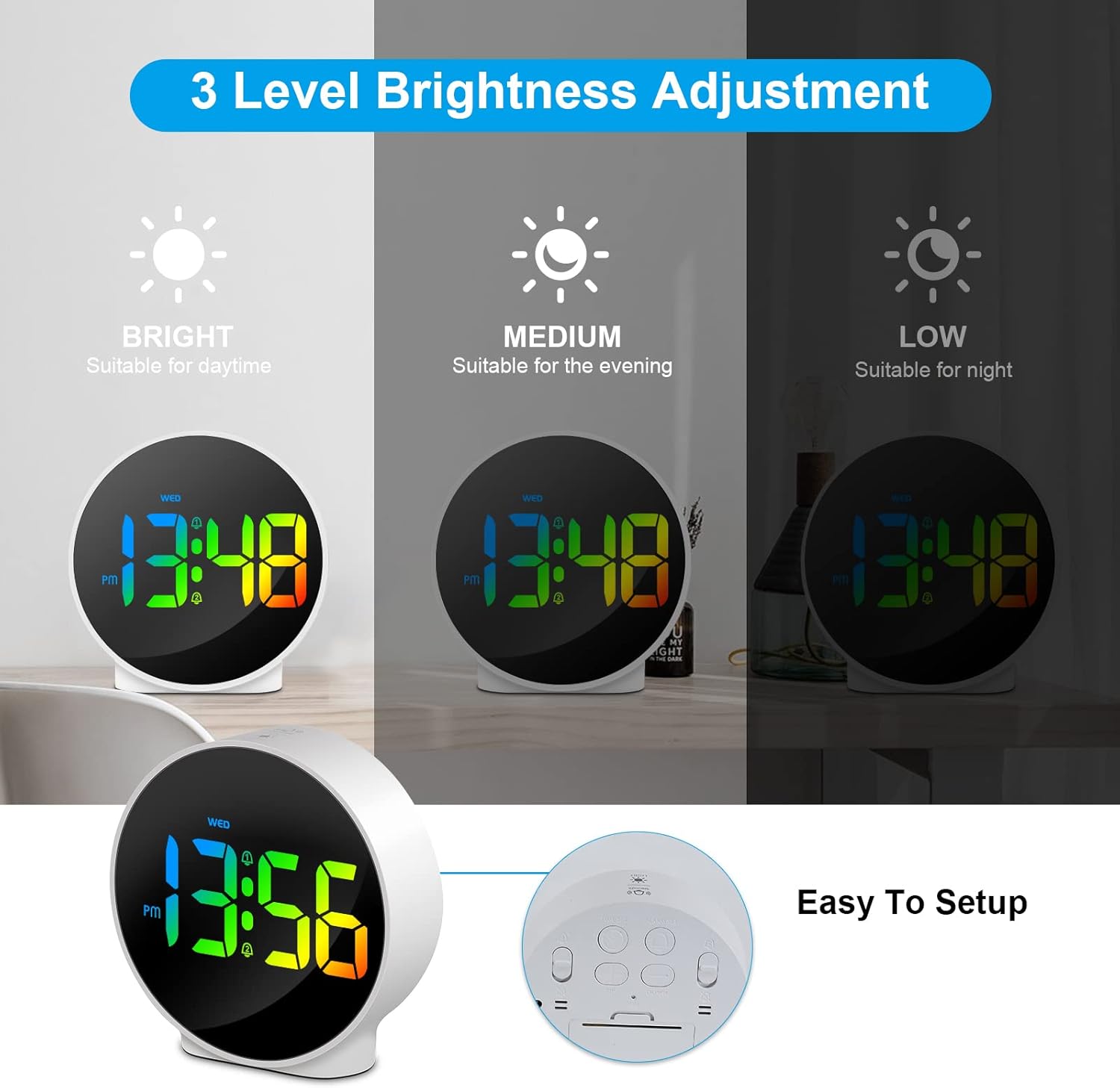
Figure 6.3: Three adjustable brightness levels for optimal viewing in different lighting conditions.
6.5 Week and Time Display
The clock simultaneously displays the current time and the day of the week on the same screen, eliminating the need to switch displays.

Figure 6.4: The clock displays both the time and the day of the week on a single screen for convenience.
7. Maintenance
- Cleaning: Use a soft, dry cloth to clean the surface of the clock. Do not use abrasive cleaners or solvents.
- Storage: If storing the clock for an extended period, disconnect it from power and store it in a cool, dry place.
8. Troubleshooting
| Problem | Possible Cause | Solution |
|---|---|---|
| Display is off or dim. | Not powered, brightness set to off/low. | Ensure USB cable is securely connected to a power source. Press SNOOZE/LIGHT button to adjust brightness. |
| Alarm does not sound. | Alarm not set, alarm volume too low (not applicable for this model), incorrect alarm days. | Verify alarm time and ensure the alarm icon is displayed. Check alarm day settings. |
| Time is incorrect. | Time not set correctly, power interruption. | Re-set the time following Section 6.1. Ensure continuous power supply. |
| Buttons are unresponsive. | Temporary software glitch. | Unplug the USB cable, wait 10 seconds, then plug it back in. If issue persists, use the RESET button on the back (requires a thin object like a paperclip). |
9. Specifications
- Brand: Deeyaple
- Model Number: F-8816
- Color: White shell with multi-color display
- Dimensions (L x W x H): 10 x 3.81 x 10 cm (3.94 x 1.5 x 3.94 inches)
- Weight: 180 grams (0.4 lbs)
- Features: Dual Alarm, Snooze, Adjustable Brightness (3 levels + off), 12/24H Display, Week Display, Corded Electric
- Power Source: USB Cable (DC 5V)
- Display Type: Digital LED
- Material: Acrylonitrile Butadiene Styrene (ABS)

Figure 9.1: Dimensions of the Deeyaple LED Digital Alarm Clock.
10. Warranty and Support
Deeyaple products are designed for quality and reliability. For any questions, technical support, or warranty claims, please contact the seller or manufacturer directly through your purchase platform. Please retain your proof of purchase for warranty purposes.
Ask a question about this manual
Ask about setup, troubleshooting, compatibility, parts, safety, or missing instructions. Manuals+ will review the question and use this page’s manual context to help answer it.