
Introduction
This manual provides essential instructions for the safe and efficient operation of your Farberware Classic Microwave Oven, Model FM11BKBSS. Please read all instructions carefully before using the appliance and retain this manual for future reference.
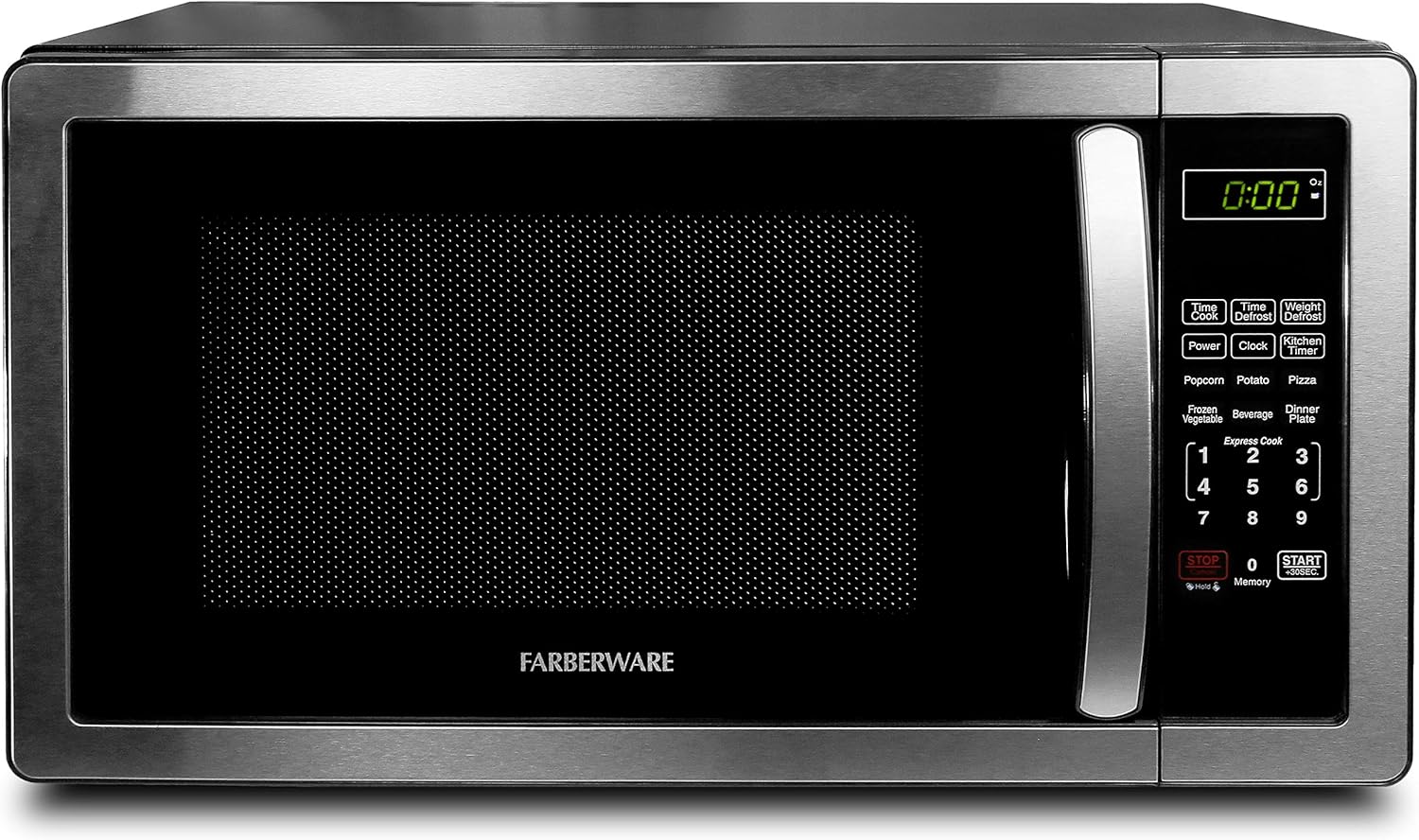
Image: The Farberware Classic Microwave Oven, 1.1 Cu. Ft., Stainless Steel, positioned on a kitchen countertop. This image shows the overall design and how it integrates into a typical kitchen environment.
Important Safety Instructions
- Read all instructions before using the appliance.
- Do not attempt to operate this oven with the door open as this can result in harmful exposure to microwave energy.
- Do not heat liquids or other foods in sealed containers as they are liable to explode.
- Do not use corrosive chemicals or vapors in this appliance.
- Close supervision is necessary when the appliance is used by or near children.
- Only use utensils suitable for microwave ovens.
- Do not overcook food.
- Maintain the oven and door seals in a clean condition.
Setup and Installation
Unpacking
Carefully remove the microwave oven from its packaging. Remove all packing materials, including any protective film or tape. Inspect the oven for any damage, such as dents or a misaligned door. Do not operate the oven if it is damaged.
Placement
Place the microwave oven on a flat, stable surface that can support its weight and the heaviest food item likely to be cooked in it. Ensure there is adequate ventilation around the oven. Do not block air vents. This is a countertop model and should not be built into a cabinet.

Image: The Farberware Classic Microwave Oven with its external dimensions clearly marked: 20.2 inches width, 12.03 inches height, and 16.54 inches depth. This helps users ensure proper fit in their intended space.
Electrical Requirements
The oven requires a standard 120V, 60Hz AC outlet. Ensure the electrical circuit is dedicated to the microwave oven to prevent overloading. The oven operates at 1000 watts.
Turntable Installation
Place the roller ring in the center of the oven cavity. Position the glass turntable plate securely on top of the roller ring and the turntable shaft. Ensure it rotates freely.

Image: An open view of the microwave oven's interior, highlighting the dimensions of the cooking cavity: 14.5 inches width and 9.1 inches height. This illustrates the spaciousness and ease of access for cleaning.
Operating Instructions
Control Panel Overview
The control panel features a digital display, number pad, and various function buttons for cooking, defrosting, and setting time.

Image: A close-up of the microwave's control panel, illustrating the 6 one-touch cooking programs (Popcorn, Potato, Pizza, Frozen Vegetable, Beverage, Dinner Plate) and other function buttons like Time Cook, Weight Defrost, Power, Clock, Kitchen Timer, Express Cook, Stop/Cancel, and Start/+30 Sec. This provides a visual guide to the oven's operational features.
Setting the Clock
- Press the Clock button once.
- Use the number pad to enter the current time (e.g., 12:30).
- Press the Clock button again to confirm.
Microwave Cooking
Manual Cooking:
- Place food in the oven.
- Press the Time Cook button.
- Enter the desired cooking time using the number pad.
- Press the Power button repeatedly to select a power level (1-10). Level 10 is 100% power.
- Press Start/+30 Sec. to begin cooking.
Express Cooking: For quick cooking, simply press any number from 1 to 6 on the number pad to cook for that many minutes at 100% power. Press the +30 Sec. button to add 30 seconds to the current cooking time or to start cooking for 30 seconds at 100% power.
One-Touch Cooking Programs
The oven features 6 pre-programmed settings for common food items:
- Popcorn
- Potato
- Pizza
- Frozen Vegetable
- Beverage
- Dinner Plate
To use, simply place the food in the oven and press the corresponding program button. The oven will automatically set the cooking time and power level.
Defrosting
The oven offers two defrosting methods:

Image: A close-up of the microwave's control panel highlighting the "Time Defrost" and "Weight Defrost" buttons, alongside examples of food items that can be defrosted, such as grilled chicken, meatballs, and shrimp. This visually explains the defrosting functionalities.
Time Defrost:
- Press the Time Defrost button.
- Enter the desired defrosting time using the number pad.
- Press Start/+30 Sec.
Weight Defrost:
- Press the Weight Defrost button.
- Enter the weight of the food in ounces using the number pad.
- Press Start/+30 Sec.
Memory Function
The memory function allows you to save your favorite cooking settings for quick access. Refer to the full manual for detailed instructions on setting and recalling memory functions.
Child Safety Lock
To activate the child safety lock, press and hold the Stop/Cancel button for 3 seconds. The lock indicator will appear on the display. To deactivate, press and hold the Stop/Cancel button again for 3 seconds.

Image: The Farberware Classic Microwave Oven with an orange padlock icon, symbolizing the child safety lock feature. This visual emphasizes the security function of the appliance.
Maintenance and Cleaning
Exterior Cleaning
Wipe the exterior of the oven with a damp cloth and mild detergent. Avoid abrasive cleaners or scouring pads that could scratch the stainless steel finish.
Interior Cleaning
Clean the interior cavity regularly. For stubborn food splatters, place a bowl of water with lemon slices inside and microwave for a few minutes. The steam will loosen food particles, making them easier to wipe away with a soft cloth. Ensure the oven is unplugged before cleaning.
Turntable and Roller Ring
The glass turntable and roller ring can be removed for cleaning. Wash them in warm, soapy water or in the dishwasher. Ensure they are completely dry before placing them back in the oven.
Troubleshooting Guide
If you experience issues with your microwave oven, consult the following common problems and solutions:
- Oven not starting: Ensure the power cord is securely plugged into an outlet. Check if a fuse has blown or a circuit breaker has tripped. Make sure the door is closed properly.
- Food not heating: Verify that the cooking time and power level are set correctly. Ensure the door is fully closed.
- Unusual noise during operation: Check that the turntable and roller ring are correctly positioned. Ensure no foreign objects are inside the oven cavity.
- Display not working: Unplug the oven for a few minutes, then plug it back in to reset the control panel.
For problems not listed here, or if issues persist, please contact customer support.
Specifications
| Feature | Detail |
|---|---|
| Model Number | FM11BKBSS |
| Brand | Farberware |
| Capacity | 1.1 Cubic Feet |
| Wattage | 1000 watts |
| Product Dimensions (D x W x H) | 16.54" x 20.2" x 12.03" |
| Item Weight | 34.1 pounds |
| Material | Stainless Steel |
| Installation Type | Countertop |
| Special Features | Defrost, Timer, Child Lock, 6 One-Touch Programs |
| Included Components | Turntable |
Warranty and Support
For warranty information or technical support, please refer to the warranty card included with your product or visit the official Farberware website. You may also contact customer service at the number provided in your product documentation.
Online Resources: Farberware Official Store on Amazon


