
1. Important Safeguards
Please read all instructions carefully before operating this humidifier. Failure to follow these instructions may result in electric shock, fire, or serious injury.
- Always place the humidifier on a firm, flat, water-resistant surface at least 12 inches (30 cm) away from walls and appliances.
- Do not operate the humidifier if the cord or plug is damaged, or if the unit malfunctions or has been dropped.
- Keep the humidifier out of reach of children and pets.
- Do not immerse the humidifier base in water or other liquids.
- Unplug the humidifier from the power outlet before cleaning, filling, or moving.
- Use only clean, cool tap water. Do not add essential oils directly into the water tank; use the designated essential oil tray.
- Do not block air vents or mist outlet.
- For indoor use only.
2. Product Overview
The LivePure 1.2 L Ultrasonic Cool Mist Humidifier is designed to improve your indoor air quality by adding moisture to the air. Its ultrasonic technology ensures quiet operation and a fine, cool mist output.
Key Features:
- Ultrasonic Cool Mist Technology: Operates quietly to produce a fine, cool mist, ideal for maintaining comfort without disturbing sleep or focus.
- Adjustable Humidity Control: Customize your comfort by setting relative humidity levels between 40% and 75%.
- Digital Touch Controls & LED Display: Easily adjust settings for mist output, timer, and humidity levels with responsive controls and a clear display.
- Easy-to-Fill Water Tank: Features a removable water tank with a built-in handle for quick and spill-free refilling.
- Aromatic Experience: Includes an essential oil tray to create a relaxing atmosphere.
Product Components:
The package includes the following items:
- 1 Humidifier Tank
- 1 Humidifier Base
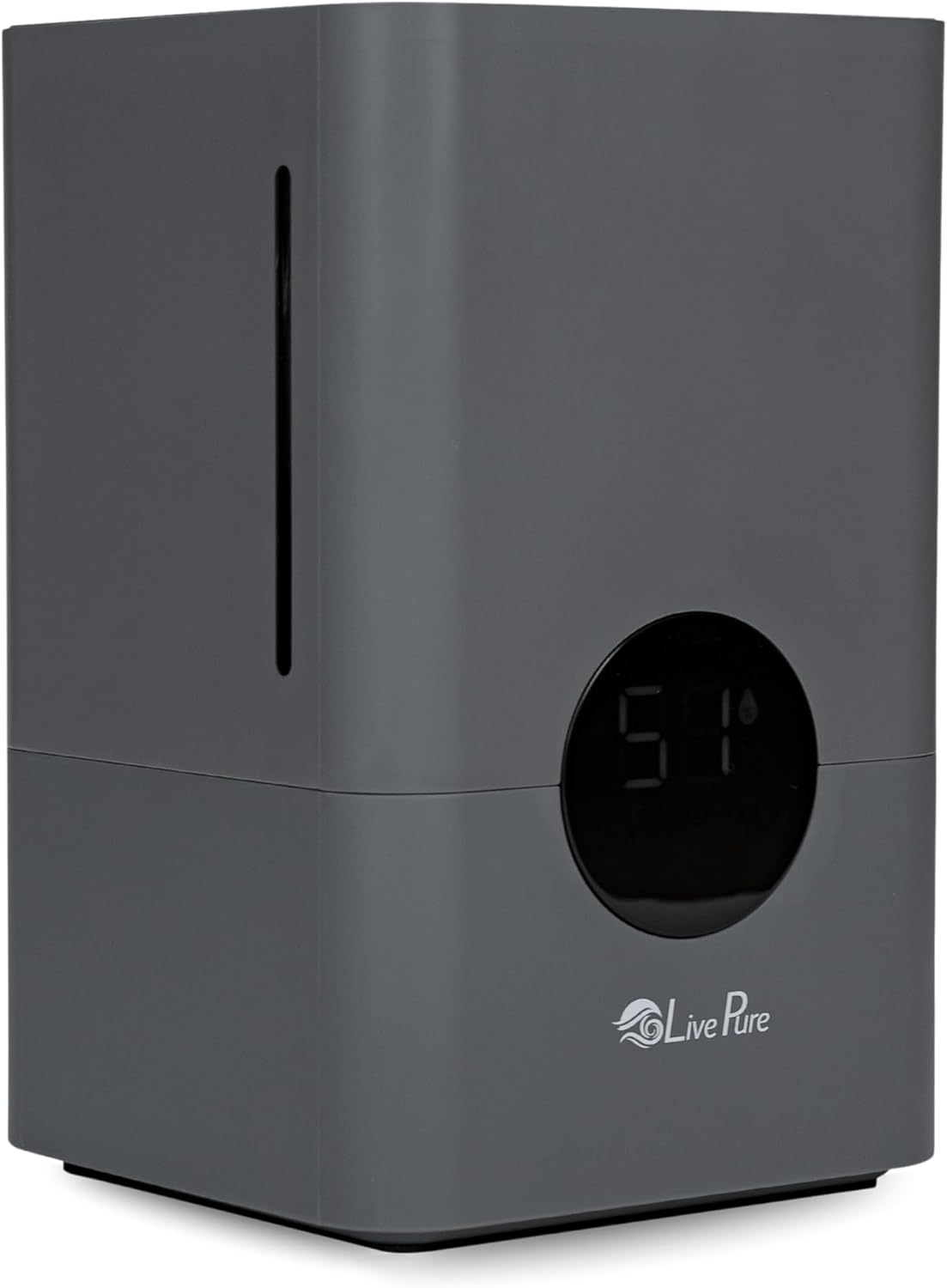
Figure 2.1: The LivePure 1.2 L Ultrasonic Cool Mist Humidifier, showcasing its sleek graphite design and digital display.

Figure 2.2: Product dimensions, indicating a height of 11.3 inches and a width of 7.3 inches, suitable for rooms up to 431 sq. ft. and providing up to 50 hours of operation.

Figure 2.3: Overview of humidifier functions, including cool mist production via vibration, adjustable relative humidity (40%-75%), and three mist volume levels (Low, Medium, High).

Figure 2.4: Detailed view of the digital touch controls, highlighting buttons for Power On/Off, Mist Output, Sleep Mode, Humidity Level, Display Light, Timer, and the Essential Oil Tray location.

Figure 2.5: Illustration of the adjustable humidity control feature, allowing users to set desired relative humidity levels between 40% and 75%.

Figure 2.6: The humidifier in operation, demonstrating the cool mist being emitted, generated by ultrasonic vibration rather than heat.
3. Setup Instructions
3.1 Unpacking
- Carefully remove the humidifier from its packaging.
- Remove all packaging materials, including any protective films or inserts.
- Inspect the humidifier for any signs of damage. If damaged, do not operate and contact customer support.
3.2 Placement
- Place the humidifier on a firm, flat, water-resistant surface.
- Ensure it is at least 12 inches (30 cm) away from walls, furniture, and electronic appliances to prevent moisture damage.
- Do not place the humidifier directly on carpet or rugs.
- Position the mist outlet away from walls or furniture.
3.3 Filling the Water Tank
- Ensure the humidifier is unplugged from the power outlet.
- Lift the water tank from the humidifier base using the built-in handle.
- Fill the tank with clean, cool tap water. Do not exceed the maximum fill line.
- Place the filled water tank back onto the humidifier base, ensuring it is seated correctly.
4. Operating Your Humidifier
Once the humidifier is set up and filled, plug it into a standard electrical outlet.
4.1 Power On/Off
- Press the Power button (⏻) on the digital display to turn the humidifier on or off.
- The LED display will illuminate when the unit is powered on.
4.2 Adjusting Mist Output
- Press the Mist Output button (💨) to cycle through the three mist volume levels: Low, Medium, and High.
- The current mist level will be indicated on the LED display.
4.3 Setting Humidity Levels (Auto Mode)
- Press the Humidity Level button (💧) to set your desired relative humidity (RH) between 40% and 75% in 5% increments.
- The humidifier will automatically turn on or off to maintain the set humidity level.
- If no target humidity is set, the humidifier will operate continuously in manual mode.
4.4 Sleep Mode
- Press the Sleep Mode button (🌙) to activate sleep mode.
- In sleep mode, the LED display light will dim or turn off, and the humidifier will operate at a low mist setting for quiet operation.
4.5 Timer Function
- Press the Timer button (⏱️) to set an automatic shut-off time.
- You can set the timer for 1 to 12 hours. The humidifier will turn off automatically once the set time has elapsed.
4.6 Using the Essential Oil Tray
- Locate the essential oil tray on the side of the humidifier base (refer to Figure 2.4).
- Pull out the tray. Add a few drops of your preferred essential oil onto the aroma pad inside the tray.
- Slide the tray back into the humidifier. The mist will carry the aroma into the air.
- Important: Do not add essential oils directly into the water tank. This can damage the unit and void the warranty.
5. Care and Maintenance
Regular cleaning is essential to prevent mineral buildup and ensure optimal performance and longevity of your humidifier.
5.1 Daily Maintenance
- Unplug the humidifier.
- Empty any remaining water from the tank and base.
- Rinse the water tank and base with clean water.
- Wipe all surfaces dry with a clean cloth.
5.2 Weekly Cleaning (Descaling)
To remove mineral deposits (scale) that can accumulate, especially in hard water areas:
- Unplug the humidifier and empty all water.
- Pour 1 cup (240ml) of undiluted white vinegar into the water tank and into the base reservoir.
- Let it soak for 20-30 minutes.
- Use a soft brush or cloth to clean any mineral buildup.
- Rinse the tank and base thoroughly with clean water until the vinegar smell is gone.
- Wipe dry before reassembling.
5.3 Essential Oil Tray Cleaning
- Remove the essential oil tray and the aroma pad.
- Clean the tray with a damp cloth. The aroma pad can be rinsed or replaced if heavily soiled.
- Ensure the tray and pad are dry before reinserting.
5.4 Storage
- Before storing, ensure the humidifier is completely clean and dry.
- Store in a cool, dry place, preferably in its original packaging.
6. Troubleshooting Guide
If your humidifier is not operating as expected, please refer to the following common issues and solutions:
| Problem | Possible Cause | Solution |
|---|---|---|
| No mist or very little mist. |
|
|
| Unusual odor. |
|
|
| Water leakage. |
|
|
| White dust around the humidifier. |
|
|
7. Product Specifications
| Feature | Detail |
|---|---|
| Brand | LivePure |
| Model Name | LP850HUM-G |
| Color | Graphite |
| Operation Mode | Ultrasonic Cool Mist |
| Water Tank Capacity | 1.2 Liters (0.3 Gallons) |
| Max Room Coverage | Up to 431 Square Feet |
| Product Dimensions | 7.31"D x 7.31"W x 11.75"H |
| Item Weight | 3.45 Pounds |
| Control Method | Touch (Digital LED Display) |
| Special Feature | Water Level Window, Essential Oil Tray |
| UPC | 810067450799 |
| Manufacturer | LivePure |
8. LivePure Brand Overview
This video provides a general overview of the LivePure brand and its range of home products, including humidifiers. While not a specific instructional video for this model, it offers insight into the brand's commitment to air and water quality.
Video 8.1: LivePure Brand Video. This video showcases various LivePure products designed to enhance home environments, including air purifiers, fans, and humidifiers, emphasizing the brand's focus on natural and active lifestyles.
9. Warranty and Customer Support
LivePure products are manufactured to high-quality standards. For warranty information, product registration, or customer support, please visit the official LivePure store or contact their customer service department.
Online Support: Visit the LivePure Store on Amazon.
