
1. Introduction
This manual provides essential information for the proper installation, operation, and maintenance of your Ejoyous 30A Brushless Electronic Speed Controller (ESC). This ESC is designed for use in various RC applications, including RC vehicles and boats, offering reliable motor control. Please read this manual thoroughly before use to ensure optimal performance and safety.
2. Safety Information
To ensure safe operation and prevent damage to the ESC or connected components, observe the following safety guidelines:
- Always ensure correct polarity when connecting the battery to the ESC. Incorrect connections can cause severe damage.
- The ESC features built-in protections including low voltage protection, overheating protection, and throttle signal loss protection. These features are designed to safeguard the unit and your model.
- Avoid operating the ESC in wet conditions unless specifically designed for waterproof use.
- Keep the ESC away from flammable materials during operation, as it may generate heat.
- Disconnect the battery from the ESC when not in use to prevent accidental activation.
3. Product Overview
The Ejoyous 30A Brushless ESC is a compact electronic device responsible for controlling the speed of a brushless motor. It features input wires for battery connection, output wires for motor connection, and a signal wire for receiver connection.

Figure 1: Ejoyous 30A Brushless ESC Speed Controller with all wires and connectors visible.

Figure 2: Side view of the Ejoyous 30A Brushless ESC, showing its compact profile.
Important Note: Please be aware that new and old types of this product may be shipped randomly. Both versions offer the same core functionality, but their external appearance may differ slightly. Ensure you are aware of this before installation.

Figure 3: Comparison image showing potential variations between new and old models of the Ejoyous 30A Brushless ESC.
4. Specifications
| Feature | Detail |
|---|---|
| Model Number | Ejoyous902shgagb1-12 |
| Type | Brushless ESC |
| Current Rating | 30A |
| Battery Cells (LiPo) | 2-4s |
| UBEC Output | 2A 5V |
| Power Output | Unidirectional 1:1 |
| Braking | No |
| Material | Plastic |
| Dimensions (Package) | 11.1 x 7.3 x 1.1 cm |
| Weight | 20 g |
5. Setup and Installation
Follow these steps to correctly install and connect your Ejoyous 30A Brushless ESC:
- Connect the ESC to the Motor: Connect the three motor wires from the ESC to the corresponding three wires of your brushless motor. The order of connection may affect motor rotation direction; if the motor spins in the wrong direction, swap any two of the three motor wires.
- Connect the ESC to the Receiver: Plug the signal cable (usually a three-wire connector: signal, positive, negative) from the ESC into the throttle channel of your RC receiver.
- Connect the ESC to the Battery: Connect the main power wires (red for positive, black for negative) from the ESC to your compatible LiPo battery (2-4s). Ensure correct polarity.
- Power On: Once all connections are secure, power on your RC transmitter first, then connect the battery to the ESC.

Figure 4: Close-up view of the three motor wires (black) extending from the ESC.

Figure 5: Close-up of the signal connector (brown, red, orange wires) and battery power wires (red, black).
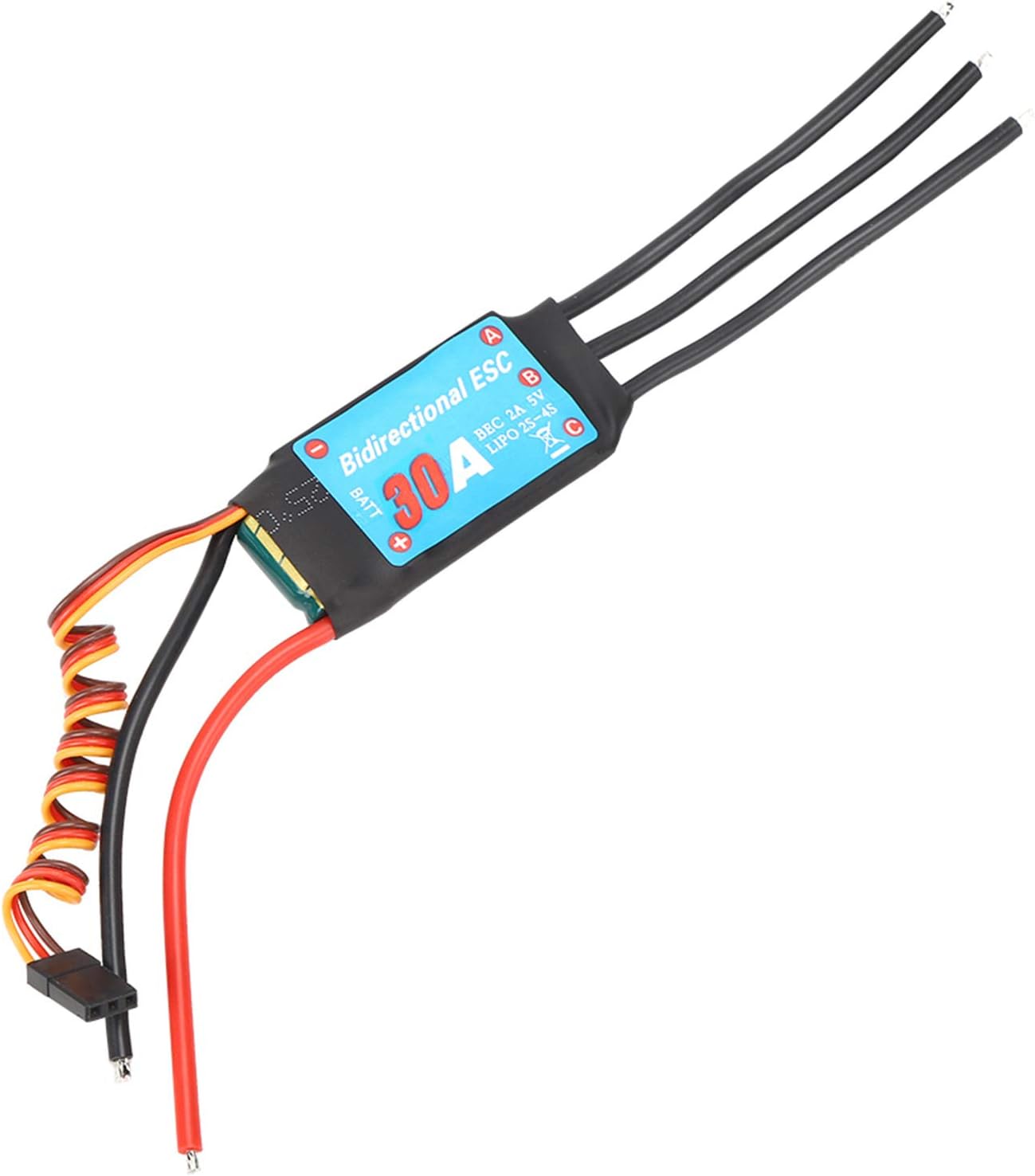
Figure 6: Ejoyous 30A Brushless ESC connected, showing the main unit and wiring against a technical background.
6. Operating Instructions
This ESC is designed for straightforward operation with a 1:1 unidirectional power output. This means it provides forward motion only, with no braking or direct reverse function. It offers a fast response speed and good control capability for your RC model.

Figure 7: The ESC's unidirectional power output characteristic, emphasizing no braking and quick response.
The ESC is plug and play, requiring no throttle path calibration. The motor will not rotate regardless of the throttle stick position when first connected to the battery, ensuring a safe startup. Simply adjust the throttle on your transmitter to achieve the desired speed. Release the throttle to stop the motor.
7. Maintenance
Proper maintenance extends the lifespan of your ESC:
- Keep the ESC clean and free from dust, dirt, and moisture. Use a soft brush or compressed air for cleaning.
- Regularly inspect all wires and connectors for signs of wear, damage, or loose connections.
- Ensure adequate airflow around the ESC during operation to prevent overheating.
- Store the ESC in a dry, cool environment when not in use.
8. Troubleshooting
If you encounter issues with your ESC, consider the following common troubleshooting steps:
- No Motor Response: Check all connections (battery, motor, receiver). Ensure the battery is charged and the transmitter is on. Verify the throttle trim on your transmitter is centered.
- Motor Stutters or Runs Irregularly: Check motor wire connections for looseness or damage. Ensure the motor is compatible with a 30A ESC.
- ESC Overheats: Ensure proper ventilation. Check for excessive load on the motor or incorrect gearing.
- Loss of Control: Check receiver and transmitter battery levels. Ensure the signal wire is securely connected to the receiver.
For persistent issues, consult the manual of your RC vehicle or contact customer support.
9. Warranty and Support
Ejoyous is committed to providing high-quality products. For any questions or concerns regarding your 30A Brushless ESC, please contact our customer support. We aim to respond to inquiries within 24 hours.
Please retain your proof of purchase for warranty claims.