
Introduction
This manual provides instructions for the HCDZ Replacement Remote Control, designed for seamless operation with Fenda F&D A180X and T60X 2.1 Multimedia Speakers. This remote requires no programming and is ready for use once batteries are installed.
Setup
Battery Installation
The remote control requires two AAA batteries (not included). Follow these steps to install them:
- Locate the battery compartment on the back of the remote control.
- Slide the battery compartment cover downwards or in the direction indicated by an arrow to open it.
- Insert two AAA batteries, ensuring the positive (+) and negative (-) terminals align correctly with the markings inside the compartment.
- Replace the battery compartment cover by sliding it back into place until it clicks securely.
Note: Do not mix new batteries with old ones. Ensure batteries are inserted correctly to prevent damage.
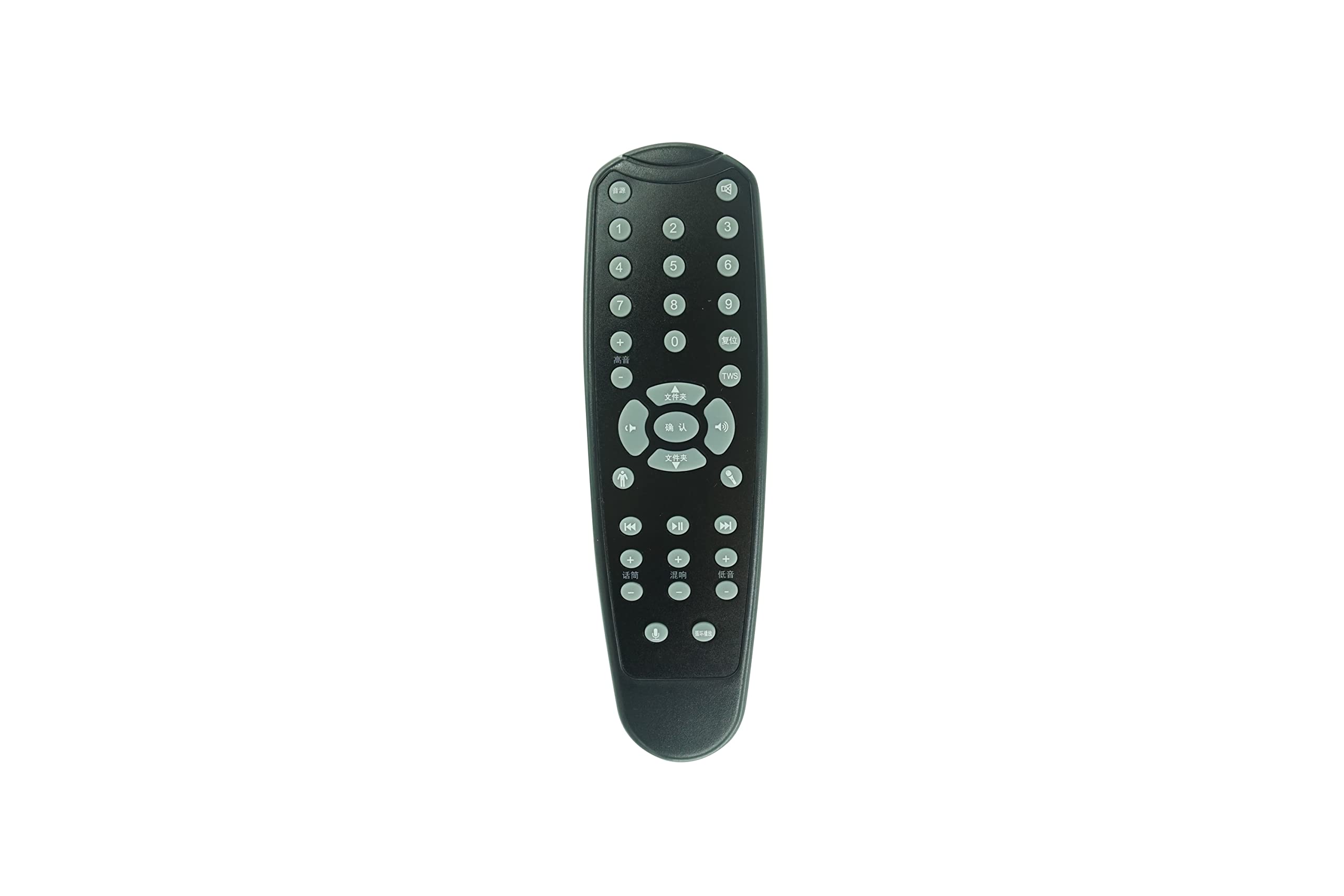
Image: The HCDZ Replacement Remote Control. This image shows the front of the remote, typically where buttons are located. The battery compartment is on the reverse side.
Operation
Basic Functions
This remote control is designed to work immediately with your Fenda F&D A180X or T60X 2.1 Multimedia Speakers without any programming. Simply point the remote towards the speaker's infrared (IR) sensor and press the desired button.
- Power Button: Turns the speaker system on or off.
- Volume Up/Down: Adjusts the audio volume.
- Mode/Input: Switches between different audio input sources (e.g., Bluetooth, AUX, USB, SD card).
- Play/Pause: Controls media playback.
- Previous/Next Track: Navigates through media tracks.
- Mute: Silences the audio output.
Note: The specific functions available depend on the original remote's layout and the capabilities of your Fenda F&D speaker model. Refer to your speaker's original manual for detailed button functions.
Maintenance
Proper care ensures the longevity of your remote control:
- Cleaning: Use a soft, dry cloth to clean the remote. Do not use liquid cleaners or abrasive materials.
- Storage: Store the remote in a cool, dry place. Avoid exposing it to direct sunlight, extreme heat, or high humidity, as this may cause malfunction or damage.
- Battery Care: If the remote will not be used for an extended period, remove the batteries to prevent leakage and corrosion, which can damage the device.
- Handling: Avoid dropping the remote or subjecting it to strong impacts.
Troubleshooting
If you experience issues with your remote control, try the following solutions:
- Remote Control Not Responding:
- Check Batteries: Ensure batteries are correctly installed with the correct polarity (+/-).
- Replace Batteries: If the batteries are old or depleted, replace them with two fresh AAA batteries.
- Check Battery Terminals: Ensure the battery terminals inside the compartment are clean and making proper contact with the batteries.
- Remote Control Range Issues:
- Move Closer: Ensure you are within the effective range of the speaker's IR sensor.
- Remove Obstructions: Make sure there are no objects blocking the line of sight between the remote control and the speaker's IR sensor.
- Avoid Interference: Do not expose the remote sensor to direct sunlight or strong lighting apparatuses, as this can interfere with the IR signal.
- Speaker Not Responding to Commands:
- Speaker Power: Verify that your Fenda F&D speaker system is plugged in and turned on.
- Speaker IR Sensor: Ensure the IR sensor on your speaker is not covered or obstructed.
Specifications
| Brand | HCDZ |
| Model (Remote) | Replacement Remote Control |
| Compatible Devices | Fenda F&D A180X, T60X 2.1 Multimedia Speakers |
| Connectivity Technology | Infrared (IR) |
| Power Source | 2 x AAA Batteries (not included) |
| Programming Required | No |
| Color | Black |
| Max Supported Devices | 1 |
| Controller Type | Button Control |
Warranty & Support
Warranty Information
This HCDZ Replacement Remote Control comes with a 90-day warranty from the date of purchase. This warranty covers manufacturing defects. It does not cover damage caused by misuse, accidents, unauthorized modifications, or normal wear and tear.
Customer Support
For technical assistance, warranty claims, or further inquiries, please contact your retailer or the HCDZ customer service department through the platform where the product was purchased.