
1. Introduction
This manual provides essential information for the proper installation, operation, and maintenance of your RECOIL RCI66 6-Channel RCA Audio Cable. This cable is designed to deliver clear, noise-free audio signals for various electronic devices, including home theaters, sound systems, and audio mixers. Please read these instructions carefully before use.

Image 1: RECOIL RCI66 6-Channel RCA Audio Cable.
2. Key Features
The RECOIL RCI66 RCA Audio Cable incorporates several design elements to ensure high-quality audio transmission:
- 6-Channel Configuration: Designed for multi-channel audio systems, providing six distinct audio paths.
- 99.99% Oxygen Free Copper (OFC) Conductors: Utilizes high-purity copper to minimize signal loss and enhance audio clarity.
- Twisted Pair Technology: Reduces electromagnetic interference (EMI) and radio frequency interference (RFI) for a cleaner signal.
- Nickel-Plated and Split-Tip Connectors: Ensures excellent signal transfer and a secure connection.
- Flex Frosted PVC Jacket: Provides durability and flexibility for easy routing and installation.

Image 2: Detailed view of the cable's internal construction and connector features.

Image 3: Connector dimensions and oxygen-free copper conductors.
3. Installation Guide
Follow these general steps for connecting your RECOIL RCI66 RCA Audio Cable:
- Identify Components: Determine the audio output ports on your source device (e.g., head unit, audio mixer) and the input ports on your receiving device (e.g., amplifier, home theater receiver).
- Power Off Devices: Ensure all audio equipment is powered off before making any connections to prevent damage.
- Connect RCA Cables: Match the color-coded RCA connectors from the RCI66 cable to the corresponding input/output ports on your devices. Typically, red is for right channel audio, white/black for left channel audio, and other colors for additional channels (e.g., center, subwoofer, surround).
- Secure Connections: Gently push the RCA connectors firmly onto the ports until they are snug. The split-tip design helps ensure a secure fit.
- Cable Routing: Route the cable away from power lines or other sources of electrical interference to maintain signal integrity. The flexible PVC jacket allows for easier routing.
- Power On and Test: Once all connections are made, power on your audio equipment and test the sound output.
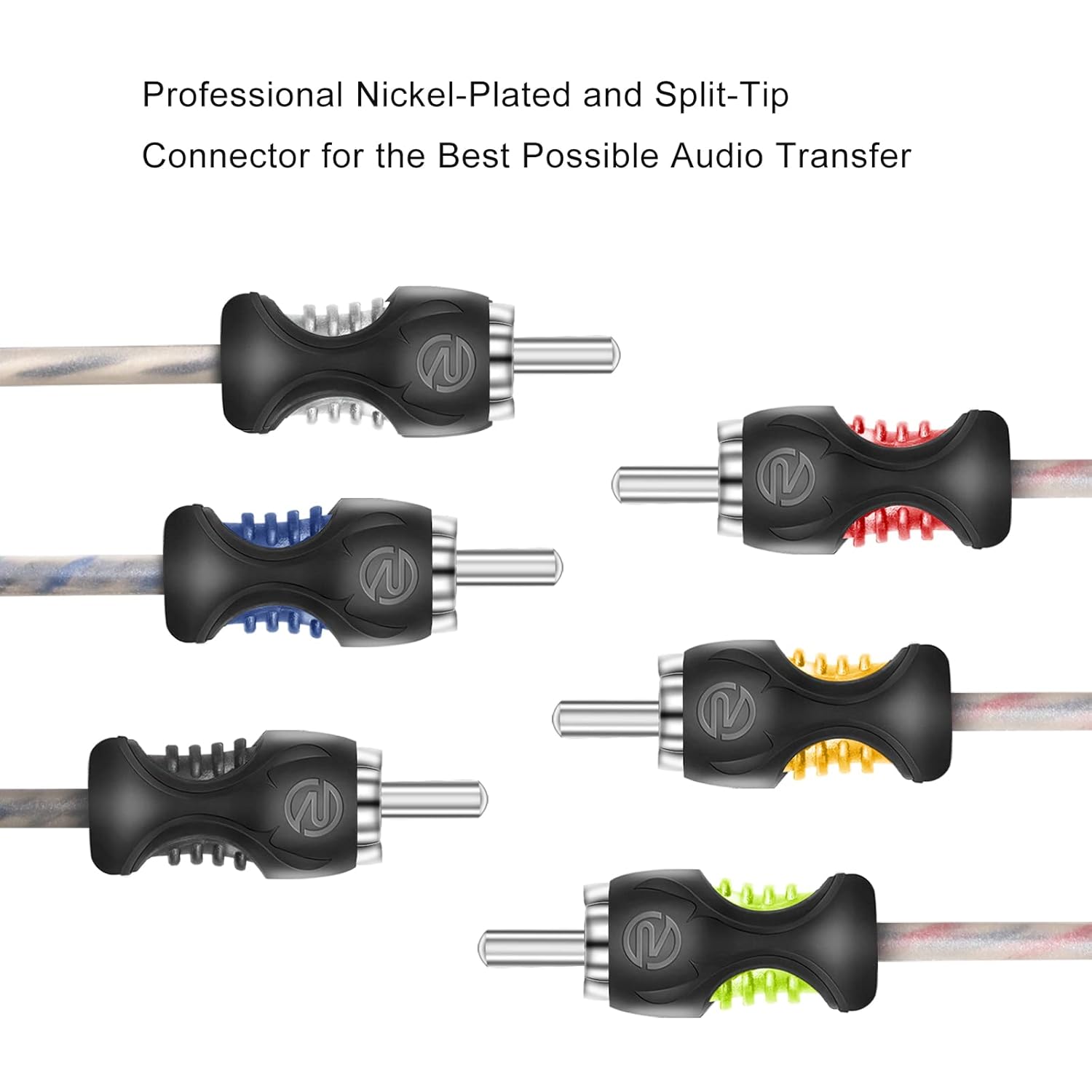
Image 4: Professional nickel-plated and split-tip connectors.
Installation Video
Video 1: Official RECOIL video demonstrating the features and installation of the RCI66 6-Channel RCA Audio Cable, highlighting its 100% OFC construction and twisted pair technology.
4. Operation
Once properly installed, the RECOIL RCI66 RCA Audio Cable operates passively to transmit audio signals. No user interaction is required beyond ensuring secure connections. The cable is designed for continuous, reliable performance.
5. Maintenance and Care
To ensure the longevity and optimal performance of your RCA cable:
- Handle with Care: Avoid sharp bends, kinks, or excessive pulling on the cable.
- Clean Connectors: Periodically inspect and gently clean the metal contacts of the RCA connectors with a dry, lint-free cloth to remove dust or debris.
- Storage: When not in use, store the cable in a clean, dry environment, preferably coiled loosely to prevent stress on the conductors.
- Avoid Extreme Conditions: Do not expose the cable to extreme temperatures, direct sunlight for prolonged periods, or harsh chemicals.
6. Troubleshooting
If you experience issues with your audio system, consider the following:
- No Audio: Verify that all RCA connections are secure and correctly matched (e.g., left output to left input). Check power to all audio components.
- Static or Noise: The RCI66 cable features twisted pair technology and oxygen-free copper to minimize noise. If static or hum is present, ensure the cable is routed away from power cables or other electrical interference sources. Check for loose connections.
- Distorted Audio: Ensure the volume levels on all connected devices are appropriately set and not overdriven. Check for damaged connectors or cables.
If problems persist after checking these points, consult the manuals for your connected audio components or contact RECOIL customer support.
7. Technical Specifications
| Feature | Specification |
|---|---|
| Model Name | RCI66 |
| Cable Type | RCA Interconnect |
| Channels | 6-Channel |
| Length | 6 feet |
| Conductor Material | 99.99% Oxygen Free Copper |
| Jacket Material | Flex Frosted PVC |
| Connector Type | Nickel-Plated, Split-Tip RCA |
| Construction | Twisted Pair Technology |
| Compatible Devices | Electronic devices with RCA input ports (home theaters, sound systems, audio mixers) |
| Item Weight | 0.23 Kilograms |
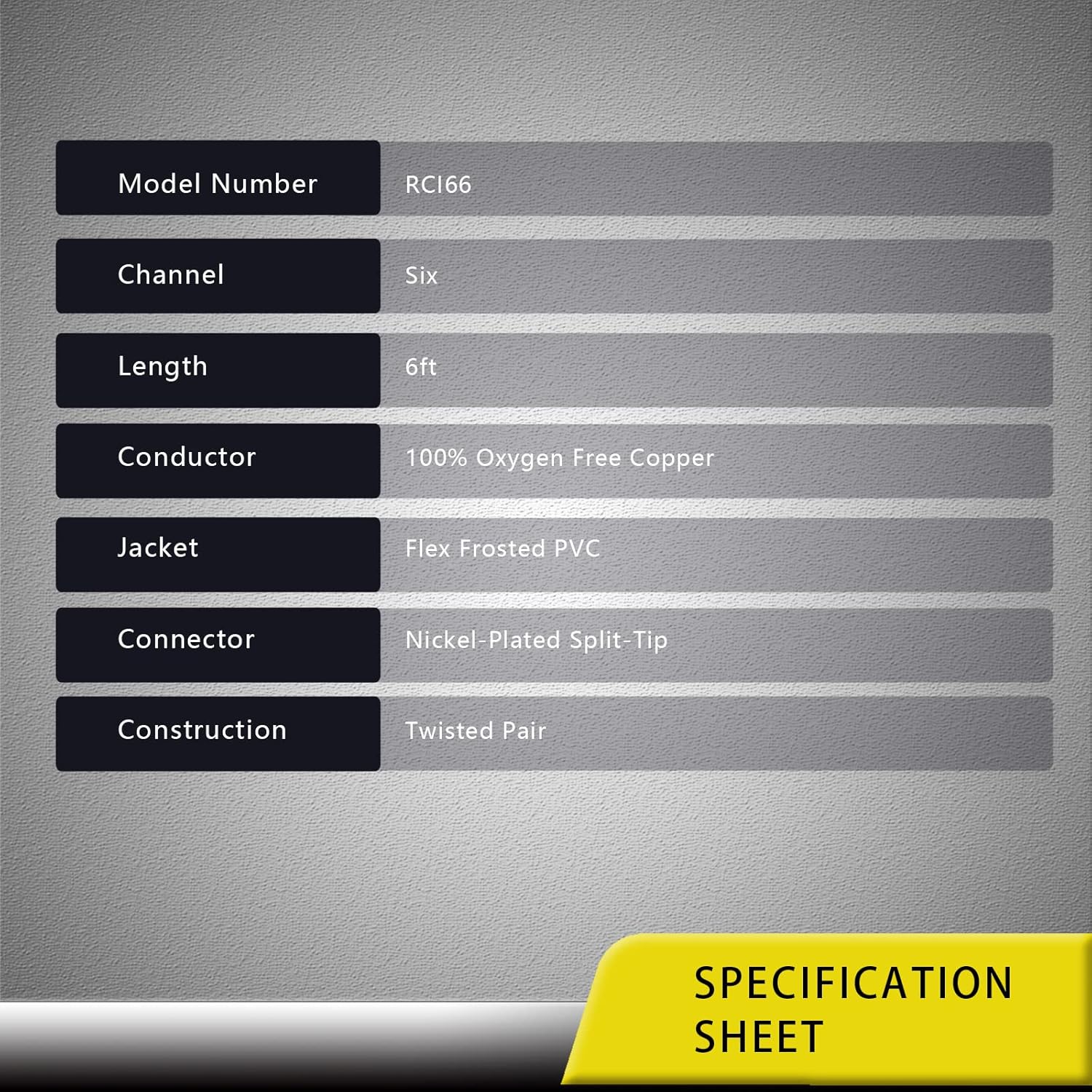
Image 5: RECOIL RCI66 Specification Sheet.
8. Warranty and Support
For warranty information and customer support, please refer to the official RECOIL website or contact your retailer. Keep your purchase receipt for any warranty claims.
For additional products and information, visit the RECOIL Store.