
1. Introduction
Thank you for choosing the GreenForest L Shaped Desk. This manual provides essential information for the safe assembly, operation, and maintenance of your new desk. Designed for versatility, this desk features a reversible desktop, integrated power outlets, a monitor stand, and convenient accessories like a headphone hook and cup holder. Please read these instructions carefully before beginning assembly and retain this manual for future reference.
2. Safety Information
- Read All Instructions: Ensure you understand all assembly steps and safety warnings before proceeding.
- Two-Person Assembly Recommended: For safety and ease, it is recommended that two adults assemble this desk.
- Weight Capacity: Do not exceed the maximum weight recommendation of 100 pounds (45 kg) on the desktop. Distribute weight evenly.
- Electrical Safety: The built-in power strip is rated for 125V/12A (3 AC outlets) and 5V/2A (2 USB ports). Do not overload the power strip. Ensure all devices connected are compatible with these specifications. Do not expose the power strip to liquids.
- Stable Placement: Place the desk on a flat, level surface to prevent wobbling or tipping.
- Secure All Fasteners: Ensure all screws and bolts are tightened securely during assembly. Periodically check and re-tighten as needed.
- Keep Away from Children: Small parts and plastic bags can be choking hazards. Keep them away from children during assembly.
3. Package Contents
Before assembly, verify that all components listed below are present and undamaged. If any parts are missing or damaged, please contact customer support.
- Desktop Panels (Long, Short, Corner)
- Monitor Stand
- Desk Frame Components (Legs, Support Bars)
- Built-in Power Strip (3 AC Outlets, 2 USB Ports) with 6.5-foot Power Cord
- Headphone Hook
- Cup Holder
- Assembly Hardware (Screws, Allen Wrench, etc.)
- Instruction Manual
4. Setup and Assembly Instructions
Please follow these steps carefully for proper assembly. It is recommended to assemble the desk on a soft, clean surface to prevent scratches.
- Unpack and Identify Parts: Lay out all components and hardware. Refer to the parts list to ensure everything is accounted for.
- Assemble the Frame: Attach the leg frames to the support bars using the provided hardware. Ensure all connections are snug but do not fully tighten screws until the entire frame is assembled. The X-leg design enhances stability.
- Attach Desktop Panels: The desk features a reversible design, allowing the 50.6-inch long desktop and 48.4-inch short desktop to be installed on either the left or right side. Decide on your preferred configuration before attaching the panels to the frame. Secure the desktop panels to the assembled frame using the designated screws.
- Install Monitor Stand: Position the monitor stand on the desired desktop section and secure it.
- Integrate Power Strip: Carefully place the built-in power strip into its recessed slot on the monitor stand. Secure it with the provided screws.
- Attach Accessories: Install the headphone hook and cup holder to the underside of the desktop in your preferred locations. These can be installed on either the left or right side.
- Final Tightening: Once all components are in place and aligned, fully tighten all screws and bolts. Do not overtighten.

Image 4.1: Overall dimensions of the GreenForest L Shaped Desk, showing the 50.6-inch and 48.4-inch desktop sections, 18.9-inch depth, and 29.5-inch height.

Image 4.2: Diagram illustrating the reversible L-shaped desk design, allowing the long or short side to be positioned on the left.

Image 4.3: Close-up view of the desk's sturdy metal frame construction, highlighting the X-leg design for stability.
Assembly Video Guide
Video 4.1: An official video demonstrating the features and assembly process of the GreenForest L Shaped Desk with Power Outlets. This video provides a visual guide to help with setup.
5. Operating Instructions
Your GreenForest L Shaped Desk is designed with several features to enhance your workspace.
5.1. Using the Built-in Power Outlets
The desk includes a recessed power strip with 3 standard AC outlets and 2 USB ports. Simply plug the desk's power cord into a wall outlet. You can then connect your electronic devices directly to the desk for convenient charging and power access.

Image 5.1: Close-up of the recessed power strip, showing the 3 AC outlets and 2 USB ports for charging electronic devices.
5.2. Reversible Desktop Configuration
The L-shaped desktop can be configured with the longer section on either the left or right side during assembly. This flexibility allows you to adapt the desk to your room layout and personal preference, making it suitable for various small spaces.
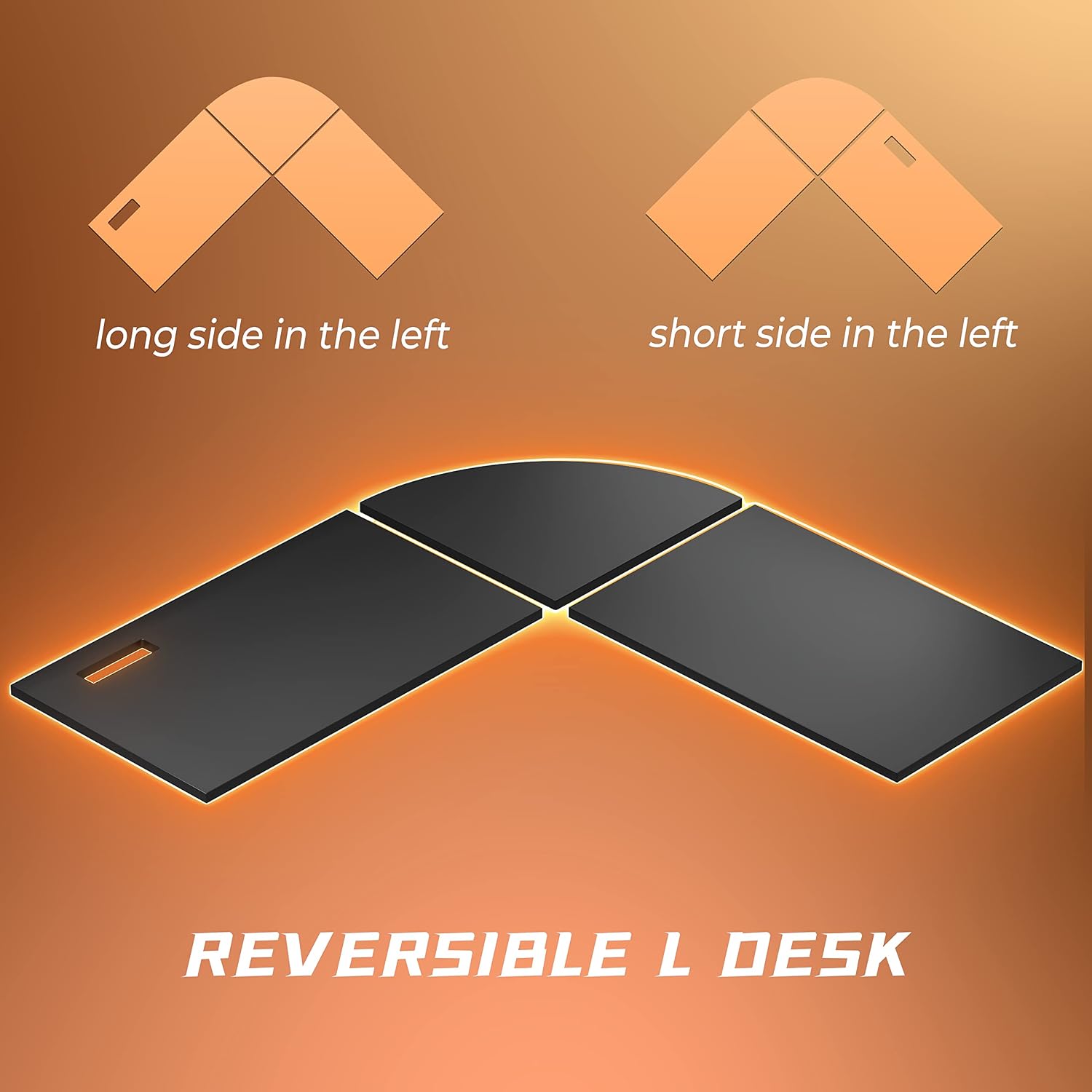
Image 5.2: Visual representation of the reversible L-shaped desk, demonstrating how the desktop sections can be arranged for left or right orientation.
5.3. Using the Monitor Stand
The built-in monitor stand elevates your screen to an ergonomic height. This helps maintain a correct sitting posture, reducing strain on your cervical spine and neck during long periods of use.

Image 5.3: Illustration demonstrating the ergonomic benefits of the monitor stand, showing how it helps achieve a correct sitting posture.
5.4. Headphone Hook and Cup Holder
The desk includes a convenient headphone hook and a cup holder, which can be installed on either the left or right side of the desk. These accessories help keep your desktop organized and free from clutter, providing dedicated spots for your headphones and beverages.
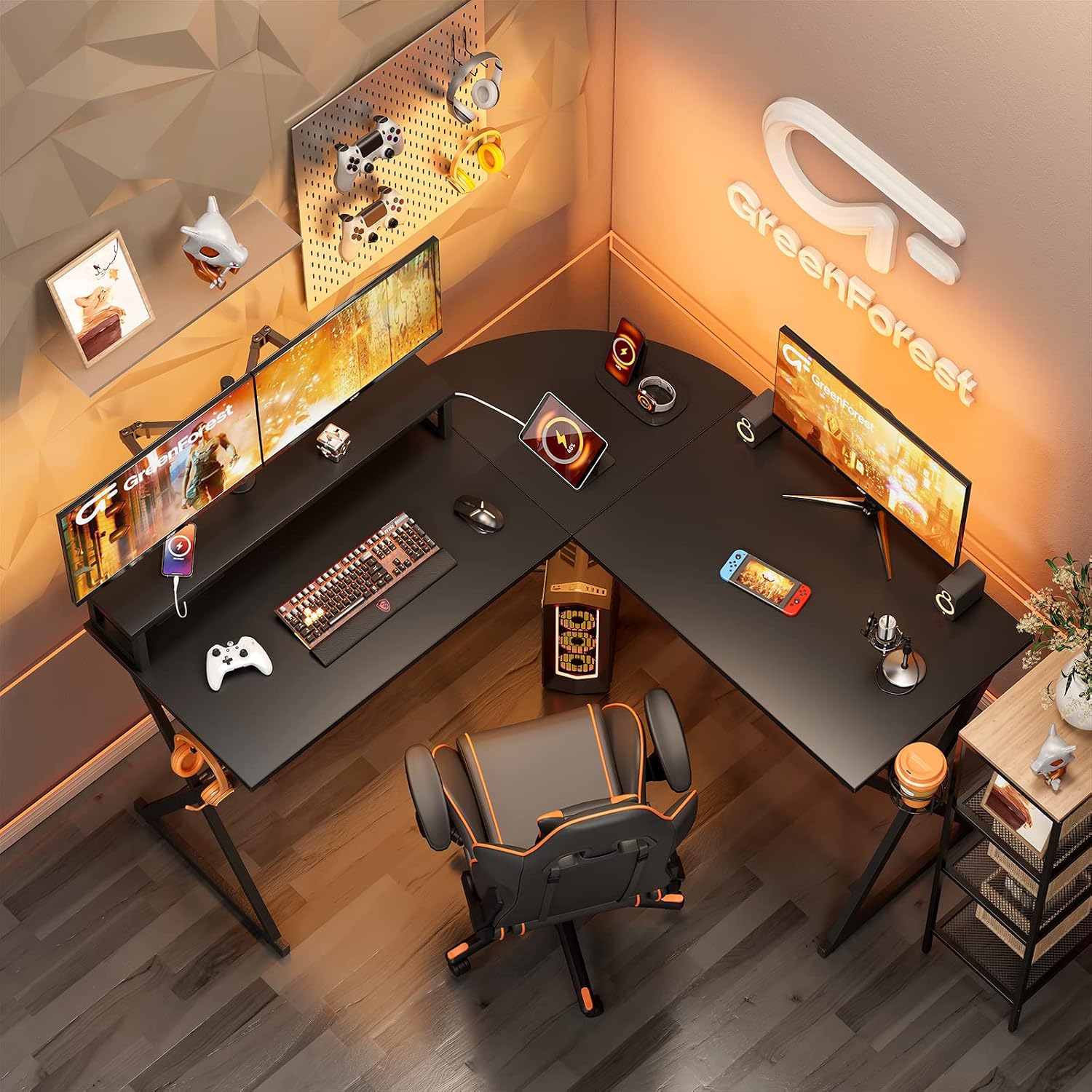
Image 5.4: Close-up view of the headphone hook and cup holder, showing their placement options on the desk.
6. Maintenance
Proper care and maintenance will extend the life of your GreenForest L Shaped Desk.
- Cleaning: Wipe the desk surfaces with a soft, damp cloth. For stubborn marks, use a mild, non-abrasive cleaner. Avoid harsh chemicals that may damage the finish.
- Hardware Check: Periodically inspect all screws and bolts to ensure they remain tight. Re-tighten if necessary to maintain stability.
- Avoid Excessive Moisture: Do not allow liquids to sit on the desktop for extended periods, especially near the power outlets.
- Protect from Heat: Avoid placing hot items directly on the desktop. Use coasters or protective pads.
7. Troubleshooting
If you encounter any issues with your desk, please refer to the following common problems and solutions:
- Desk is Wobbly:
- Ensure all assembly screws and bolts are fully tightened.
- Verify that the desk is placed on a flat and level surface. Adjust the leveling feet if present.
- Check that all frame components are correctly aligned according to the assembly instructions.
- Power Outlets Not Working:
- Confirm that the desk's main power cord is securely plugged into a functional wall outlet.
- Check if the power strip itself has a reset button or circuit breaker that may have tripped.
- Ensure devices are correctly plugged into the power strip's AC or USB ports.
- Parts Do Not Fit Together:
- Double-check the assembly instructions and diagrams to ensure you are using the correct parts for each step and orienting them correctly.
- Some parts may appear similar but have subtle differences. Refer to part numbers if provided.
- Avoid forcing parts together. If a part does not fit easily, re-examine the instructions.
If you are unable to resolve an issue using these troubleshooting steps, please contact GreenForest customer support for further assistance.
8. Specifications
| Feature | Detail |
|---|---|
| Brand | GreenForest |
| Model Number | BARON |
| Shape | L-Shape |
| Product Dimensions (D x W x H) | 18.9" x 50.6" x 29.5" |
| Top Material Type | Engineered Wood |
| Base Material | Metal |
| Color | Black |
| Special Feature | Reversible, Built-in Monitor Stand, Power Outlets, Headphone Hook, Cup Holder |
| Power Outlets | 3 AC Outlets (125V/12A), 2 USB Ports (5V/2A) |
| Power Cord Length | 6.5 feet |
| Maximum Weight Recommendation | 100 Pounds |
| Assembly Required | Yes |
9. Warranty Information
The GreenForest L Shaped Desk comes with a 2-year limited warranty. This warranty covers manufacturing defects in materials and workmanship under normal use. It does not cover damage resulting from improper assembly, misuse, abuse, accidents, or unauthorized modifications. Please retain your proof of purchase for warranty claims.
10. Customer Support
For any questions, concerns, or assistance with your GreenForest L Shaped Desk, please do not hesitate to contact our customer service team. Our after-sale team is dedicated to providing support whenever you need it.
Please have your model number (BARON) and purchase information ready when contacting support to ensure a swift resolution.
Contact Information:
Refer to the GreenForest official website or your purchase platform for the most current contact details.


