
1. Introduction
This manual provides essential information for the safe and effective operation, assembly, and maintenance of your SoarFlash Folding Treadmill. Please read all instructions carefully before initial use and retain this manual for future reference.
2. Important Safety Instructions
To reduce the risk of serious injury, always follow basic precautions when using this treadmill:
- Read all instructions in this manual before using the equipment.
- Keep children and pets away from the treadmill during operation.
- Place the treadmill on a solid, level surface with at least 2 feet of clear space on each side and 6 feet behind it.
- Ensure the safety key is properly attached to your clothing before starting the treadmill. In case of emergency, pulling the safety key will immediately stop the machine.
- Do not operate the treadmill if it has a damaged cord or plug, or if it is not working properly.
- Consult a physician before starting any exercise program.
- Do not exceed the maximum user weight capacity of 220 lbs (100 kg).
- Wear appropriate exercise clothing and athletic shoes.
- Always hold the handrails when starting or stopping the treadmill.
- Unplug the treadmill from the power outlet when not in use or before cleaning and maintenance.
3. Package Contents
Verify that all components are present in the package:
- SoarFlash Folding Treadmill Unit
- Tool Kit for Assembly
- Instruction Manual (this document)
- Safety Key
4. Setup and Assembly
The SoarFlash Folding Treadmill is designed for easy assembly, with most parts pre-assembled. Typically, one person can complete the assembly within 15 minutes using the included tool kit.
4.1 Unpacking
Carefully remove all components from the packaging. Place the main treadmill frame on a flat, stable surface.
4.2 Unfolding the Treadmill
Gently lift the running deck until it locks into the upright position. Ensure all locking mechanisms are securely engaged before proceeding.

Image: The SoarFlash Folding Treadmill shown in its compact, folded position, ideal for storage.
4.3 Handlebar and Console Attachment
Attach the handlebars and console to the main frame using the provided bolts and tools. Connect any necessary wiring harnesses as indicated in the visual guide (if applicable). Ensure all connections are firm.
4.4 Incline Adjustment
The treadmill features a 3-stage adjustable incline. To change the incline, manually adjust the base supports at the rear of the treadmill to your desired level. Ensure both sides are set equally.

Image: Close-up of the treadmill's base, illustrating the manual incline adjustment points.
4.5 Power Connection
Plug the power cord into a grounded electrical outlet. Ensure the power switch is in the OFF position before plugging in.
5. Operating Instructions
5.1 Getting Started
- Attach the safety key clip to your clothing.
- Step onto the treadmill belt, placing your feet on the side rails.
- Press the 'START' button on the console. The treadmill will begin at a low speed.
- Adjust the speed using the '+' and '-' buttons or preset speed buttons. The treadmill supports speeds from 0.5 to 7.5 MPH.
5.2 Console Functions
The LCD display shows key workout metrics:
- Time: Duration of your workout.
- Speed: Current speed of the running belt.
- Distance: Total distance covered during the workout.
- Calories: Estimated calories burned.
- Heart Rate: (If applicable, via hand sensors).
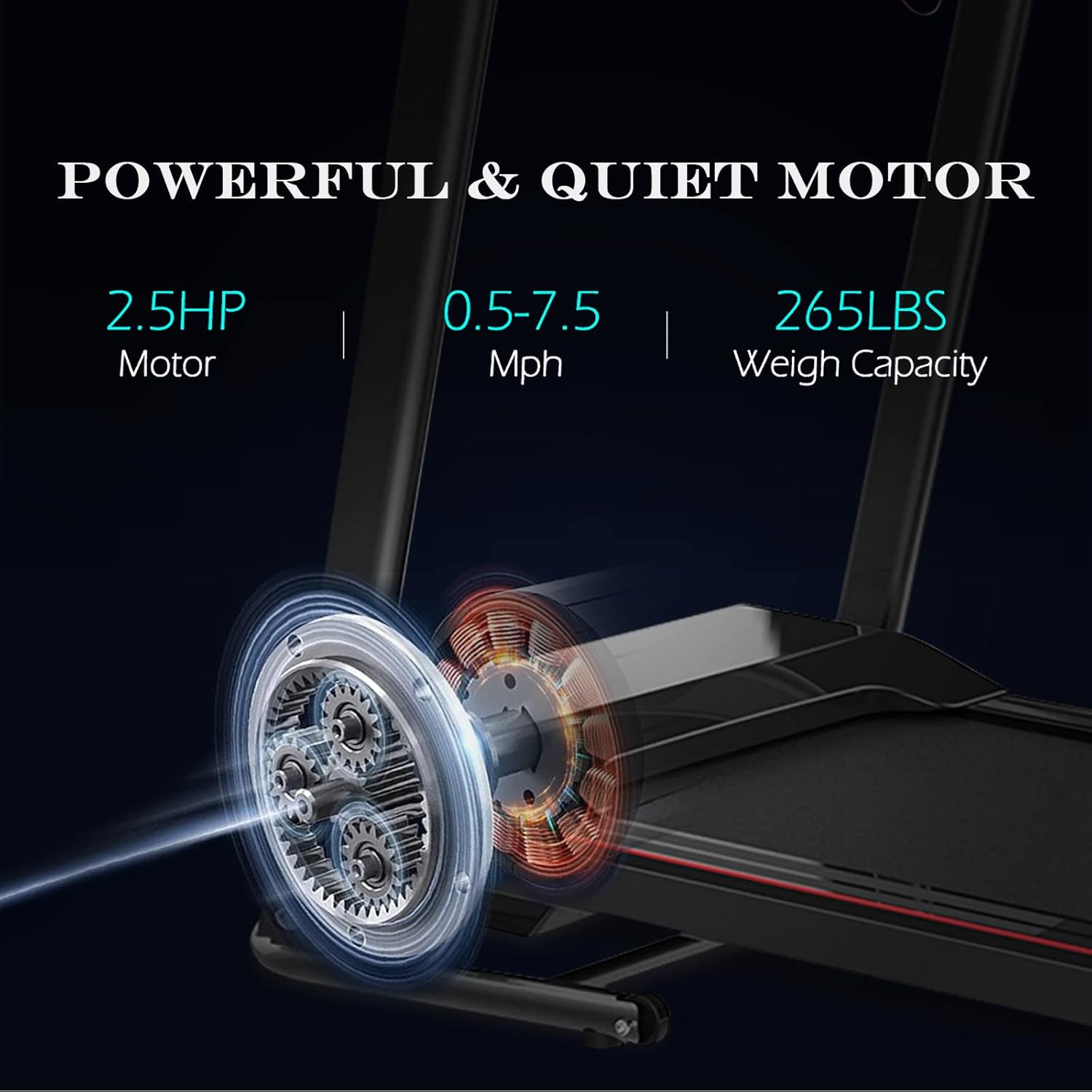
Image: The treadmill's control panel featuring the LCD display, speed controls, and program selection buttons.
5.3 Preset Programs
The treadmill includes 12 pre-set training modes. Press the 'PROGRAM' button to cycle through the available programs. Each program offers varying speed and incline profiles to target different fitness goals.
5.4 Bluetooth Connectivity
The treadmill is equipped with Bluetooth speakers. To connect your device:
- Ensure Bluetooth is enabled on your smartphone or tablet.
- Search for available devices and select 'SoarFlash Treadmill' (or similar name).
- Once connected, you can play audio through the treadmill's speakers.

Image: Detail of the treadmill console, highlighting the integrated cup holder and device holder for convenience during workouts.
5.5 Stopping the Treadmill
To stop the treadmill, press the 'STOP' button. For an emergency stop, pull the safety key from the console. The treadmill will immediately cease operation.
5.6 Folding and Storage
To fold the treadmill for storage:
- Ensure the treadmill is completely stopped and unplugged.
- Lift the running deck until it locks into the vertical position.
- Utilize the transport wheels at the base to move the treadmill to a desired storage location.
Video: An official product video demonstrating the folding mechanism and portability of the SoarFlash Folding Treadmill.
6. Maintenance
Regular maintenance ensures the longevity and optimal performance of your treadmill.
6.1 Cleaning
Wipe down the treadmill surfaces with a damp cloth after each use. Avoid using abrasive cleaners or solvents. Keep the running belt and motor cover free of dust and debris.
6.2 Belt Lubrication
The running belt requires periodic lubrication to reduce friction. Refer to the specific instructions in your included manual for the correct type of lubricant and application frequency. Typically, this is done every few months depending on usage.
6.3 Belt Tension and Alignment
Check the running belt tension and alignment regularly. If the belt slips or drifts to one side, adjust it according to the instructions in the full manual. Over-tightening can damage the motor and belt.
7. Troubleshooting
If you encounter issues with your SoarFlash Folding Treadmill, refer to the following common problems and solutions:
| Problem | Possible Cause | Solution |
|---|---|---|
| Treadmill does not start. | Power cord unplugged, safety key not in place, power switch off. | Ensure power cord is securely plugged in, safety key is correctly inserted, and power switch is ON. |
| Running belt slips. | Belt tension too loose. | Adjust belt tension according to maintenance instructions. |
| Running belt drifts to one side. | Belt alignment incorrect. | Adjust belt alignment according to maintenance instructions. |
| Error Code 6 displayed. | Motor issue or connection problem. | Turn off and unplug the treadmill. Check all motor connections. If the issue persists, contact customer support. |
| Unusual noise during operation. | Loose parts, lack of lubrication, or foreign object. | Inspect for loose bolts and tighten. Lubricate the belt if needed. Check for any objects under the belt or motor cover. |
8. Specifications
| Feature | Detail |
|---|---|
| Brand | SoarFlash |
| Model Number | SoarFlash |
| Product Dimensions (Unfolded) | 49.5"D x 20.5"W x 46"H |
| Folded Size | 21.1"L x 14"W x 50"H |
| Item Weight | Approx. 50 lbs (Note: JSON states '50 tons', which is an error. Assuming 50 lbs for a home treadmill.) |
| Material | Alloy Steel |
| Maximum Horsepower | 2.5 HP |
| Speed Range | 0.5 - 7.5 MPH |
| Incline Levels | 3 (Manual Adjustment) |
| Preset Programs | 12 |
| Maximum Weight Capacity | 220 lbs |
| Display Type | LCD |
| Connectivity | Bluetooth |
| Power Source | Corded Electric (220 watts input power) |
| Special Features | Foldable design, Shock Absorption, Cup Holder, Device Holder |
9. Warranty and Support
For warranty information and customer support, please refer to the documentation included with your purchase or contact the manufacturer directly. Keep your proof of purchase for any warranty claims.
For assistance, please visit the official SoarFlash website or contact their customer service department.
