1. Introduction
Thank you for purchasing the Rosekm 4.0L Cool Mist Humidifier. This manual provides important information regarding the setup, operation, maintenance, and troubleshooting of your new humidifier. Please read this manual thoroughly before use and retain it for future reference.
2. Important Safety Instructions
To reduce the risk of fire, electric shock, or injury, please observe the following safety precautions:
- Always place the humidifier on a firm, flat, water-resistant surface away from direct sunlight and heat sources.
- Do not place the humidifier directly on carpet or a soft surface that may block the air intake.
- Keep the humidifier out of reach of children and pets.
- Do not immerse the base in water or other liquids.
- Unplug the humidifier before filling, cleaning, or moving it.
- Do not add essential oils or other chemical additives directly into the water tank or base.
- Use only clean, cool tap water. Distilled water is recommended to prevent mineral buildup.
- Do not block the mist outlet.
- If the humidifier emits an unusual smell or sound, or if smoke appears, unplug it immediately.
3. Package Contents
- Rosekm 4.0L Cool Mist Humidifier
- Cleaning Brush
- User Manual (this document)
4. Product Overview
Familiarize yourself with the components of your Rosekm humidifier.

Image: Front view of the Rosekm 4.0L Cool Mist Humidifier, showing the transparent water tank, the control panel with digital display, and the Rosekm logo.

Image: Diagram illustrating the compact design of the humidifier with dimensions (11.6 inches H, 6.9 inches W), visible water level, and easy touch control panel.
Key Features:
- 4.0L (1 Gallon) Large Capacity
- Up to 50 hours runtime on low mist setting
- Covers rooms up to 430 ft² (40 ㎡)
- Smart Auto Mode with humidity sensor
- Three levels of fixed mist output
- Ultrasonic technology for quiet operation (below 30 dB)
- Auto-dimming display
- Auto shut-off when water runs out
- 1-12 hour ON/OFF timer setting
- Filter-free design
5. Setup
Follow these steps to set up your humidifier for first use:
- Unpack: Carefully remove all packaging materials and place the humidifier on a stable, flat surface.
- Separate Components: Remove the water tank from the base.
- Fill Water Tank: Unscrew the cap at the bottom of the water tank. Fill the tank with clean, cool tap water. Distilled water is recommended to minimize mineral buildup. Do not fill past the MAX line.
- Secure Cap: Tightly screw the cap back onto the water tank.
- Place Tank on Base: Carefully place the filled water tank onto the humidifier base, ensuring it is seated correctly. The Rosekm logo on the tank should align with the control panel on the base.
- Plug In: Plug the power cord into a standard 110V AC electrical outlet. The display will illuminate, indicating it's ready for operation.

Image: A humidifier placed on a wooden table, with callouts highlighting its 4.0L large capacity, timer setting, smart auto mode, and humidity sensor.
6. Operating Instructions
Your Rosekm humidifier offers various settings for optimal comfort.
Power On/Off:
- Press the Power Button (
 ) to turn the humidifier ON or OFF. The display will show the current humidity level when on.
Mist Level Adjustment:
- Press the Mist Level Button () repeatedly to cycle through mist output levels (F1, F2, F3). F3 provides the highest mist output.

Image: An illustration showing the humidifier effectively covering a large living space, highlighting its 4.0L capacity, 50-hour runtime, and 430 sq ft coverage.
Smart Auto Mode:
- Press the Auto Mode Button () to activate Smart Auto Mode. The humidifier will automatically adjust mist levels based on the ambient humidity detected by its built-in sensor.
- The humidifier will increase mist output if humidity is below 40% RH, adjust from mid to low between 40%-80% RH, and auto shut-off if humidity exceeds 80% RH.

Image: Visual representation of the Smart Auto Mode, showing how the humidifier adjusts mist output based on humidity levels (below 40% RH, 40%-80% RH, and above 80% RH) with a humidity sensor display.
Timer Setting:
- Press the Timer Button () to set an auto ON/OFF timer from 1 to 12 hours. Each press increases the timer by 1 hour. The humidifier will automatically turn off after the set time.

Image: A humidifier on a wooden stand surrounded by plants, illustrating the 1-12 hour ON/OFF timer setting feature.
Auto Shut-off:
- The humidifier will automatically shut off when the water level is too low or the tank is removed from the base. This is a safety feature to prevent damage to the unit.
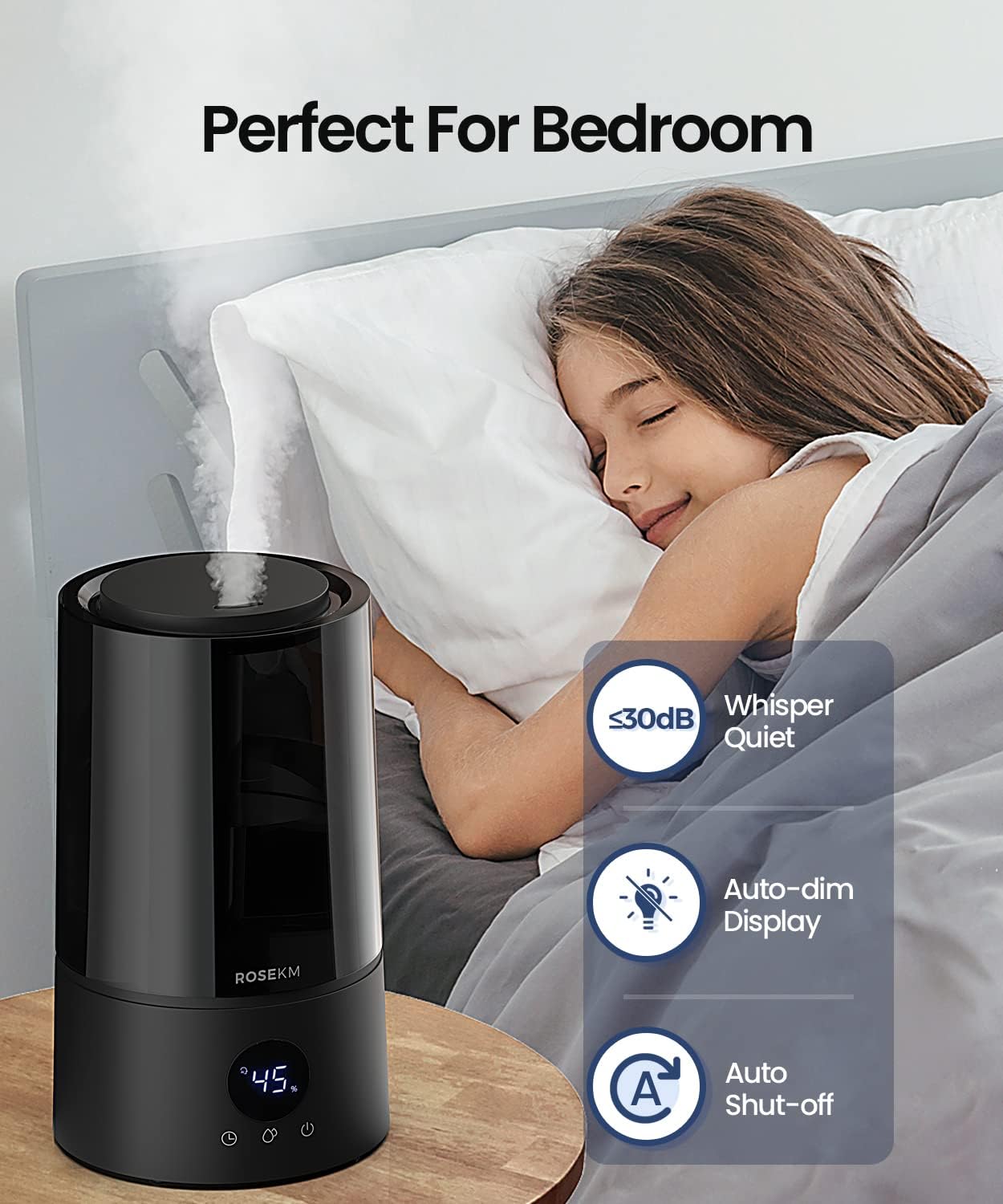
Image: A humidifier next to a sleeping person in a bedroom, emphasizing its quiet operation (below 30dB), auto-dim display, and auto shut-off features for a peaceful sleep environment.
7. Maintenance
Regular cleaning is essential for optimal performance and to prevent mineral buildup and mold growth.
Daily Maintenance:
- Empty the water tank and base daily.
- Rinse the tank and base with clean water.
- Allow all parts to air dry completely before reassembling or storing.
Weekly Cleaning (Descaling):
- Unplug and Disassemble: Ensure the humidifier is unplugged. Remove the water tank and mist nozzle.
- Clean Water Tank: Fill the water tank with 2 tablespoons of white vinegar and 1 gallon of water. Shake gently and let it sit for 30 minutes. Rinse thoroughly with clean water until the vinegar smell is gone.
- Clean Base: Pour 1 cup of white vinegar into the base reservoir. Let it sit for 30 minutes. Use the provided cleaning brush to gently clean the heating element (if applicable) and other internal components. Do not immerse the base in water.
- Rinse Base: Carefully pour out the vinegar from the base. Rinse the base thoroughly with clean water, being careful not to get water into the air outlet.
- Dry: Wipe all surfaces dry with a soft cloth. Ensure all parts are completely dry before reassembly.
Note: Do not use harsh chemicals, abrasive cleaners, or metal brushes to clean the humidifier.
8. Troubleshooting
If you experience issues with your humidifier, please refer to the following common problems and solutions:
| Problem | Possible Cause | Solution |
|---|---|---|
| No mist or low mist output |
|
|
| Unusual noise |
|
|
| Water leakage |
|
|
| White dust around humidifier | Hard water mineral content | Use distilled or demineralized water. Clean regularly. |
9. Specifications
| Feature | Detail |
|---|---|
| Brand | Rosekm |
| Model Name | cool mist humidfiers (KC-KM13S-4L) |
| Capacity | 4.0 Liters (1 Gallon) |
| Max Runtime | Up to 50 hours (on low mist setting) |
| Coverage Area | Up to 430 ft² (40 ㎡) |
| Noise Level | Below 30 dB |
| Product Dimensions | 6.89"D x 6.89"W x 11.61"H |
| Item Weight | 2.7 pounds |
| Voltage | 110 Volts (AC) |
| Wattage | 17 watts |
| Control Method | Touch |
| Special Features | Adjustable Humidity Control, Auto Mode, Digital Display, Low Water Indicator, Timer |
10. Warranty and Support
Rosekm is committed to providing high-quality products and excellent customer service. For specific warranty details, please refer to the warranty card included with your purchase or visit the official Rosekm website.
If you encounter any issues or have questions regarding your humidifier, please contact Rosekm Customer Support:
- Website: Visit the Rosekm Store on Amazon (for general inquiries and product information)
- Email: Refer to your product packaging or the official website for the most current contact email.
Please have your model number (KC-KM13S-4L) and purchase information ready when contacting support.


