
Introduction
The QCY HT05 Multi-Mode Active Noise Cancelling Wireless Earbuds are designed to provide a superior audio experience with advanced noise cancellation and clear call quality. This manual provides essential information for setting up, operating, maintaining, and troubleshooting your earbuds.
Key features include multi-mode active noise cancelling (Transport, Outdoor, Indoor), AI-enhanced calls with 6 microphones, anti-wind noise technology, immersive sound with 10mm LCP graphene dynamic drivers, and extended battery life.
What's in the Box
- A Pair of HT05 MeloBuds
- Charging Station
- Type-C Charging Cable
- Eartips (S/M/L)
- User Manual (this document)
Setup
Initial Charging
Before first use, fully charge the earbuds and the charging case. Connect the provided Type-C charging cable to the charging case and a power source. The LED indicator on the case will show charging status.
Pairing with Your Device
1. Open the charging case and take out the earbuds. They will automatically enter pairing mode.
2. On your smartphone or Bluetooth-enabled device, go to Bluetooth settings and search for "QCY HT05 MeloBuds ANC".
3. Select the device to connect. Once connected, you will hear a voice prompt confirming the connection.

Image: QCY HT05 Earbuds in their open charging case, ready for pairing or charging.
Video: Official user guide demonstrating how to connect the QCY HT05 earbuds to a device.
Operating Instructions
Touch Controls
The QCY HT05 earbuds feature intuitive touch controls on each earbud. Functions can be customized via the QCY App.
- Play/Pause: Double touch either earbud.
- Skip Track Forward: Triple touch the right earbud.
- Voice Assistant: Triple touch the left earbud.
- Switch ANC/Transparency/Normal Mode: Keep touching the right earbud for 1.5 seconds. (ANC is not available in mono mode).
- Turn On/Off Gaming Mode: Keep touching the left earbud for 1.5 seconds.
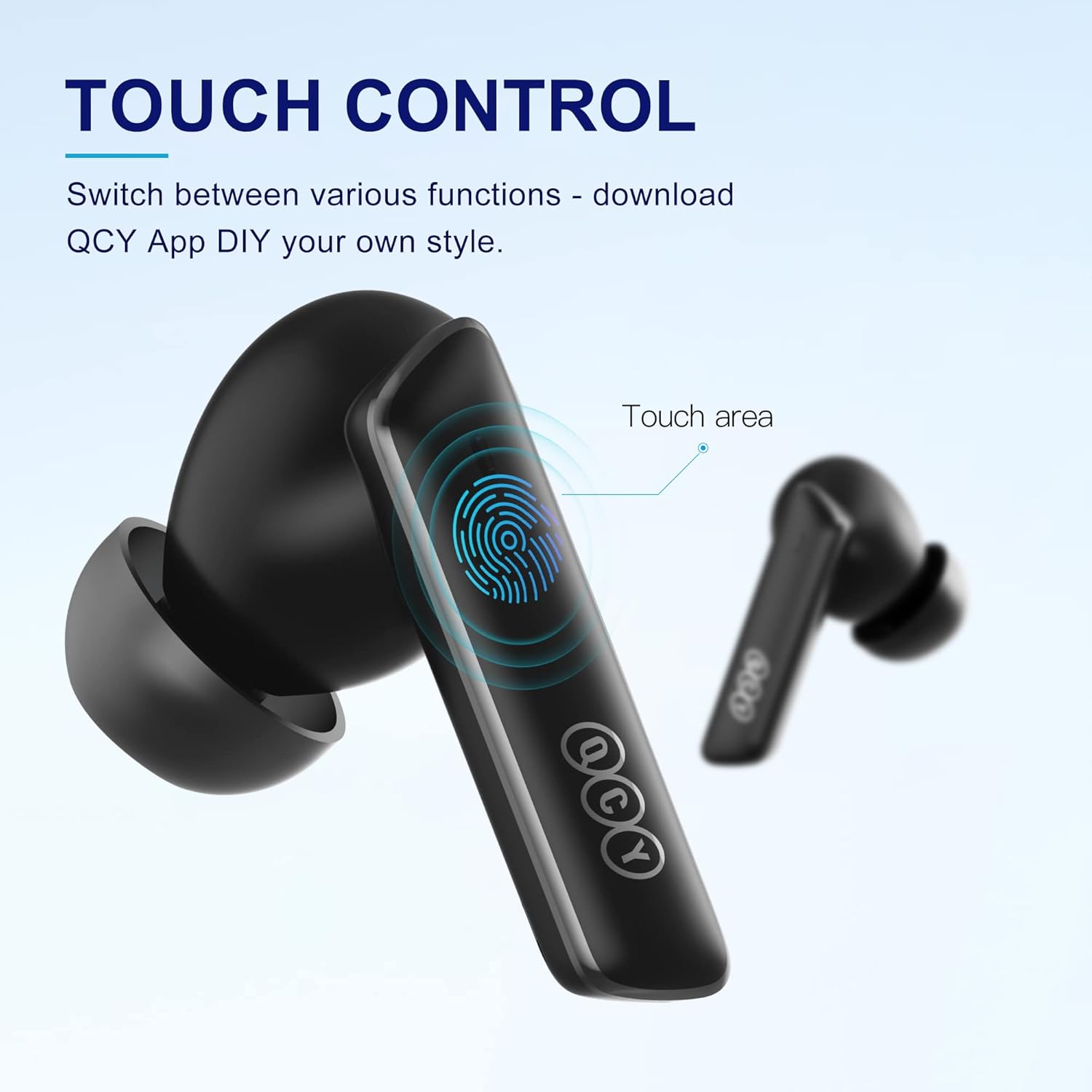
Image: Close-up of a QCY HT05 earbud highlighting the touch control area.
Video: Official user guide demonstrating various touch controls for the QCY HT05 earbuds, including mode switching, music playback, and call management.
Active Noise Cancelling (ANC) Modes
The HT05 offers three specialized ANC modes:
- Transport Mode: Targets low-end frequencies like engine and road noise, ideal for serene journeys.
- Outdoor Mode: Reduces ambient sound on-the-go for quieter city spaces.
- Indoor Mode: Eliminates voices and mid-frequency noise from coffee shops and other indoor spaces.

Image: Diagram illustrating the three targeted active noise cancellation modes: Transport, Outdoor, and Indoor.
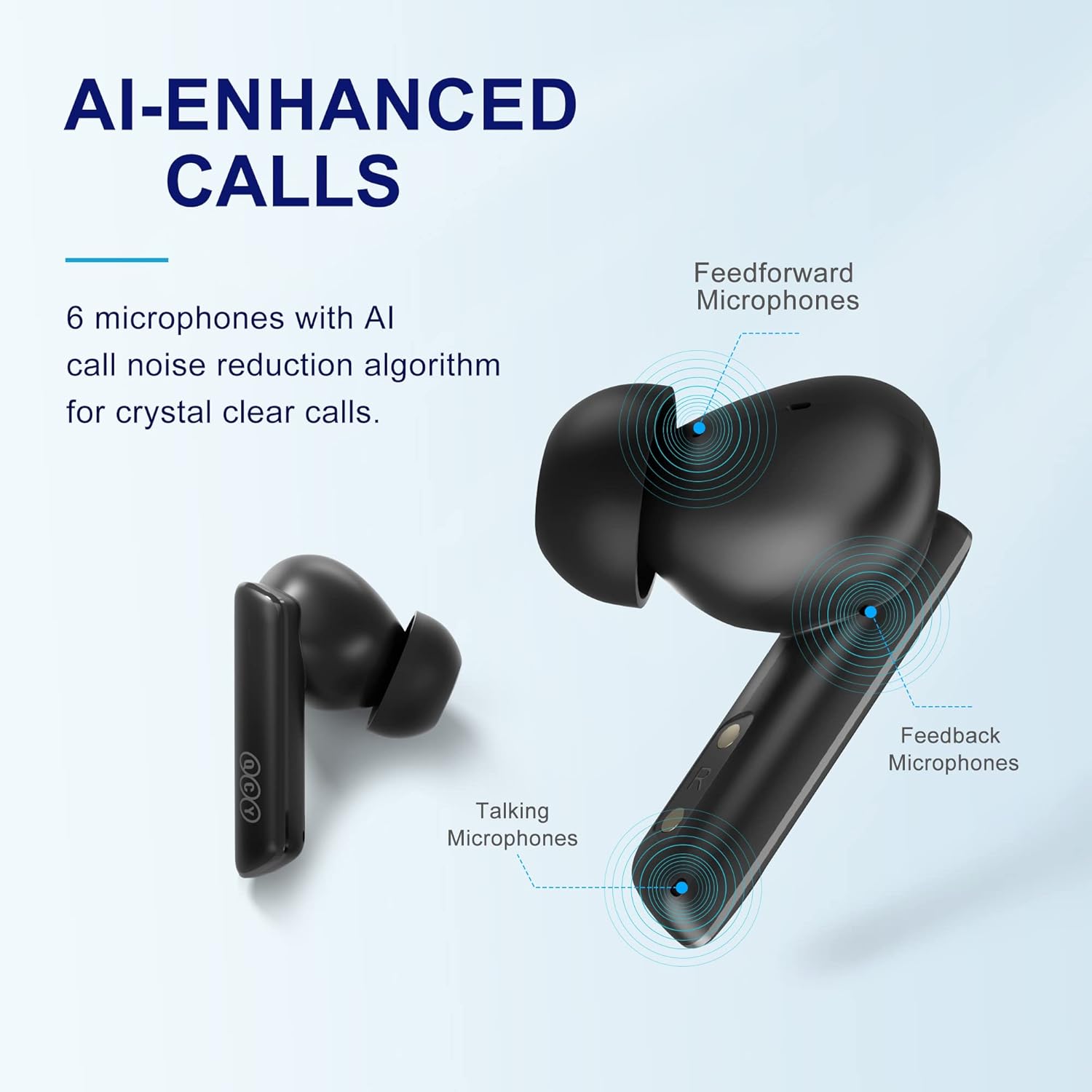
Image: Diagram showing the placement of 6 AI-enhanced call microphones on the QCY HT05 earbuds for crystal clear calls.
QCY App for Customization
Download the QCY App to unlock full customization options, including custom EQ settings, adjusting touch controls, and fine-tuning noise cancellation and transparency levels.
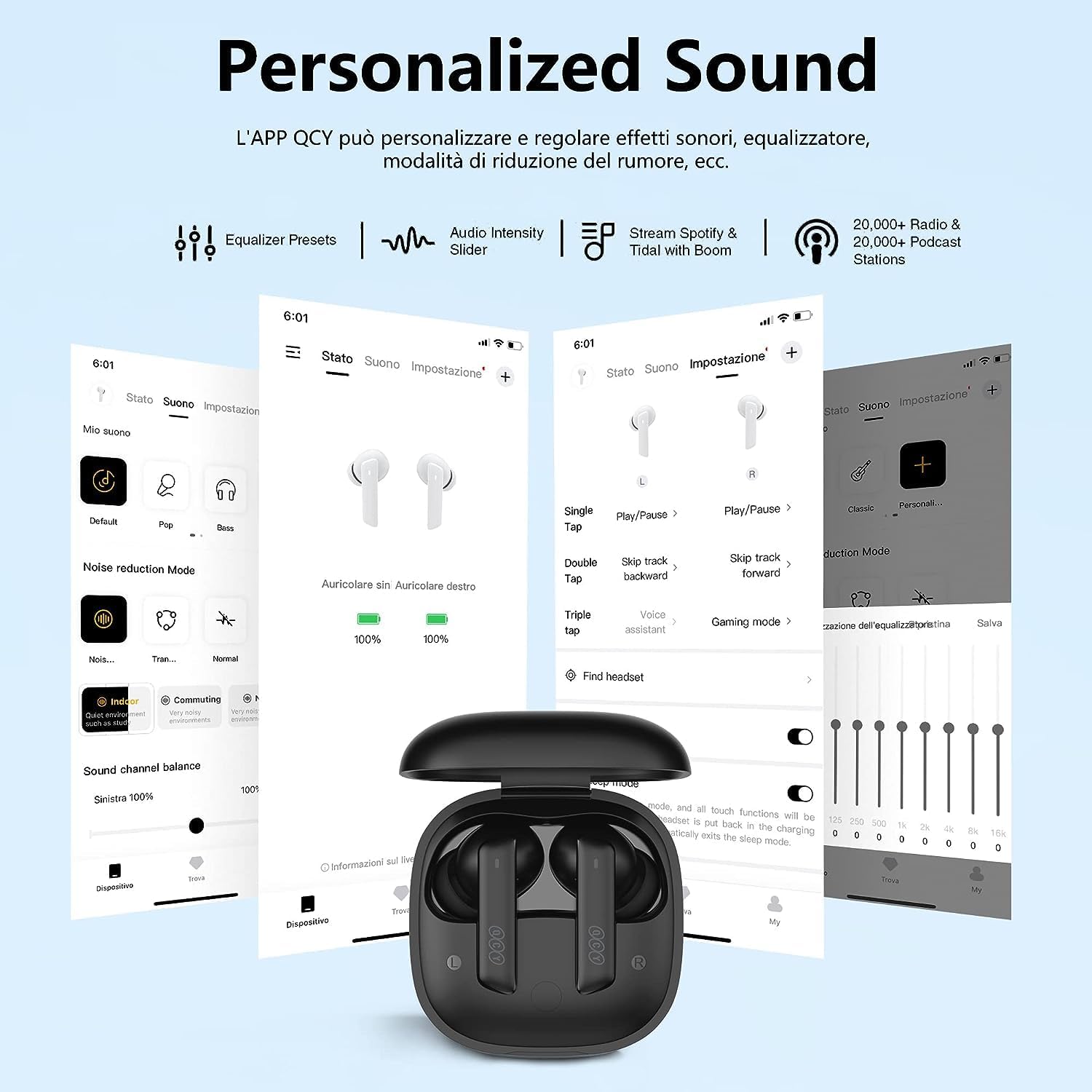
Image: Screenshot of the QCY App interface showing options for personalized sound effects, noise canceling modes, and sound balance.
Maintenance
Cleaning
Regularly clean your earbuds and charging case to ensure optimal performance and hygiene. Use a soft, dry, lint-free cloth to wipe down the earbuds and charging contacts. For ear tips, remove them and clean with mild soap and water, then dry thoroughly before reattaching.
Water Resistance
The QCY HT05 earbuds are IPX5 water-resistant, meaning they are protected against low-pressure water jets from any direction. This makes them suitable for workouts and light rain. Do not submerge the earbuds in water or expose them to high-pressure water.
Storage
When not in use, store the earbuds in their charging case to protect them from dust, dirt, and damage. Store the case in a cool, dry place away from extreme temperatures.
Troubleshooting
Earbuds Not Pairing
- Ensure both earbuds are charged.
- Turn off Bluetooth on your device, then turn it back on.
- Try resetting the earbuds to factory settings (refer to the "Factory Setting" video for guidance).
- Ensure the earbuds are not connected to another device.
Sound Issues (Low Volume, No Sound)
- Check the volume levels on both your device and the earbuds.
- Ensure ear tips are properly sealed in your ear canal. Try different sized ear tips.
- Clean any debris from the earbud speakers.
Charging Issues
- Verify the charging cable is securely connected to both the case and the power source.
- Ensure the charging contacts on the earbuds and inside the case are clean and free of debris.
- Try a different charging cable or power adapter.
Video: Official user guide demonstrating how to perform a factory reset on the QCY HT05 earbuds.
Specifications
| Feature | Detail |
|---|---|
| Model Name | HT05 MeloBuds ANC |
| Connectivity Technology | Wireless, Bluetooth 5.2 |
| Noise Control | Active Noise Cancellation (Max 40 dB) |
| Driver Size | 10 mm |
| Driver Type | LCP Graphene Dynamic Driver |
| Microphones | 6 (3 on each earbud) |
| Battery Life (ANC off) | 7.5 hours (earbuds) |
| Total Playtime with Case | Up to 30 hours |
| Charging Time | 10 min charge for 2 hours playtime |
| Water Resistance Level | IPX5 (Waterproof) |
| Item Weight | 46 Grams |
Warranty and Support
For detailed warranty information and customer support, please refer to the official QCY website or contact their customer service. A digital version of this user manual is also available for download.
Official User Manual (PDF): Download Here