
Introduction
This manual provides essential information for the installation and proper use of PANMILED LED backlight strips designed for specific Samsung 49-inch television models. Please read these instructions carefully before proceeding with installation to ensure correct compatibility and safe operation.
Product Information and Specifications
The PANMILED LED backlight strips are replacement components for maintaining optimal display illumination in compatible Samsung TVs. Each set includes two strips, engineered for precise fit and performance.
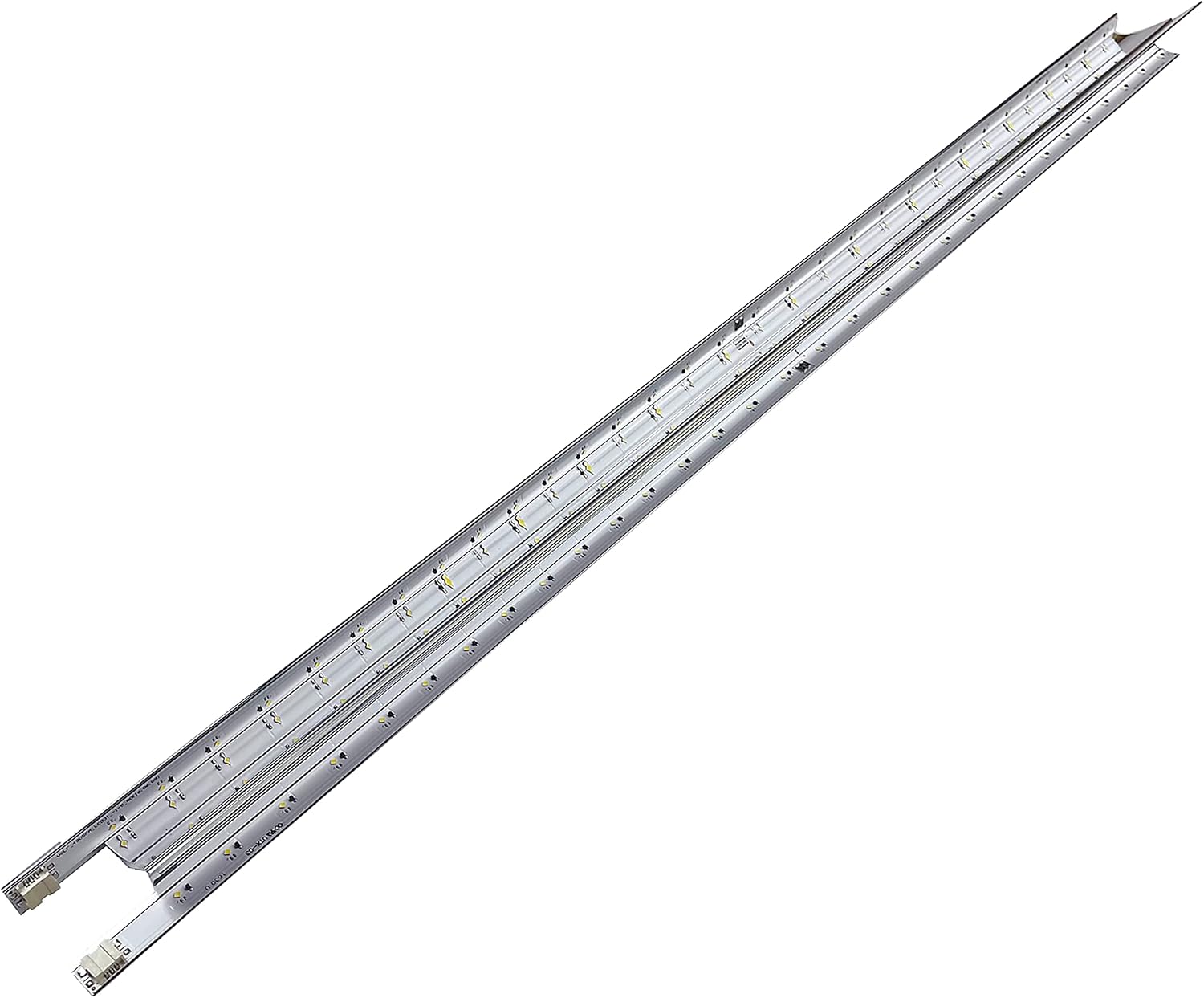
This image displays the two PANMILED LED backlight strips included in the package. Each strip features multiple LED lights mounted on an aluminum base, designed for uniform illumination.
Key Features:
- Length: Approximately 20.27 inches (51.5 cm) per strip.
- Quantity: 2 pieces per set.
- LED Count: 31 LED beads per strip.
- Material: Aluminum base for efficient heat dissipation.
Detailed Specifications:
| Specification | Detail |
|---|---|
| Brand | PANMILED |
| Item Model Number (UPC) | 739240864607 |
| Specific Strip Model | V6LF_490SFA_LED31 |
| Item Weight | 12 ounces (approx. 340 grams) |
| Package Dimensions | 21.65 x 4 x 2 inches (55 x 10 x 5 cm) |
Compatibility Verification
It is critical to verify the compatibility of these backlight strips with your specific television model before purchase and installation. Incorrect parts can lead to damage or improper function.
Compatible Samsung 49-inch TV Models:
- UN49K5300
- UA49K5300
- UE49K5100
- UN49K6500AF
- UN49K6250AF
Important Verification Step: Before ordering or installing, open your TV and compare the existing backlight strips to the photos provided in this manual and on the product page. Pay close attention to the length, number of LEDs, connector type, and any printed model numbers on the strips themselves (e.g., V6LF_490SFA_LED31).

A detailed view of one end of the LED strip, highlighting the electrical connector and the printed model number 'V6LF_490SFA_LED31'. This number is crucial for verifying compatibility with your TV model.
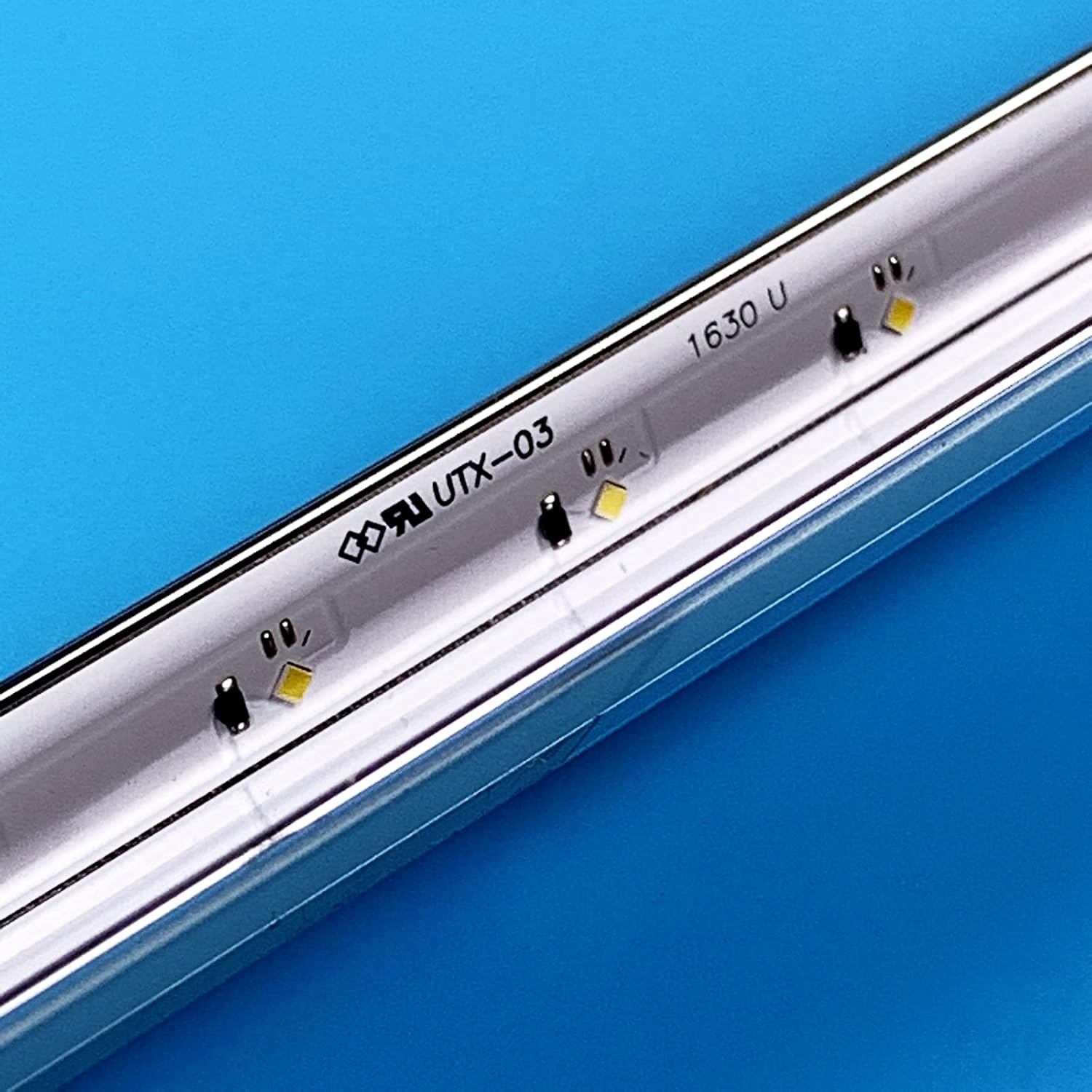
This image provides a close-up of the individual LED components and circuit board markings on the strip, including '1630 U' and a certification logo, indicating quality and design.
Installation Guide
Replacing TV backlight strips requires technical skill and careful handling of electronic components. If you are not comfortable performing this repair, it is recommended to seek assistance from a qualified technician.
Safety Precautions:
- Disconnect Power: Always unplug the TV from the power outlet before beginning any repair.
- Static Electricity: Take precautions against electrostatic discharge (ESD) by using an anti-static wrist strap or regularly touching a grounded metal object.
- Handle with Care: TV panels and internal components are fragile. Handle them gently to prevent damage.
General Installation Steps:
- Prepare Workspace: Ensure a clean, well-lit, and spacious work area. Place a soft, clean cloth or mat to protect the TV screen.
- Disassemble TV: Carefully remove the TV back cover, stand, and any internal components (e.g., main board, power supply board, speakers) that obstruct access to the display panel. Document each step with photos for reassembly.
- Remove Display Panel: With extreme care, detach and lift the LCD/LED display panel. This is the most delicate step. Place it face down on the protected surface.
- Access Backlight Assembly: Remove the diffuser sheets and any frames or clips securing the old backlight strips.
- Remove Old Strips: Disconnect the power cables from the old backlight strips and carefully peel them off the TV chassis. Note their exact positioning.
- Install New Strips: Connect the new PANMILED LED backlight strips to the power cables. Ensure they are correctly aligned and securely attached to the TV chassis, matching the original placement.
- Test Backlights: Before reassembling the entire TV, temporarily connect the power supply and main board, then plug in the TV to test if the new backlights illuminate correctly. Disconnect power again after testing.
- Reassemble TV: Carefully reassemble the TV in reverse order of disassembly, ensuring all cables are connected and components are securely fastened.
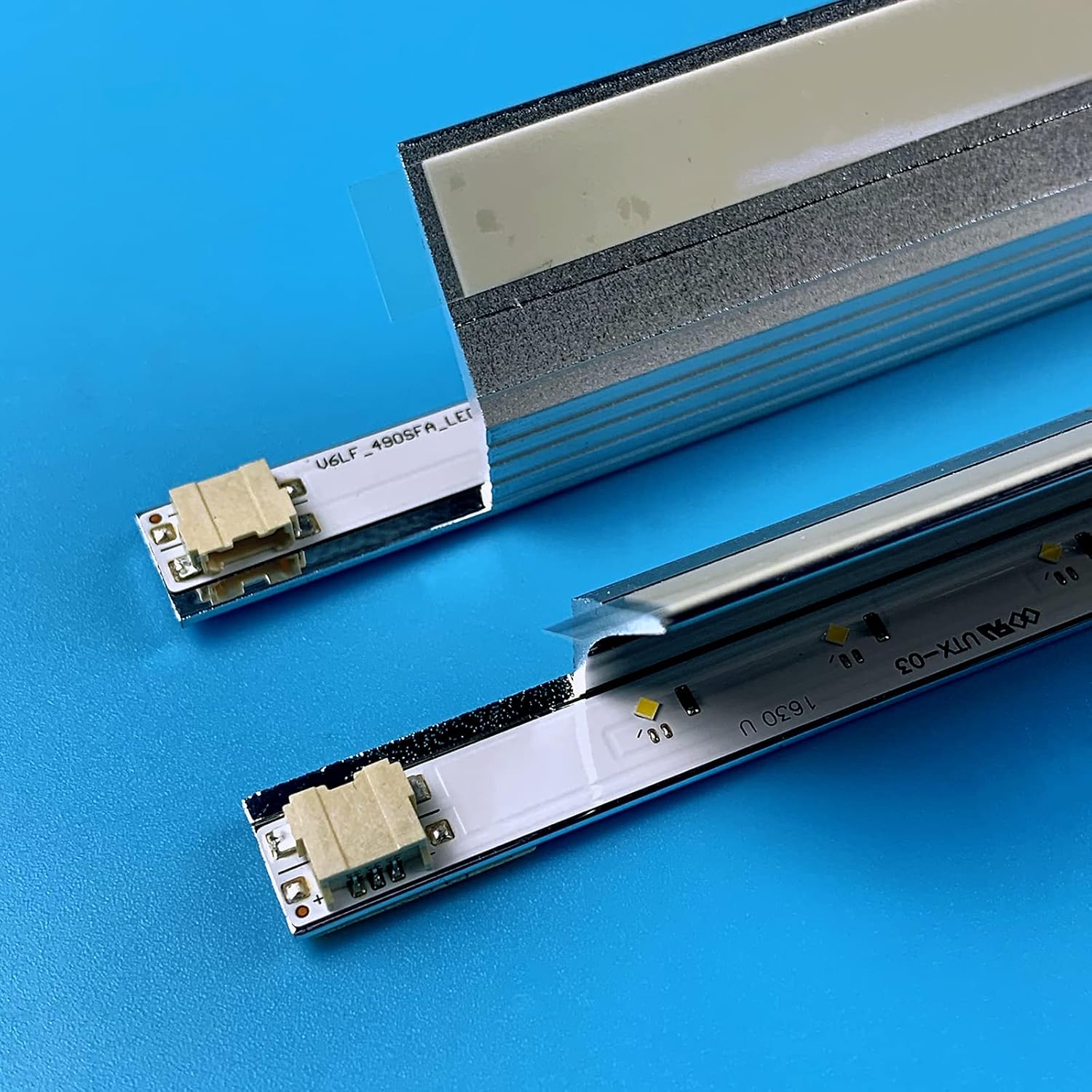
The image shows two LED backlight strips, one with a protective film partially peeled back, revealing the adhesive backing or mounting surface. This illustrates how the strips are prepared for installation.
Operation
These LED backlight strips are passive components. Once correctly installed, they will operate automatically as part of your television's display system, illuminating the screen when the TV is powered on. There are no user-adjustable settings directly on the backlight strips themselves.
Maintenance
LED backlight strips generally require no routine maintenance after installation. To ensure their longevity:
- Ensure proper ventilation for your television to prevent overheating, which can degrade LED performance over time.
- Avoid exposing the TV to extreme temperatures or humidity.
- If the TV needs internal cleaning, ensure it is unplugged and use appropriate tools to remove dust without damaging components.
Troubleshooting
If you encounter issues after installing the new backlight strips, consider the following:
- No Backlight / Dim Screen:
- Verify all connectors to the backlight strips are securely seated.
- Check the power supply board for any visible damage or blown fuses.
- Ensure the LED driver circuit on the power supply board is functioning correctly.
- Uneven Brightness / Dark Spots:
- Recheck the placement of diffuser sheets and ensure they are clean and free from obstructions.
- Inspect the new LED strips for any damaged or non-illuminating LEDs.
- TV Not Powering On:
- Double-check all internal cable connections, especially those to the main board and power supply.
- Ensure no components were accidentally dislodged or damaged during reassembly.
If troubleshooting steps do not resolve the issue, it may indicate a problem with other TV components or require professional repair.
Warranty and Customer Support
PANMILED provides a 180-day after-sales service guarantee for these LED backlight strips. If you have any questions, concerns, or require assistance, please do not hesitate to contact our customer service team.
We aim to respond to all inquiries within 24 hours to address your concerns effectively.
For further product information or to browse our range of TV LED backlight strips, please visit the PANMILED Store on Amazon.