
Introduction
This manual provides comprehensive instructions for the assembly, operation, and maintenance of your Furmax Electric Standing Desk. Designed to promote a healthier working style, this desk allows seamless transitions between sitting and standing positions, helping to alleviate discomfort associated with prolonged sitting.

Image: The Furmax Electric Standing Desk in a home office setting, showcasing its spacious desktop and electric height adjustment.
Key Features
- Healthy Working Style: Transition between sitting and standing to reduce fatigue and improve concentration.
- Durable Quiet Motor: Adjust height smoothly and quietly at 1 inch per second, with a height range of 27.95" to 46.85".
- Memory Electric Lift: Easily control height with buttons and save up to four preferred height settings for quick adjustments.
- Sturdy Desk Legs: Box frame structured steel legs with a wide T-shaped foot design ensure stability at all heights.
- Removable Casters: Equipped with detachable and lockable casters for easy mobility.
- Integrated Cable Management: Features cable grommets and an under-desk cable storage tray to keep your workspace tidy.
- Convenient Accessories: Includes a headphone hook and cup holder for enhanced usability.
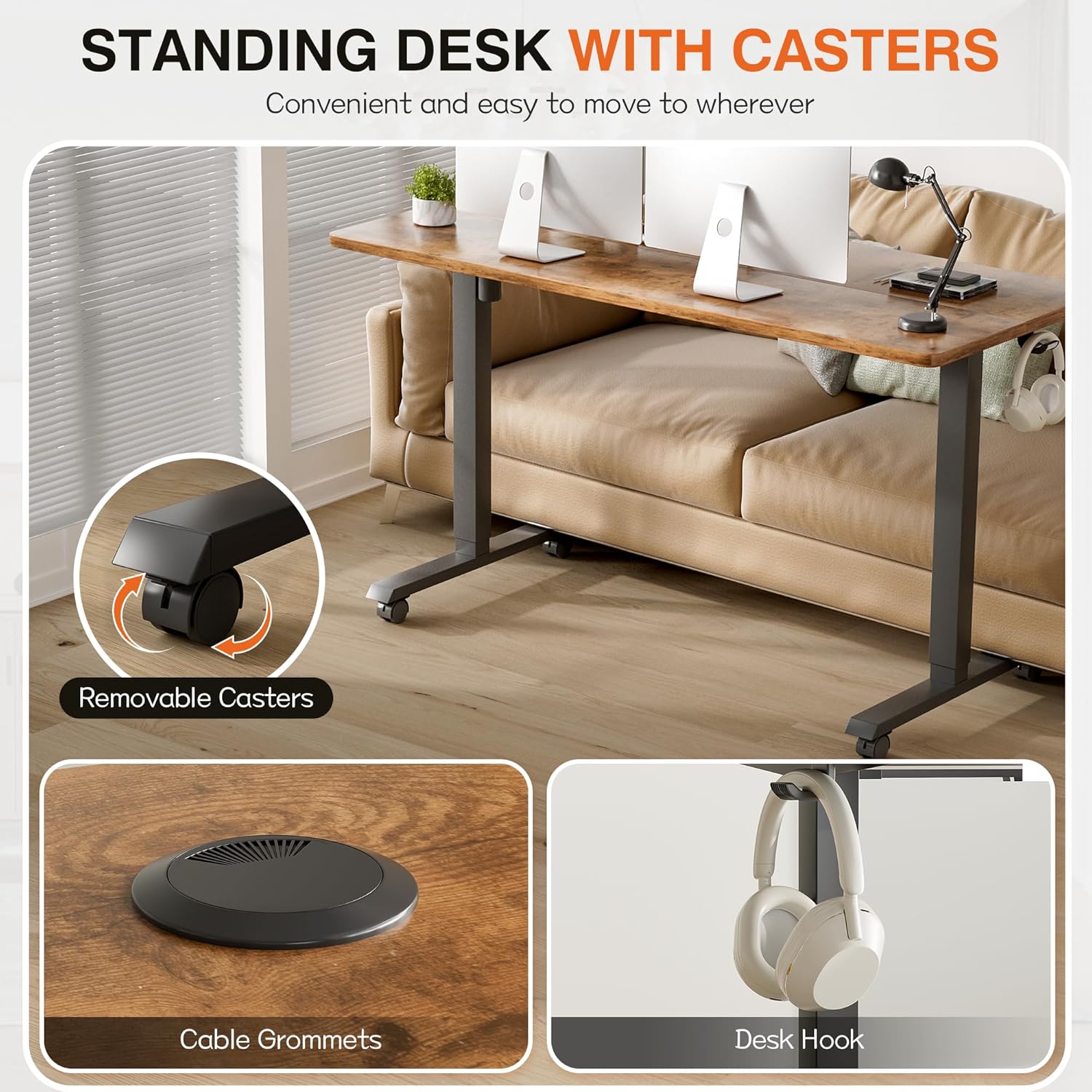
Image: Detailed view of the desk's features, including removable casters for mobility, cable grommets for organization, and a convenient desk hook.
Setup Instructions
For detailed assembly instructions, please refer to the official Installation Manual (PDF) provided with your product. It is recommended to follow the steps carefully to ensure proper and safe setup.
Key Assembly Points:
- Ensure all components are present before beginning assembly.
- The tabletop consists of two pieces; align them correctly during assembly.
- Attach the motor and control panel securely.
- Install the casters if desired for mobility, ensuring they are locked when the desk is stationary.
- Utilize the cable management tray and grommets to organize wires.

Image: Product dimensions, illustrating the desk's size and minimum height for setup planning.
Operating Instructions
Height Adjustment
The Furmax Electric Standing Desk features an intuitive control panel for easy height adjustments.
- To Raise: Press and hold the Up Arrow (^) button until the desk reaches your desired height.
- To Lower: Press and hold the Down Arrow (v) button until the desk reaches your desired height.
The motor operates quietly and smoothly, allowing for seamless transitions.
Memory Settings
The desk allows you to save up to four preferred height settings for quick recall.
- Adjust the desk to your desired height using the Up/Down arrows.
- Press and hold one of the numbered memory buttons (1, 2, 3, or 4) until the display flashes or beeps, indicating the height has been saved.
- To recall a saved height, simply press the corresponding numbered button. The desk will automatically move to the preset height.

Image: The desk's control panel, featuring an LED display for current height, up/down adjustment buttons, and four programmable memory settings.
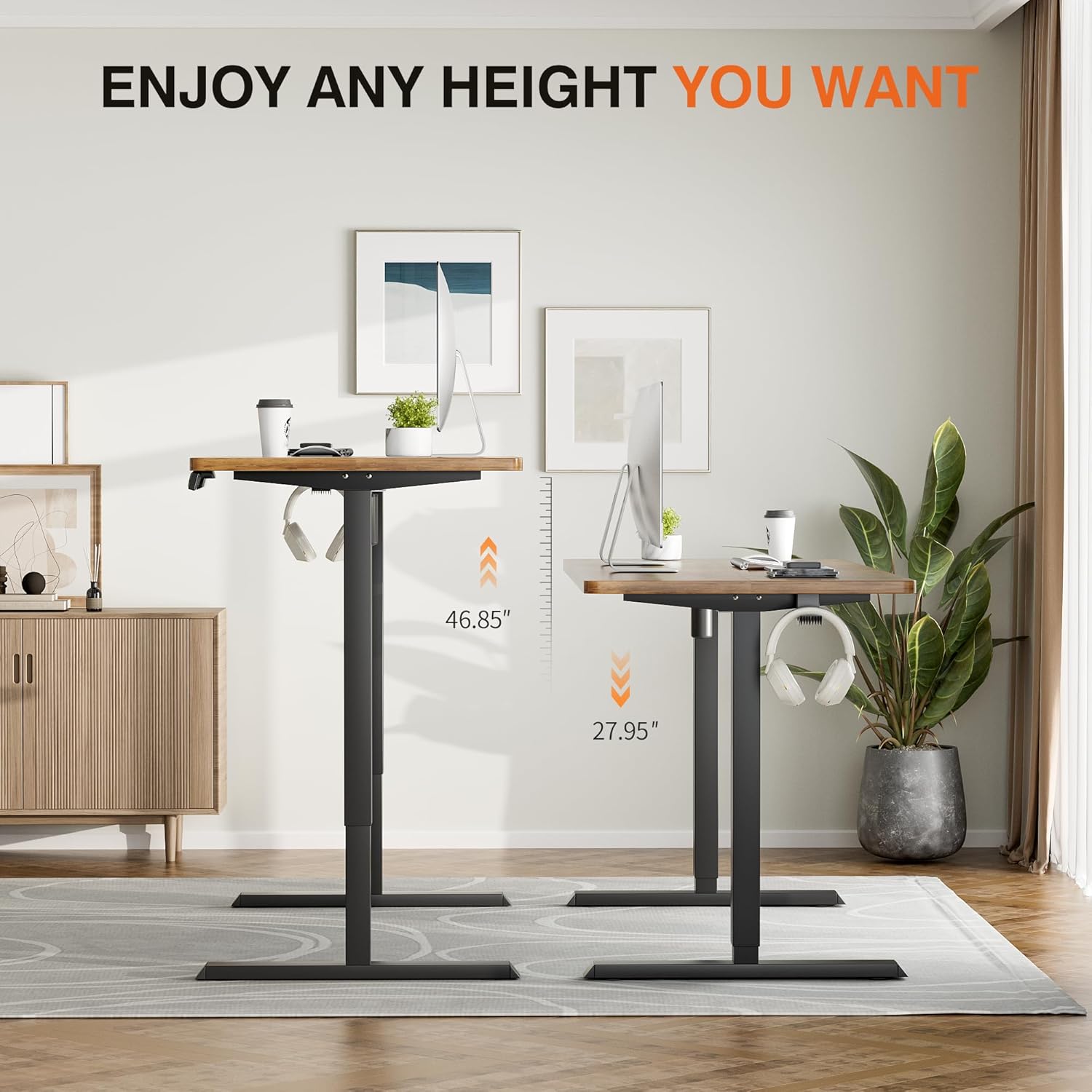
Image: Visual representation of the desk's adjustable height range, from its lowest (27.95") to highest (46.85") positions.
Maintenance
To ensure the longevity and optimal performance of your Furmax Electric Standing Desk, follow these maintenance guidelines:
- Cleaning: Wipe the desktop and frame with a soft, damp cloth. Avoid harsh chemicals or abrasive cleaners that could damage the finish.
- Motor Care: The motor is designed for durability. Avoid overloading the desk beyond its maximum weight capacity (100 pounds).
- Cable Management: Periodically check the cable management system to ensure wires are neatly tucked away and not interfering with the desk's movement.
- Caster Maintenance: If using casters, ensure they are clean and free of debris to maintain smooth movement. Lock them when the desk is stationary.
- Regular Checks: Periodically inspect all screws and connections to ensure they are tight and secure.
Troubleshooting
If you encounter any issues with your Furmax Electric Standing Desk, please refer to the following common troubleshooting tips:
| Problem | Possible Cause | Solution |
|---|---|---|
| Desk not moving or unresponsive. | Power cable disconnected; motor overload; control panel error. | Check power connections. Reduce weight on the desk. Unplug the control panel for 30 seconds and replug. |
| Desk moves unevenly or makes unusual noises. | Loose connections; obstruction; uneven weight distribution. | Ensure all screws are tightened. Check for any obstructions under the desk. Distribute weight evenly on the desktop. |
| Buttons not responding as expected (e.g., Up button lowers desk). | Control panel calibration issue. | Unplug the control panel for 30 seconds and replug. If the issue persists, contact customer support. |
If the problem persists after attempting these solutions, please contact Furmax customer support for further assistance.
Specifications
| Attribute | Detail |
|---|---|
| Brand | Furmax |
| Model Number | HAD00604F |
| Product Dimensions | 24"D x 59"W x 45"H |
| Color | Brown |
| Style | Modern |
| Base Material | Metal |
| Finish Type | Wood |
| Special Feature | Adjustable Height, Electric |
| Room Type | Office |
| Mounting Type | Tabletop |
| Included Components | Cup Holder, Headphone Hook |
| Maximum Weight Recommendation | 100 Pounds |
| Minimum Height | 28.7 Inches |
| Maximum Height | 46.85 Inches |
| Item Weight | 50 Pounds |
Safety Information
Please read and understand all safety warnings before operating your desk.
- This desk has a maximum weight recommendation of 100 pounds. Do not exceed this limit.
- Properly anchor the desk for stability, especially when used at the highest height.
- Keep hands and objects clear of moving parts during height adjustment.
- Ensure power cables are not pinched or damaged.
- This product is intended for indoor use only.
Warranty and Support
Warranty Information
Your Furmax Electric Standing Desk comes with a Limited Warranty. For specific terms and conditions, please refer to the warranty documentation included with your purchase or contact Furmax customer support.
Optional protection plans are available for extended coverage:
- 2-Year Protection Plan
- 3-Year Protection Plan
- Complete Protect (monthly billing)
Return Policy
This product is eligible for 30-day easy returns. Please refer to the retailer's return policy for full details.
Customer Support
For any questions, technical assistance, or warranty claims, please contact Furmax customer support. You can find contact information on the official Furmax website or through your purchase platform.
An Installation Manual (PDF) is available for download here.


