
1. Introduction
Thank you for choosing the HPBS 2000A Portable Battery Jump Starter. This device is designed to provide reliable jump-starting power for your vehicle and serve as a versatile power bank for your electronic devices. Please read this manual carefully before use to ensure safe and optimal operation.
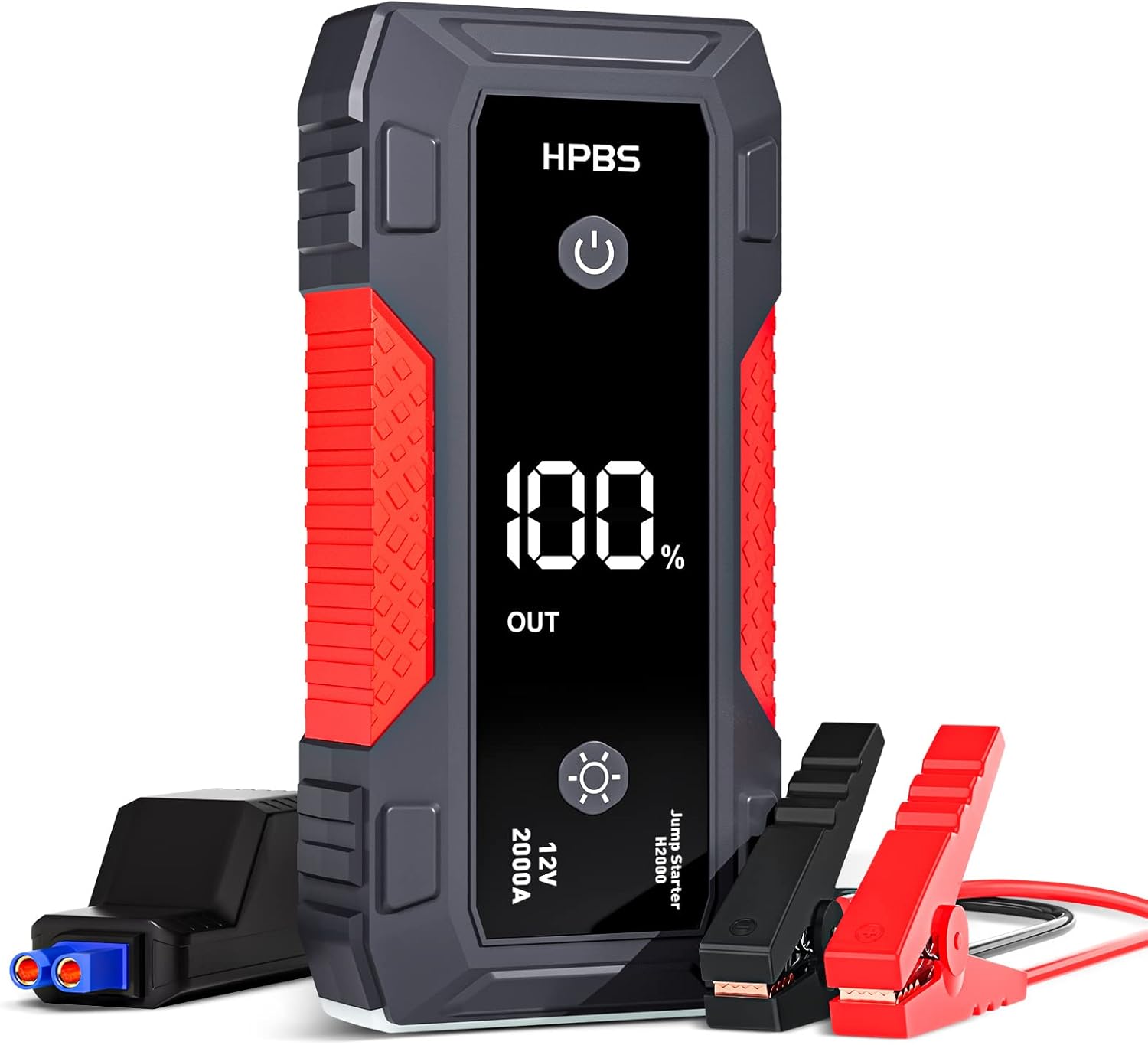
Figure 1: HPBS 2000A Portable Battery Jump Starter with included jumper cables.
2. Product Features
- High Peak Current: Delivers 2000 Amps peak current for reliable jump-starting.
- Engine Compatibility: Suitable for up to 8L Gas and 6.5L Diesel engines.
- Large Battery Capacity: 20000mAH / 12V internal battery.
- 3.0" LCD Display: Clear display showing battery percentage and output status.
- Multifunctional Power Bank: Equipped with USB-A (5V/2.4A, QC3.0) and USB-C (5V/9V) output ports for charging various electronic devices.
- Built-in LED Flashlight: Features multiple modes including steady, strobe, and SOS for emergencies.
- Smart BMS System: Provides comprehensive protection against overcharge, over-discharge, over-current, short circuit, over-heat, reverse polarity, reverse connection, and reverse charge.
- Durable Design: Robust construction for long-lasting performance.
3. Package Contents
The HPBS 2000A Jump Starter package includes the following items:
- HPBS 2000A Portable Battery Jump Starter (Model H2000)
- Smart Jumper Cables with clamps
- USB-C Charging Cable
- User Manual
- Storage Case

Figure 2: All items included in the HPBS 2000A Jump Starter package.
4. Setup
4.1 Initial Charging
Before first use, fully charge the jump starter. It is recommended to fully charge the unit every 3-6 months to maintain battery life.
- Connect the USB-C charging cable to the jump starter's USB-C input port.
- Connect the other end of the USB-C cable to a compatible 5V/3A, 9V/2A, or 12V/1.5A USB wall adapter (adapter not included).
- The LCD display will show the charging progress. The unit is fully charged when the display shows 100%. Charging typically takes 4-4.5 hours.
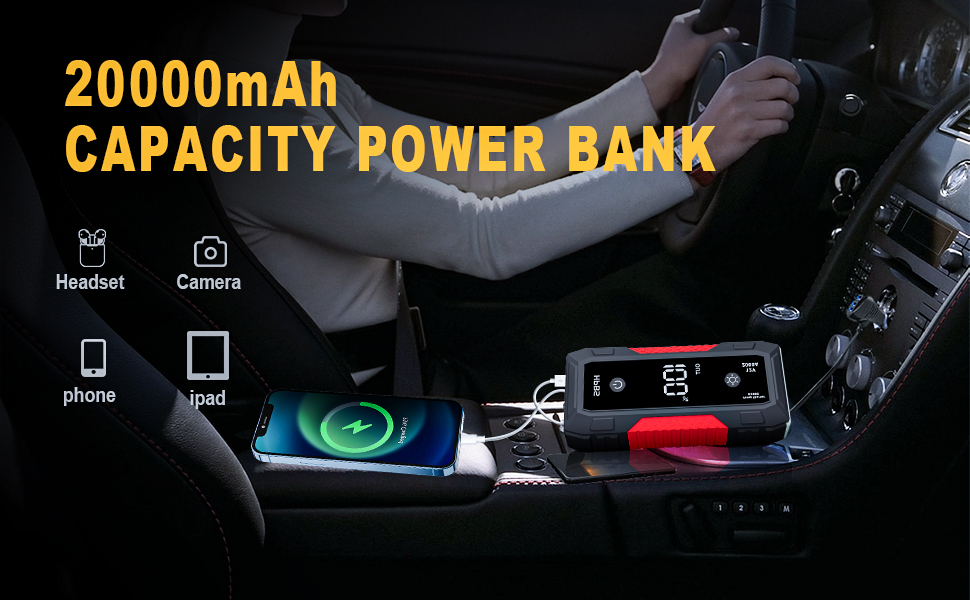
Figure 3: Charging the jump starter using a USB-C cable.
5. Operating Instructions
5.1 Jump Starting Your Vehicle
Ensure the jump starter has at least 70% charge before attempting to jump start a vehicle.
- Insert the smart jumper cable plug into the EC5 output port of the jump starter.
- Connect the red (+) clamp to the positive (+) terminal of your vehicle's battery.
- Connect the black (-) clamp to the negative (-) terminal of your vehicle's battery.
- Ensure the indicator light on the smart jumper cable is solid green. If it's flashing or red, check connections or refer to troubleshooting.
- Start your vehicle's engine.
- Once the engine starts, immediately remove the jumper clamps from the vehicle battery, then disconnect the smart jumper cable from the jump starter.

Figure 4: Visual guide for connecting the jump starter to a vehicle battery.
5.2 Using as a Power Bank
The jump starter can charge various electronic devices via its USB output ports.
- Open the protective cover on the side of the jump starter to access the USB ports.
- Connect your device's charging cable to one of the USB-A (5V/2.4A, QC3.0) or USB-C (5V/9V) output ports.
- The jump starter will automatically begin charging your device. The LCD display will show the remaining battery percentage.

Figure 5: HPBS 2000A Jump Starter functioning as a power bank.
5.3 LED Flashlight Operation
The built-in LED flashlight has multiple modes for different situations.
- Long press the power switch for more than 3 seconds to turn on the light mode (steady illumination).
- Short press the power switch again to cycle through modes: steady → strobe → SOS.
- Long press the power switch for more than 3 seconds to turn off the light.

Figure 6: The 3.0" LCD display showing battery status.
6. Maintenance
- Recharging: Recharge the unit every 3-6 months to maintain optimal battery performance and extend its lifespan.
- Storage: Store the jump starter in a cool, dry place away from direct sunlight and extreme temperatures.
- Cleaning: Use a soft, dry cloth to clean the unit. Do not use harsh chemicals or abrasive materials.
7. Troubleshooting
- Unit does not turn on: Ensure the unit is charged. If the battery level is too low, recharge it.
- Vehicle does not jump start: Check that the jumper clamps are correctly connected to the battery terminals (red to positive, black to negative). Ensure the smart jumper cable indicator light is solid green. If the indicator light is flashing or red, refer to the smart jumper cable's instructions for error codes.
- Indicator light is less than 2 bars: Do not attempt to jump start the vehicle if the indicator light is less than 2 bars. Recharge the unit.
- Engine does not start after multiple attempts: Allow the jump starter to cool down for at least 1 minute between each start attempt. If the engine still does not start, there may be other issues with the vehicle.
8. Specifications
| Specification | Value |
|---|---|
| Brand | HPBS |
| Model Number | H2000 |
| Peak Output Current | 2000 Amps |
| Battery Capacity | 20000mAH / 12V |
| Engine Compatibility | Up to 8L Gas and 6.5L Diesel |
| USB Output 1 | 5V/2.4A |
| USB Output 2 | QC3.0 |
| USB-C Input | 5V/9V |
| LED Flashlight | Yes (Steady, Strobe, SOS) |
| Item Weight | 2.61 pounds |
| Product Dimensions | 7.08 x 3.14 x 1.77 inches |
| UPC | 726954952904 |
9. Warranty & Support
For information regarding product warranty and support, please refer to the warranty card included in your package or contact HPBS customer service. Extended protection plans may also be available for purchase.
