
1. Introduction
The KLIM Boombox B4 is a versatile portable audio system designed to deliver powerful bass and crystal-clear sound. It supports multiple audio sources including CD, MP3, Bluetooth, AM/FM Radio, AUX, and USB, offering a comprehensive listening experience.
This manual provides detailed instructions for setting up, operating, and maintaining your KLIM Boombox B4 to ensure optimal performance and longevity.
2. What's in the Box
- KLIM Boombox B4 Unit
- Power Cable
- Remote Control
- User Manual

Image: The KLIM Boombox B4 unit, remote control, and power cable as typically found in the box.
3. Setup
3.1 Powering On
The KLIM Boombox B4 can be powered using the included power cable or its internal rechargeable battery.
- Connect the power cable to the AC input port on the back of the boombox.
- Plug the other end of the power cable into a standard wall outlet.
- Press the Power button on the unit or the remote control to turn on the boombox.
3.2 Initial Battery Charge
For optimal battery life, it is recommended to fully charge the boombox before its first use. The built-in rechargeable battery does not need to be removed for charging.

Image: The boombox is compact and lightweight, featuring a long-lasting rechargeable battery for portability.
4. Operating Instructions
4.1 Mode Selection
Press the 'MODE' button on the unit or remote control to cycle through available audio sources: FM/AM Radio, CD, Bluetooth, USB, and AUX.
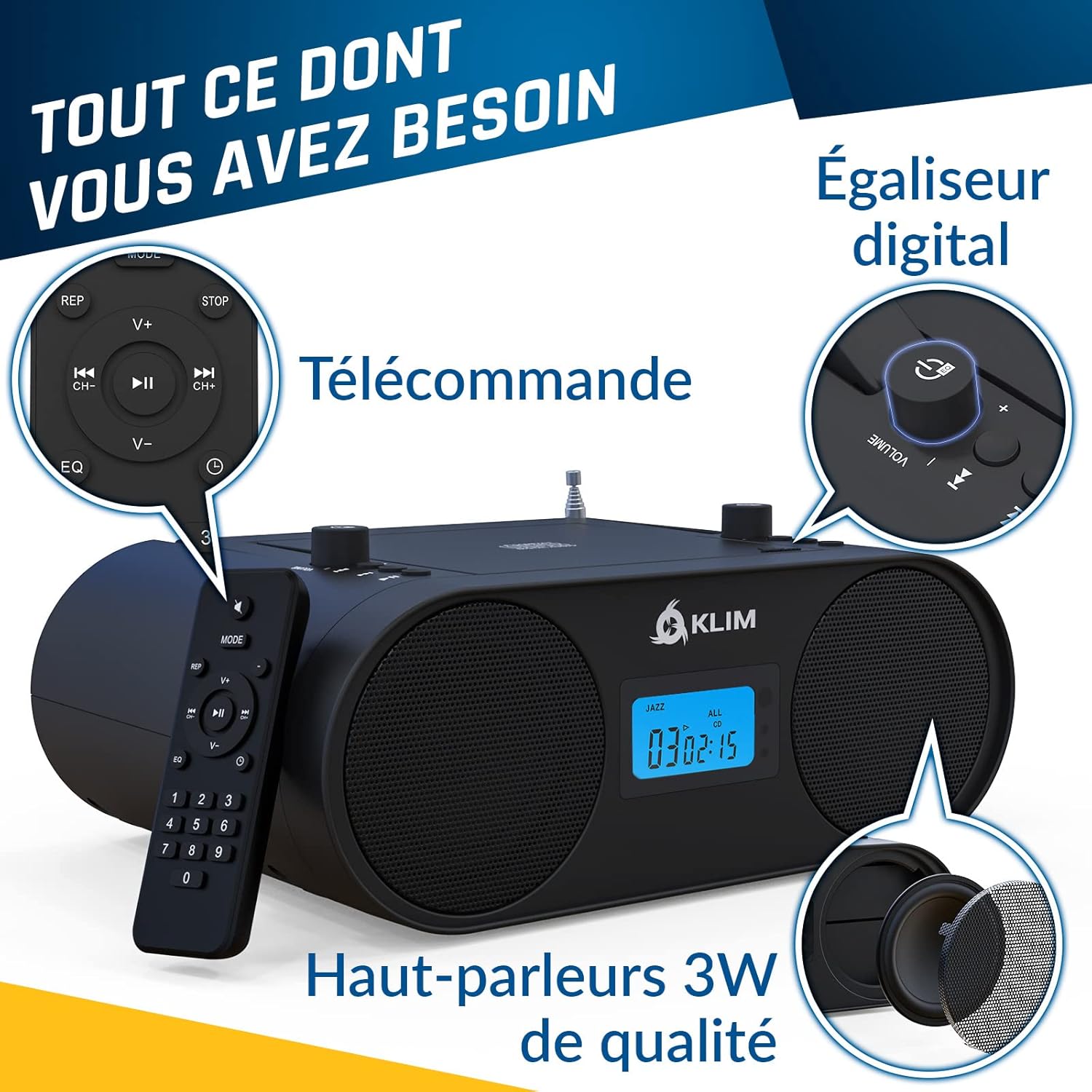
Image: Overview of the boombox controls including the convenient handle, CD player, mode selection, AUX, USB, and Digital Equalizer.
4.2 CD Player Operation
The KLIM Boombox B4 features a convenient top-loading CD player. It supports standard audio CDs and MP3 CDs.
- Open the CD compartment lid by gently lifting it.
- Place a CD onto the spindle with the label side facing up.
- Close the CD compartment lid securely.
- Ensure the unit is in CD mode. Playback should begin automatically.
- Use the Play/Pause, Skip Forward/Backward buttons on the unit or remote to control playback.
Note: The digital display shows the track number and timing for CD playback.
4.3 Bluetooth Connectivity
Stream audio wirelessly from your Bluetooth-enabled devices.
- Switch the boombox to Bluetooth (BT) mode. The display will show "bt".
- On your smartphone or tablet, enable Bluetooth and search for available devices.
- Select "KLIM B4" from the list of devices to pair.
- Once paired, you can play audio from your device through the boombox.
Note: Track numbers may not be displayed on the boombox unit during Bluetooth playback; please refer to your connected device for track information.
4.4 AM/FM Radio
Tune into your favorite radio stations.
- Extend the telescopic antenna for optimal FM reception.
- Switch the boombox to FM or AM mode.
- Use the tuning knob or the numerical keys on the remote control to select your desired frequency. The boombox will automatically remember the last station played.
4.5 USB and AUX Playback
The boombox is equipped with a USB port and an auxiliary (AUX) input for additional connectivity.
- USB: Insert a USB flash drive containing MP3 files into the USB port. Switch to USB mode for playback.
- AUX: Connect an external audio device (e.g., smartphone, MP3 player) to the AUX IN port using a 3.5mm audio cable (not included). Switch to AUX mode for playback.
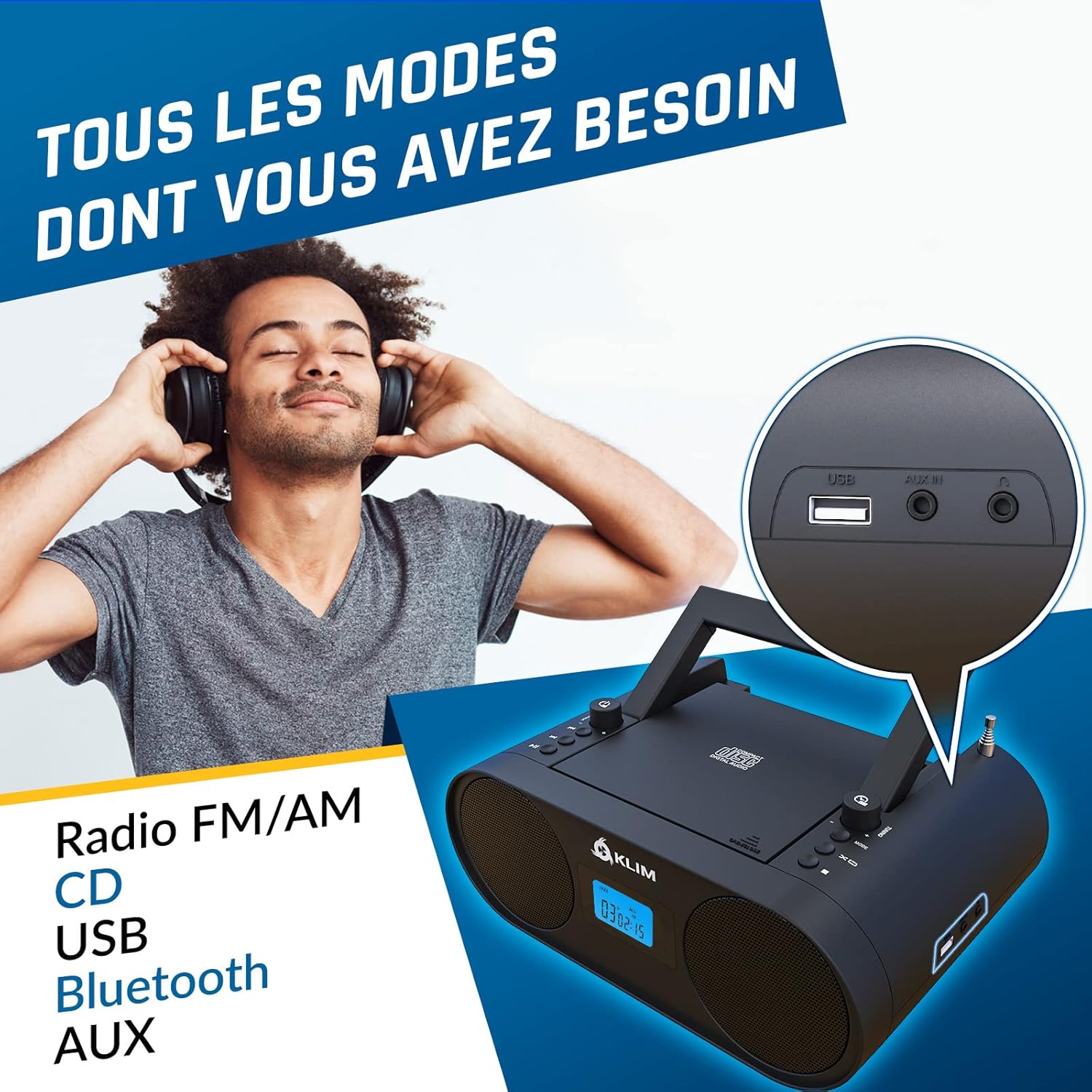
Image: Close-up view of the USB and AUX IN ports on the KLIM Boombox B4.
5. Maintenance
To ensure the longevity and optimal performance of your KLIM Boombox B4, follow these maintenance guidelines:
- Keep the unit clean by wiping it with a soft, dry cloth. Avoid using abrasive cleaners or solvents.
- Do not expose the boombox to extreme temperatures, humidity, or direct sunlight.
- Handle CDs carefully to prevent scratches and smudges, which can cause playback issues.
- When not in use for extended periods, store the boombox in a cool, dry place.
6. Troubleshooting
| Problem | Possible Cause / Solution |
|---|---|
| Unit does not power on | Check if the power cable is securely connected to both the boombox and the wall outlet. Ensure the wall outlet is functional. If using battery, ensure it is charged. |
| No sound | Check the volume level. Ensure the correct audio source (CD, BT, FM/AM, USB, AUX) is selected. Check connections for AUX/USB. |
| CD skipping during playback | Ensure the CD is clean and free of scratches or damage. Try a different CD. Ensure the boombox is on a stable, flat surface to minimize vibrations. |
| Bluetooth pairing issues | Ensure the boombox is in Bluetooth mode and discoverable. Turn off and on Bluetooth on your device. Move your device closer to the boombox. |
| Poor radio reception | Fully extend and adjust the telescopic antenna. Try repositioning the boombox to find a stronger signal. |
7. Specifications
| Feature | Detail |
|---|---|
| Product Dimensions | 11.81 x 8.9 x 4.92 inches |
| Item Weight | 4.51 pounds |
| Item Model Number | KBB43 |
| Batteries | 1 Lithium Ion batteries required (included) |
| Connectivity Technology | Bluetooth |
| Color | B4 Black |
| Speaker Type | Stereo |
| Manufacturer | KLIM |

Image: Detailed specifications and contact information for KLIM.
8. Warranty & Support
KLIM is committed to producing quality electronics. The KLIM Boombox B4 comes with a 5-year warranty, ensuring peace of mind for your purchase.
For any support inquiries, technical assistance, or warranty claims, please visit the official KLIM Store or contact their customer service directly.
Official KLIM Store: KLIM Technologies Store
KLIM customer service is ready to assist 24/7.
