Introduction
The BAOFENG P52UV is a robust and versatile dual-band VHF/UHF handheld transceiver designed for reliable two-way communication. This manual provides detailed instructions for setting up, operating, maintaining, and troubleshooting your P52UV radio, ensuring optimal performance and longevity.
It features cross-band reception, a built-in LED flashlight, and supports up to 128 channels with CTCSS/DCS codes for clear, private communication. The P52UV is equipped with a 2200mAh Li-ion battery for extended use and comes with a programming cable for easy customization via PC or manual programming.
What's in the Box
Your BAOFENG P52UV package (2-pack) includes the following items:
- 2 x P52UV Radio Units
- 2 x 2200mAh Li-ion Battery Packs
- 2 x Desktop Chargers
- 2 x Power Adapters
- 2 x Original Antennas
- 2 x User Manuals (this document)
- 2 x Belt Clips
- 2 x Wrist Straps
- 1 x Programming Cable
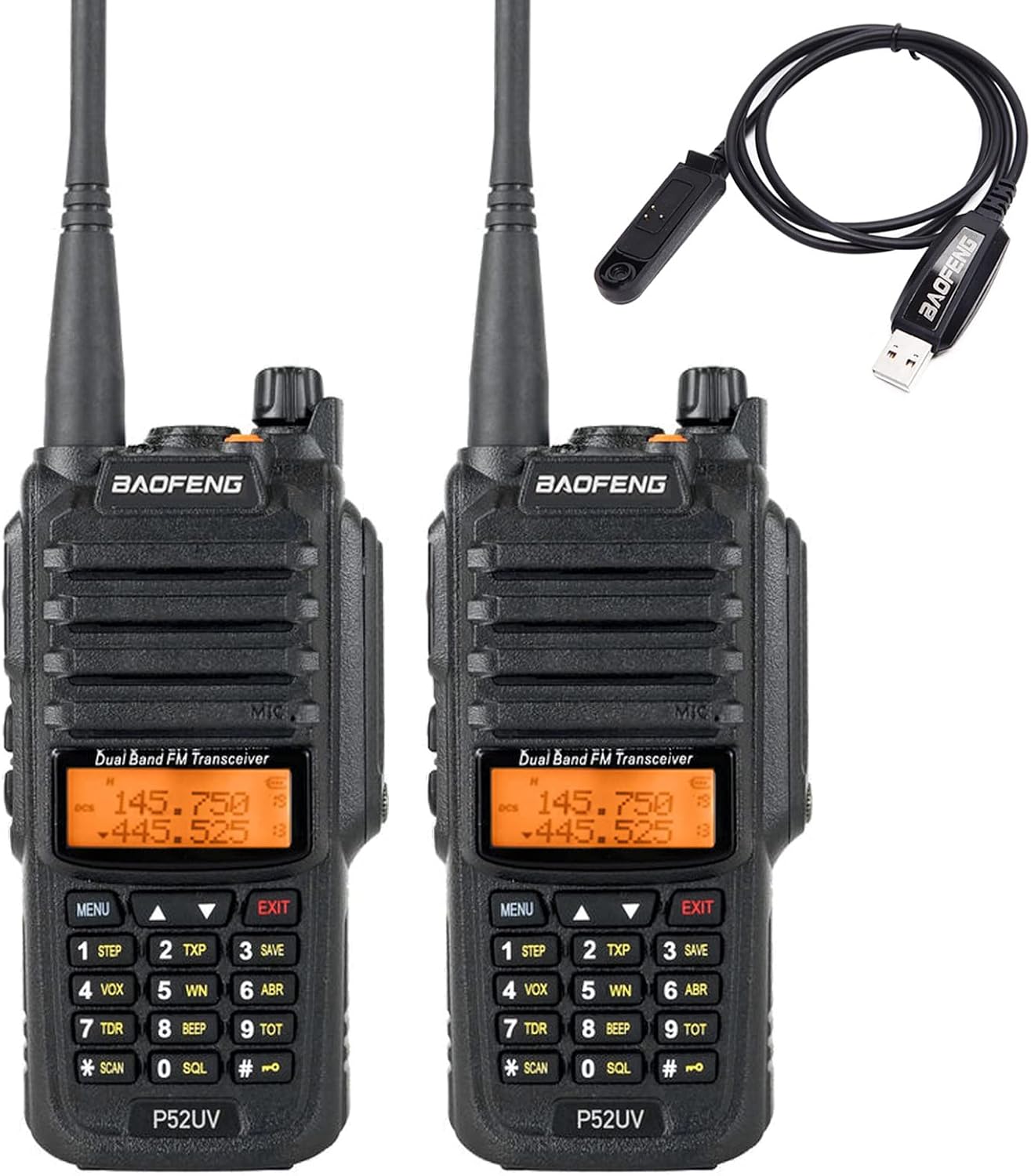
Image: Contents of the BAOFENG P52UV package, showing two radios and the included programming cable.
Product Features
- Dual Band VHF/UHF Handheld Transceiver
- Cross Band Reception
- High & Low Power Switchover
- Battery Saving Function
- VOX (Voice Operated Exchange) Function
- Auto-Back Light Display
- Time-out Timer (TOT)
- 50 CTCSS and 104 DCS Codes
- Voice Prompt
- ANI Code
- PC or Manual Program Capability
- DTMF Code
- PTT-ID
- Automatic Keypad Lock
- Busy Channel Lock Function
- Dual Display and Dual Standby
- Emergency Alarm
- Priority Scanning Function
- Low Battery Warning
- Built-in LED Flashlight
Setup
1. Battery Installation
To install the battery, align the battery pack with the grooves on the back of the radio. Slide the battery upwards until it clicks into place securely. To remove, press the release latch at the bottom of the battery and slide it downwards.

Image: The BAOFENG P52UV radio shown next to its detachable 2200mAh Li-ion battery pack, illustrating how they connect.
2. Charging the Battery
Place the radio with the installed battery into the desktop charger. Ensure the charging contacts on the radio align with those on the charger. The LED indicator on the charger will typically show red during charging and green when fully charged. Connect the adapter to the desktop charger and plug it into a power outlet.

Image: A BAOFENG P52UV radio is shown seated in its charging cradle, with the charger's power adapter visible.
3. Attaching Antenna and Belt Clip
Screw the antenna clockwise onto the connector at the top of the radio until it is finger-tight. To attach the belt clip, align it with the two screw holes on the back of the radio and secure it with the provided screws.
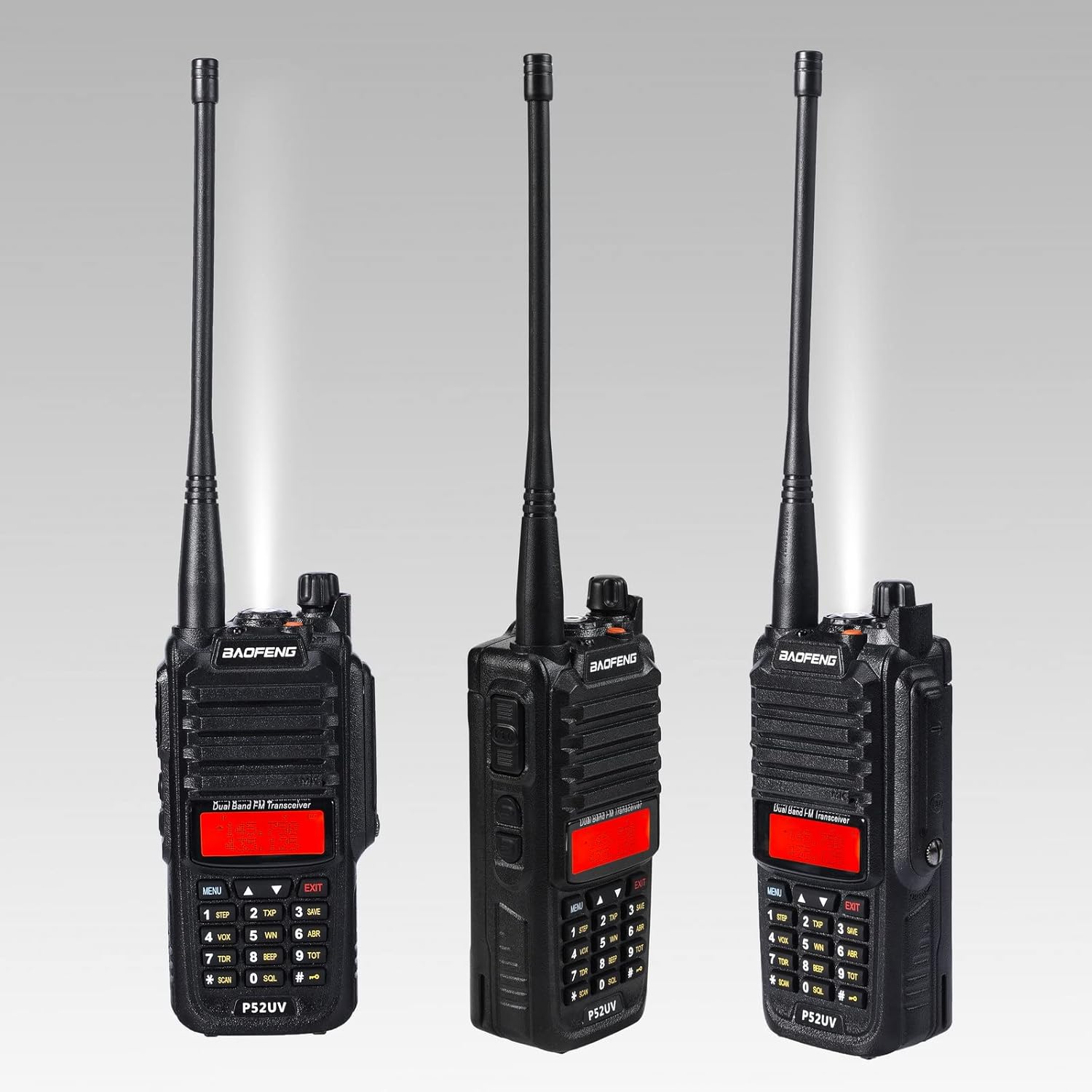
Image: Four different angles of the BAOFENG P52UV radio, highlighting the attachment of the belt clip to its rear.
Operating Instructions
1. Power On/Off and Volume
To power on the radio, rotate the volume knob (located at the top of the radio) clockwise until you hear a click. Continue rotating to adjust the volume. To power off, rotate the knob counter-clockwise until it clicks.
2. Channel Selection (VFO/Channel Mode)
The P52UV supports both Frequency (VFO) mode and Channel mode. To switch between modes, turn off the radio, then hold down the MENU key while powering on the radio. In VFO mode, you can directly input frequencies using the keypad. In Channel mode, you can select pre-programmed channels.
3. Transmitting and Receiving
To transmit, press and hold the PTT (Push-To-Talk) button on the side of the radio. Speak clearly into the microphone. Release the PTT button to receive. Ensure you are on an appropriate frequency or channel before transmitting.
4. VOX Function
The VOX (Voice Operated Exchange) function allows for hands-free transmission. When VOX is enabled, the radio will automatically transmit when it detects your voice. Refer to the radio's menu settings to enable and adjust VOX sensitivity.
5. CTCSS/DCS Codes
CTCSS (Continuous Tone-Coded Squelch System) and DCS (Digital Coded Squelch) codes help filter out unwanted signals and allow for more private communication within a group. You can set different CTCSS/DCS codes for transmitting and receiving through the radio's menu.
6. Programming
The P52UV can be programmed manually via the keypad or using a computer with the included programming cable. For PC programming, software compatible with the UV-9R model (or BAOFENG's GT-3WP software) can be used, including CHIRP. Connect the programming cable to the radio's accessory port and your computer's USB port.

Image: A BAOFENG P52UV radio is shown on its charging base, with a wired headset connected to its side port, illustrating accessory connectivity.
Maintenance
- Cleaning: Use a soft, damp cloth to clean the radio's surface. Do not use harsh chemicals or abrasive cleaners.
- Battery Care: Fully charge the battery before first use. Avoid overcharging or completely draining the battery for optimal lifespan. Store batteries in a cool, dry place when not in use.
- Storage: If storing the radio for an extended period, remove the battery. Store in a dry, dust-free environment away from direct sunlight and extreme temperatures.
- Water Resistance: This radio is Not Water Resistant. Avoid exposure to water or high humidity.
Troubleshooting
| Problem | Possible Cause | Solution |
|---|---|---|
| Radio won't turn on | Battery is dead or not installed correctly. | Charge the battery or re-install it securely. |
| Cannot transmit or receive | Incorrect frequency/channel, low battery, or antenna issue. | Verify frequency/channel, charge battery, check antenna connection. |
| Poor audio quality | Low signal strength, incorrect squelch setting, or damaged speaker/mic. | Move closer to other radio, adjust squelch, check for physical damage. |
| Keypad is locked | Automatic keypad lock is enabled. | Press and hold the '#' key to unlock the keypad. |
Specifications
- Model: P52UV
- Frequency Range: 138MHz-174MHz (VHF), 406.1MHz-430MHz (UHF), 450MHz-470MHz (UHF)
- Intermodulation: 60dB
- Audio Output: 5W
- Spurious Radiation: >=65dB
- Consumption in Standby: 380mA
- Battery Capacity: 2200mAh Li-ion
- Battery Life: Approximately 24 Hours
- Display Type: LED
- Talking Range Maximum: 8.2 Kilometers (under ideal conditions)
- Water Resistance Level: Not Water Resistant
Warranty and Support
BAOFENG provides a 6-month warranty for the P52UV radio. Additionally, a 30-day hassle-free return policy is offered. For any questions, technical assistance, or warranty claims, please feel free to contact BAOFENG customer support.
You can also visit the official BAOFENG store for more information and products: BAOFENG Official Store


