
Introduction
This manual provides essential instructions for the proper installation, usage, and maintenance of your Spigen Ultra Hybrid Zero One Case, designed exclusively for Apple AirPods Pro (2nd Generation). This case offers robust protection, MagSafe compatibility, and a distinctive design.

Image: The Spigen Ultra Hybrid Zero One case, featuring its transparent design revealing internal components, attached to a carabiner, and positioned near a MagSafe wireless charger. This illustrates the case's design and charging compatibility.
Setup and Installation
- Prepare Your AirPods Pro: Ensure your Apple AirPods Pro (2nd Generation) charging case is clean and free of dust or debris.
- Install the Bottom Case: Gently slide the bottom part of your AirPods Pro charging case into the lower section of the Spigen Ultra Hybrid Zero One case. Ensure it seats firmly and aligns with the charging port and speaker cutouts.
- Install the Top Case: Place the top lid of your AirPods Pro charging case into the upper section of the Spigen Ultra Hybrid Zero One case. For a secure fit, an adhesive strip is often provided with the case. Peel off the protective film from the adhesive strip (if included) and apply it to the inside of the top case cover before attaching it to the AirPods Pro lid. Press firmly to ensure adhesion.
- Attach the Carabiner: Secure the included carabiner to the designated loop on the side of the case. This allows for convenient attachment to bags or keychains.

Image: A visual representation of the AirPods Pro (2nd Generation) securely housed within the Spigen Ultra Hybrid Zero One case, highlighting the separate top and bottom components and the integrated Air Cushion Technology for enhanced protection.
Operating Instructions
Charging
The Spigen Ultra Hybrid Zero One case is designed to support both wireless (MagSafe compatible) and wired charging without needing to remove the case.
- Wireless Charging: Place your cased AirPods Pro on a MagSafe compatible wireless charger. The integrated magnets in the case ensure proper alignment for efficient charging.
- Wired Charging: Connect a Lightning or USB-C cable to the charging port at the bottom of the case.
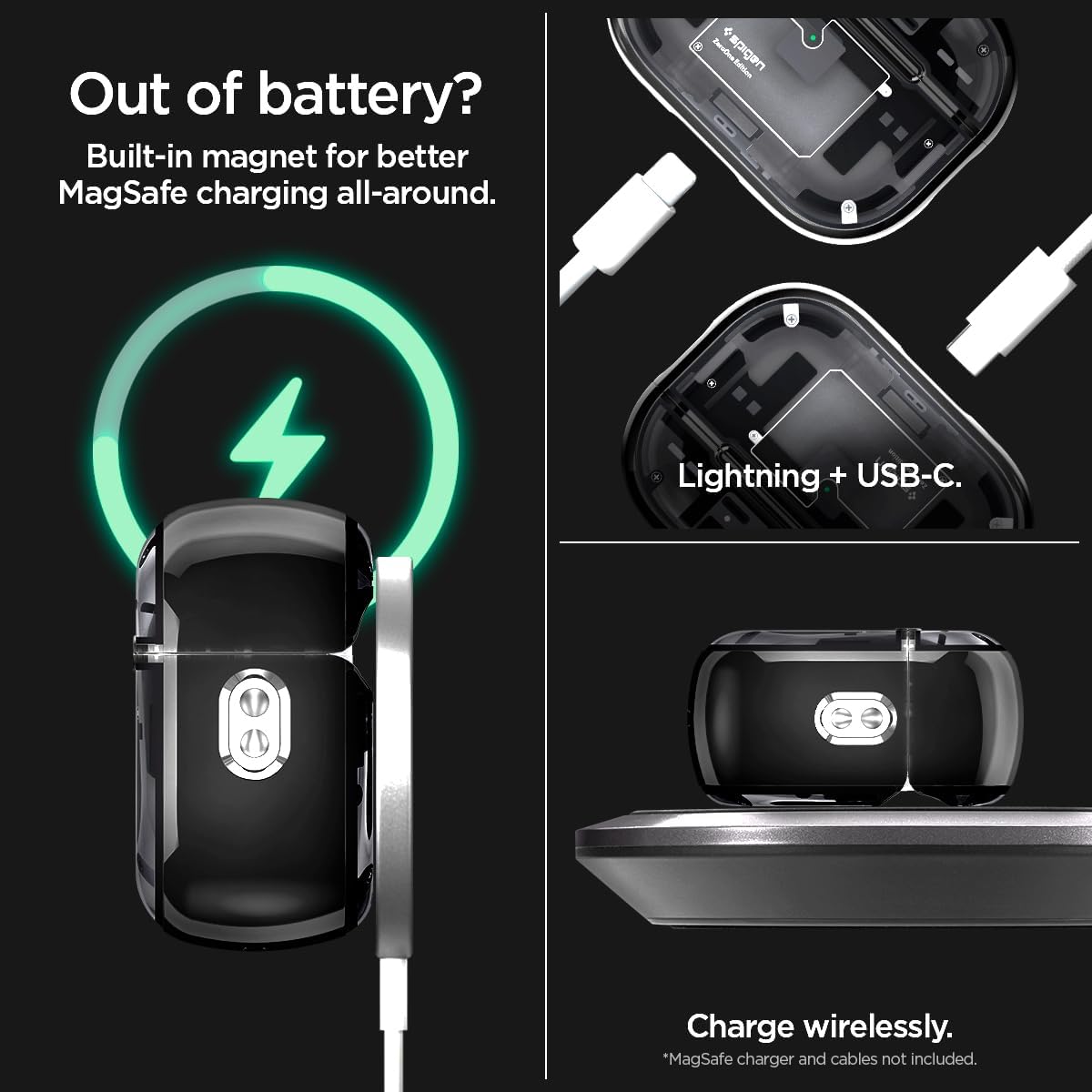
Image: This image demonstrates the case's charging capabilities, showing it wirelessly charging on a MagSafe pad and close-ups of the Lightning and USB-C port cutouts for wired charging.
Portability and Accessibility
- Carabiner Use: Utilize the attached carabiner to clip your AirPods Pro case securely to your backpack, belt loop, or keys for easy access and to prevent loss.
- Lanyard Cutout: The case features a precise cutout for attaching a lanyard, offering an additional carrying option.
- Pairing Button Access: The case is designed with precise cutouts to allow access to the pairing button on the back of the AirPods Pro charging case. If the top cover is secured with adhesive, you may need to carefully remove the AirPods Pro from the case to access the button for initial pairing or re-pairing with new devices.
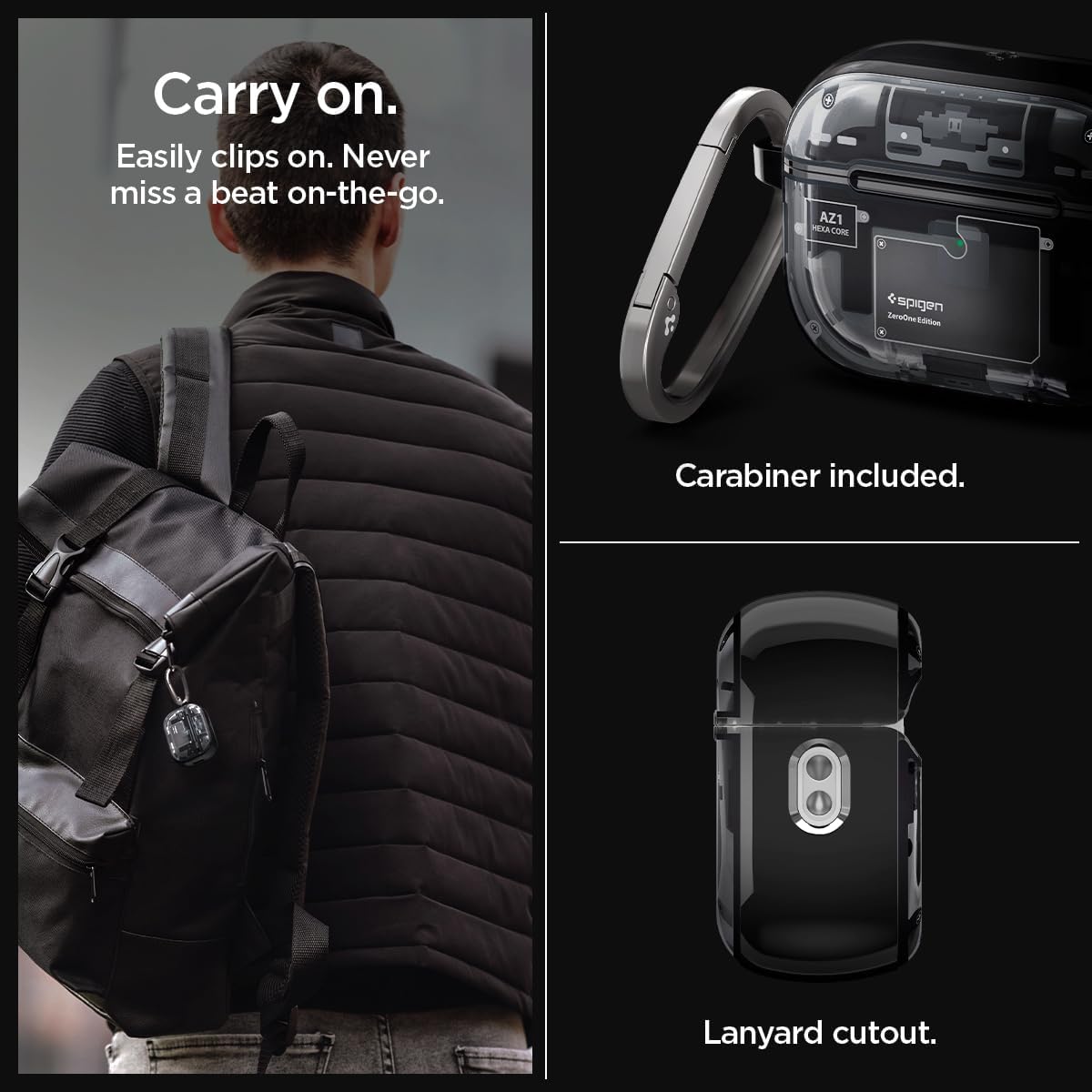
Image: A user demonstrating the portability of the case by clipping it to a backpack, alongside detailed views of the robust carabiner and the dedicated lanyard cutout.
Maintenance
- Cleaning: To clean the case, gently wipe it with a soft, damp cloth. Avoid using harsh chemicals or abrasive materials, as these may damage the TPU material or the unique design.
- Inspection: Periodically inspect the case for any signs of wear or damage, especially the carabiner and attachment points, to ensure continued protection and secure carrying.
- Adhesive Care: If an adhesive strip was used for the top cover, avoid frequent removal to maintain its effectiveness. If the adhesive weakens, a new adhesive strip may be required for optimal security.
Troubleshooting
- Case Not Fitting Properly: Ensure you have the correct model of AirPods Pro (2nd Generation). The case is specifically designed for this model. Re-install the AirPods Pro into the case, ensuring both top and bottom sections are aligned correctly and fully seated.
- MagSafe Charging Issues: Verify that your wireless charger is MagSafe compatible. Ensure the AirPods Pro case is centered correctly on the charging pad. If issues persist, try wired charging to confirm the AirPods Pro are functioning correctly. Note that MagSafe attachment strength can vary slightly depending on the charger and environmental factors.
- Difficulty Accessing Pairing Button: If the top cover is secured with adhesive, accessing the pairing button requires carefully removing the AirPods Pro charging case from the Spigen case. This is necessary for initial device pairing or re-pairing.
- Carabiner Detachment: Ensure the carabiner is securely closed after attachment. Regularly check its spring mechanism for proper function.
Specifications
| Feature | Detail |
|---|---|
| Brand | Spigen |
| Model Name | Ultra Hybrid MagFit ZeroOne |
| Part Number | ACS05593 |
| Compatible Devices | AirPods Pro (2nd Generation) |
| Material Type | Thermoplastic Polyurethane (TPU) |
| Form Factor | Case |
| Special Features | Wireless Charging Compatible, MagSafe Compatible, Carabiner Included, Air Cushion Technology, Unique Teardown Design |
| Product Dimensions | 7.3 x 5 x 2.6 cm |
| Product Weight | 38.8 grams |
Warranty and Support
For warranty information, product support, or any inquiries not covered in this manual, please refer to the official Spigen website or contact Spigen customer service directly. Keep your purchase receipt for warranty claims.
You can visit the Spigen Store for more information: Spigen Official Store


