
1. Introduction
Welcome to your new Yuwell YE650D Electronic Blood Pressure Monitor. This manual provides essential instructions for the safe and effective use of your device. Please read it thoroughly before operation and retain it for future reference. This monitor is designed for home use to measure systolic and diastolic blood pressure and pulse rate in adults.
2. Important Safety Information
- Consult your physician before using this device if you have any medical conditions.
- This device is not intended for self-diagnosis or treatment. Always consult a healthcare professional for interpretation of measurements.
- Keep the device out of reach of infants and children.
- Use only the specified cuff and accessories provided or approved by Yuwell.
- Do not use the device in a moving vehicle or on an airplane.
- Avoid taking measurements immediately after exercise, bathing, or consuming alcohol/caffeine.
- Ensure proper battery insertion and replacement as instructed.
3. Package Contents
Carefully unpack your Yuwell YE650D Blood Pressure Monitor and check for the following items:
- Yuwell YE650D Electronic Blood Pressure Monitor Unit
- Arm Cuff
- User Manual
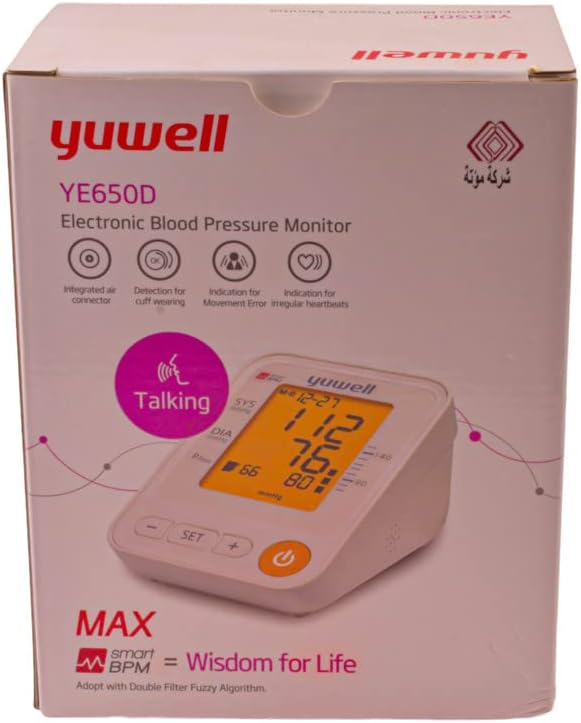
Image 1: The retail packaging for the Yuwell YE650D Electronic Blood Pressure Monitor, showing the device and its key features on the box.
4. Product Features
The Yuwell YE650D Electronic Blood Pressure Monitor is equipped with several features to enhance your blood pressure monitoring experience:
- Large LCD Screen: Provides clear and easy-to-read measurement results.
- English Voice Function: Announces measurement results for convenience and accessibility.
- 90 Storage Memories: Stores up to 90 measurement records for tracking trends over time.
- Average of Last 3 Measurements: Calculates and displays the average of your most recent three readings.
- Cuff Wearing Detection: Alerts you if the cuff is not applied correctly.
- Movement Error Indication: Detects and indicates excessive body movement during measurement, which can affect accuracy.
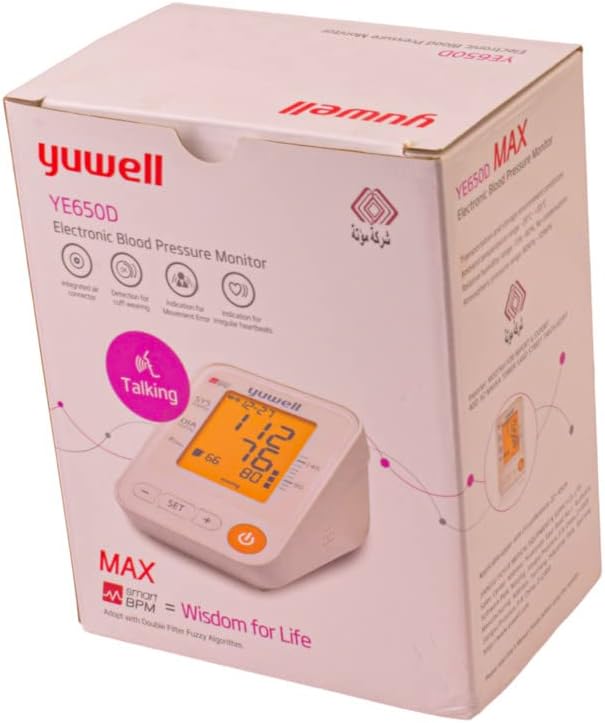
Image 2: A side view of the Yuwell YE650D Blood Pressure Monitor retail box, highlighting additional product information and specifications.
5. Setup
5.1 Battery Installation
- Open the battery compartment cover located on the back or bottom of the monitor.
- Insert four (4) AA-size alkaline batteries, ensuring the correct polarity (+ and -) as indicated inside the compartment.
- Close the battery compartment cover securely.
5.2 Cuff Connection
- Locate the air tube connector on the side of the blood pressure monitor unit.
- Firmly insert the air tube plug from the arm cuff into the connector port until it clicks into place.
- Ensure the connection is secure to prevent air leakage during measurement.
6. Operating Instructions
6.1 Before Measurement
For accurate readings, please observe the following:
- Rest for at least 5 minutes before taking a measurement.
- Avoid eating, drinking alcohol or caffeine, smoking, and exercising for 30 minutes prior.
- Sit in a comfortable position with your back supported and feet flat on the floor.
- Place your arm on a flat surface so the cuff is at heart level.
6.2 Taking a Measurement
- Wrap the arm cuff snugly around your upper arm, approximately 1-2 cm above the elbow joint. Ensure the air tube is positioned over the brachial artery (inner side of the arm).
- Press the 'START/STOP' button to begin the measurement. The cuff will inflate automatically.
- Remain still and silent during the measurement. The monitor will deflate the cuff and display your systolic pressure, diastolic pressure, and pulse rate.
- The results will be announced by the English voice function (if activated) and automatically stored in memory.
- Press the 'START/STOP' button again to turn off the device, or it will power off automatically after a period of inactivity.
6.3 Voice Function
The Yuwell YE650D features an English voice function. Refer to the device's specific buttons (e.g., 'SET' or a dedicated 'Voice' button) to toggle this feature on or off. When activated, the monitor will audibly announce the measurement results after each reading.
6.4 Memory Function
To review past measurements:
- With the device off, press the 'MEM' button (or equivalent memory button).
- The monitor will display the average of the last three measurements first.
- Press the 'MEM' button repeatedly to scroll through individual stored readings, from most recent to oldest.
- To exit memory mode, press the 'START/STOP' button or wait for automatic shutdown.
7. Maintenance and Care
- Clean the monitor unit and cuff with a soft, dry cloth. Do not use abrasive cleaners or immerse the device in water.
- Store the device in a cool, dry place, away from direct sunlight and extreme temperatures.
- Remove batteries if the device will not be used for an extended period to prevent leakage.
- Do not attempt to disassemble or repair the monitor yourself. Contact qualified service personnel for assistance.
8. Troubleshooting
| Problem | Possible Cause | Solution |
|---|---|---|
| No display/Device won't turn on | Batteries are dead or incorrectly inserted. | Replace batteries with new ones, ensuring correct polarity. |
| Error message (e.g., 'E1', 'Err') | Cuff not applied correctly, excessive movement, or air leakage. | Re-apply cuff, remain still and silent, check cuff connection. Repeat measurement. |
| Inaccurate readings | Improper measurement posture, recent activity, or cuff size. | Follow 'Before Measurement' guidelines. Ensure cuff fits properly. Consult a doctor if readings remain inconsistent. |
| Voice function not working | Voice function is turned off or volume is too low. | Refer to the operating instructions to activate the voice function and adjust volume. |
9. Specifications
- Model: YE650D
- Measurement Method: Oscillometric
- Display: Large LCD Digital Display
- Memory: 90 sets of measurements
- Power Source: 4 x AA Batteries (DC 6V)
- Included Components: Monitor unit, Arm Cuff
- Features: English Voice Function, Cuff Wearing Detection, Movement Error Indication, Average of Last 3 Measurements
- Age Range Description: Adult
10. Warranty and Support
Your Yuwell YE650D Electronic Blood Pressure Monitor is covered by a manufacturer's warranty. Please refer to the warranty card included in your package or contact your local Yuwell distributor for specific warranty terms and conditions. Keep your purchase receipt as proof of purchase for warranty claims. For technical support or service, please contact the retailer where you purchased the device or the authorized Yuwell service center in your region.


