
Nitecore NU33-NB20000
Nitecore NU33 Headlamp and NB20000 PowerCharger Combo User Manual
Model: NU33-NB20000
1. Introduction
This manual provides comprehensive instructions for the Nitecore NU33 Triple Output USB-C Rechargeable Headlamp and the Nitecore NB20000 20,000mAh PowerCharger. This combination is designed to offer reliable illumination and portable power for various outdoor activities and daily use. Please read this manual thoroughly before using the products to ensure proper operation and maintenance.
2. Product Overview

Image 2.1: The Nitecore NU33 Headlamp and NB20000 PowerCharger, along with a USB-C charging cable.
2.1 Nitecore NU33 Headlamp
The Nitecore NU33 is a versatile headlamp featuring multiple light sources and a built-in rechargeable battery.
Components:
- NU33 Headlamp Unit
- Adjustable Headband
- USB-C Charging Cable
Key Features:
- Triple Output Design: Includes a primary white LED with a maximum output of 700 lumens, a high CRI (CRI≥90) auxiliary white light, and a red light illuminator.
- Unibody Optical Lens System: Designed for uniform and soft light distribution, reducing eye strain.
- Dual-Button Interface: Two distinct buttons for intuitive, one-handed operation.
- Multiple Modes: 5 brightness levels for white light, 2 special modes (SOS, Beacon), and 2 red light modes (Constant-On, Slow Flashing).
- Power Indication: Four power indicators display the remaining battery level.
- Durable Construction: Made from durable PC and aluminum metal materials.
- Compact and Lightweight: Weighs approximately 95.5g (3.37 oz) with bracket and headband.
- Robust Design: Impact resistant to 1 meter and rated IP66 for water and dust resistance.
- Integrated Battery: Built-in 2000mAh Li-ion battery, rechargeable via USB-C.

Image 2.2: Front view of the Nitecore NU33 Headlamp highlighting its 700 lumens output, triple output capability, 95.5g weight, and USB-C rechargeable feature.

Image 2.3: The Nitecore NU33 Headlamp showcasing its upgraded unibody optical lens system, designed for uniform and soft light with over 94% light transmission.
2.2 Nitecore NB20000 PowerCharger
The Nitecore NB20000 is a high-capacity portable power bank designed to charge your electronic devices on the go.
Key Features:
- High Capacity: 20,000mAh Li-ion battery.
- Multiple Ports: Equipped with USB-C input/output and USB-A output ports for versatile charging.
- Portable Design: Compact and lightweight for easy transport.
3. Setup
3.1 Charging the Nitecore NU33 Headlamp
- Locate the USB-C charging port on the side of the NU33 headlamp.
- Connect the headlamp to a USB power source (e.g., USB adapter, computer, power bank) using the provided USB-C charging cable.
- The blue power indicators will flash during charging and become steady when fully charged. A full charge takes approximately 1.5 hours.
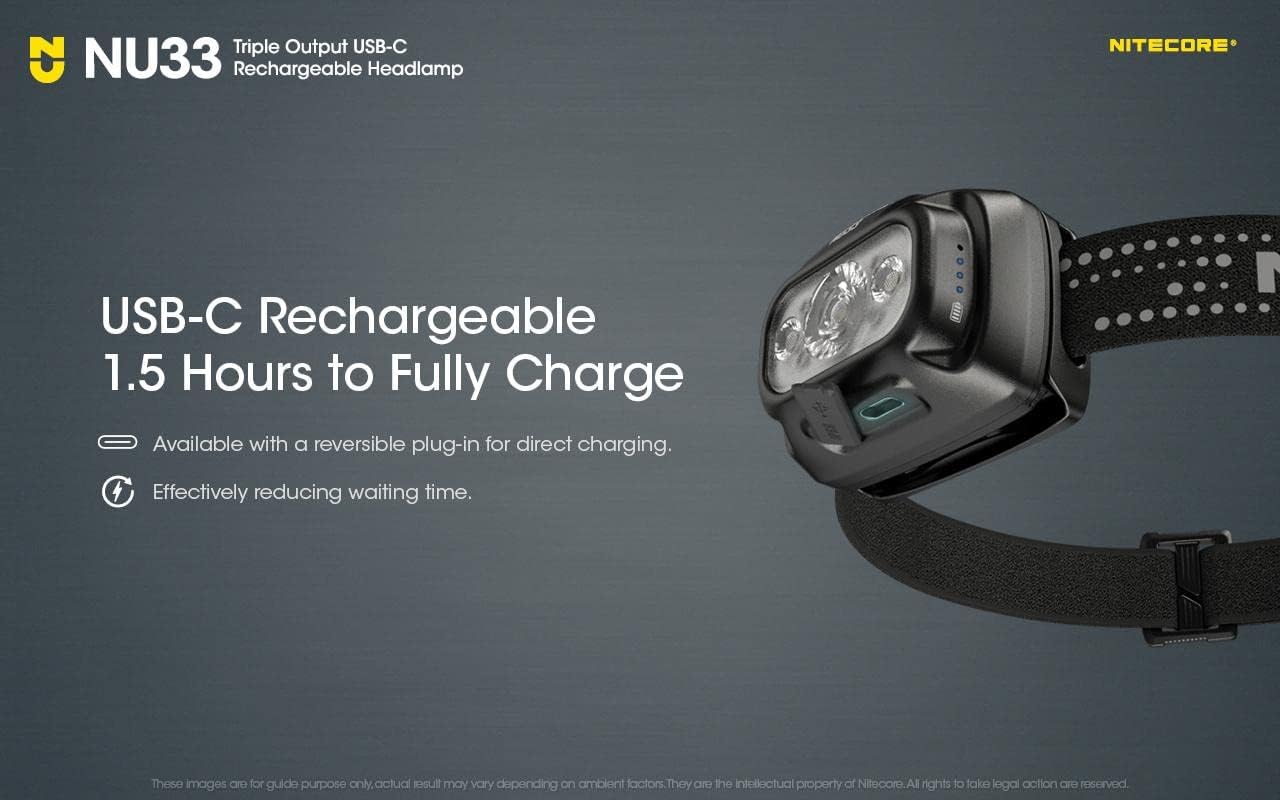
Image 3.1: The Nitecore NU33 Headlamp with its USB-C charging port, indicating it can be fully charged in 1.5 hours.
3.2 Charging the Nitecore NB20000 PowerCharger
- Connect the NB20000 PowerCharger to a USB power source using a compatible USB-C cable.
- The indicator lights on the power bank will illuminate to show the charging status.
3.3 Attaching the Headband (NU33)
- Thread the adjustable headband through the brackets on the NU33 headlamp.
- Adjust the length of the headband to ensure a comfortable and secure fit on your head. The headband features reflective strips for enhanced visibility.
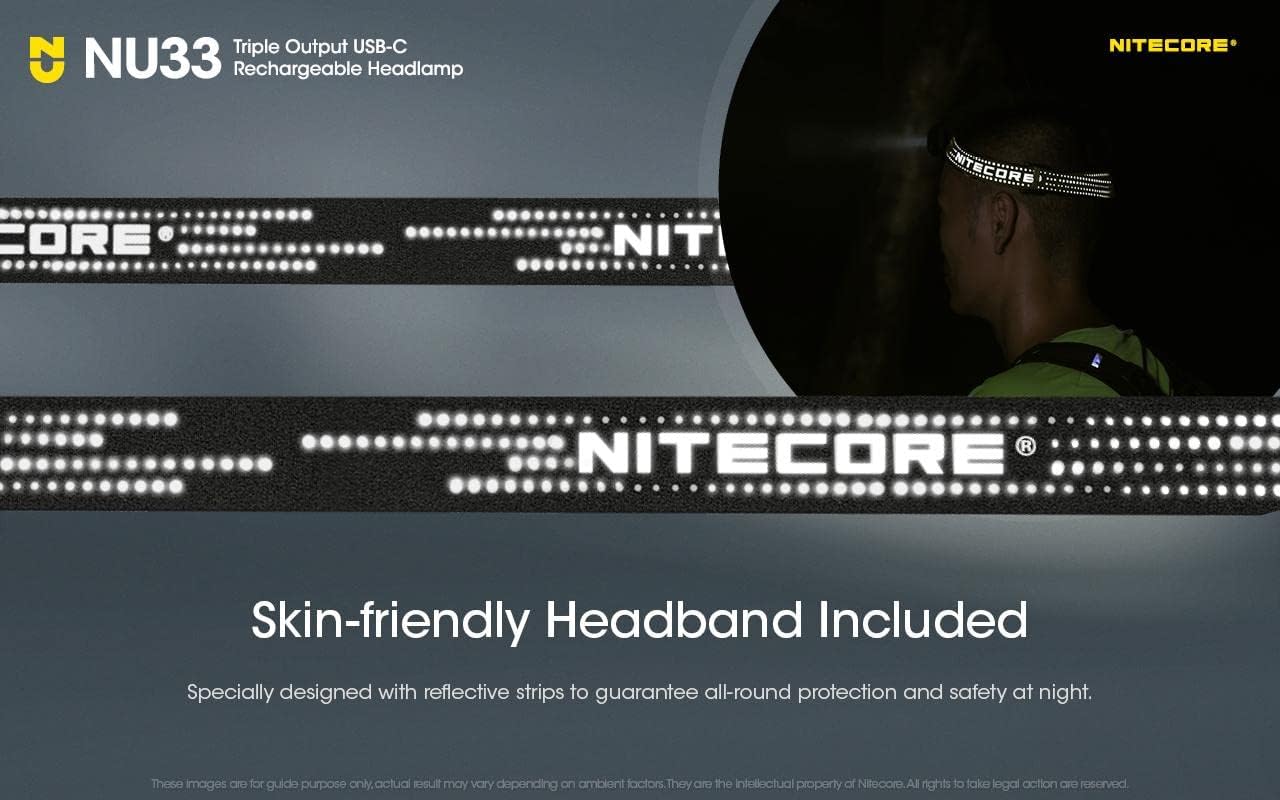
Image 3.2: The Nitecore NU33 Headlamp with its skin-friendly headband, featuring reflective strips for safety.
4. Operation
4.1 Nitecore NU33 Headlamp Operation
The NU33 features two buttons: a Power Button and a Mode Button.
Power On/Off:
- To Turn On: Press and hold the Power Button for 1 second.
- To Turn Off: Press and hold the Power Button for 1 second when the light is on.
Brightness Levels (Primary White Light):
- When the primary white light is on, short press the Mode Button to cycle through the brightness levels: Ultralow, Low, Mid, High, Turbo.
Auxiliary White Light:
- When the headlamp is off, press and hold the Mode Button for 1 second to activate the auxiliary white light.
- Short press the Mode Button to cycle through its brightness levels.
Red Light Modes:
- When the headlamp is off, press and hold both the Power Button and Mode Button simultaneously for 1 second to activate the red light.
- Short press the Mode Button to cycle between Red Light Constant-On and Red Light Slow Flashing.
Special Modes (SOS / Beacon):
- When the primary white light is on, double-press the Mode Button to activate SOS mode.
- Double-press the Mode Button again to switch to Beacon mode.
- Short press any button to exit special modes.

Image 4.1: Overview of the Nitecore NU33 Headlamp's triple light sources, including Primary White Light (Turbo 700 Lumens, High 200 Lumens, Mid 50 Lumens, SOS, Beacon), Auxiliary Red Light (Constant-On, Slow Flashing), and Auxiliary White Light (Low 50 Lumens, Ultralow 6 Lumens).
Power Indication (NU33):
- When the headlamp is off, short press the Power Button. The blue power indicators will light up to show the remaining battery power.
- 4 indicators: 100% - 75%
- 3 indicators: 75% - 50%
- 2 indicators: 50% - 25%
- 1 indicator: Below 25%
4.2 Nitecore NB20000 PowerCharger Operation
Charging External Devices:
- Connect your electronic device (e.g., smartphone, tablet, headlamp) to one of the NB20000's USB-A or USB-C output ports using a suitable charging cable.
- The PowerCharger will automatically begin charging the connected device.
Power Indication (NB20000):
- Press the power button on the NB20000 to check the remaining battery level via the indicator lights.
5. Maintenance
5.1 Cleaning
- Wipe the surfaces of both the headlamp and power charger with a soft, damp cloth.
- Avoid using abrasive cleaners, solvents, or harsh chemicals, as these can damage the devices.
5.2 Storage
- Store the devices in a cool, dry place away from direct sunlight and extreme temperatures.
- For prolonged storage, it is recommended to recharge the devices every 3 months to maintain battery health and prevent deep discharge.
5.3 Battery Care
- Do not attempt to replace the built-in batteries in either the NU33 headlamp or the NB20000 PowerCharger.
- Avoid exposing the devices to extreme heat or cold, as this can degrade battery performance and lifespan.
- Dispose of batteries according to local regulations.
6. Troubleshooting
- Headlamp not turning on: Ensure the NU33 headlamp is sufficiently charged. Connect it to a power source and check the charging indicators.
- Headlamp not charging: Verify that the USB-C cable is securely connected to both the headlamp and the power source. Try a different USB-C cable or power source.
- PowerCharger not charging external devices: Check if the NB20000 PowerCharger has sufficient charge. Ensure the charging cable connecting the device to the power bank is functional and correctly inserted.
- PowerCharger not recharging: Confirm that the USB-C cable is properly connected to the NB20000 and the power source. Try a different cable or power adapter.
- If issues persist after attempting these steps, please contact Nitecore customer support.
7. Specifications
7.1 Nitecore NU33 Headlamp
| Feature | Detail |
|---|---|
| Max Output | 700 Lumens |
| Max Beam Distance | 135 meters |
| Max Beam Intensity | 4578 cd |
| Max Runtime | 147 hours (on Ultralow setting) |
| Beam Color | White Light, Red Light |
| Battery | Built-in 2000mAh Li-ion |
| Charging Port | USB-C |
| Charging Time | Approx. 1.5 hours |
| Weight | 95.5g (3.37 oz) |
| Impact Resistance | 1 meter |
| Waterproof & Dustproof Rating | IP66 |
| Material | PC and Aluminum |
7.2 Nitecore NB20000 PowerCharger
| Feature | Detail |
|---|---|
| Capacity | 20,000mAh |
| Input Ports | USB-C |
| Output Ports | USB-C, USB-A |
8. Warranty and Support
Nitecore products are covered by a warranty. For detailed warranty terms, conditions, and support, please visit the official Nitecore website or contact your authorized Nitecore dealer or distributor. Please retain your purchase receipt as proof of purchase for warranty claims.
Related documentsNU33-NB20000


Ask a question about this manual
Ask about setup, troubleshooting, compatibility, parts, safety, or missing instructions. Manuals+ will review the question and use this page’s manual context to help answer it.