
1. Introduction
Thank you for choosing the Magnat Monitor Supreme 1002 Floorstanding Speaker. This manual provides essential information for the safe and optimal setup, operation, and maintenance of your speaker. Please read these instructions carefully before using the product.
The Monitor Supreme 1002 is a high-performance 3-way bass reflex floorstanding speaker, designed to deliver dynamic and precise audio reproduction for your home theater or stereo system. It features a robust MDF cabinet and high-quality drivers for an exceptional listening experience.
2. Safety Instructions
- Placement: Place the speaker on a stable, level surface to prevent tipping. Avoid placing it in direct sunlight, near heat sources, or in areas with high humidity.
- Ventilation: Ensure adequate ventilation around the speaker. Do not block any ventilation openings.
- Power: Connect the speaker only to compatible audio equipment. Ensure the amplifier is turned off before making any connections.
- Cleaning: Disconnect the speaker from the amplifier before cleaning. Use a soft, dry cloth. Do not use liquid cleaners or aerosols.
- Moisture: Do not expose the speaker to water or moisture.
- Servicing: Do not attempt to service the speaker yourself. Refer all servicing to qualified service personnel.
- Children: Keep packaging materials and small parts away from children to prevent choking hazards.
3. Package Contents
Please check the package for the following items:
- Magnat Monitor Supreme 1002 Floorstanding Speaker (1 unit)
- Speaker Grille (pre-installed or separate)
- Spikes or Feet (for stability and decoupling)
- User Manual (this document)
If any items are missing or damaged, please contact your retailer.
4. Setup
4.1 Unpacking
Carefully remove the speaker from its packaging. Retain the packaging for future transport or storage.
4.2 Speaker Placement
Optimal speaker placement is crucial for sound quality. Consider the following:
- Stereo Setup: For a stereo pair, place the speakers equidistant from your primary listening position, forming an equilateral triangle.
- Distance from Walls: Experiment with placing the speakers a few feet away from walls to reduce bass boom and improve soundstage.
- Toe-in: Angle the speakers slightly inward towards the listening position (toe-in) to optimize imaging.
- Stability: Ensure the speaker is stable on its feet or spikes.
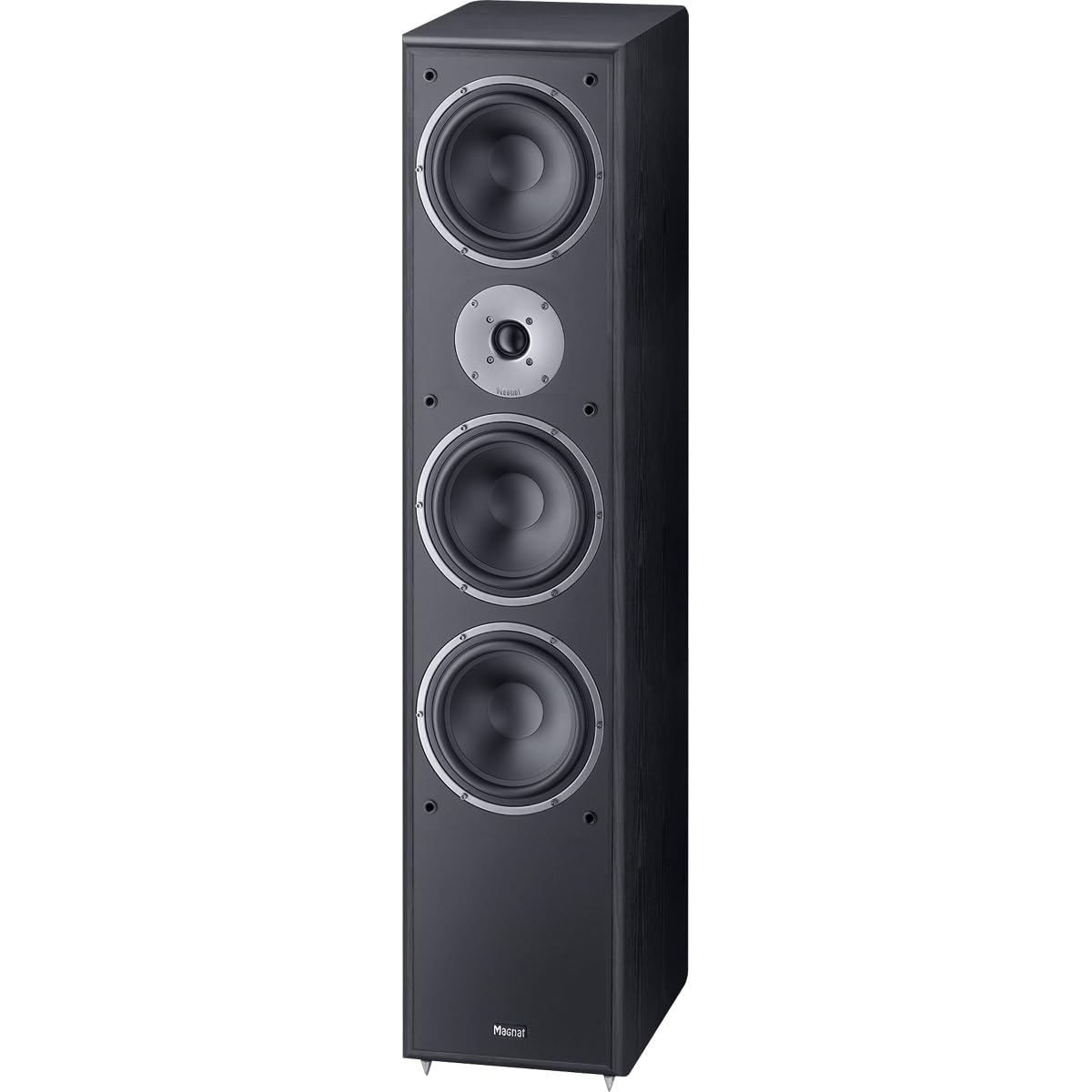
Figure 1: Front view of Magnat Monitor Supreme 1002 speakers, showing one with the protective grille removed to reveal the drivers.
4.3 Connecting to an Amplifier
Before connecting, ensure your amplifier is turned off and unplugged from the power outlet.
- Use high-quality speaker cables. Strip approximately 1/2 inch (1.2 cm) of insulation from the ends of the speaker wires.
- Connect the positive (+) terminal (red) on the speaker to the positive (+) terminal on your amplifier.
- Connect the negative (-) terminal (black) on the speaker to the negative (-) terminal on your amplifier.
- Ensure all connections are secure and that no stray wire strands are touching other terminals, which could cause a short circuit.
Maintain correct polarity for both speakers to ensure proper stereo imaging and bass response.

Figure 2: Dimensions of the Magnat Monitor Supreme 1002 Floorstanding Speaker, showing height (40.16"), width (11.02"), and depth (14.57").
5. Operating
Once the speakers are properly connected to your amplifier:
- Ensure all connections are secure.
- Turn on your amplifier and select the desired audio source.
- Start with the amplifier volume at its lowest setting and gradually increase it to a comfortable listening level.
- Avoid playing audio at excessively high volumes for extended periods, as this can damage the speakers and your hearing.
6. Maintenance
- Cleaning the Cabinet: Use a soft, dry, lint-free cloth to wipe the speaker cabinet. For stubborn marks, a slightly damp cloth can be used, followed by a dry cloth. Avoid abrasive cleaners or solvents.
- Cleaning the Grille: The speaker grille can be gently vacuumed with a soft brush attachment to remove dust. If removable, it can be hand-washed with mild soap and water, then air-dried completely before reattaching.
- Driver Care: Avoid touching the speaker drivers (woofers, midrange, tweeter) as this can cause damage.
- Storage: If storing the speakers for an extended period, use the original packaging to protect them from dust and physical damage.
7. Troubleshooting
| Problem | Possible Cause | Solution |
|---|---|---|
| No sound from speaker |
|
|
| Distorted or unclear sound |
|
|
| Unbalanced sound (one speaker louder/softer) |
|
|
8. Specifications
| Feature | Detail |
|---|---|
| Model Name | Monitor Supreme 1002 |
| Speaker Type | Floorstanding Speaker |
| Mounting Type | Floor Standing |
| Product Dimensions (D x W x H) | 14.57"D x 11.02"W x 40.16"H |
| Item Weight | 36 pounds |
| Speaker Maximum Output Power | 200 Watts |
| Frequency Response | 19 Hz (lower limit, typical for bass reflex) |
| Connectivity Technology | Wired |
| Audio Output Mode | Stereo |
| Woofer Diameter | 7.87 Inches (200 mm) |
| Midrange Driver Diameter | 6.69 Inches (170 mm) |
| Tweeter Diameter | 25 Millimeters |
| Surround Sound Channel Configuration | 3.0 |
| Special Feature | Bass Boost |
| Recommended Uses For Product | For Home Theaters |
| Manufacturer | Magnat |
| UPC | 810072320018 |
| Item Model Number | D14481001NA |
Note: Specifications are subject to change without notice.
9. Warranty and Support
The Magnat Monitor Supreme 1002 Floorstanding Speaker comes with a limited warranty. Please refer to the warranty card included with your product or visit the official Magnat website for detailed warranty terms and conditions.
For technical support, service, or inquiries, please contact your authorized Magnat dealer or visit the Magnat support page online. When contacting support, please have your product model number (Monitor Supreme 1002) and serial number (if applicable) ready.
Magnat Official Website: www.magnat.de


