
Introduction
The BoxWave SlimKeys Bluetooth Keyboard with Trackpad is a versatile and portable input device designed for seamless connectivity with various devices. It features responsive chiclet-style keys and an integrated trackpad, offering a complete typing and navigation experience. This manual provides instructions for setting up, operating, and maintaining your keyboard.

An overhead view of the BoxWave SlimKeys Bluetooth Keyboard, showcasing the full QWERTY layout and integrated trackpad.
Getting Started
Package Contents
- BoxWave SlimKeys Bluetooth Keyboard with Trackpad
- USB Charging Cable
- Instruction Manual (this document)
Charging the Keyboard
Before initial use, fully charge the keyboard. Connect the provided USB charging cable to the keyboard's charging port and to a standard USB power source (e.g., computer USB port, USB wall adapter). The charging indicator light will illuminate during charging and turn off when fully charged.

The keyboard connected to a charging cable, indicating its long-lasting battery and recharge capability.
Bluetooth Pairing
To connect your SlimKeys Bluetooth Keyboard to a device, follow these steps:
- Ensure the keyboard is charged.
- Locate the power switch on the keyboard and slide it to the 'ON' position.
- Press the Connect button (often labeled 'Connect' or indicated by a Bluetooth symbol) on the keyboard. The Bluetooth indicator light will begin to flash, indicating it is in pairing mode.
- On your device (e.g., portable monitor, tablet, smartphone), go to the Bluetooth settings.
- Search for available Bluetooth devices. The keyboard should appear as "BoxWave SlimKeys" or a similar name.
- Select the keyboard from the list to initiate pairing. Your device may prompt you to enter a code displayed on the screen.
- Once paired, the Bluetooth indicator light on the keyboard will stop flashing and remain solid or turn off, depending on the model.
The keyboard utilizes Bluetooth Version 3.0 for fast and seamless communication.
Operating the Keyboard
Basic Typing
The SlimKeys keyboard features a standard QWERTY layout with responsive chiclet-style keys for comfortable and efficient typing. Simply begin typing after successful pairing.
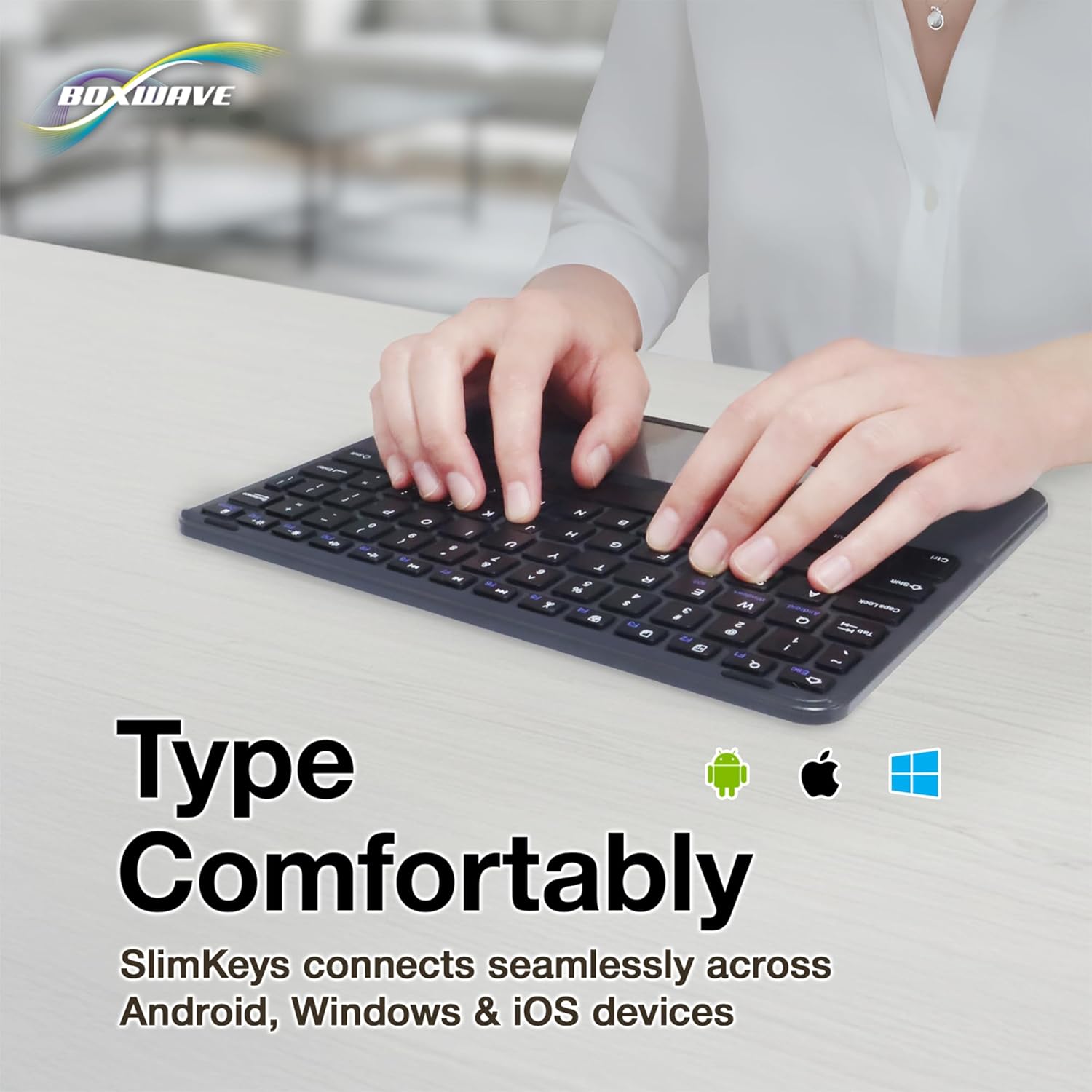
Hands typing on the keyboard, illustrating comfortable use across multiple operating systems including Android, Windows, and iOS.
Trackpad Usage
The integrated trackpad allows for precise cursor control and navigation. Use standard touch gestures for clicking, scrolling, and other functions as supported by your connected device's operating system.

A hand demonstrating the use of the integrated trackpad for navigation, highlighting its precision.
Special Function Keys
The keyboard includes specialized function keys (F1-F12) that provide quick access to common commands. These functions may vary slightly depending on your device's operating system.
- Esc (Home): Returns to the home screen or performs an escape function.
- F1 (Search): Opens the search function.
- F2 (Select All): Selects all content.
- F3 (Copy): Copies selected content.
- F4 (Paste): Pastes copied content.
- F5 (Cut): Cuts selected content.
- F6 (Skip Back): Skips to the previous track or media item.
- F7 (Play/Pause): Plays or pauses media playback.
- F8 (Skip Forward): Skips to the next track or media item.
- F9 (Volume Down): Decreases the system volume.
- F10 (Volume Up): Increases the system volume.
- F11 (Brightness Down): Decreases screen brightness.
- F12 (Brightness Up): Increases screen brightness.
- Delete (Lock): Locks the device or performs a delete function.
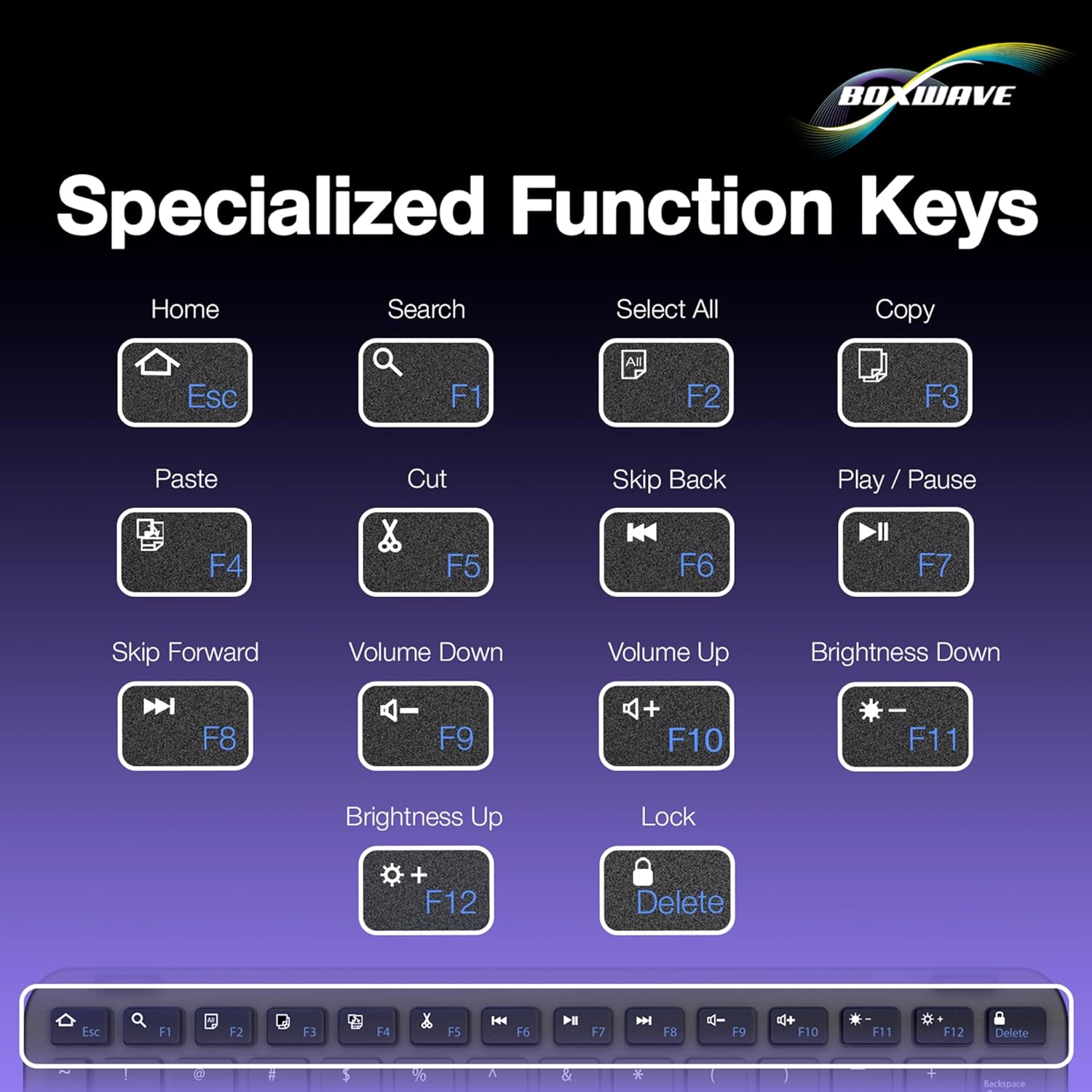
An illustration detailing the specialized function keys (F1-F12) and their respective actions, such as Home, Search, Volume, and Brightness controls.
Maintenance
Battery Management
The SlimKeys keyboard is designed for long-lasting battery performance. To conserve battery power, slide the power switch to the 'OFF' position when the keyboard is not in use. The keyboard can achieve up to 30 days of usage on a single charge and up to 6 months on standby when powered off. Recharge the keyboard using the provided USB cable when the battery is low.
Cleaning
To clean your keyboard, gently wipe the surface with a soft, damp cloth. Avoid using harsh chemicals or abrasive materials, as these may damage the finish or internal components. Ensure the keyboard is powered off before cleaning.
Troubleshooting
- Keyboard not connecting:
- Ensure the keyboard is powered on and fully charged.
- Verify that Bluetooth is enabled on your device.
- Make sure the keyboard is in pairing mode (flashing Bluetooth indicator).
- Forget the device from your device's Bluetooth settings and attempt to re-pair.
- Ensure the keyboard is within the effective range of your device (typically up to 10 meters).
- Trackpad not responding:
- Check if the keyboard is properly connected via Bluetooth.
- Ensure the trackpad surface is clean and free of obstructions.
- Restart both the keyboard and your connected device.
- Keys not responding:
- Check the battery level and recharge if necessary.
- Ensure the keyboard is properly paired.
- Clean around the affected keys to remove any debris.
Product Specifications
| Brand | BoxWave |
| Model | SlimKeys Bluetooth Keyboard with Trackpad |
| Connectivity Technology | Bluetooth |
| Compatible Devices | Laptop (and other Bluetooth-enabled devices) |
| Keyboard Description | Wireless |
| Special Feature | Travel, Integrated Trackpad |
| Color | Jet Black |
| Style | Modern |
| Material | Polycarbonate |
| Item Weight | 10.9 ounces |
| Dimensions (Approx.) | 9.5 in (Width) x 7.0 in (Depth) x 0.2 in (Height) |

The SlimKeys keyboard demonstrating its ultra-slim and lightweight design, ideal for portability.
Warranty and Support
Specific warranty details for the BoxWave SlimKeys Bluetooth Keyboard with Trackpad are not provided within this manual. For warranty information, technical support, or customer service inquiries, please refer to the official BoxWave website or contact their customer support directly. Contact information can typically be found on the product packaging or the manufacturer's website.