
1. Introduction
Thank you for choosing the PRUNUS J-180 Vintage Retro Radio Bluetooth Speaker. This device combines classic aesthetics with modern functionality, offering multiple ways to enjoy your audio. With its portable design and robust features, it is an ideal companion for various settings.

Figure 1.1: PRUNUS J-180 Vintage Retro Radio Bluetooth Speaker. This image shows the front view of the red vintage-style radio with a smartphone placed on its integrated stand.
2. What's in the Box
- Owner's Manual
- Retro Speaker (PRUNUS J-180)
- USB cord
- AUX cord
3. Product Features
- Clear and Loud Sound: Equipped with a powerful speaker for crystal clear audio.
- Multi-functional Wireless Speaker: Supports Bluetooth connection, TF card, USB drive, and AUX input.
- Elegant Appearance & Portable Size: Compact (6.7 x 3.1 x 4.3 inches, 1.3 lbs) with a handle for easy portability. Features a phone stand design.
- Long Battery Life: Includes an 1800mAh rechargeable battery for extended use.
- 3-Band Radio with Good Reception: Receives AM, FM, and SW bands with a long retractable antenna.

Figure 3.1: The PRUNUS J-180 features a convenient phone stand on top, allowing for hands-free viewing while listening to audio.

Figure 3.2: Side view of the PRUNUS J-180 highlighting its versatile input options: TF card slot, USB port, and AUX input.
4. Setup
- Charging the Battery: Before first use, fully charge the speaker using the provided USB cord. Connect the USB cord to the DC 5V charging port on the side of the speaker and to a compatible USB power source. The charging indicator light will illuminate while charging and turn off when fully charged.
- Power On/Off: Rotate the 'VOLUME' knob clockwise to turn the speaker on. Rotate it counter-clockwise until it clicks to turn it off.
- Extending the Antenna: For optimal radio reception, extend the telescopic antenna located at the back of the unit.

Figure 4.1: Close-up view of the DC 5V charging port on the side of the PRUNUS J-180, showing the charging indicator light.
5. Operating Instructions
- Volume Control: Adjust the 'VOLUME' knob to increase or decrease the sound level.
- Mode Selection: Use the mode buttons (e.g., BT/FM, TF, USB, AUX) to switch between different playback modes.
- Radio Operation (AM/FM/SW):
- Select the desired band (FM, AM, or SW) using the band switch.
- Rotate the 'TUNING' knob to scan for radio stations. The tuning indicator will help identify strong signals.
- Bluetooth Connection:
- Switch to Bluetooth mode. The speaker will enter pairing mode.
- On your device (smartphone, tablet), search for 'PRUNUS J-180' in the Bluetooth settings and connect.
- Once connected, you can play audio from your device through the speaker.
- TF Card / USB Disk Playback:
- Insert a TF card or USB disk with MP3 audio files into the respective slot.
- The speaker will automatically switch to the corresponding mode and begin playback.
- Use the playback control buttons (play/pause, next/previous track) to manage your music.
- AUX Input:
- Connect an external audio device (e.g., MP3 player, phone) to the AUX port using the provided AUX cord.
- The speaker will automatically switch to AUX mode.

Figure 5.1: The front panel of the PRUNUS J-180 showing the AM, FM, and SW radio frequency bands and the tuning knob.
Video 5.1: An official product video demonstrating the various features and operating modes of the PRUNUS J-180 Retro Radio Bluetooth Speaker, including radio tuning, Bluetooth connectivity, and media playback options.
6. Maintenance
- Keep the speaker dry and away from moisture.
- Clean the surface with a soft, dry cloth. Do not use abrasive cleaners or solvents.
- Avoid exposing the speaker to extreme temperatures.
- When not in use for extended periods, store the speaker in a cool, dry place.
- The 1800mAh battery is replaceable. If battery performance degrades significantly, consider replacing it with a compatible 3.7V 18650 rechargeable battery.
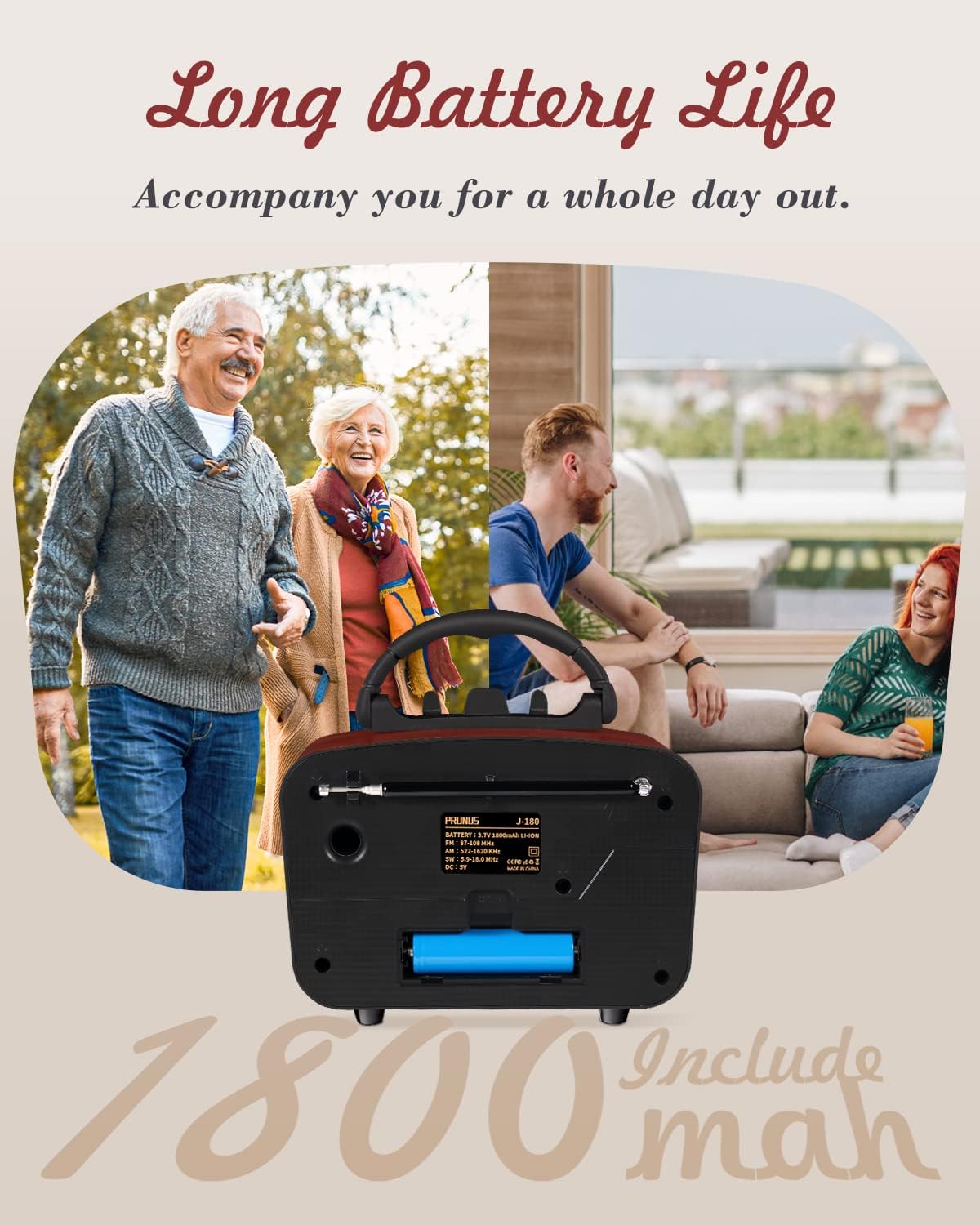
Figure 6.1: The rear view of the PRUNUS J-180, showing the battery compartment with the 1800mAh rechargeable battery installed.
7. Troubleshooting
| Problem | Possible Cause | Solution |
|---|---|---|
| No power / Does not turn on | Battery is depleted. | Charge the speaker fully using the provided USB cable. |
| Poor radio reception | Antenna not extended or weak signal area. | Fully extend the telescopic antenna. Try moving the speaker to a different location. |
| Bluetooth not connecting | Speaker not in pairing mode or device not discoverable. | Ensure the speaker is in Bluetooth mode. Check your device's Bluetooth settings and try reconnecting. |
| USB/TF card not playing | Unsupported file format or card/drive issue. | Ensure audio files are in MP3 format. Try a different TF card or USB drive. |
| Charging light does not turn off | Battery may be fully charged or charging circuit issue. | The red charging light should go out when fully charged. If it remains on after extended charging (e.g., 24 hours), unplug the device. Consider replacing the battery if it consistently fails to indicate full charge. |
8. Specifications
- Product Dimensions: 6.7 x 3.2 x 4.3 inches
- Item Weight: 1.3 pounds
- Model Number: J-180
- Batteries: 1 Lithium Ion battery required (included), 1800mAh
- Connectivity Technology: Bluetooth Speaker
- Color: Red
- Power Source: Corded Electric (DC 5V)
- Radio Bands: FM, AM, SW

Figure 8.1: Diagram showing the dimensions of the PRUNUS J-180: 6.7 inches (length), 3.2 inches (width), and 4.3 inches (height).
9. Warranty & Support
For detailed warranty information and customer support, please refer to the official PRUNUS Store or the user manual PDF provided with your purchase.
- Official User Manual (PDF): Download PDF
- PRUNUS Store: Visit PRUNUS Store on Amazon

