
Redragon GS590
Redragon GS590 Wireless RGB Desktop Speakers User Manual
Model: GS590
Introduction
Thank you for choosing the Redragon GS590 Wireless RGB Desktop Speakers. This manual provides detailed instructions for setting up, operating, and maintaining your speakers to ensure optimal performance and longevity. Please read this manual thoroughly before use.

Image: Front view of the Redragon GS590 Wireless RGB Desktop Speakers, showcasing their compact design and gold-colored speaker cones.
Product Overview
Key Features
- Wireless Freedom Play: Bluetooth 5.0 for premium lossless sound quality and stable audio transmission.
- Back Vibe RGB: Psychedelic ambient RGB lighting on the back of the speakers with 3 selectable modes via touch control.
- Compact Design: Minimalist and compact with a solid frame, suitable for most desktop setups.
- In-Line Control Box: Convenient control for audio, backlight, and mode selection, including an extra headphone jack.
- Broad Compatibility: USB powered USB sound card and AUX wired mode for stable audio transmission with PC, TV, Laptop, and other devices.
Components
The Redragon GS590 speakers consist of two main speaker units and an in-line control box. The system is powered via USB and offers multiple connectivity options.
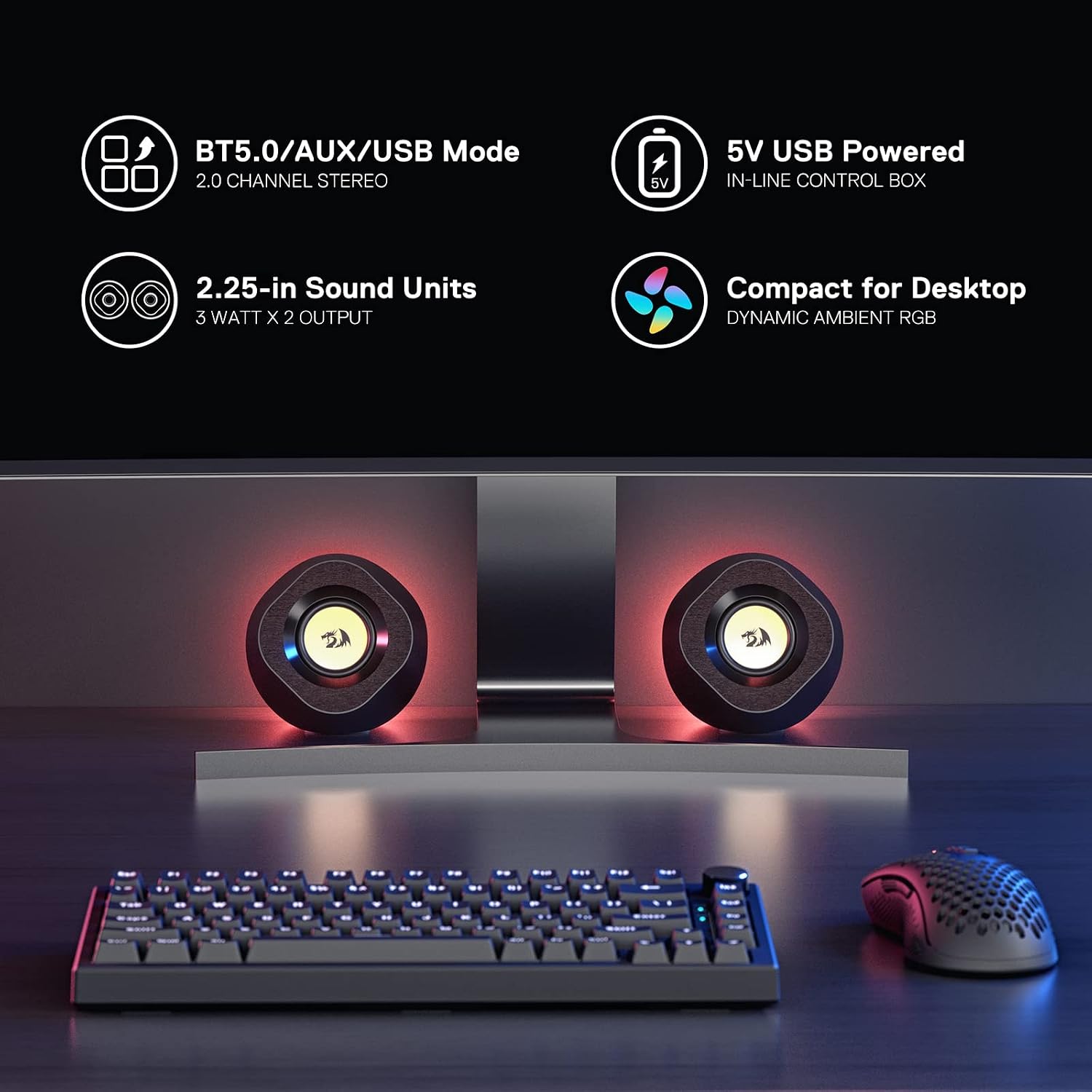
Image: Diagram highlighting key features: BT5.0/AUX/USB Mode, 5V USB Powered In-Line Control Box, 2.25-inch Sound Units (3 Watt x 2 Output), and Dynamic Ambient RGB.

Image: Detailed diagram of the in-line media control box, showing the 3.5mm Headphone Jack, AUX Jack, RGB Mode Control, Volume +/- wheel, and Play/Pause/Connection Mode Control button. It also indicates USB power and the three connection modes (USB, BT5.0, AUX).
Setup Instructions
Follow these steps to set up your Redragon GS590 speakers:
- Placement: Position the two speaker units on your desktop or desired surface. Ensure they are within 37 inches (930mm) of each other for optimal cable management and stereo separation.
- Power Connection: Connect the USB cable from the in-line control box to a USB port on your computer, laptop, or a 5V USB power adapter. The speakers are USB powered.
- Audio Connection: Choose one of the following audio connection methods:
- USB Mode: If connecting to a computer, the USB connection will also handle audio. Ensure your computer recognizes the speakers as an audio output device.
- AUX Mode: Connect a 3.5mm audio cable (not included) from the AUX jack on the in-line control box to the audio output jack of your device (e.g., TV, tablet, smartphone).
- Bluetooth Mode: For wireless audio, ensure the speakers are in Bluetooth pairing mode (indicated by a specific light pattern, see Operating Instructions). On your device, search for "Redragon GS590" and pair.
- Initial Check: Once connected, the speakers should power on. You may hear an audio prompt indicating the current connection mode.

Image: Illustration showing the versatility of connection options: USB, Bluetooth 5.0, and AUX modes, with corresponding indicator light colors.
Operating Instructions
The in-line control box provides easy access to all speaker functions.
- Power On/Off: The speakers power on automatically when connected to a USB power source. To turn them off, disconnect the USB power.
- Volume Control: Use the volume wheel on the side of the in-line control box to adjust the audio output level.
- Connection Mode Control:
- Press and hold the 'M' (Mode) button to cycle through the available connection modes: USB, AUX, and Bluetooth.
- An audio prompt will confirm the selected mode.
- For Bluetooth pairing, select Bluetooth mode. The speakers will enter pairing mode, and you can connect from your device.
- RGB Lighting Control:
- Press the RGB Mode Control button to cycle through the three available ambient RGB lighting modes: Dynamic RGB Flowing, Rainbow Color Breathing, and Red/Green/Blue Breathing.
- Press the button again to turn off the lighting.
- Play/Pause: Short press the 'M' (Mode) button to play or pause audio playback when in Bluetooth or USB audio mode.
- Headphone Jack: Connect your headphones to the 3.5mm headphone jack on the in-line control box for private listening. This will mute the speaker output.
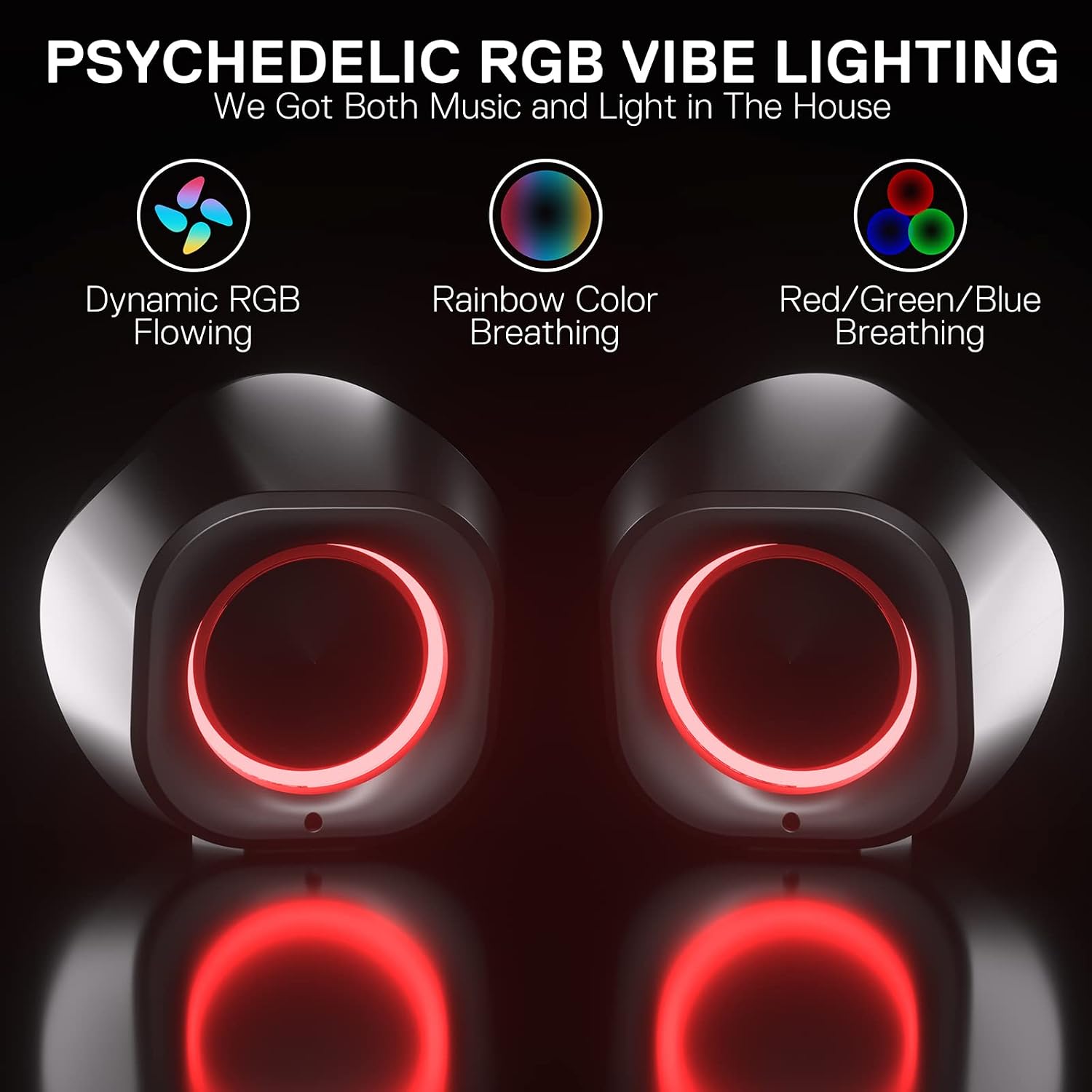
Image: The back of the Redragon GS590 speakers illustrating the three RGB lighting modes: Dynamic RGB Flowing, Rainbow Color Breathing, and Red/Green/Blue Breathing.
Maintenance
To ensure the longevity and optimal performance of your Redragon GS590 speakers, follow these maintenance guidelines:
- Cleaning: Use a soft, dry cloth to wipe down the speaker surfaces. Avoid using abrasive cleaners, solvents, or strong chemicals, as these can damage the finish.
- Dust Removal: Regularly remove dust from the speaker grilles and vents using a soft brush or compressed air.
- Storage: When not in use for extended periods, store the speakers in a cool, dry place away from direct sunlight and extreme temperatures.
- Cable Care: Avoid sharp bends or kinks in the cables. Do not pull on the cables to disconnect the speakers.
- Liquid Exposure: These speakers are not waterproof. Keep them away from liquids and moisture to prevent damage.
Troubleshooting
If you encounter any issues with your Redragon GS590 speakers, refer to the following common problems and solutions:
| Problem | Possible Cause | Solution |
|---|---|---|
| No sound or low volume |
|
|
| Bluetooth connection unstable or fails to pair |
|
|
| Static or buzzing noise |
|
|
| RGB lighting not working |
|
|
Specifications
| Feature | Detail |
|---|---|
| Model Name | Kaidas (GS590) |
| Speaker Type | Dynamic Speaker |
| Audio Output Mode | Stereo (2.0) |
| Speaker Maximum Output Power | 5 Watts |
| Woofer Diameter | 2.25 Inches |
| Frequency Response | 20 KHz |
| Connectivity Technology | Bluetooth 5.0, AUX (3.5mm), USB |
| Power Source | Corded Electric (USB Powered) |
| Input Voltage | 5 Volts |
| Product Dimensions | 4"D x 4"W x 4.5"H |
| Item Weight | 1.76 pounds |
| Material | Plastic |
| Included Components | USB/AUX cable |

Image: Exploded view of a Redragon GS590 speaker unit, showing its internal components and external dimensions (116mm width, 107mm height, 114mm depth).
Warranty and Support
Redragon products come with a limited warranty. For specific warranty details, technical support, or service inquiries, please refer to the official Redragon website or contact their customer support. You can also find the official User Manual (PDF) here.
Related documentsGS590


Ask a question about this manual
Ask about setup, troubleshooting, compatibility, parts, safety, or missing instructions. Manuals+ will review the question and use this page’s manual context to help answer it.