
Arcchio 9968007
Arcchio Aila Floor Lamp User Manual
Model: 9968007
1. Important Safety Information
Please read these instructions carefully before installation and use. Keep this manual for future reference.
- Electrical Safety: This product is a Class I appliance and must be earthed. Ensure the power supply matches the lamp's requirements (230V). Disconnect power before any installation, cleaning, or maintenance.
- IP20 Rating: This lamp is rated IP20, meaning it is protected against solid objects greater than 12.5mm, but has no protection against water. Do not use in wet or damp environments.
- Integrated LEDs: The light source of this luminaire is not replaceable; when the light source reaches its end of life the whole luminaire shall be replaced.
- Placement: Ensure the lamp is placed on a stable, level surface to prevent tipping. Keep away from flammable materials.
- Cleaning: Clean only with a dry or slightly damp cloth. Do not use abrasive cleaners or solvents.
2. Product Overview
The Arcchio Aila LED office floor lamp is designed to provide optimal illumination for workspaces. It features both direct and indirect light output, an integrated daylight sensor, a presence detector, and a touch dimmer for adjustable brightness. The light color can also be adjusted to three different levels.

Figure 2.1: The Arcchio Aila floor lamp, showcasing its sleek, modern design in silver.
3. What's in the Box
Carefully unpack the contents and ensure all parts are present and undamaged:
- Arcchio Aila Floor Lamp Unit (with integrated LEDs)
- Power Cable with Plug
- User Manual (this document)

Figure 3.1: The sturdy base of the Aila lamp and its power plug, ready for connection.
4. Setup
Follow these steps to set up your Arcchio Aila floor lamp:
- Unpack: Carefully remove all packaging materials from the lamp.
- Positioning: Place the lamp on a flat, stable surface in your desired location. For optimal performance of the motion and daylight sensors, position the lamp where it has an unobstructed view of the area to be illuminated and where ambient light conditions can be accurately detected.
- Connect Power: Insert the power plug into a suitable 230V wall outlet.
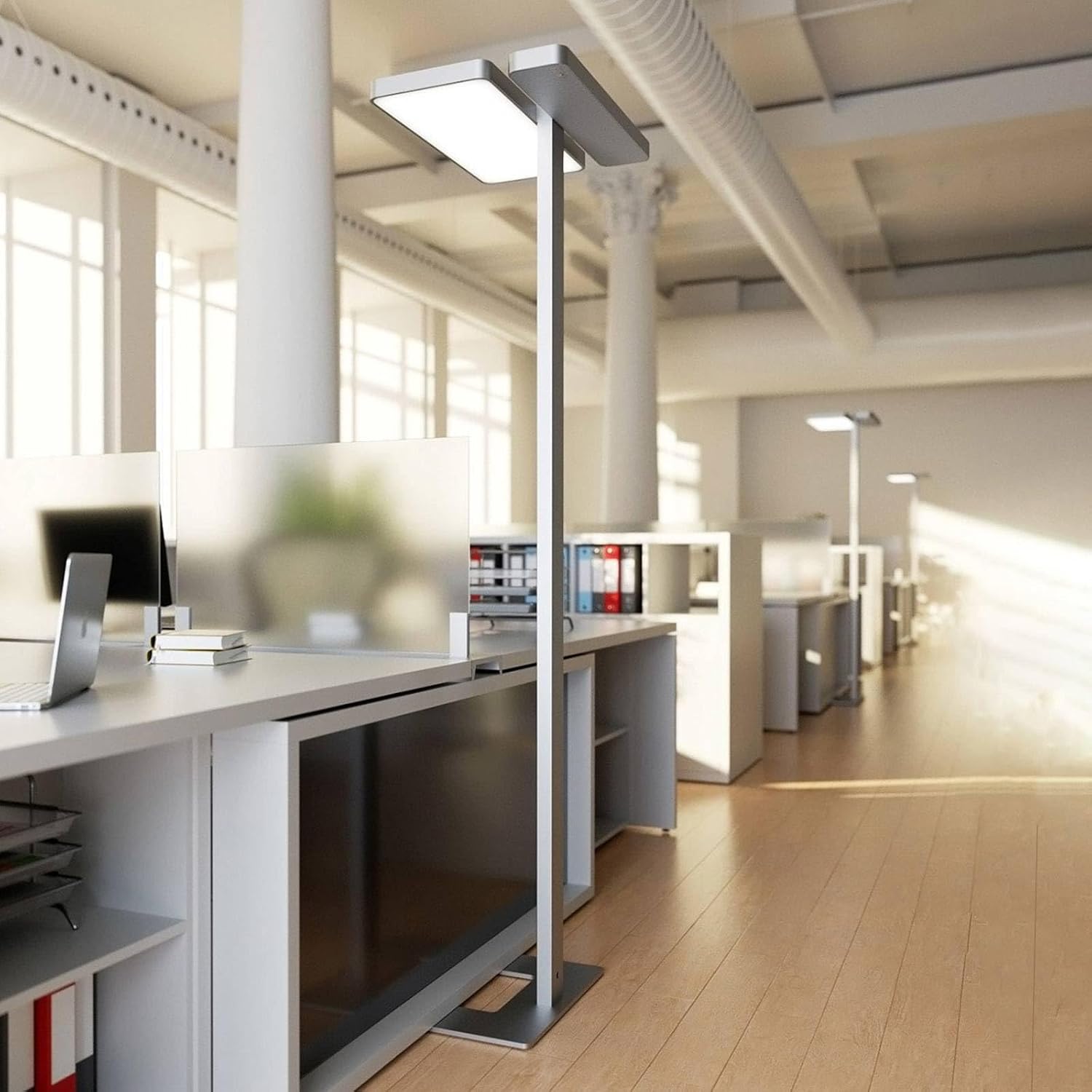
Figure 4.1: The Aila lamp integrated into an office setting, demonstrating its intended use and placement.
5. Operating Instructions
The Arcchio Aila lamp offers several intelligent features for comfortable and efficient lighting:
- Power On/Off: The lamp includes a built-in switch for easy power control.
- Touch Dimmer: Use the integrated touch dimmer to regulate the brightness of the LEDs. Touch and hold the dimmer control to smoothly adjust the light intensity to your preferred level.
- Adjustable Light Color: The light color can be adjusted in three levels: 3,000 K (warm white), 4,000 K (neutral white), and 6,000 K (daylight). Cycle through these settings using the appropriate control on the lamp.
- Motion Detector: The integrated presence detector automatically switches the light on when motion is detected in its range and off after a period of no detection, saving energy.
- Daylight Sensor: The daylight sensor automatically adjusts the lamp's brightness based on the ambient light conditions in the room, ensuring consistent illumination and energy efficiency.

Figure 5.1: The Aila lamp demonstrating its ability to produce both warm (left) and cool (right) light temperatures.
6. Maintenance
To ensure the longevity and optimal performance of your Arcchio Aila lamp, follow these maintenance guidelines:
- Cleaning: Before cleaning, always disconnect the lamp from the power supply. Use a soft, dry cloth to wipe down the lamp's surfaces. For stubborn marks, a slightly damp cloth can be used, followed by a dry cloth. Do not use harsh chemicals, abrasive cleaners, or solvents, as these can damage the finish.
- Light Source: The LEDs in this lamp are integrated and not user-replaceable. If the light source fails, the entire luminaire must be replaced.
- Inspection: Periodically check the power cord and plug for any signs of damage. If any damage is found, discontinue use and contact qualified personnel for repair.
7. Troubleshooting
If you encounter issues with your Arcchio Aila lamp, refer to the following common problems and solutions:
| Problem | Possible Cause | Solution |
|---|---|---|
| Lamp does not turn on. | No power supply. | Check if the power plug is securely inserted into the outlet. Verify the outlet has power. |
| Dimmer not responding. | Incorrect operation or temporary glitch. | Ensure you are touching the correct dimmer area. Disconnect power for 30 seconds and reconnect to reset. |
| Motion detector not working. | Sensor obstructed or incorrect placement. | Ensure the sensor lens is clean and unobstructed. Reposition the lamp to ensure clear line of sight for detection. |
| Light color not changing. | Incorrect operation. | Refer to the operating instructions for the correct method to cycle through color temperatures. |
If the problem persists after attempting these solutions, please contact customer support.
8. Specifications
Detailed technical specifications for the Arcchio Aila Floor Lamp:
| Specification | Value |
|---|---|
| Brand | Arcchio |
| Model Number | 9968007 |
| Manufacturer | Lampenwelt |
| Product Dimensions (L x W x H) | 62 x 42.5 x 195 cm |
| Item Weight | 18 kg |
| Material | Aluminium (Base), Metal (Body), Plastic (Shade) |
| Colour | Silver, White |
| Light Source Type | Integrated LED (1 x 65 W LED + 1 x 35 W LED) |
| Total Wattage | 100 W |
| Supply Voltage | 230V~50Hz |
| IP Code | IP20 |
| Protection Class | I |
| Color Temperature | 3,000 K / 4,000 K / 6,000 K (Adjustable) |
| Colour Rendering Index (CRI) | 80.00 |
| Special Features | Dimmable, Motion Detector, Daylight Sensor |
| Switch Style | Dimmer (Touch) |

Figure 8.1: Technical label providing key specifications and certifications for the Arcchio Aila lamp.

Figure 8.2: A detailed view of the lamp head, showing the light panel and ventilation.
9. Warranty and Support
For warranty information or technical support, please contact the seller or manufacturer, Lampenwelt. Keep your purchase receipt as proof of purchase.
Recycling Information:
- For information on recycling this product, please refer to the Light Bulb Recycling guidelines.
- In case of breakage or damage, please consult the Light Bulb Breakage and Clean Up Information for safe handling and disposal.
Ask a question about this manual
Ask about setup, troubleshooting, compatibility, parts, safety, or missing instructions. Manuals+ will review the question and use this page’s manual context to help answer it.