
Introduction
This manual provides essential information for the safe and efficient operation of your Fridgemaster FMAP10CWLR Portable Air Conditioner. Please read all instructions carefully before use and retain this manual for future reference.
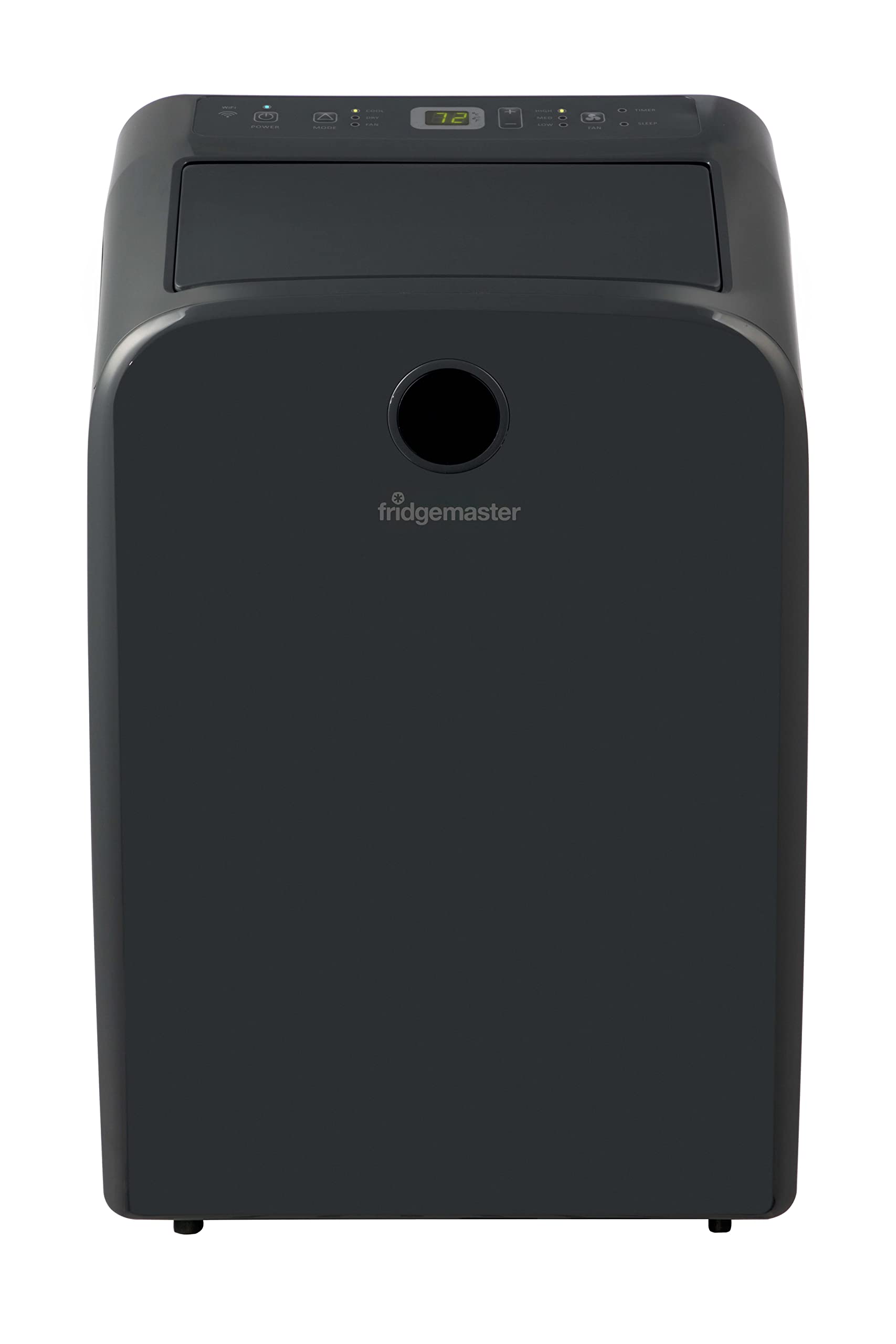
Image: The Fridgemaster FMAP10CWLR Portable Air Conditioner, a compact black unit with a control panel on top.
Safety Information
Always follow basic safety precautions when using electrical appliances to reduce the risk of fire, electric shock, and injury. This appliance is for indoor use only. Do not operate with a damaged cord or plug. Ensure proper grounding. Keep children and pets away from the unit. Do not block air vents.
Product Features
- SACC 10,000 BTU (12,300 BTU ASHRAE): Provides effective cooling for rooms up to 450 sq.ft.
- 3-in-1 Operation: Offers Cooling, Dehumidifier, and Fan modes for versatile comfort.
- Energy Efficient: Features a 7.8 CEER rating and is Energy Star certified, including a 24-hour timer and sleep mode.
- Washable Filter: Removable and washable air filter for maintaining unit performance and air quality.
- ConnectLife Smart Control: Compatible with the Hisense ConnectLife App (Android, iOS), Google Assistant, and Alexa for remote operation.
- Quiet Operation: Operates at a noise level of 50 dB(A) on its lowest setting and 52 dB(A) on its highest.
- Easy-to-Use Controls: Intuitive control panel and included remote control for convenient adjustments.
- Drain-Free Operation: Designed to evaporate condensed moisture, eliminating the need for manual draining.
- Easy Installation: Includes a window kit for straightforward setup.

Image: Graphic illustrating the 3-in-1 functionality of the air conditioner: cooling, fan, and dehumidifier modes.
Setup and Installation
Follow these steps for proper installation of your portable air conditioner:
- Prepare the Exhaust Hose Assembly: Attach the exhaust hose to the window exhaust adapter and the unit connector. Ensure a secure fit.
- Connect to the Unit: Insert the exhaust hose assembly into the designated port on the back of the air conditioner unit.
- Install Window Kit: Adjust the window slide kit to fit your window opening. Place the window kit securely in the window frame.
- Secure the Window: Close the window firmly against the window kit and use the provided screw to secure it, preventing unauthorized entry and ensuring a good seal.
- Connect Exhaust Hose to Window Kit: Attach the window exhaust adapter of the hose assembly to the opening in the window kit.
- Power On: Plug the unit into a grounded electrical outlet.

Image: Step 1 - Illustration of assembling the exhaust hose with its connectors.

Image: Step 2 - Illustration showing how to connect the exhaust hose to the back of the portable air conditioner unit.

Image: Step 3 - Diagram demonstrating the installation of the window kit into a window opening.

Image: Step 4 - Illustration showing how to secure the window and window kit with a screw for a tight seal.

Image: The Fridgemaster FMAP10CWLR Portable Air Conditioner with its dimensions labeled: Height 72cm, Width 44cm, Depth 37cm.
Operating Instructions
Your Fridgemaster FMAP10CWLR Portable Air Conditioner can be operated via the control panel on the unit or the included remote control.
Control Panel Overview
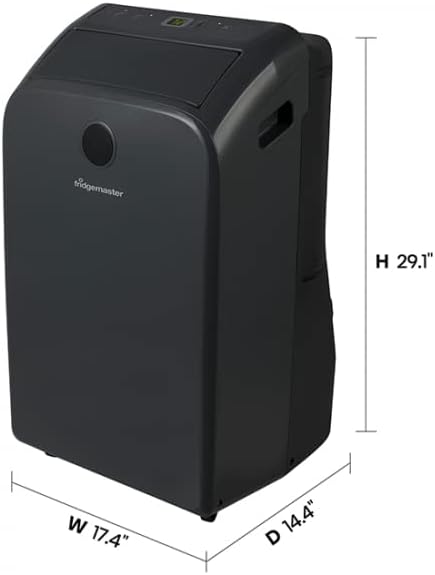
Image: Close-up view of the control panel on the top of the Fridgemaster FMAP10CWLR Portable Air Conditioner, showing buttons for Power, WiFi, Mode, Fan Speed, Timer, Sleep, and temperature adjustment.
- Power Button: Turns the unit on or off.
- Mode Button: Cycles through Cool, Dehumidify, and Fan modes.
- Fan Speed Button: Adjusts fan speed (Low, Medium, High, Auto).
- Temperature Up/Down Buttons: Adjusts the desired temperature setting.
- Timer Button: Sets the auto-on or auto-off timer.
- Sleep Mode Button: Activates sleep mode for quieter operation and energy saving.
- WiFi Indicator: Shows the status of the WiFi connection for smart control.
Using the ConnectLife App
Download the Hisense ConnectLife App from your device's app store. Follow the in-app instructions to connect your air conditioner to your home WiFi network. Once connected, you can control the unit, change settings, and monitor its status from your smartphone. The app also supports integration with Google Assistant and Amazon Alexa for voice control.

Image: A person interacting with a smartphone, with logos for 'Works with Google' and 'Works with Alexa' indicating smart home compatibility.
Maintenance
Regular maintenance ensures optimal performance and longevity of your air conditioner.
Cleaning the Air Filter
The removable and washable air filter should be cleaned regularly, typically every two weeks, or more often depending on usage and air quality. A dirty filter can reduce cooling efficiency and airflow.
- Turn off and unplug the unit before cleaning.
- Locate and remove the air filter from the back or side of the unit.
- Wash the filter with warm, soapy water. Rinse thoroughly.
- Allow the filter to air dry completely before reinstalling. Do not expose to direct sunlight or high heat.
- Reinstall the dry filter and plug in the unit.

Image: A close-up of the air conditioner's control panel, highlighting the filter monitor indicator, which reminds users when to clean the filter.
Cleaning the Unit Exterior
Wipe the exterior of the unit with a soft, damp cloth. Do not use harsh chemicals or abrasive cleaners.
Storage
If storing the unit for an extended period, ensure it is clean and dry. Drain any residual water if necessary (though this model is drain-free, check for any specific instructions in the full manual for long-term storage). Store in a cool, dry place, covered to protect from dust.
Troubleshooting
| Problem | Possible Cause | Solution |
|---|---|---|
| Unit does not turn on | No power; power cord not plugged in; circuit breaker tripped. | Ensure unit is plugged in. Check circuit breaker. Test outlet with another appliance. |
| Unit does not cool effectively | Dirty air filter; room too large; windows/doors open; exhaust hose not properly installed. | Clean air filter. Ensure room size is within specifications. Close all windows and doors. Verify exhaust hose installation. |
| Unit is noisy | Unit not on a level surface; fan speed too high; internal components vibrating. | Place unit on a flat, stable surface. Reduce fan speed. If noise persists and is unusual, contact support. |
| Water leakage | Unit not level; drain plug loose (if applicable). | Ensure unit is level. While this model is drain-free, check the manual for any specific instructions regarding condensate if an issue arises. |
| Remote control not working | Batteries dead or incorrectly inserted; obstruction between remote and unit. | Replace batteries. Ensure clear line of sight to the unit's receiver. |
If problems persist after attempting these solutions, please contact customer support.
Specifications
| Feature | Detail |
|---|---|
| Model Number | FMAP10CWLR |
| Cooling Capacity (SACC) | 10,000 BTU |
| Cooling Capacity (ASHRAE) | 12,300 BTU |
| Recommended Room Size | Up to 450 sq.ft. |
| Functions | Cool, Dehumidify, Fan |
| Seasonal Energy Efficiency Ratio (CEER) | 7.8 |
| Noise Level (Min/Max) | 50 dB(A) / 52 dB(A) |
| Voltage | 110 Volts |
| Wattage | 1200 watts |
| Product Dimensions (D x W x H) | 37D x 44W x 72H Centimetres |
| Weight | 38 Kilograms |
| Filter Type | Pre-Filter |
| Control Method | App, Remote Control |
| Material | Aluminium Alloy |
| Country of Origin | China |
Warranty and Support
Your Fridgemaster FMAP10CWLR Portable Air Conditioner comes with a 1-Year Limited Warranty covering parts and labor from the date of purchase. This warranty ensures reliable performance and support for your appliance.
For warranty claims, technical assistance, or any questions not covered in this manual, please contact Fridgemaster customer support. Keep your proof of purchase for warranty validation.


