
Introduction
The NURSAL TENS Unit is a professional pain relief and muscle stimulator device designed to alleviate aching and fatigued muscles in various body parts, including the shoulder, neck, back, sciatica, and knee. It is recommended by physical therapists for drug-free pain relief from exercise, normal household activities, or work-related strain. This rechargeable electronic pulse massager offers 24 pre-programmed modes and 20 intensity levels, providing a wide range of massage options such as Kneading, Cupping, Acupuncture, Beating, Scraping, and Taichi. Featuring dual channels, it allows for independent mode and intensity settings for different body areas, and its last memory function ensures your preferred settings are remembered for convenience. The unit comes with premium reusable electrode pads in two sizes for versatile application.
Important Safety Information
WARNING:
- Not suitable for pregnant women or individuals with heart disease, epilepsy, or hypertension.
- Not safe for people with pacemakers, implanted defibrillators, or any other implanted metallic or electronic devices.
- Do not use if you have heart rhythm problems, undiagnosed chronic pain, cancer, or are in labor.
- Not suitable for children under 16 years of age. Keep out of reach of children.
- Consult your physician or qualified healthcare provider regarding your condition and appropriate medical treatment. The information provided in this manual is not intended for medical diagnosis or treatment, or as a substitute for professional medical advice.
What's in the Box
Your NURSAL TENS Unit package includes the following components:
- 1 x NURSAL Electric Muscle Stimulator (TENS Device)
- 8 x 2" Square Electrode Pads
- 4 x 2"x4" Large Electrode Pads
- 3 x Lead Wires
- 1 x Pads Holder (Collection Board for Pads and Wires)
- 1 x USB Cable (for charging)
- 1 x Pouch
- 1 x Hand Lanyard
- 1 x User Manual / Quick Guide

Image: All components included in the NURSAL TENS Unit package.
Setup Instructions
1. Prepare the Skin
Before applying the electrode pads, ensure the skin area is clean and dry. This helps to maximize adhesion and conductivity of the pads.
2. Connecting the Electrode Pads
Attach the lead wires to the electrode pads. The pads have a 2mm pin connection for easy and secure attachment. Ensure both pads connected to a single lead wire are attached to the skin for the unit to function correctly.

Image: Detail of the 2mm pin connector and the multi-layered structure of the electrode pads, designed for safe and effective conductivity.
Plug the lead wires into the A/B channel ports on the top of the TENS unit. The unit features dual channels, allowing you to use up to 4 pads simultaneously with independent settings for each channel.

Image: Step-by-step guide for connecting the electrode pads and lead wires to the NURSAL TENS Unit.
Operating Instructions
1. Power On/Off
Locate the ON/OFF switch on the side of the unit. Slide it to the 'ON' position to power on the device. The screen will illuminate, displaying the current settings. To power off, slide the switch to the 'OFF' position.
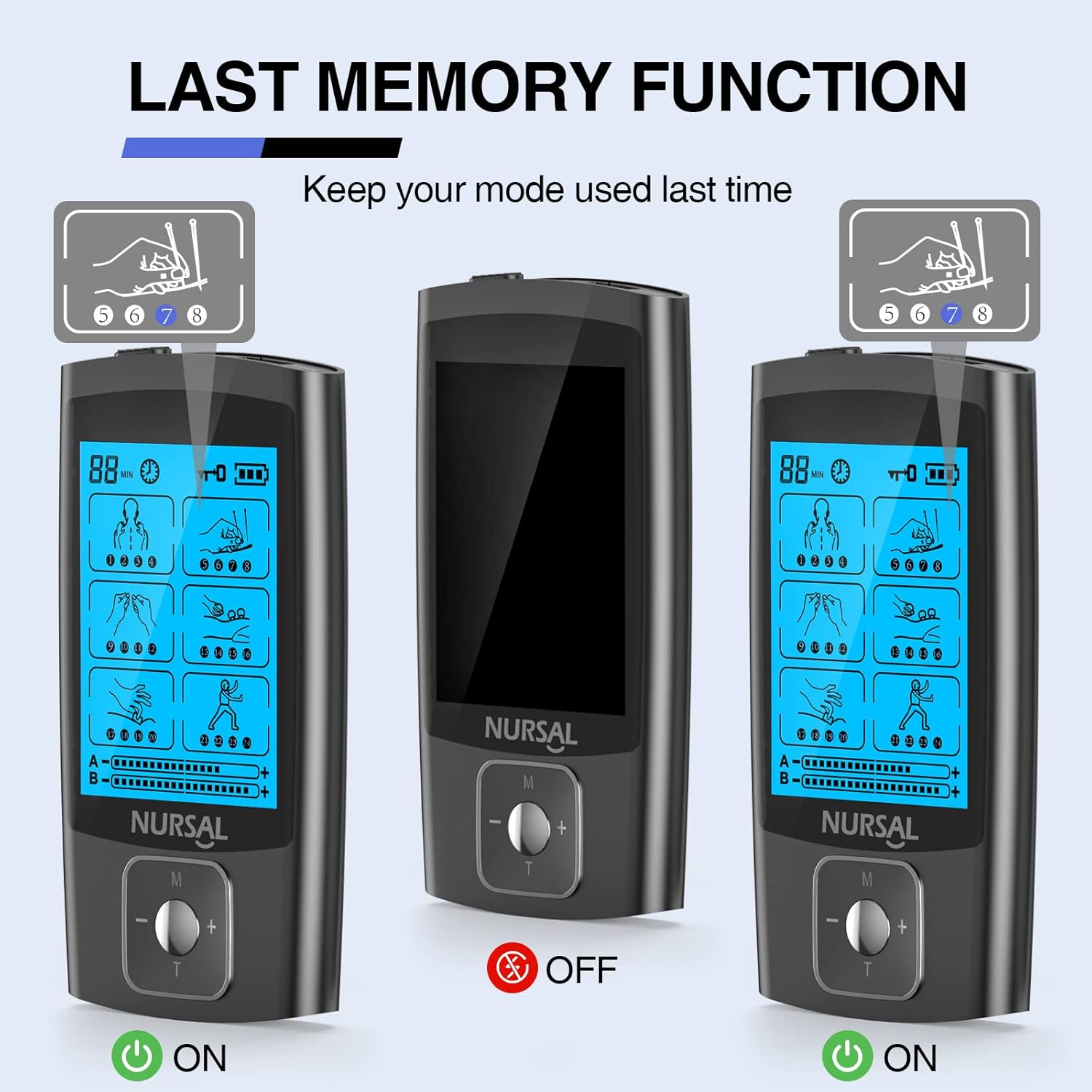
Image: The NURSAL TENS Unit displaying its screen when powered on and off, illustrating the device's memory function.
2. Selecting Modes and Intensity
The NURSAL TENS Unit offers 24 pre-programmed massage modes and 20 intensity levels. The main control button (M) allows you to navigate through these options.
- Change Main Mode: Long press the 'M' button for 4 seconds to switch between the 6 main massage modes (Kneading, Cupping, Acupuncture, Beating, Scraping, Taichi).
- Change Sub-Mode: Short press the 'M' button to cycle through the 24 sub-modes within the selected main mode.
- Adjust Intensity: Use the '+' and '-' buttons to increase or decrease the intensity level (0-20) for the active channel.
- Adjust Timer: Press the 'T' button to set the treatment time from 10 to 60 minutes in 10-minute increments.
- Switch Channels (A/B): Short press the center button of the main control to switch between Channel A and Channel B, allowing for independent settings.
- Lock/Unlock Screen: Long press the center button for 3 seconds to lock or unlock the screen. When locked, modes, intensity, and timer cannot be changed.
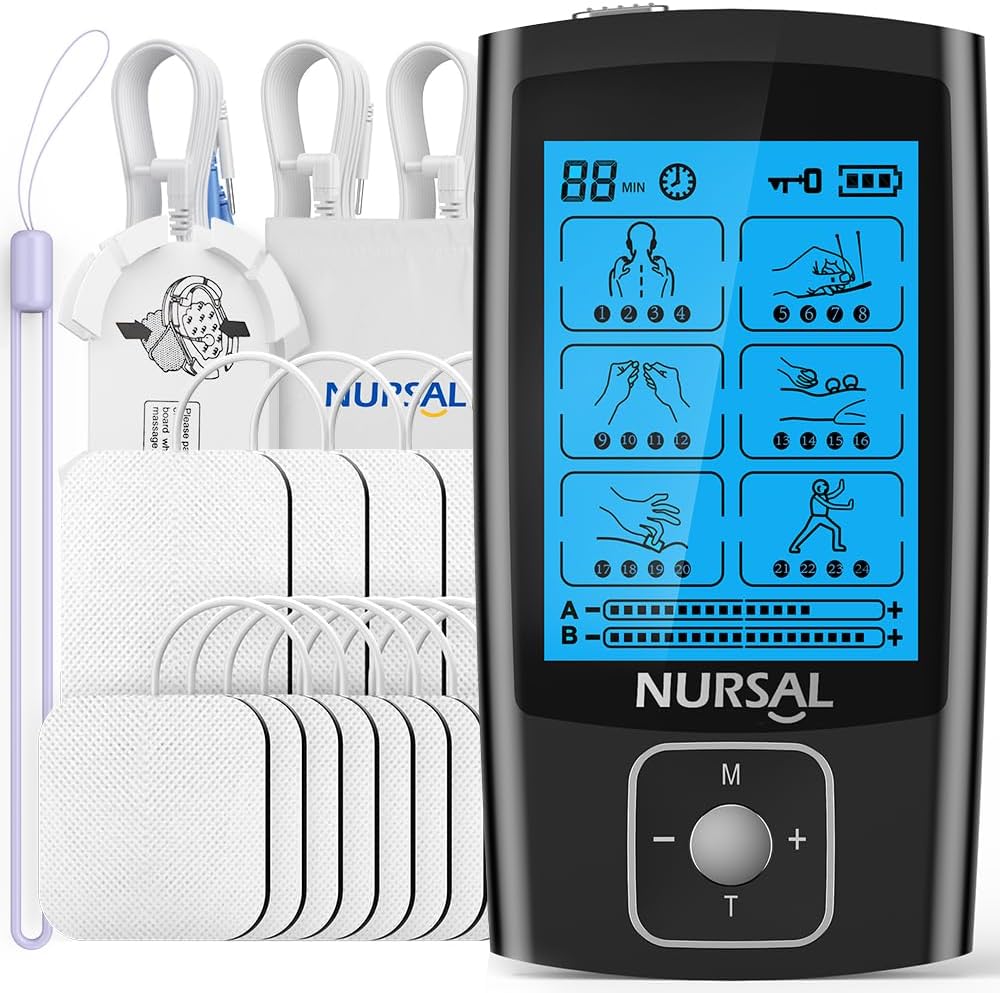
Image: The main display of the NURSAL TENS Unit, showing available modes and controls for intensity and time.
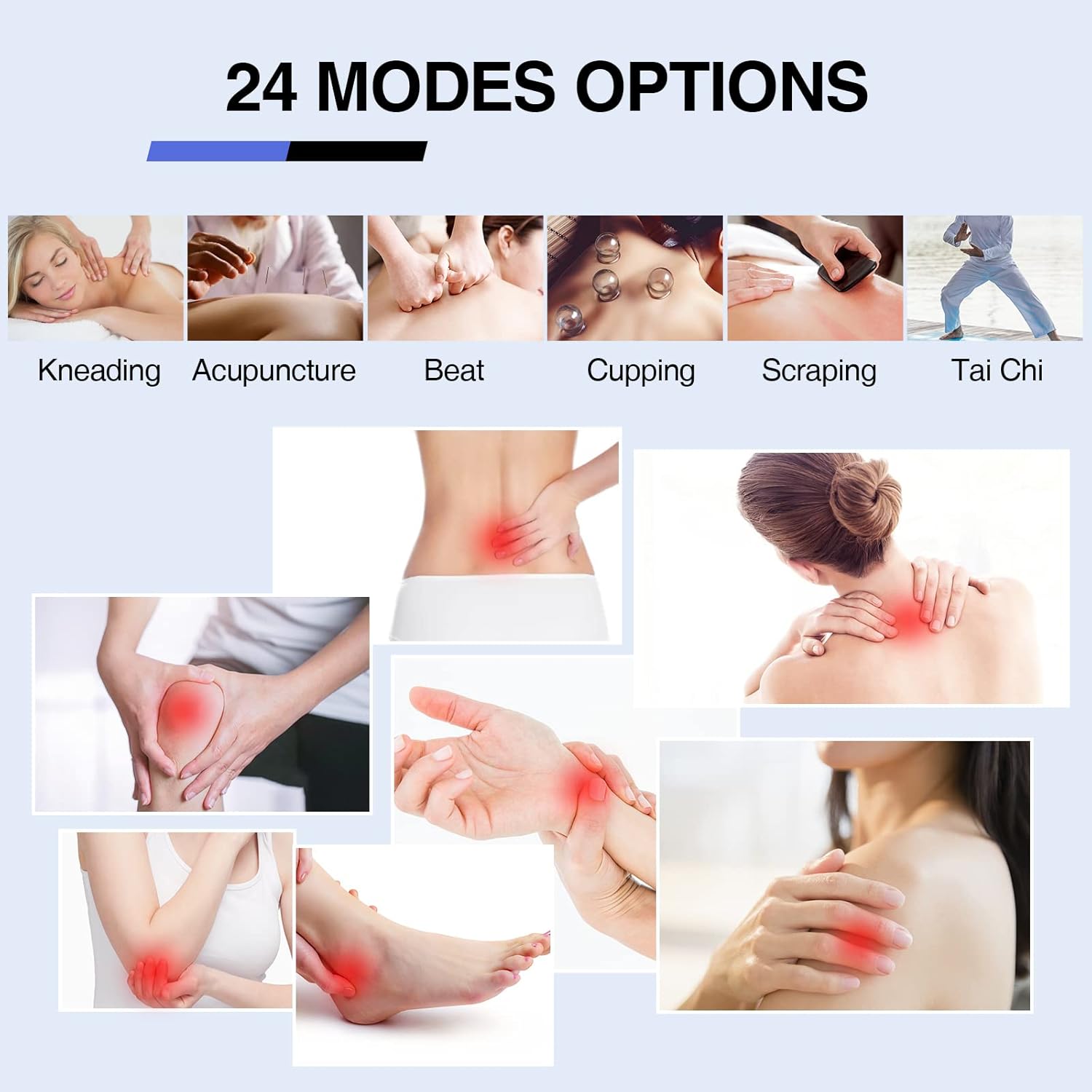
Image: A visual guide to the 24 pre-programmed massage modes, illustrating the variety of therapeutic options.
Electrode Pad Placement
Proper placement of electrode pads is crucial for effective and safe treatment. Electrodes should be placed on a user's body depending on the physical location of their pain. The TENS unit machine sends electrical current that travels through electrodes and into the skin, stimulating specific nerve pathways to produce a tingling or massaging sensation that reduces the perception of pain. Always ensure pads are placed at least one inch apart.

Image: Visual guide for optimal electrode pad placement on different muscle groups to target pain effectively.
Common Placement Areas:
| Body Part | Recommended Placement |
|---|---|
| Neck | On either side of the neck, avoiding the front of the throat. |
| Shoulder | Around the shoulder blade or on the deltoid muscle. |
| Back | Along the spine, avoiding direct placement on the spinal column. |
| Knee | Above and below the kneecap, or on either side. |
| Elbow | Around the elbow joint, avoiding direct contact with the joint itself. |
| Wrist | On the forearm muscles, away from the wrist bone. |
| Leg | On the calf or thigh muscles, depending on the area of discomfort. |
Maintenance
Cleaning the Device
Wipe the NURSAL TENS Unit with a soft, damp cloth. Do not use abrasive cleaners or immerse the device in water.
Cleaning and Storing Pads
The electrode pads are reusable and designed for up to 40 uses with proper care. After each use, gently wipe the adhesive side of the pads with a damp cloth or a small amount of water to remove any skin oils or debris. This helps maintain their excellent self-stick performance and prolongs their lifespan. Once cleaned, place the pads back onto the provided pads holder (plastic sheets) to protect the adhesive surface. Store them in a cool, dry place, preferably in the included pouch.

Image: Detailed view of the electrode pad's construction, emphasizing its safe and non-irritating, latex-free materials and stable conductivity.
Troubleshooting
| Problem | Possible Cause / Solution |
|---|---|
| Device does not turn on. | Battery may be depleted. Charge the unit using the provided USB cable. Ensure the ON/OFF switch is fully in the 'ON' position. |
| No sensation or weak sensation. |
|
| Pads are not sticking well. | Skin may be oily or dirty. Clean and dry the skin thoroughly before application. Pads may need cleaning (wipe with damp cloth) or replacement if they have lost their stickiness after many uses. |
| Device stuck on one mode (e.g., Acupuncture). | This may indicate a software glitch. Try turning the device off and on again. If the issue persists, contact customer service for assistance. |
Specifications
| Feature | Detail |
|---|---|
| Product Dimensions | 3.54 x 1.96 x 0.7 inches |
| Item Weight | 12.63 ounces |
| Model Number | AS1080 |
| Batteries | 1 Lithium Ion battery (included) |
| Manufacturer | NURSAL |
| Country of Origin | China |
| Modes | 24 Pre-programmed Modes (e.g., Kneading, Cupping, Acupuncture, Beating, Scraping, Taichi) |
| Intensity Levels | 20 Levels |
| Channels | Dual Channels (A/B) |
| Pad Lifespan | Up to 40 uses (with proper maintenance) |
Warranty and Customer Support
NURSAL stands behind its products. Your TENS Unit comes with a 12-month warranty. For any questions, concerns, or technical assistance, NURSAL offers 24-hour online friendly customer service and lifetime technique support. Please refer to the contact information provided in your quick guide or visit the official NURSAL store for support.

Image: NURSAL's commitment to customer satisfaction, including comprehensive support and warranty details.
Official Product Videos
No official product videos from the seller were available for embedding in this manual. Please refer to the written instructions and diagrams for guidance.


