
1. Product Overview
The Libovgogo DF-580Pro is a versatile emergency radio designed for outdoor activities, camping, and emergency situations. It features multiple power sources, including a 5000mAh internal battery, hand crank, and solar panel. Key functionalities include AM/FM radio, a 7W Bluetooth speaker, an IPX5 waterproof rating, an LED flashlight, and a reading lamp. It also serves as a power bank for charging mobile devices.

Image 1.1: The Libovgogo DF-580Pro radio highlighting its 7W sound quality and IPX5 waterproof rating, suitable for outdoor use.
2. Safety Instructions
- Do not expose the device to extreme temperatures, direct sunlight, or high humidity.
- Avoid dropping or subjecting the device to strong impacts.
- Keep the device away from flammable materials.
- Do not disassemble or attempt to repair the device yourself. Contact qualified service personnel.
- Ensure all ports are dry before charging to prevent damage.
- Dispose of batteries according to local regulations.
3. Package Contents
Verify that all items are present in the package:
- 1 x Libovgogo DF-580Pro Emergency Radio
- 1 x USB-C Charging Cable
- 1 x Carabiner
- 1 x Portable Box (packaging)
- 1 x Bicycle Mount
- 1 x User Manual (English and German)
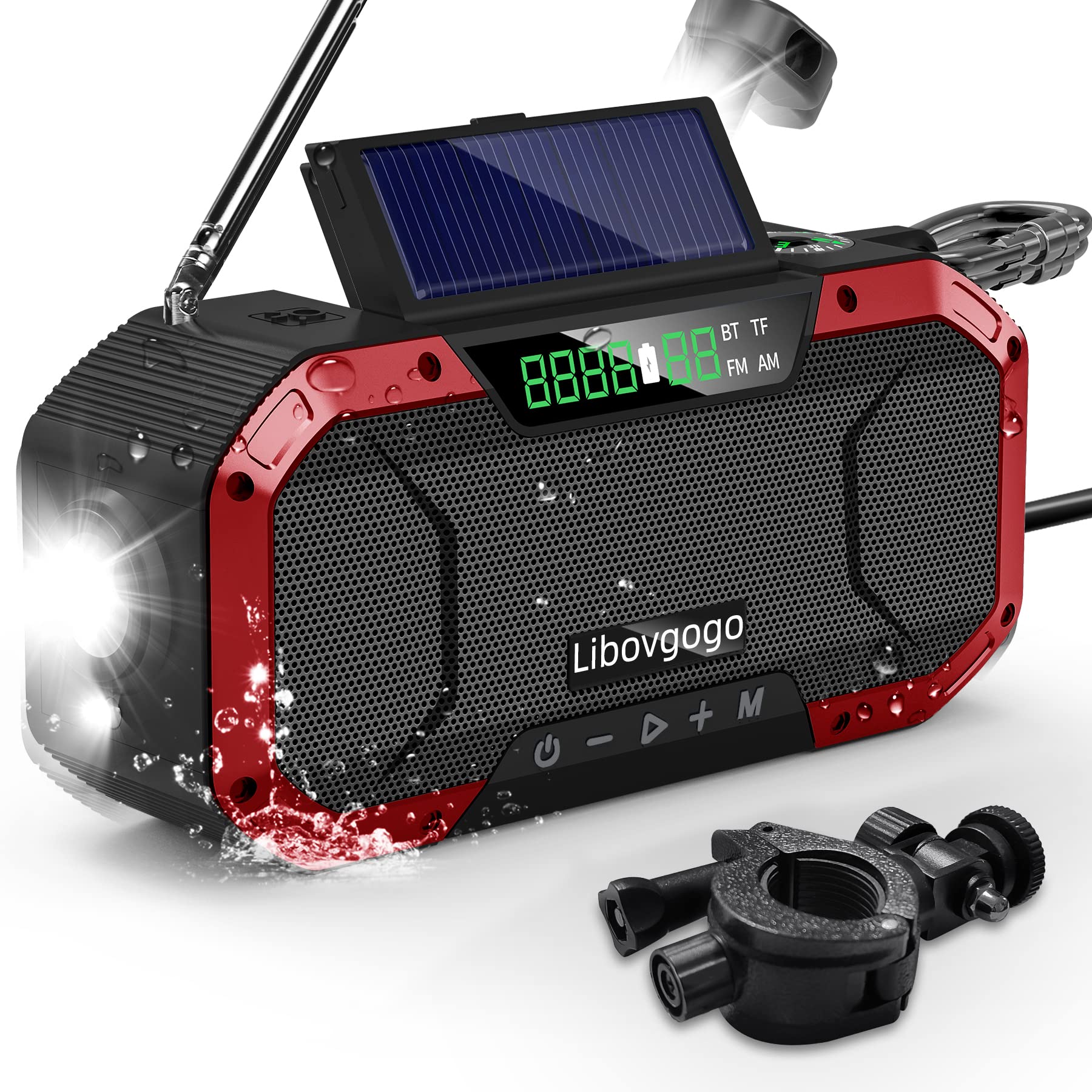
Image 3.1: The Libovgogo DF-580Pro radio shown with its included bicycle mount, allowing for use during cycling.
4. Setup
4.1 Initial Charging
Before first use, fully charge the radio using the provided USB-C cable. Connect the USB-C cable to the radio's input port and the other end to a standard USB power adapter (not included). The charging indicator will illuminate and turn off when fully charged. A full charge typically takes approximately 4.5 hours.
4.2 Antenna Setup
For optimal radio reception, extend the telescopic antenna fully when operating the AM/FM radio function.
5. Operating Instructions
5.1 Power On/Off
Press and hold the power button (U) to turn the device on or off.
5.2 Radio Operation (AM/FM)
- Mode Selection: Press the 'M' button to cycle through modes (FM, AM, Bluetooth, TF Card).
- Automatic Scan: In FM or AM mode, press and hold the 'Play/Pause' button to initiate an automatic station scan. The radio will automatically find and save available stations.
- Manual Tuning: Use the 'Previous' (-) and 'Next' (+) buttons to manually tune to specific frequencies or navigate through saved stations.
- Frequency Range: AM: 520-1710 kHz, FM: 76.0-108.0 MHz.
5.3 Charging Functions (Power Bank)
The DF-580Pro features a 5000mAh internal lithium polymer battery and multiple charging methods:
- USB-C Input: Connect the provided USB-C cable to a USB power source for standard charging.
- Hand Crank: Rotate the hand crank clockwise at a steady pace (approximately 130-150 RPM) to generate power. This method is for emergency charging or maintaining battery life.
- Solar Panel: Place the radio with the solar panel facing direct sunlight. This method is primarily for maintaining battery charge and extending battery life, not for rapid charging.
- USB-A Output (Power Bank): Connect your mobile device's charging cable to the USB-A output port on the radio to use it as a power bank.

Image 5.1: Various charging methods for the Libovgogo DF-580Pro, including USB-C, hand crank, and solar panel.

Image 5.2: The 5000mAh battery capacity allows for charging external devices and extended operation of the radio's functions.
5.4 Bluetooth Speaker Function
- Pairing: Switch the radio to Bluetooth mode. The device will enter pairing mode, indicated by a flashing Bluetooth icon on the display.
- Connect: On your mobile device, search for Bluetooth devices and select "DF-580Pro" to connect.
- Playback: Once connected, you can play audio from your device through the radio's 7W speaker.
- TF Card Playback: Insert a TF card into the designated slot to play audio files directly from the card.
5.5 Light Functions
- Flashlight: Press the flashlight button to turn the 3W flashlight on or off. The flashlight has a range of approximately 35 meters.
- Reading Lamp: Open the solar panel to reveal the integrated 4-LED reading lamp. Press the reading lamp button to turn it on or off.

Image 5.3: Demonstrates the 3W portable flashlight and the 4-LED reading lamp for illumination in dark conditions.
5.6 SOS Alarm
Press the SOS button to activate the emergency alarm. The siren will sound at 110 dB, with a range of 200 meters, and the flashlight will flash to attract attention. Press the button again to deactivate the alarm.
6. Maintenance
- Cleaning: Wipe the device with a soft, dry cloth. Do not use abrasive cleaners or solvents.
- Storage: Store the radio in a cool, dry place away from direct sunlight when not in use for extended periods.
- Battery Care: To prolong battery life, fully charge the device at least once every three months.

Image 6.1: The IPX5 waterproof design protects the radio from splashes and rain, making it suitable for outdoor activities.
7. Troubleshooting
| Problem | Possible Cause | Solution |
|---|---|---|
| Radio does not turn on. | Low battery. | Charge the radio using USB-C, hand crank, or solar panel. |
| Poor radio reception. | Antenna not extended; weak signal area. | Extend the telescopic antenna fully. Move to an area with better signal. Perform an auto-scan. |
| Bluetooth not connecting. | Radio not in Bluetooth mode; device too far; already connected to another device. | Ensure radio is in Bluetooth mode. Keep devices within range. Disconnect from other devices. |
| External device not charging. | Radio battery low; incorrect cable; device not compatible. | Ensure radio has sufficient charge. Use a compatible USB-A cable. |
| Flashlight/Reading lamp not working. | Low battery; lamp not activated. | Charge the radio. Press the respective light button. |
8. Specifications
| Feature | Specification |
|---|---|
| Model Number | DF-580Pro |
| Brand | Libovgogo |
| Dimensions (L x W x H) | 17 x 5.5 x 8 cm |
| Weight | 440 Grams |
| Battery Type | 1 Lithium Polymer (included) |
| Battery Capacity | 5000 mAh |
| Power Sources | Lithium Polymer battery, Hand Crank, Solar Panel, Wired Charge (USB-C) |
| Radio Bands | AM/FM |
| FM Frequency | 76.0-108.0 MHz |
| AM Frequency | 520-1710 kHz |
| Bluetooth Version | 5.0 (implied by feature bullets) |
| Speaker Output | 7W |
| Water Resistance | IPX5 (Splash-proof) |
| Flashlight Power | 3W |
| Reading Lamp | 4 LEDs |
| SOS Alarm Volume | 110 dB |
| Connectivity | Bluetooth, USB-C Input, USB-A Output |
| Display Type | LED |
| Material | ABS + TPU |
9. Warranty and Support
Specific warranty information is not provided in the product details. For any questions regarding product operation, troubleshooting, or warranty claims, please refer to the contact information provided with your purchase or visit the official Libovgogo website for support.


