
Introduction
Thank you for purchasing the HanRongDa HRD-737 Multi-Band Pocket Radio. This compact and versatile receiver is designed to provide access to a wide range of frequencies, including FM, AM (Medium Wave), SW (Shortwave), CB, AIR (Aviation Band), and VHF. This manual provides detailed instructions for the proper setup, operation, and maintenance of your device to ensure optimal performance and longevity.
Product Features
- All-Band Reception: Supports FM, AM, SW, CB, AIR, and VHF bands.
- Compact and Portable: Measuring 103 x 60 x 15mm, designed for easy carrying.
- Memory Function: Stores up to 50 channels per band for quick access.
- Alarm and Sleep Timer: Includes two alarm settings and a sleep timer (10-90 minutes).
- Rechargeable Battery: Equipped with a 700mAh lithium battery, offering over 15 hours of playback on a 4-hour charge via USB.
- Key Lock Function: Prevents accidental operation.
- Audio Output: Features a built-in speaker and a 3.5mm stereo headphone jack.
- External Antenna Support: Includes an extension antenna for improved FM/SW reception.

Image: The HRD-737 radio showcasing its multi-band reception capabilities, including the aviation band, with an airplane in the background.
Package Contents
Verify that all items are present in the package:
- 1 x HanRongDa HRD-737 Portable Radio
- 1 x 3.5mm Stereo Earphones
- 1 x Hand Strap
- 1 x USB Charging Cable (Micro-USB, 80cm)
- 1 x Storage Pouch
- 1 x Extension Antenna (with alligator clip)
- 1 x Japanese Instruction Manual & Warranty Card

Image: All components included in the HRD-737 package, neatly arranged.
Setup
1. Initial Charging
Before first use, fully charge the radio. Connect the supplied Micro-USB cable to the radio's DC5V input port and the other end to a USB power adapter (not included), mobile battery, or computer USB port. The battery indicator on the display will show charging status. A full charge typically takes 3-4 hours.

Image: The radio's charging port and examples of compatible USB power sources.
2. Antenna Setup
- Telescopic Antenna: For FM, AM, SW, and VHF reception, extend the built-in telescopic antenna to its full length (approx. 240mm) for optimal signal reception.
- External Antenna: For enhanced FM/SW reception, connect the provided extension antenna. Pull out the antenna spring, extend the soft cord, and fix the alligator clip to the telescopic antenna head. Secure the spring outdoors if possible.

Image: Instructions for attaching and positioning the external antenna for improved signal.
Operating Instructions
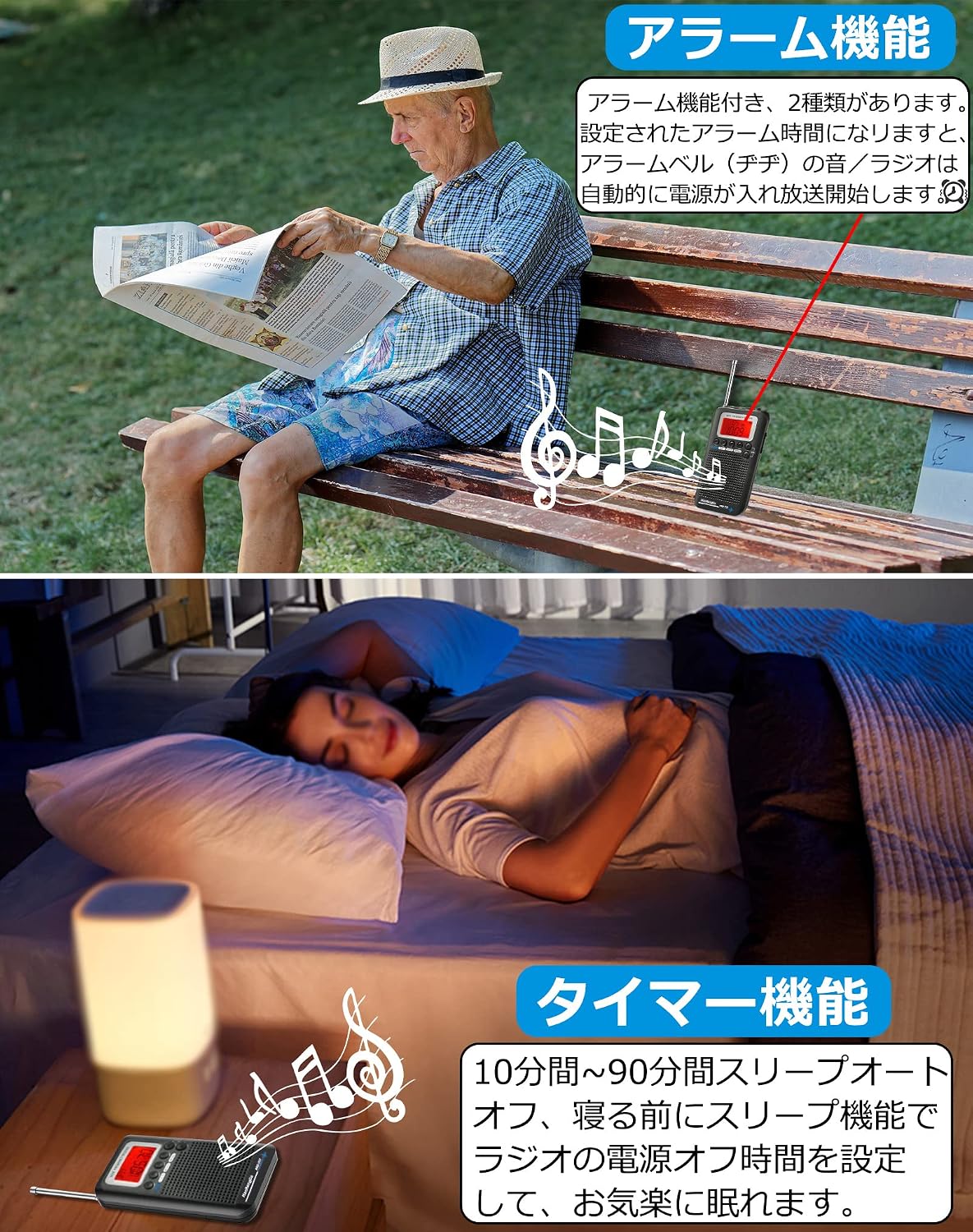
Image: Front and side views of the HRD-737 with numbered controls.
- Power On/Off (1): Press and hold the Power/Sleep button to turn the radio on or off.
- Lock Function (2): Press the LOCK button to prevent accidental button presses. Press again to unlock.
- DC5V Input (3): Micro-USB port for charging the internal battery.
- 3.5mm Earphone Jack (4): Connect stereo earphones for private listening.
- Telescopic Antenna (5): Extend for better reception.
- LCD Display (6): Shows frequency, time, battery status, and other information.
- Volume Up (7): Press VOL+ to increase volume or navigate through preset functions.
- Volume Down (8): Press VOL- to decrease volume or navigate through preset functions.
- Channel Memory (9): Use MEMO to save and recall frequencies.
- Mode Selection (10): Press MODE to switch between different bands (FM/AM/SW/CB/AIR/VHF).
- Setting/Squelch (11): Press SET to enter settings mode. For CB and AIR bands, this button activates the squelch function to suppress background noise.
- Band Selection/Alarm (12): Press BAND to cycle through frequency bands. In time display mode, this button can be used for alarm settings.
- Frequency Up/Time Up (13): Increases frequency or adjusts time/alarm settings.
- Frequency Down/Time Down (14): Decreases frequency or adjusts time/alarm settings.
- Strap Hole (15): For attaching the hand strap.
- Speaker (16): Built-in speaker for audio output.
Tuning and Memory
To tune to a station, select the desired band using the MODE button. Use the Frequency Up/Down buttons (13, 14) to manually adjust the frequency. To save a frequency, tune to the desired station, then press MEMO (9) and follow the on-screen prompts to select a memory channel. To recall a saved station, press MEMO (9) and use the Volume Up/Down buttons (7, 8) to cycle through saved channels.
Alarm Function
The radio features two alarm settings. When an alarm time is reached, the radio will automatically power on and play either an alarm tone or a radio broadcast, depending on your settings. Refer to the detailed Japanese manual for specific alarm setup steps.

Image: The radio's alarm function can automatically start playback at a set time.
Sleep Timer Function
The sleep timer allows you to set the radio to automatically turn off after a specified duration (10 to 90 minutes). This is useful for listening before sleep. Refer to the detailed Japanese manual for specific sleep timer setup steps.

Image: The sleep timer allows the radio to automatically power off after a set period.
Squelch Function (CB/AIR Bands)
When operating on CB or AIR bands, the squelch function can be activated via the SET button (11) to reduce background noise and static, providing clearer audio when a signal is present.
Maintenance
- Cleaning: Use a soft, dry cloth to clean the radio's exterior. Do not use abrasive cleaners or solvents.
- Battery Care: To prolong battery life, avoid fully discharging the battery frequently. If storing the radio for an extended period, charge it to about 50% and recharge every few months.
- Storage: Store the radio in a cool, dry place away from direct sunlight, extreme temperatures, and high humidity.
- Antenna Care: Handle the telescopic antenna carefully to prevent bending or breaking.
Troubleshooting
- No Power: Ensure the battery is charged. Connect the radio to a USB power source and check the battery indicator.
- Poor Reception: Extend the telescopic antenna fully. If indoors, try moving to a window or using the external extension antenna. For SW/FM, the external antenna can significantly improve signal. Note that reception sensitivity can vary by location and band.
- No Sound from Speaker: Check volume level. Ensure earphones are not connected if you intend to use the speaker.
- Difficulty Tuning: Manual tuning can be precise. Consider using the memory function to save frequently listened-to stations for easier access.
- Buttons Unresponsive: Check if the key lock function is activated. Press the LOCK button (2) to deactivate it.
- Low Speaker Volume: Some users report the speaker volume may be low for outdoor use. Consider using earphones for clearer audio in noisy environments.
Specifications
| Brand | HanRongDa |
| Model | HRD-737 |
| Color | Black |
| Dimensions (L x W x H) | 10.3 x 6 x 1.5 cm |
| Weight | 0.15 kg |
| Tuner Technology | FM/AM(Medium Wave)/SW(Shortwave)/CB/AIR(Aviation)/VHF Band |
| Connectivity | USB (for charging) |
| Power Source | Battery Powered |
| Battery Type | 1 x Lithium Ion Battery (700mAh, included) |
| Charging Time | Approx. 3-4 hours |
| Playback Time | Over 15 hours (fully charged) |
| Display Type | LCD |
| Supported Wireless Frequencies | AM, FM |
Warranty and Support
Your HanRongDa HRD-737 radio comes with the following:
- 30-Day Return/Refund Guarantee: If you are not satisfied with your purchase, you may return it within 30 days for a refund.
- 12-Month Product Warranty: The product is covered by a 12-month warranty against manufacturing defects.
For any questions, concerns, or warranty claims, please contact the seller or HanRongDa customer support. Refer to the included warranty card for specific contact details and terms.


