
1. Introduction
Thank you for choosing the Mavpet 6L Automatic Pet Feeder. This device is designed to provide scheduled and controlled feeding for your pets, enhancing convenience and ensuring consistent meal times. It features WiFi connectivity for app control, a voice recording function, and a dual power supply system for reliability.
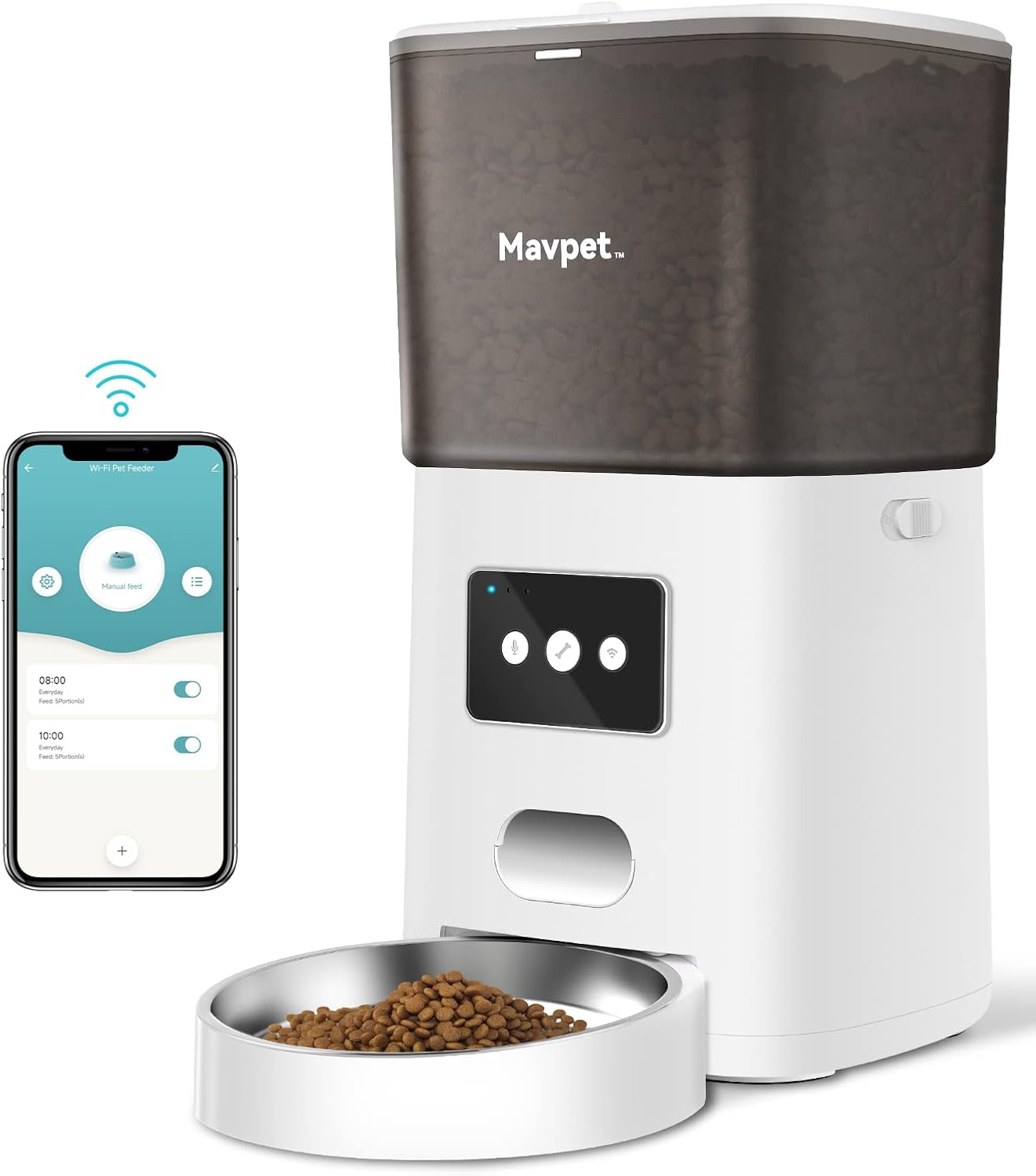
Image 1.1: The Mavpet 6L Automatic Pet Feeder, showcasing its design and the accompanying mobile application interface for remote control.
2. Product Components
Carefully unpack your Mavpet Automatic Pet Feeder and ensure all components are present:
- Automatic Feeder Unit x 1
- Power Adapter and Power Cord x 1
- Instruction Manual x 1 (This document)
- Desiccant Bag x 1

Image 2.1: An exploded view diagram illustrating the internal components of the Mavpet 6L Automatic Pet Feeder, including the desiccant bag, top lid, safety lock, low food sensor, clog-free design, and stainless steel bowl.
3. Setup Instructions
3.1 Power Supply
The feeder supports dual power options:
- AC Adapter: Connect the provided 5V USB power adapter to a wall outlet and the feeder.
- Battery Backup: For power outage protection, insert three D-size batteries (not included) into the battery compartment at the bottom of the unit.
The dual power system ensures continuous operation even during electrical interruptions.

Image 3.1: Illustration of the dual power supply feature, showing the connection for the power adapter and the compartment for D-size batteries (not included).
3.2 App Download and WiFi Connection
- Download the "Pet Zero" app from your smartphone's app store (iOS or Android).
- Open the app and follow the on-screen instructions to create an account and add your device.
- Ensure your smartphone is connected to a 2.4GHz WiFi network. The feeder does not support 5GHz WiFi networks.
- Follow the app prompts to connect the feeder to your home WiFi network.

Image 3.2: A smartphone displaying the "Pet Zero" app interface, demonstrating the process of connecting the feeder to a 2.4GHz WiFi network.
3.3 Filling the Food Hopper
- Open the top lid of the feeder.
- Place the provided desiccant bag into the designated slot under the lid to keep food fresh.
- Pour dry pet food into the 6L hopper. The feeder is suitable for dry food only, with a maximum kibble size of 15mm.
- Close the lid securely, ensuring the safety latch is engaged to prevent pets from accessing the food.
4. Operating Instructions
4.1 Scheduled Feeding via App
Use the "Pet Zero" app to create and manage your pet's feeding schedule:
- You can set up to 15 meals per day.
- Each meal can be configured with up to 20 portions. Each portion is approximately 7-8 grams.
- Adjust meal times and portion sizes according to your pet's dietary needs.

Image 4.1: A smartphone screen displaying the "Pet Zero" app with a feeding schedule set for multiple meals throughout the day, indicating the flexibility of meal and portion settings.
4.2 Manual Feeding
You can dispense food manually at any time:
- Through the "Pet Zero" app, select the manual feed option and choose the number of portions.
- Alternatively, press the manual feed button on the feeder unit (refer to the product diagram for button location).
4.3 Voice Recording
Record a personalized 10-second voice message to call your pet at meal times:
- Locate the voice recording button on the feeder.
- Press and hold the button to record your message. Release to save.
- The message will play up to 5 times when food is dispensed, configurable via the app.

Image 4.2: A dog and cat looking towards the feeder, illustrating the voice message feature that calls pets to their meal.
4.4 Smart Notifications and Indicator Light
The feeder provides important alerts:
- Low Food Warning: If the food level in the hopper is low, the indicator light will turn red, and a notification will be sent to your "Pet Zero" app.
- Low Battery Power: The indicator light will also signal low battery, and an app notification will be sent.
- The indicator LED can be turned off manually via the app if desired.
5. Maintenance and Cleaning
Regular cleaning ensures optimal performance and hygiene for your pet.
5.1 Cleaning the Feeder
- Ensure the feeder is unplugged and batteries are removed before cleaning.
- The food hopper and stainless steel bowl are detachable for easy cleaning.
- Wash detachable parts with mild soap and water. Rinse thoroughly and dry completely before reassembling.
- Wipe the main unit with a damp cloth. Do not immerse the main unit in water.
- The product care instructions specify "Hand Wash Only" for relevant components.
5.2 Desiccant Bag Replacement
Replace the desiccant bag periodically (e.g., monthly) to maintain food freshness. New desiccant bags can be purchased separately.
6. Troubleshooting
If you encounter issues with your Mavpet feeder, refer to the following common solutions:
| Problem | Possible Cause | Solution |
|---|---|---|
| Feeder not dispensing food | Food hopper empty; Food stuck; Power issue | Refill hopper; Check for obstructions (auto reversal mechanism helps); Verify power adapter connection or battery level. |
| Cannot connect to WiFi | Incorrect WiFi band; Weak signal; Incorrect password | Ensure connection to 2.4GHz WiFi; Move feeder closer to router; Re-enter WiFi password in app. |
| Voice message not playing | No message recorded; Volume too low | Record a new message; Check app settings for voice play times. |
| App notifications not received | App permissions; Phone settings | Check app notification permissions on your smartphone; Ensure phone is connected to internet. |
For further assistance, please refer to the "Pet Zero" app's help section or contact customer support.
7. Specifications
Detailed technical specifications for the Mavpet 6L Automatic Pet Feeder:
- Model Number: PP014
- Hopper Capacity: 6 Liters
- Food Type: Dry food only
- Food Size: Max up to 15mm
- Auto-feeding Meals: Up to 15 meals per day
- Feeding Portions per Meal: Up to 20 portions (approx. 7-8g per portion)
- Voice Message Limit: 10 seconds
- Voice Message Play Times: Up to 5, configurable
- Power: DC 5V 1.0A
- Battery Backup: D cell battery x3 (not included)
- Power Consumption: 5W
- Operating Temperature: 0 to +55 ℃
- Storage Temperature: -10 to +60 ℃
- Operating Humidity: 20-80%RH
- Storage Humidity: 0-95%RH
- Connectivity: 2.4GHz WiFi
- Food Tray Material: Stainless steel
- Product Dimensions: 20.98 x 38.99 x 34.19 cm
- Item Weight: 2.09 Kilograms

Image 7.1: Diagram illustrating the dimensions of the Mavpet 6L Automatic Pet Feeder in inches.
8. Safety Information
- This appliance is for indoor use only.
- Use only with dry pet food. Do not use wet food, canned food, or treats.
- Keep out of reach of children and pets to prevent tampering or injury.
- Ensure the power cord is not chewed by pets.
- Do not disassemble or repair the unit yourself. Contact customer support for service.
9. Warranty and Support
For warranty information or technical support, please refer to the contact details provided with your purchase documentation or visit the official Mavpet website. Please have your model number (PP014) and purchase date available when contacting support.